
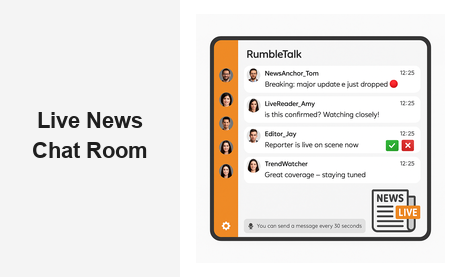
A live news chat room transforms passive readers into active participants — and for modern media publishers, that transformation is everything. When breaking news hits, your audience does not just want to read updates; they want to react, ask questions, and connect with others watching the same story unfold in real time. RumbleTalk’s group chat platform gives news websites, digital broadcasters, and media organizations a powerful, embeddable live news chat room that keeps audiences on your site longer, drives measurable engagement, and gives editorial teams full control over every conversation.
Why Every News Website Needs a Live News Chat Room
The digital news landscape is more competitive than it has ever been. Readers have dozens of options for any given story, and the moment your coverage feels static — a one-way broadcast rather than an experience — they leave. A live news chat room changes that dynamic entirely by turning your site into a destination where the conversation actually happens, not on social media feeds or a competitor’s comment section.
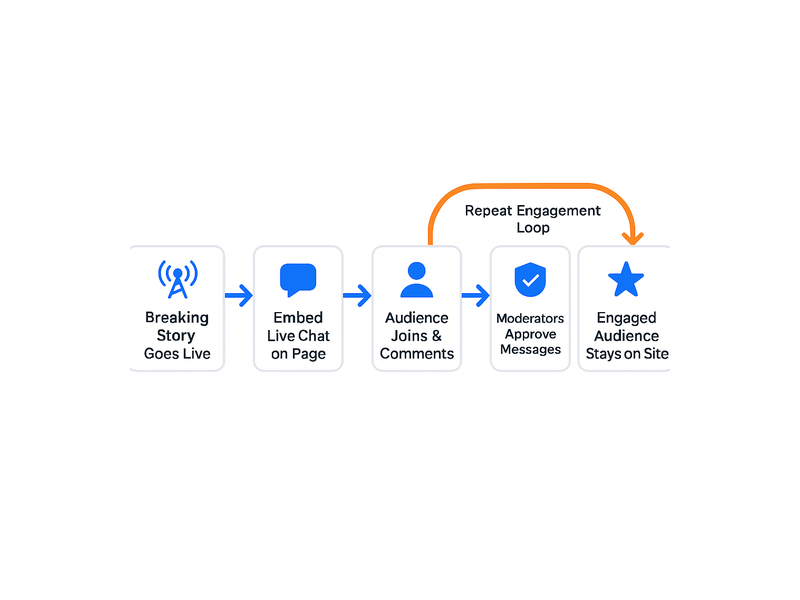
Consider what unfolds during a major breaking news event: traffic spikes, social sharing surges, and your audience is primed for engagement. Without a real-time chat option, that energy dissipates quickly. With a news chat room embedded directly on your page, you capture it. Readers stay longer, return more frequently, and develop a habit of visiting your site first — not just to consume coverage, but to participate in it. That distinction is what builds genuinely loyal audiences over time.
For B2B media companies, the value compounds across several key metrics. Higher session duration improves organic search signals. Repeat visits grow your registered user base and email list. An engaged community around live coverage becomes a powerful subscription and membership driver. A well-configured live news chat room is not a novelty feature — it is a retention and monetization engine that pays dividends every time a major news event draws a crowd to your site.
Beyond business metrics, there is a brand benefit that is harder to quantify but equally important: authority. When your readers associate your site with the best live coverage experience — the place where they can not only read the facts but discuss them with fellow readers and even interact with your journalists — your brand becomes synonymous with news leadership in your coverage area.
Key Features That Make a Live News Chat Room Effective
Not all chat solutions are built for the demands of live news publishing. A live election night, a market crash, or a breaking public safety story can generate hundreds — sometimes thousands — of simultaneous messages. RumbleTalk’s platform is engineered to handle that scale while giving your team the tools to keep conversations civil, on-topic, and aligned with your editorial standards.
Real-Time Group Chat Without Latency
Speed is everything in news. RumbleTalk delivers true real-time messaging so that when your correspondent files a live update, your audience can respond instantly. There is no page refresh, no loading delay, and no friction that would cause readers to abandon the chat mid-event. Whether your audience is 50 loyal subscribers or 50,000 readers following a breaking story, the live news chat room remains fast and fully responsive at scale.
Messages appear in real time for all participants simultaneously, and the chat can be embedded in any web page with a single JavaScript snippet. Your development team does not need to build anything from scratch — deployment takes minutes rather than development sprints, which matters when you need to launch a chat room ahead of a scheduled event or spin one up urgently for unexpected breaking coverage.
Built-In Moderation Tools for Editorial Control
Moderation is the central operational challenge of running any live news chat room. Without proactive oversight, discussions devolve into misinformation, abusive exchanges, and off-topic noise — all of which reflect poorly on your publication. RumbleTalk addresses this challenge with a layered moderation toolkit that fits any editorial workflow.
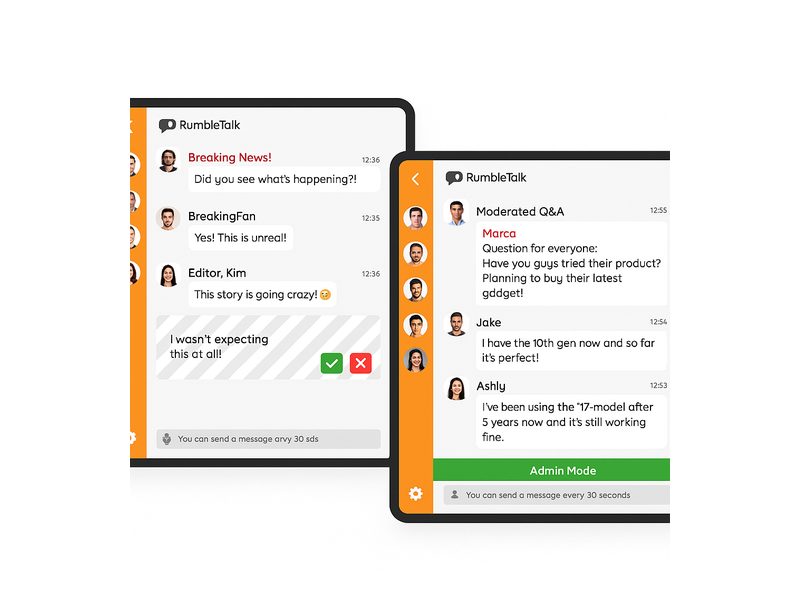
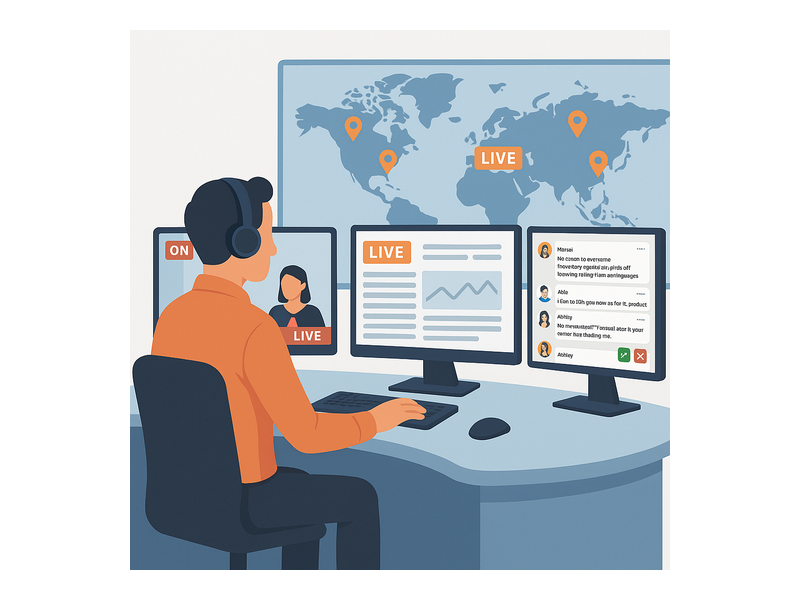
Admins can approve or reject messages before they go live, using a clean interface with green checkmark and red X buttons in the moderation panel. You can enable Moderated Q&A mode for structured sessions — ideal for live press briefings, expert panels, or post-event analyst discussions — or run the chat in open mode with keyword filters and instant user-banning tools for lighter-touch curation. The Admin Mode and muting features in RumbleTalk give editorial teams precise control at every stage of a live broadcast without requiring technical expertise from your journalists or producers.
Admin Mode also lets moderators broadcast a pinned announcement to all chat participants simultaneously — useful for directing audience attention during fast-moving coverage: “Our reporter is now live on scene” or “Questions for the panel open in five minutes.” This editorial control is what separates a professional news chat room from an unmanageable open comment section.
Branded and Fully Customizable
Your live chat experience should feel like an integral part of your site, not a third-party widget that undermines your design. RumbleTalk offers extensive visual customization: colors, fonts, avatar styles, and layout all adapt to your brand guidelines. For news organizations with strong visual identities — from regional broadcasters to national digital outlets — a live news chat room that looks native to your platform reinforces trust and keeps readers focused on your content rather than distracted by a generic interface.
How to Moderate a Live News Chat Room at Scale
Running a live news chat room effectively during a high-traffic event requires both the right technology and a clear operational plan. Here is how media teams typically structure their moderation workflow with RumbleTalk:
- Pre-event setup: Configure the chat in Moderated Q&A mode for structured events such as debates and press briefings, or Group Chat mode for open coverage. Set keyword filters to auto-flag or auto-remove common policy violations before your audience arrives.
- During the event: Assign one or two dedicated moderators per room. Use the admin dashboard to approve audience questions, ban repeat offenders, and pin important messages such as correction notices or live updates from your reporters in the field.
- Message throttling: Enable the built-in cooldown feature so the platform displays “You can send a message every 30 seconds” to users, preventing spam floods and giving moderators time to review incoming messages during peak traffic without falling behind.
- Multi-room management: For large news organizations covering several simultaneous stories, RumbleTalk supports multiple chat rooms managed from a single dashboard. Run one room for general breaking coverage, a second for a live Q&A with an expert source, and a third for premium subscriber access — all without switching platforms.
- Post-event review: Export the full chat transcript, analyze common audience questions to inform follow-up reporting, and archive the conversation as part of your editorial record.
Use Cases: Where Live News Chat Rooms Drive the Most Value
The flexibility of a live news chat room is one of its greatest strategic advantages for media publishers. Here are the high-impact scenarios where news organizations consistently see the strongest audience engagement gains.
Breaking News Coverage
When a major story breaks — a natural disaster, a significant market event, a political development — readers flood your site looking for updates. A live news chat room gives them a place to congregate, share real-time observations from their local areas, and submit questions directly to your reporting team. This turns your breaking news page from a static article feed into a living, participatory hub that competing outlets without embedded chat simply cannot replicate.
Live Election Results
Election nights are among the highest-traffic moments in news publishing and some of the most emotionally charged for your audience. Readers do not just want to observe results — they want to be part of the moment as it unfolds. Embedding a real-time news chat alongside your results dashboard lets your audience discuss returns as they come in, ask analysts questions, and share in the collective experience — all without leaving your site for social platforms. Your moderation tools ensure the conversation stays civil even when results are contentious.
Town Halls and Press Briefings
For news organizations that host live events or simulcast official press briefings, RumbleTalk’s Moderated Q&A mode is purpose-built for the format. Audience members submit questions through the live news chat room, moderators select and approve the strongest ones, and the journalist or guest answers them live. The result is a structured, high-quality audience interaction that elevates your broadcast well above passive viewing. The Live Q&A chat solution from RumbleTalk is purpose-built for exactly this type of moderated live event format.
Live Sports and Entertainment Commentary
Sports scores, award shows, reality TV finales, and major entertainment events are all opportunities for a live news chat to deliver real second-screen value. Media brands covering sports and entertainment can capture the audience that wants to react in real time — keeping pageviews and time-on-site metrics on your domain instead of on social platforms where your brand has no control over the experience or data.
Subscriber Community and Newsletter Extensions
Many modern news brands operate newsletters, podcasts, and membership programs alongside their main publication. A live chat room can serve as the community layer that connects your most loyal readers — a space where paid subscribers gather around each major story or episode. This transforms a one-way content relationship into an ongoing two-way community. For a direct parallel, see how Radio Audience Chat builds listener communities using the same platform principles that apply directly to subscription news media.
How to Set Up Your Live News Chat Room with RumbleTalk
Getting a live news chat room running with RumbleTalk is straightforward, even for non-technical editorial teams. Here is the typical setup path for a news publisher:
- Create your room: Log in to the RumbleTalk admin panel and create a new Group Chat or Moderated Q&A room. Name it after your coverage event — “Election Night Live,” “Market Watch Chat,” or “Town Hall Q&A.”
- Customize the design: Match your chat room colors, fonts, and header to your publication’s brand. Upload your logo to the header if needed.
- Embed on your page: Copy the JavaScript embed snippet and paste it into your CMS. The chat room appears exactly where you place it — no custom development required for most platforms including WordPress, Squarespace, and custom-built news sites.
- Configure moderation settings: Choose your moderation mode, assign admin roles to your editorial moderators, and configure keyword filters before your audience arrives.
- Promote and go live: Announce the chat via your newsletter and social channels. Activate a dedicated moderator from the very first message to set the tone and pace of the conversation.
RumbleTalk also supports SSO integration, meaning your existing registered users can log into the live news chat room automatically using their site credentials — no separate registration required. For subscription-based news organizations, this makes gating live chat access to paying members effortless and adds a compelling, tangible reason to subscribe.
Choosing the Right Chat Mode for Your News Coverage
RumbleTalk offers several distinct chat modes, each suited to different editorial scenarios:
- Group Chat: Open real-time chat for general news coverage. Best for breaking news, live score updates, and any event where open public discussion amplifies the energy and reach of the moment.
- Moderated Q&A: All messages require admin approval before publishing. Best for press briefings, expert panels, structured audience Q&A sessions, and events where message quality matters as much as volume.
- Members Chat: Restricted to registered or paying members. Best for subscriber-only live coverage and premium community experiences that provide a tangible benefit of membership.
- Queued Chat: Messages appear in a managed queue visible only to the operator. Best for broadcast situations where you want to display select audience contributions on a live video stream or broadcast overlay.
Many news organizations deploy a combination — open Group Chat for general readers during a major story and Moderated Q&A for expert-led segments — and RumbleTalk makes it easy to switch between modes or manage multiple rooms simultaneously from one admin dashboard.
Make Your News Site the Center of the Conversation
The most successful news brands of the next decade will not just report the story — they will host the conversation around it. A well-run live news chat room puts your site at the center of that conversation, building the kind of audience loyalty and direct relationship that no social media algorithm can replicate or take away from you.
With RumbleTalk, you get a proven, scalable, and fully moderated live news chat room that your editorial team can deploy in minutes and manage without technical overhead. Whether you are covering a local city council vote or a global market event, the ability to bring readers into a real-time dialogue is a meaningful competitive advantage that compounds as your community grows.
Ready to add a live news chat room to your website? Visit RumbleTalk to explore plans, request a live demo, and see exactly how the platform fits your editorial workflow and audience engagement goals.