RumbleTalk uses cookies to ensure the best user experience on the website and guarantee its flawless performance. By continuing to use this website, you agree to the use of cookies.
Click here to read more about our GDPR overview.

Queued Chat
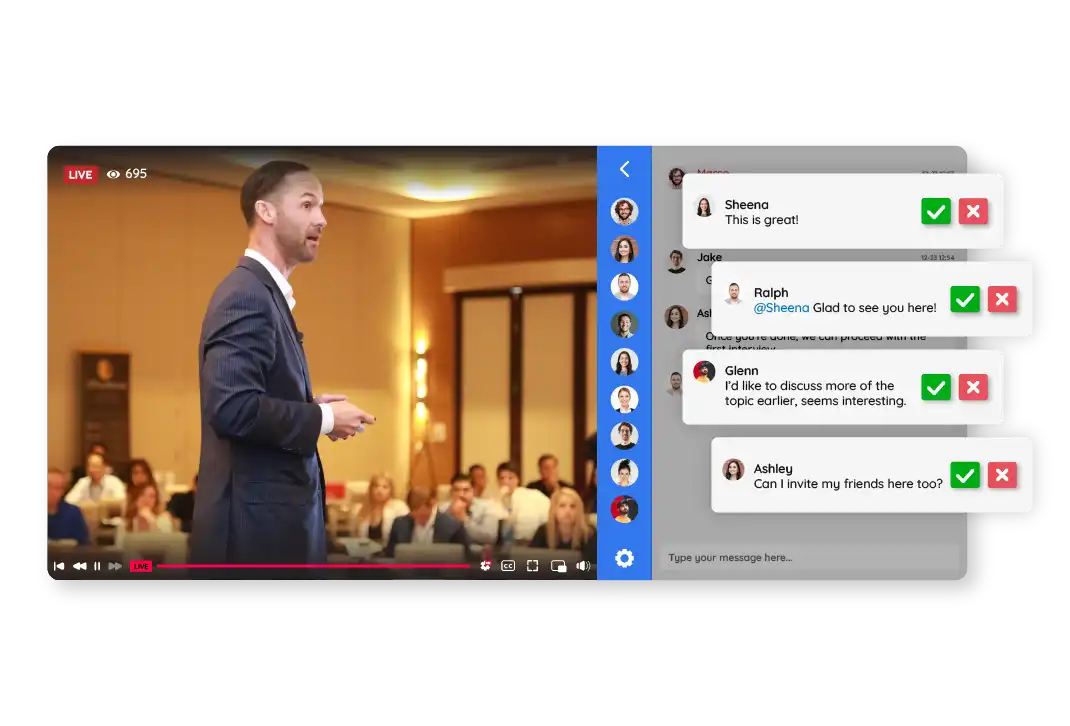
See Queued Chat in action
Queued Chat is a moderated group chat where an administrator reviews every message before it becomes visible to the audience. Only approved messages go live.
In a regular group chat, messages are visible to everyone instantly. In Queued Chat, every message is held in a queue and must be approved by an admin before it appears publicly.
Only designated administrators can approve or reject messages. You can assign one or multiple admins to moderate the chat simultaneously.
The admin has three options: approve the message (it goes live), reject it (it is deleted for everyone, including the sender — it simply disappears), or leave it pending in the queue. There is no explicit rejection notification sent to the user.
Moderation is done directly inside the chat room. Admins see incoming messages in a queue and approve or reject them with a single click — no separate admin panel needed.
Yes. Queued Chat is built for large-scale events. Since every message passes through admin approval before going live, the conversation stays controlled and on-topic no matter how many participants are in the room.
Switching modes during a live event is not recommended. However, you can freely switch between modes before or after your event without any issues.
Yes, admins can export the full chat history, including all approved messages.
No. The moderation queue only applies to the public group discussion. Users can still send private one-on-one messages to each other freely, but those conversations are not visible to the admin and cannot be screened or moderated.
Get Started with
Queued Chat
RumbleTalk online group chat platform offers a free forever group chat and several paid plans with more features, and support.