RumbleTalk uses cookies to ensure the best user experience on the website and guarantee its
flawless performance. By continuing to use this website, you agree to the use of cookies.
Mute everyone at once, slow down the influx of chat messages, ban problematic users and profanity, delete messages, and more.
Live Polls
Engage your audience or gather valuable feedback through polls.
InText Keywords
Turn words into clickable links that lead to any webpage or downloadable file.
Key Features
Admin Mode
Mute everyone at once, slow down the influx of chat messages, ban problematic users and profanity, delete messages, and more.
Live Polls
Engage your audience or gather valuable feedback through polls.
InText Keywords
Turn words into clickable links that lead to any webpage or downloadable file.
Use Cases
Virtual Events & Conferences
Create meaningful connections during virtual events by bridging the gap between user to user, or user to speaker.
Job Fairs & Event Booths
Create one or more group chat rooms alongside your event. Use it for breakout rooms, meeting rooms, group activities, or online event booths.
Communities & Networking
Create a thriving community and connect with your followers by embedding a group chat on your website, beside your podcast, or below your livestream.
Use Cases
Virtual Events & Conferences
Create meaningful connections during virtual events by bridging the gap between user to user, or user to speaker.
Job Fairs & Event Booths
Create one or more group chat rooms alongside your event. Use it for breakout rooms, meeting rooms, group activities, or online event booths.
Communities & Networking
Create a thriving community and connect with your followers by embedding a group chat on your website, beside your podcast, or below your livestream.
See Social Chat in action
Frequently Asked Questions
Social Chat is an old-style chat room you can embed directly on your website. It is a public group chat where anyone can join the conversation, perfect for open community discussions next to your content or livestream. If allowed by the admin, users can also send private one-on-one messages or private video calls to each other inside the room.
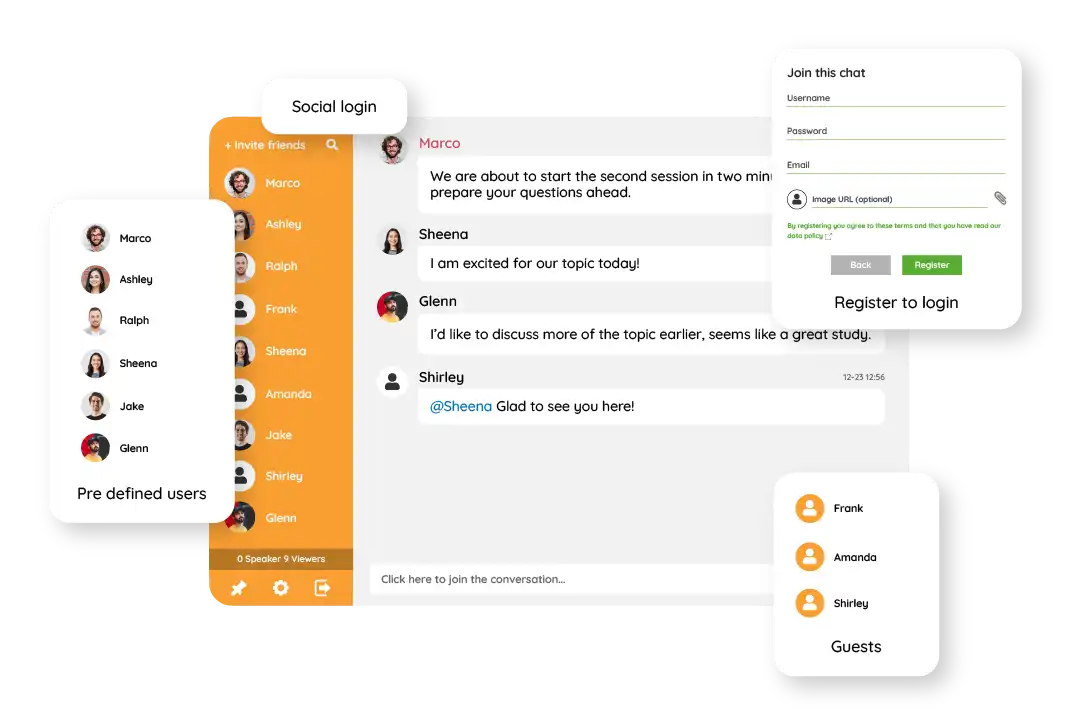
No. Anyone visiting your page can jump into the chat instantly as a Guest user. Guests choose a nickname and start chatting right away, just like the classic chat rooms of the early internet.
Yes. Admins have full control through Admin Mode: mute all users at once, slow down the message flow, ban specific users or ban by IP address, filter profanity, and delete individual messages.
Yes. Admins can launch live polls at any time and share the results with the group in real time, great for gathering quick feedback or engaging your audience.
Yes. Users can open a private one-on-one conversation with any other participant alongside the public group chat. Admins can enable or disable this option depending on how they want to run the room.
Yes. You can create multiple Social Chat rooms and embed each one on different pages, useful for breakout rooms, event booths, or topic-specific discussions. Some customers run thousands of rooms across their website. It is recommended to use no more than 4 chat rooms on a single page.
Yes. Social Chat comes with ready-made skins to get started quickly. You can then adjust the look further using the Advanced Design settings, and if you need even more control, custom CSS lets you change anything to match your website's branding.
Get Started with
Social Group Chat
RumbleTalk online group chat platform offers a free forever group chat and several paid plans with more features, and support.
Social Chat is an old-style chat room you can embed directly on your website. It is a public group chat where anyone can join the conversation, perfect for open community discussions next to your content or livestream. If allowed by the admin, users can also send private one-on-one messages or private video calls to each other inside the room.