Community Building Playbooks: How to Turn Your Website Chat into a Loyal Audience

The most successful websites in 2025 have one thing in common: they have turned their visitors into communities. A website chat community building strategy is not about adding a chat box to your homepage. It is about creating a space where your audience comes back, participates, and feels invested in what you have built.

Most website owners focus on traffic. They track sessions, bounce rates, and scroll depth. What those metrics do not show is whether a visitor ever becomes something more — a returning reader, a paying member, a loyal fan. That transformation does not happen through content alone. It happens through conversation. When visitors can talk to each other and to you, they stop being an audience and start being a community.

RumbleTalk gives you the tools to embed a live group chat directly on your website — no third-party platform required, no Discord server to manage, no Slack workspace to juggle. The conversation happens on your property, under your rules, inside the experience you have built for your audience.

What Makes a Visitor a Community Member?

There is a clear transition point between passive visitor and active community member. A visitor reads, watches, or listens. A community member responds, contributes, and returns. The catalyst for that shift is almost always a first interaction — a moment where they said something and someone heard them.

Website chat creates those moments at scale. When a reader asks a question in your chat and gets a response from another member or from you, they have crossed the threshold. They have gone from consuming your content to participating in it. That first participation is the seed of retention.

This is why platforms with embedded chat consistently show higher return visit rates than those without. The content might bring someone back once. The community brings them back every day.
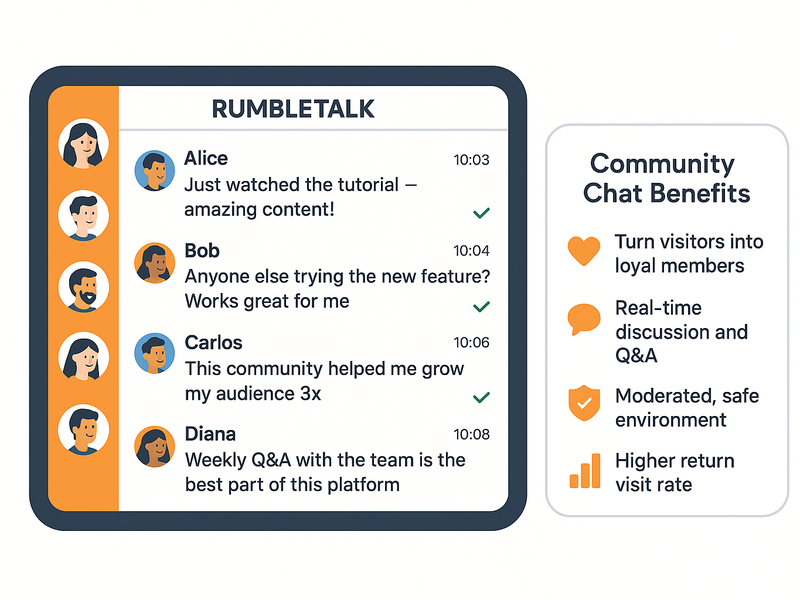
RumbleTalk group chat widget embedded on a website showing active community members discussing topics in real time

The Community Building Playbook: Five Moves That Work

Building a loyal audience through chat does not happen by accident. The websites that succeed at it follow recognizable patterns. Here are the five moves that turn a chat widget into a community engine.

1. Embed Chat on Your Highest-Intent Pages

Not every page needs a chat room, but your highest-intent pages almost always benefit from one. These are the pages where visitors already have a question — your pricing page, your tutorial library, your live event landing page, your members-only area. Embedding chat here gives visitors an immediate outlet for that question, and it gives you a direct window into what your audience is thinking at the moment they are closest to converting.

2. Host Regular Live Q&A Sessions

A scheduled live Q&A is one of the most effective community-building tools available. Pick a time — weekly, biweekly, monthly — and show up in the chat room. Answer questions, share behind-the-scenes context, react to what your audience is working on. The regularity creates a habit. Members start planning their week around your Q&A. That habit is the foundation of loyalty.

RumbleTalk’s Admin Mode makes these sessions manageable. When you activate it, only you and your designated moderators can post. Members read and submit questions through a controlled queue. The conversation stays focused and productive even with hundreds of people in the room.

3. Use Moderation to Set the Culture

The culture of a community is defined in its first few weeks. What messages get responded to, what behavior gets removed, what tone the moderators set — all of this signals to new members what kind of space this is. RumbleTalk’s message pre-approval queue lets you review every message before it appears. Nothing toxic, spammy, or off-topic ever reaches the room. The community learns quickly that this is a space worth participating in.

Once the culture is established, you can relax the moderation settings. Many communities start with full pre-approval, move to keyword filtering after a few months, and eventually rely on trusted member moderators to keep the room on track.
RumbleTalk moderation and community management features showing admin mode, message queue, and slow-down controls

4. Create Members-Only Chat Rooms

Exclusivity is a powerful community motivator. When part of your chat is restricted to paying members, newsletter subscribers, or registered users, it gives people a concrete reason to cross that threshold. The members-only room becomes part of the value proposition — not just the content you deliver, but the community of people who pay for it.

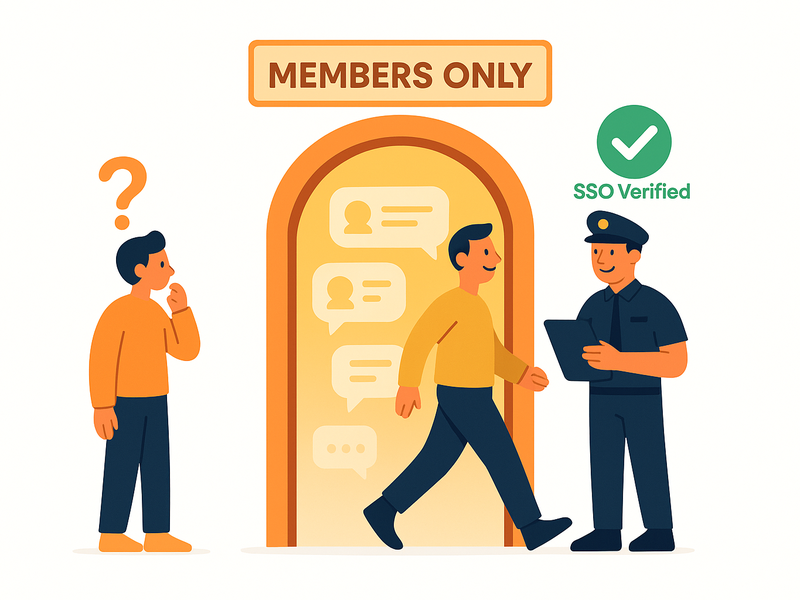
RumbleTalk’s SSO integration connects your existing login system to the chat. Members who are logged into your site are automatically logged into the chat room — no second account, no extra step. The exclusivity is enforced at the infrastructure level, not through honor system.

5. Let Members Connect One-on-One

The strongest communities are not just many-to-many. They are also one-to-one. When your members can send each other private messages, they form relationships that extend beyond the group chat. Those relationships are what make leaving the platform feel like a real loss — because leaving means losing access to people, not just content.

RumbleTalk’s private chat lets any two registered members open a direct conversation. It supports text, file sharing, and audio and video calls — all without leaving your platform. The networking happens inside your product, deepening the value your community provides.
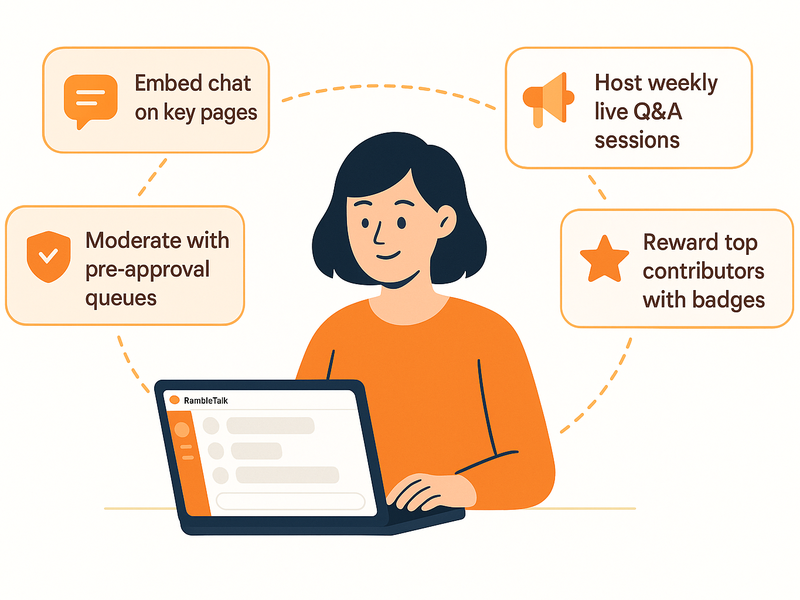
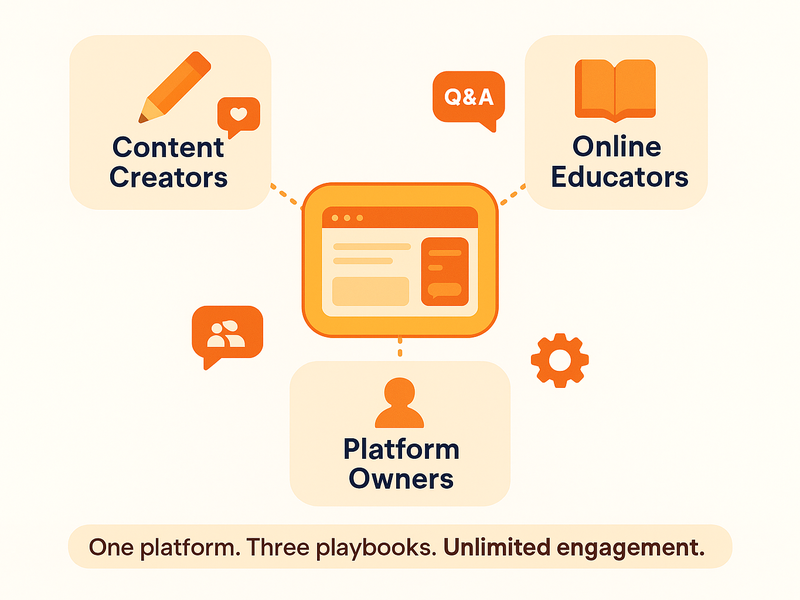
Community building playbook illustration showing website owner managing engaged chat audience with RumbleTalk tools

Why Your Community Belongs on Your Website, Not on Discord

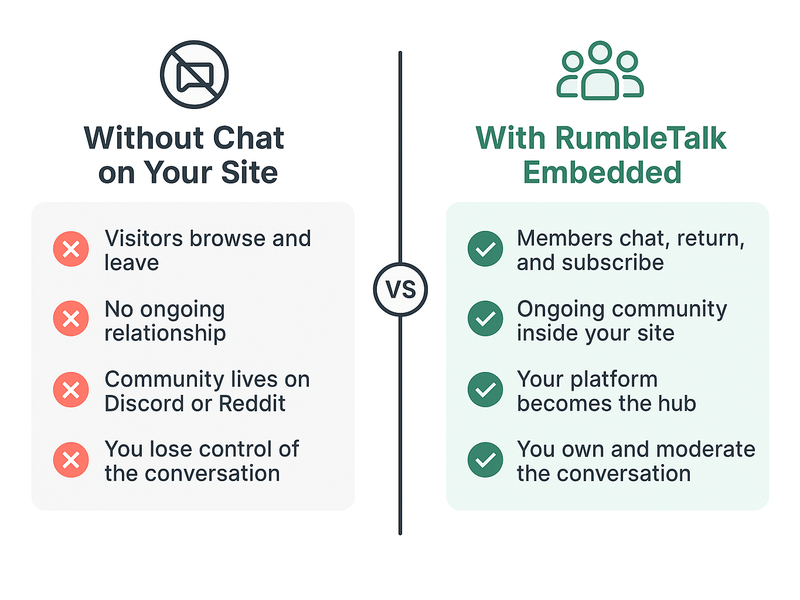
Discord and Slack are useful tools, but they share a fundamental problem: they pull your community off your website. When your members spend time in your Discord server, they are building a relationship with Discord, not with your platform. The data lives on someone else’s servers. The relationships form outside your product. If Discord changes its pricing, shuts down a feature, or bans your server, your community can disappear overnight.

A website chat community keeps everything in your control. You own the data. You control the moderation. You set the rules. When the community grows, the value accrues to your platform — higher session times, higher subscription rates, more word-of-mouth referrals from members who tell others about the community they joined.

More practically, an on-site chat means members never have to switch tabs to talk. The conversation is adjacent to your content — right there while they are reading your post, watching your video, or browsing your store. That proximity removes friction from participation and increases the chance that a casual visitor stops to engage.

Measuring Community Health

A loyal audience is not measured by follower counts. It is measured by participation rate, return visit frequency, and average session length. When you add a chat room to your website and start implementing these playbooks, you will see shifts in all three metrics.

Participation rate tells you what percentage of your visitors are contributing, not just consuming. Return visit frequency tells you whether members are forming a habit around your platform. Session length tells you whether the chat is extending the time people spend inside your product. Together, these metrics paint a picture of whether you are building an audience or a community — and communities are worth significantly more.

Start Building Your Community Today

The playbooks in this post are not theoretical. They are the patterns used by the websites and platforms that have built the most loyal audiences in their respective niches — from content creators to online educators to live event organizers. What they share is a commitment to giving their audience a place to talk, and a set of tools to make that conversation worth having.

RumbleTalk gives you those tools. Embed the group chat, run your first live Q&A, set your moderation rules, and open the members-only room. The website chat community building journey starts with a single conversation — and the best time to start it is now.

Get started with RumbleTalk and turn your website visitors into a loyal, engaged community.
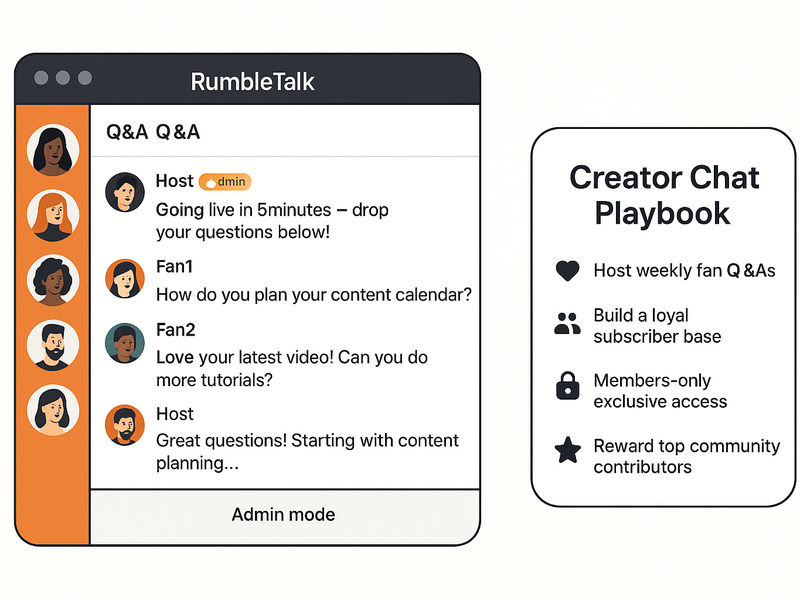
Community Building Playbooks for Creators, Educators, and Platform Owners

Community building for creators, educators, and platform owners is not a single strategy. A content creator building a fan community has different needs than a university professor running an online course, and both are different from a SaaS founder growing a user community. What they share is a need for live, on-site conversation — and a set of playbooks for making that conversation productive.

The platforms that succeed at community building are not the ones with the most content. They are the ones that make their audience feel heard. A tutorial library, a course curriculum, a feature set — none of these build loyalty on their own. What builds loyalty is the moment a member posts something and gets a real response. That moment is what separates a website from a community.

RumbleTalk gives creators, educators, and platform owners the infrastructure for those moments — embedded directly on their websites, under their control, customized for their audience. Here is how each group can use it.

Playbook for Content Creators: Turn Fans into a Loyal Audience

Content creators face a specific community problem: their audience is scattered. Fans watch on YouTube, follow on Instagram, listen on Spotify, and comment on TikTok — but none of those platforms belong to the creator. The algorithm controls distribution. The platform owns the data. The creator has no direct line to their audience when a platform changes its rules or reduces reach.

Embedding a chat room on your own website changes that equation. When fans register and participate in your on-site community, you have a direct relationship with them that no algorithm can interrupt. Here is the creator playbook for making that community thrive.

Weekly Fan Q&A Sessions

Pick a recurring time and show up in your chat room. Announce it across your channels — this week’s Q&A is Tuesday at 7 PM inside the community. Members who want access to you directly will register on your site and return every week. Over time, the Q&A becomes the anchor of your community calendar. Members plan around it. They invite others. The session becomes a recurring reason to visit your website that your content alone cannot provide.

Members-Only Chat for Supporters

Create a private room accessible only to your paid supporters, newsletter subscribers, or Patreon members. This room is where you share early access, behind-the-scenes context, and exclusive discussions that are not available to the general public. The exclusivity drives upgrades from casual fans to paying supporters — not because you are withholding content, but because you are offering something more valuable: access to you and to each other.

Content creator using RumbleTalk chat to engage fans during a live session with real-time Q&A and audience interaction

Playbook for Educators: Make Learning a Conversation

Online education has a retention problem. Students who learn passively — watching videos, reading transcripts, completing quizzes alone — drop out at high rates. Students who learn in community — asking questions, getting peer feedback, discussing concepts with classmates — complete courses and return for more. The difference is conversation.

For educators running courses, membership sites, or online schools, embedding a chat room is one of the highest-impact things they can do for student outcomes. Here is the educator playbook.

Structured Class Discussions with Slow-Down Chat

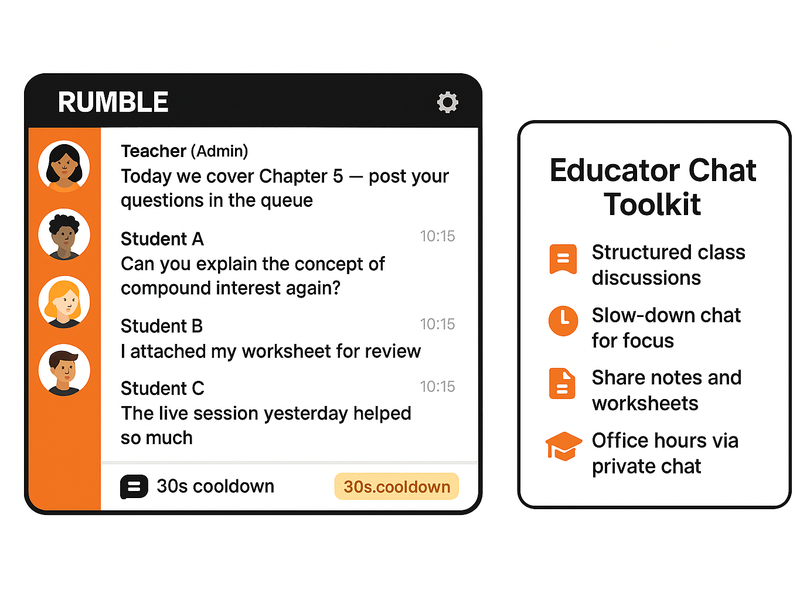
When you open the chat room for a live lesson or a discussion prompt, the volume can quickly become unmanageable. Slow-Down Chat lets you set a cooldown period between student messages — every student can still contribute, but the pace of the conversation stays readable. This is particularly effective for discussion prompts where you want thoughtful responses rather than rapid reactions.

Office Hours via Private Chat

Set aside weekly office hours and let students open private chats with you directly. Private chat in RumbleTalk supports text, file sharing, and audio and video calls — so a student can show you their work, share their screen, and get real-time feedback without switching to Zoom or Google Meet. Everything stays inside your platform. Students who get direct access to an instructor are far more likely to complete a course and enroll in the next one.

Peer Study Groups with Separate Chat Rooms

Create separate chat rooms for different cohorts, modules, or study groups. Students in Month 1 of a program get one room. Advanced students get another. Alumni get a third. Each room has its own culture and level of conversation. Students in the early room see the advanced room as something to aspire to. Alumni in the senior room become mentors and advocates. The community develops layers that reward continued participation.

Online educator running a moderated class discussion in RumbleTalk with students asking questions and sharing resources

Playbook for Platform Owners: Make Community a Product Feature

For SaaS founders, marketplace operators, and membership platform owners, community is not a marketing tactic. It is a product feature — one that directly affects churn, lifetime value, and word-of-mouth growth. When users have a community inside your product, they are not just paying for features. They are paying for relationships, peer support, and access to a network that they cannot replicate elsewhere.

Integrate Chat with Your User Authentication

RumbleTalk’s SSO integration connects your existing login system to the chat room. When a user is logged into your platform, they are automatically logged into the community. No second account. No friction. The chat room becomes a seamless part of the product experience — not a separate tool that requires separate credentials.

This matters for platform owners because friction kills community participation. Every extra step between a user and a chat room reduces the chance they will engage. SSO removes all of those steps.

Use Moderated Q&A for Product Announcements

When you launch a new feature, push an update, or make a major product decision, give your users a structured space to respond. Activate Admin Mode to keep the announcement focused, then open the floor for a moderated Q&A. Users feel heard. Your team learns what questions need better answers in the documentation. And the whole exchange is visible to every member of the community — building transparency and trust in your product decisions.

Build Power User Communities

Create a separate chat room for your most active users — power users, beta testers, or long-term subscribers. Give them early access to features and a direct line to your product team. These users become your most vocal advocates because they feel like insiders, not customers. The community room is where that relationship is built and maintained. It is also where you get the most actionable product feedback you will ever receive.

Platform owner dashboard showing RumbleTalk community chat integrated into a membership site with multiple chat rooms

The Common Thread: Conversation Creates Loyalty

Whether you are a creator with 10,000 YouTube subscribers, an educator running an online course, or a platform owner with 500 paying users, the dynamic is the same. Passive audiences are fragile. They leave when something better comes along. Community members are resilient. They stay because they have relationships, context, and history inside your platform — and leaving means losing all of that.

The playbooks in this post are not magic. They require consistency and presence. You have to show up for the Q&A. You have to moderate the early weeks carefully. You have to set the cultural tone before the community is large enough to sustain itself. But the investment compounds. A community that has been growing for six months is significantly harder to compete with than one that launched last week.

RumbleTalk gives you the infrastructure. The chat is embeddable, customizable, and scalable. The moderation tools — pre-approval queues, Admin Mode, Slow-Down Chat — give you control over the experience as the community grows. The SSO integration removes friction for your registered users. The private chat deepens relationships beyond the group room.

Get Started with Your Community Playbook

You do not need a large audience to start. Some of the strongest communities began with fewer than a hundred members who showed up every week because the conversation was worth having. Start with one chat room, one recurring session, and one clear reason for your audience to participate. Build from there.

RumbleTalk’s community building for creators, educators, and platform owners starts with a free trial and an embed code that takes minutes to add to your website.

Start building your community with RumbleTalk — your audience is already out there, waiting for a place to connect.

Chat SSO Integration for Websites: One Login, Full Access, Zero Friction

Chat SSO integration connects your existing login system directly to your chat room, so your users are automatically authenticated the moment they land on the page. No second password. No registration form. No friction between your platform and your community.

If you run a members-only website, a subscription platform, an online event, or any community where users are already logged in, asking them to create a separate chat account is more than annoying — it is a conversion killer. Users drop off. Chat rooms sit empty. The community you built never reaches its potential.

RumbleTalk solves this with native SSO support. Whether you run WordPress or a fully custom platform, you can pass your authenticated user’s identity directly into the chat room — silently, instantly, and securely. Here is everything you need to know.

What Chat SSO Integration Actually Does

SSO stands for Single Sign-On. In the context of a chat widget, it means your website’s authentication system and your chat room share the same identity. When a user logs into your platform, they are also logged into the chat — automatically, with no additional step.

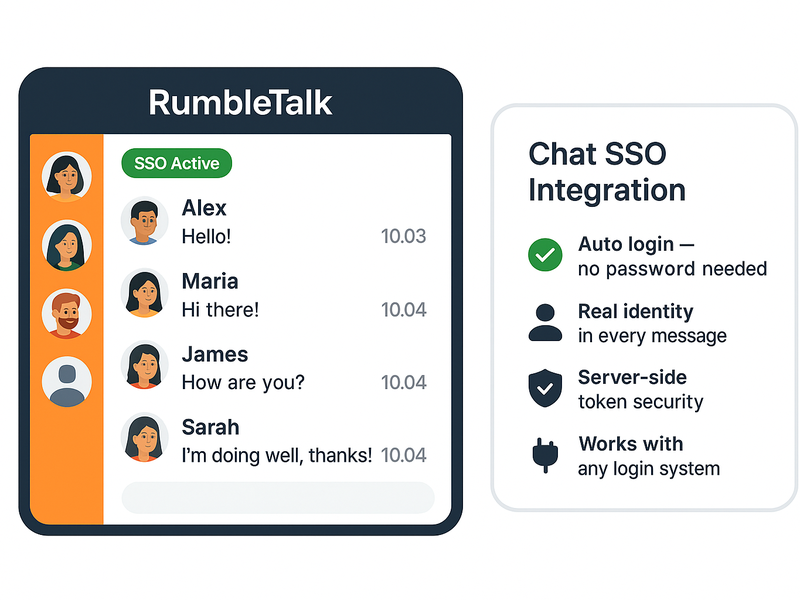
From the user’s perspective, the chat just works. Their name appears. Their profile photo loads. They are in the room and ready to participate within seconds of arriving on the page.

From the admin’s perspective, every user in the room is a verified, identified member of your platform. You know exactly who is speaking. Moderators can act on real identities, not anonymous usernames. Guest access is eliminated by default — unless you choose to allow it.

RumbleTalk chat SSO integration — chat window with SSO Active badge and feature list panel

Two Ways to Set Up Chat SSO Integration with RumbleTalk

RumbleTalk offers two implementation paths. One requires no code at all. The other gives developers complete control over the authentication flow. Both achieve the same result: your users are in the chat with their real identity, automatically.

Option 1: The WordPress Plugin (No Code Required)

If your platform runs on WordPress, the RumbleTalk WordPress plugin handles SSO out of the box. Once the plugin is installed and your chat room is connected to your WordPress site, every logged-in WordPress user who visits a page with the chat widget is automatically signed into the chat using their WordPress credentials.

Their WordPress display name becomes their chat username. Their WordPress avatar appears as their chat profile photo. There is nothing for the user to click, configure, or remember. It simply works the moment they load the page.

For site owners running membership plugins like MemberPress, Restrict Content Pro, or BuddyBoss, this is particularly powerful. Your membership tiers are already controlling who can access which pages — RumbleTalk respects that same access control and only puts authenticated members into the chat room.


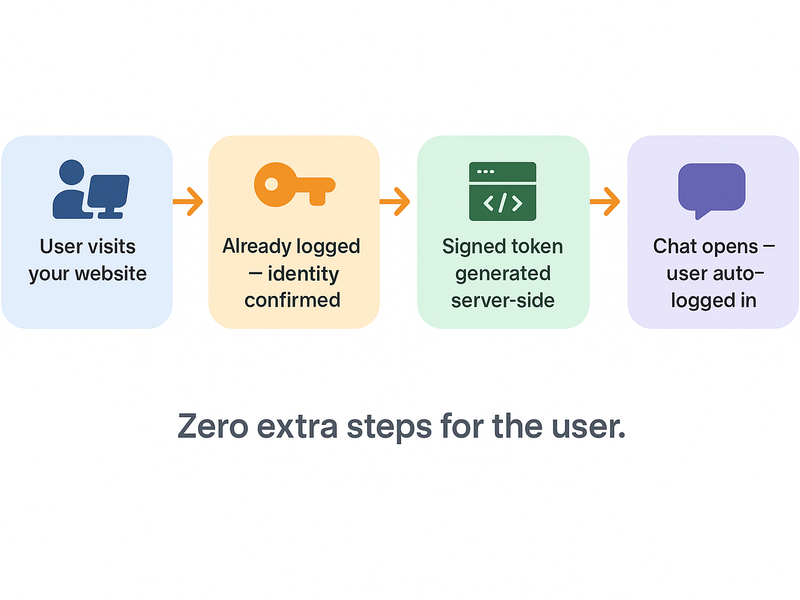
Chat SSO integration flow diagram — four steps from website login to automatic chat access

Option 2: The RumbleTalk SDK and Auto-Login API

For platforms built outside WordPress — custom web applications, React frontends, Angular apps, or any server-rendered platform — RumbleTalk provides an Auto-Login API that gives developers direct control over the SSO handshake.

The flow works like this: when an authenticated user loads a page with your chat embed, your server generates a signed token containing the user’s identity (username, display name, avatar URL). That token is passed to the RumbleTalk SDK, which validates it and logs the user into the chat room automatically — all within the page load, invisible to the user.

The RumbleTalk SDK supports this through a simple JavaScript call:

RumbleTalk.SSO({
  hash: "YOUR_CHAT_HASH",
  username: currentUser.name,
  image: currentUser.avatarUrl,
  token: serverGeneratedToken
});

The token is generated server-side using your RumbleTalk API key, ensuring it cannot be spoofed by a client. This approach works with any backend language — PHP, Node.js, Python, Ruby, or any platform that can generate an HMAC-signed string.

Full documentation and code examples for every major language are available in the RumbleTalk Auto-Login API reference.

Who Benefits Most from Chat SSO Integration

Chat SSO integration solves a specific problem: the gap between your platform’s identity system and the chat room. Any website where users are already logged in before they reach the chat can benefit. Here are the most common use cases.

Members-Only Communities

Subscription communities, professional networks, alumni platforms, and private clubs all have one thing in common: membership is earned or purchased. Asking members to create yet another account to use the community chat undermines the exclusivity and the experience you have built.

With SSO, the chat room becomes an extension of your membership. Members log in once and are instantly part of the conversation. Their identity is verified. Their membership tier can even determine which chat rooms they can access. The result is a cohesive, premium experience that feels like one platform — because it is.

Live Events and Webinars

Event organizers face a specific version of this problem. Attendees have already registered for your event. They received a ticket. They confirmed their email. When they arrive at the event page and find a chat widget asking them to register again, the experience breaks.

With RumbleTalk’s chat SSO integration, attendees who are logged into your event platform are automatically placed into the event chat room. No extra step. No confusion. The moderator sees real attendee names — not anonymous guests — which makes Q&A sessions, polls, and moderation dramatically easier to manage.

Online Courses and Educational Platforms

Course platforms need real identity in the classroom chat. When a student asks a question, the instructor needs to know who is asking — their name, their enrolled course, and whether they are a current student. Anonymous chat in an educational context creates noise, not learning.

SSO integration means every student who joins the course chat is already verified as an enrolled learner. Instructors can address students by name. Moderators can take action on real accounts. The classroom stays focused and productive.


RumbleTalk members-only chat room with lock icon and authenticated attendees in a live event Q&A

What Users Experience with SSO Enabled

The user experience with SSO active is as close to invisible as a login system can get. There is no visible authentication step. No redirect to a login page. No popup asking for credentials. The user simply arrives at the page and finds the chat room open, with their name already in it.

This matters more than most platform owners realize. Every extra step between a user and the community is a point of failure. Some users will not know how to create a chat account. Others will use a different email and appear as a stranger to the community. Many will simply skip the chat entirely if it requires effort.

SSO removes all of that. The chat room becomes an ambient feature of your platform — always there, always ready, always showing the right identity.

What Admins and Moderators Get

From the moderation side, SSO transforms the chat room from an anonymous space into an accountable one. Every username in the room corresponds to a real account in your system. If a user misbehaves, the moderator can act on their actual identity — not just ban an anonymous session that they will rejoin immediately under a new name.

For platforms that handle sensitive topics — financial communities, healthcare Q&A, legal support forums — this accountability is not optional. It is a requirement. SSO makes it technically enforceable, not just a policy.

Admins also gain the ability to assign roles based on platform membership. A premium member can automatically receive moderator privileges in the chat. A trial user can be restricted to read-only access. These rules are enforced through the SSO token, which means they cannot be bypassed from the client side.

Security: How the Auto-Login Token Works

A common question about SSO is whether it is secure — specifically, whether a malicious user could forge a token and impersonate another member. The answer is no, and here is why.

The auto-login token is generated server-side, signed with your private RumbleTalk API key, which never leaves your server. The token includes the user’s identity data and a timestamp. RumbleTalk’s servers validate the signature before accepting the login. If a client tries to submit a modified or forged token, the signature check fails and the login is rejected.

This is the same security model used by JWT (JSON Web Tokens) and HMAC-based API authentication across the industry. It is a proven, battle-tested approach to secure identity delegation.

Getting Started with RumbleTalk Chat SSO Integration

If you are on WordPress, start with the RumbleTalk WordPress plugin. Install it, connect your chat room, and SSO is enabled automatically for all logged-in WordPress users. No configuration required beyond the initial setup.

If you are on a custom platform, start with the Auto-Login API documentation. The implementation is a single server-side function that generates a signed token, plus a single JavaScript call to pass it to the chat widget. Most developers complete the integration in under an hour.

In both cases, your chat room goes from anonymous to authenticated — and your community goes from passive visitors to identified, accountable members — without asking anyone to do anything extra.

The Bottom Line

A chat room without identity is just a comments section. Chat SSO integration is what turns a widget into a real community tool — one where every participant is known, moderation is meaningful, and the experience feels like a natural extension of your platform rather than a separate product bolted on.

RumbleTalk makes this available to WordPress sites without any code, and to custom platforms with a single API call. The result is the same in both cases: your users are in the room, with their real identity, before they even notice the chat is there.

Try RumbleTalk free and set up your first SSO-authenticated chat room today.