Live News Chat Room: Engage Your Audience in Real Time

A live news chat room transforms passive readers into active participants — and for modern media publishers, that transformation is everything. When breaking news hits, your audience does not just want to read updates; they want to react, ask questions, and connect with others watching the same story unfold in real time. RumbleTalk’s group chat platform gives news websites, digital broadcasters, and media organizations a powerful, embeddable live news chat room that keeps audiences on your site longer, drives measurable engagement, and gives editorial teams full control over every conversation.

Why Every News Website Needs a Live News Chat Room

The digital news landscape is more competitive than it has ever been. Readers have dozens of options for any given story, and the moment your coverage feels static — a one-way broadcast rather than an experience — they leave. A live news chat room changes that dynamic entirely by turning your site into a destination where the conversation actually happens, not on social media feeds or a competitor’s comment section.

Consider what unfolds during a major breaking news event: traffic spikes, social sharing surges, and your audience is primed for engagement. Without a real-time chat option, that energy dissipates quickly. With a news chat room embedded directly on your page, you capture it. Readers stay longer, return more frequently, and develop a habit of visiting your site first — not just to consume coverage, but to participate in it. That distinction is what builds genuinely loyal audiences over time.

For B2B media companies, the value compounds across several key metrics. Higher session duration improves organic search signals. Repeat visits grow your registered user base and email list. An engaged community around live coverage becomes a powerful subscription and membership driver. A well-configured live news chat room is not a novelty feature — it is a retention and monetization engine that pays dividends every time a major news event draws a crowd to your site.

Beyond business metrics, there is a brand benefit that is harder to quantify but equally important: authority. When your readers associate your site with the best live coverage experience — the place where they can not only read the facts but discuss them with fellow readers and even interact with your journalists — your brand becomes synonymous with news leadership in your coverage area.

Key Features That Make a Live News Chat Room Effective

Not all chat solutions are built for the demands of live news publishing. A live election night, a market crash, or a breaking public safety story can generate hundreds — sometimes thousands — of simultaneous messages. RumbleTalk’s platform is engineered to handle that scale while giving your team the tools to keep conversations civil, on-topic, and aligned with your editorial standards.

Real-Time Group Chat Without Latency

Speed is everything in news. RumbleTalk delivers true real-time messaging so that when your correspondent files a live update, your audience can respond instantly. There is no page refresh, no loading delay, and no friction that would cause readers to abandon the chat mid-event. Whether your audience is 50 loyal subscribers or 50,000 readers following a breaking story, the live news chat room remains fast and fully responsive at scale.

Messages appear in real time for all participants simultaneously, and the chat can be embedded in any web page with a single JavaScript snippet. Your development team does not need to build anything from scratch — deployment takes minutes rather than development sprints, which matters when you need to launch a chat room ahead of a scheduled event or spin one up urgently for unexpected breaking coverage.

Built-In Moderation Tools for Editorial Control

Moderation is the central operational challenge of running any live news chat room. Without proactive oversight, discussions devolve into misinformation, abusive exchanges, and off-topic noise — all of which reflect poorly on your publication. RumbleTalk addresses this challenge with a layered moderation toolkit that fits any editorial workflow.

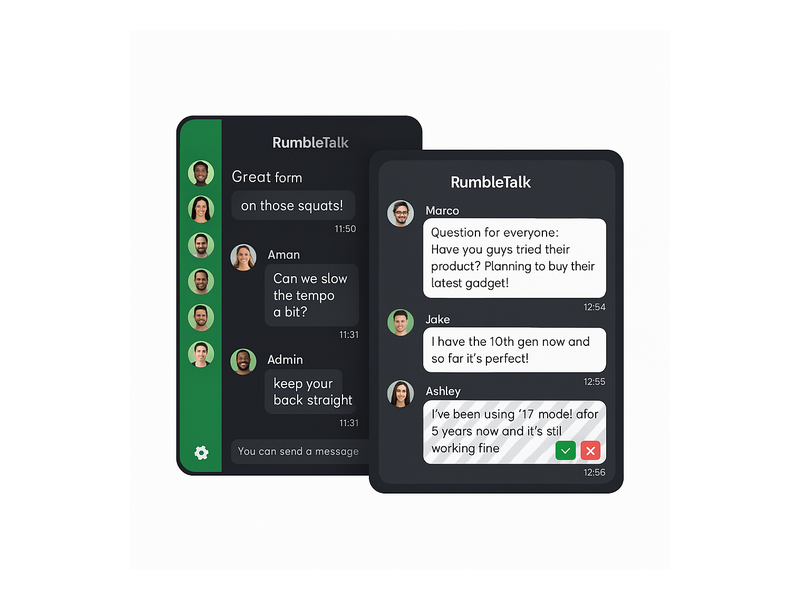
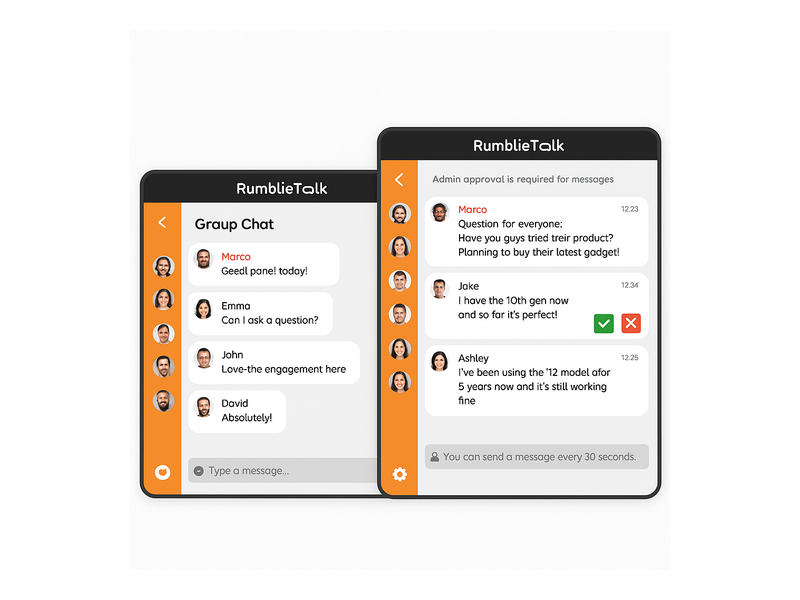
Admins can approve or reject messages before they go live, using a clean interface with green checkmark and red X buttons in the moderation panel. You can enable Moderated Q&A mode for structured sessions — ideal for live press briefings, expert panels, or post-event analyst discussions — or run the chat in open mode with keyword filters and instant user-banning tools for lighter-touch curation. The Admin Mode and muting features in RumbleTalk give editorial teams precise control at every stage of a live broadcast without requiring technical expertise from your journalists or producers.

Admin Mode also lets moderators broadcast a pinned announcement to all chat participants simultaneously — useful for directing audience attention during fast-moving coverage: “Our reporter is now live on scene” or “Questions for the panel open in five minutes.” This editorial control is what separates a professional news chat room from an unmanageable open comment section.

Branded and Fully Customizable

Your live chat experience should feel like an integral part of your site, not a third-party widget that undermines your design. RumbleTalk offers extensive visual customization: colors, fonts, avatar styles, and layout all adapt to your brand guidelines. For news organizations with strong visual identities — from regional broadcasters to national digital outlets — a live news chat room that looks native to your platform reinforces trust and keeps readers focused on your content rather than distracted by a generic interface.

How to Moderate a Live News Chat Room at Scale

Running a live news chat room effectively during a high-traffic event requires both the right technology and a clear operational plan. Here is how media teams typically structure their moderation workflow with RumbleTalk:

  • Pre-event setup: Configure the chat in Moderated Q&A mode for structured events such as debates and press briefings, or Group Chat mode for open coverage. Set keyword filters to auto-flag or auto-remove common policy violations before your audience arrives.
  • During the event: Assign one or two dedicated moderators per room. Use the admin dashboard to approve audience questions, ban repeat offenders, and pin important messages such as correction notices or live updates from your reporters in the field.
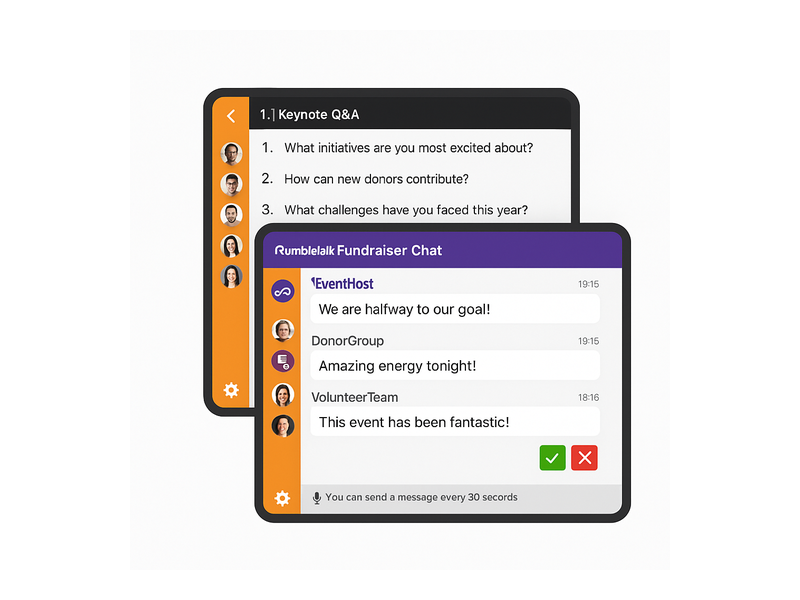
  • Message throttling: Enable the built-in cooldown feature so the platform displays “You can send a message every 30 seconds” to users, preventing spam floods and giving moderators time to review incoming messages during peak traffic without falling behind.
  • Multi-room management: For large news organizations covering several simultaneous stories, RumbleTalk supports multiple chat rooms managed from a single dashboard. Run one room for general breaking coverage, a second for a live Q&A with an expert source, and a third for premium subscriber access — all without switching platforms.
  • Post-event review: Export the full chat transcript, analyze common audience questions to inform follow-up reporting, and archive the conversation as part of your editorial record.

Use Cases: Where Live News Chat Rooms Drive the Most Value

The flexibility of a live news chat room is one of its greatest strategic advantages for media publishers. Here are the high-impact scenarios where news organizations consistently see the strongest audience engagement gains.

Breaking News Coverage

When a major story breaks — a natural disaster, a significant market event, a political development — readers flood your site looking for updates. A live news chat room gives them a place to congregate, share real-time observations from their local areas, and submit questions directly to your reporting team. This turns your breaking news page from a static article feed into a living, participatory hub that competing outlets without embedded chat simply cannot replicate.

Live Election Results

Election nights are among the highest-traffic moments in news publishing and some of the most emotionally charged for your audience. Readers do not just want to observe results — they want to be part of the moment as it unfolds. Embedding a real-time news chat alongside your results dashboard lets your audience discuss returns as they come in, ask analysts questions, and share in the collective experience — all without leaving your site for social platforms. Your moderation tools ensure the conversation stays civil even when results are contentious.

Town Halls and Press Briefings

For news organizations that host live events or simulcast official press briefings, RumbleTalk’s Moderated Q&A mode is purpose-built for the format. Audience members submit questions through the live news chat room, moderators select and approve the strongest ones, and the journalist or guest answers them live. The result is a structured, high-quality audience interaction that elevates your broadcast well above passive viewing. The Live Q&A chat solution from RumbleTalk is purpose-built for exactly this type of moderated live event format.

Live Sports and Entertainment Commentary

Sports scores, award shows, reality TV finales, and major entertainment events are all opportunities for a live news chat to deliver real second-screen value. Media brands covering sports and entertainment can capture the audience that wants to react in real time — keeping pageviews and time-on-site metrics on your domain instead of on social platforms where your brand has no control over the experience or data.

Subscriber Community and Newsletter Extensions

Many modern news brands operate newsletters, podcasts, and membership programs alongside their main publication. A live chat room can serve as the community layer that connects your most loyal readers — a space where paid subscribers gather around each major story or episode. This transforms a one-way content relationship into an ongoing two-way community. For a direct parallel, see how Radio Audience Chat builds listener communities using the same platform principles that apply directly to subscription news media.

How to Set Up Your Live News Chat Room with RumbleTalk

Getting a live news chat room running with RumbleTalk is straightforward, even for non-technical editorial teams. Here is the typical setup path for a news publisher:

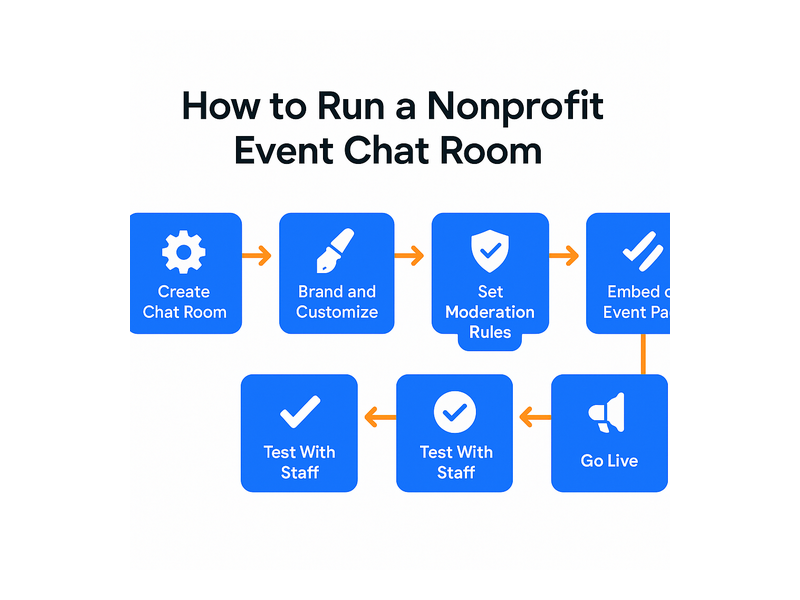
  • Create your room: Log in to the RumbleTalk admin panel and create a new Group Chat or Moderated Q&A room. Name it after your coverage event — “Election Night Live,” “Market Watch Chat,” or “Town Hall Q&A.”
  • Customize the design: Match your chat room colors, fonts, and header to your publication’s brand. Upload your logo to the header if needed.
  • Embed on your page: Copy the JavaScript embed snippet and paste it into your CMS. The chat room appears exactly where you place it — no custom development required for most platforms including WordPress, Squarespace, and custom-built news sites.
  • Configure moderation settings: Choose your moderation mode, assign admin roles to your editorial moderators, and configure keyword filters before your audience arrives.
  • Promote and go live: Announce the chat via your newsletter and social channels. Activate a dedicated moderator from the very first message to set the tone and pace of the conversation.

RumbleTalk also supports SSO integration, meaning your existing registered users can log into the live news chat room automatically using their site credentials — no separate registration required. For subscription-based news organizations, this makes gating live chat access to paying members effortless and adds a compelling, tangible reason to subscribe.

Choosing the Right Chat Mode for Your News Coverage

RumbleTalk offers several distinct chat modes, each suited to different editorial scenarios:

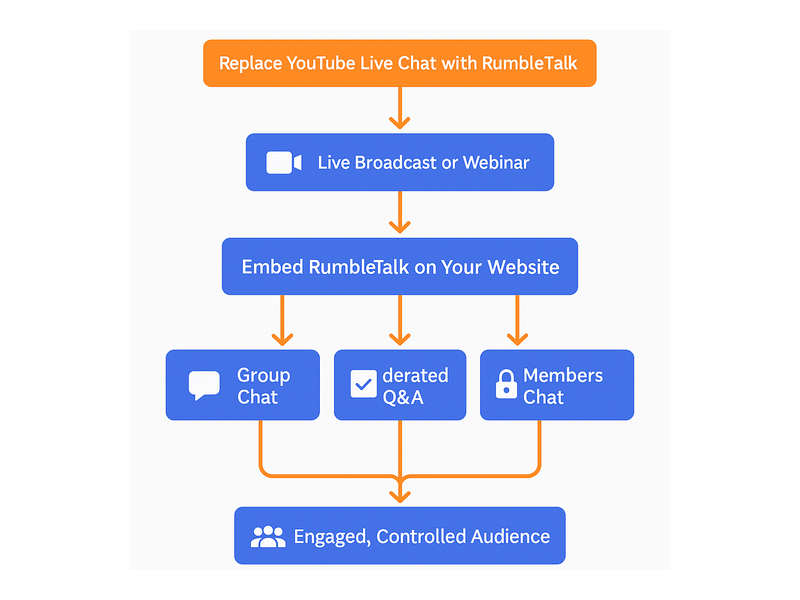
  • Group Chat: Open real-time chat for general news coverage. Best for breaking news, live score updates, and any event where open public discussion amplifies the energy and reach of the moment.
  • Moderated Q&A: All messages require admin approval before publishing. Best for press briefings, expert panels, structured audience Q&A sessions, and events where message quality matters as much as volume.
  • Members Chat: Restricted to registered or paying members. Best for subscriber-only live coverage and premium community experiences that provide a tangible benefit of membership.
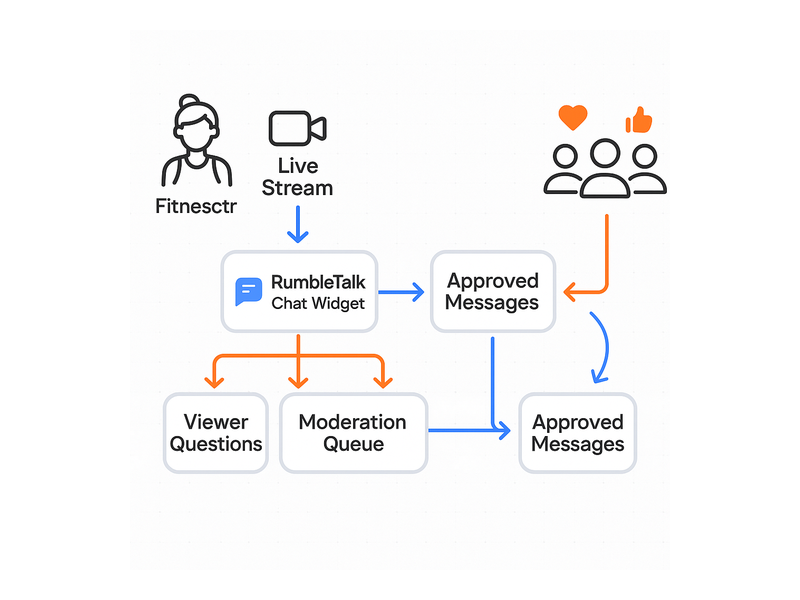
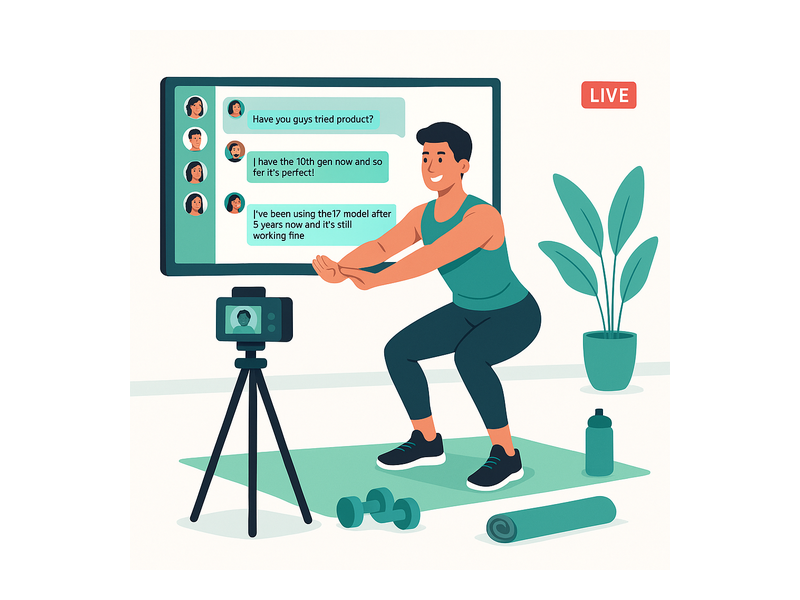
  • Queued Chat: Messages appear in a managed queue visible only to the operator. Best for broadcast situations where you want to display select audience contributions on a live video stream or broadcast overlay.

Many news organizations deploy a combination — open Group Chat for general readers during a major story and Moderated Q&A for expert-led segments — and RumbleTalk makes it easy to switch between modes or manage multiple rooms simultaneously from one admin dashboard.

Make Your News Site the Center of the Conversation

The most successful news brands of the next decade will not just report the story — they will host the conversation around it. A well-run live news chat room puts your site at the center of that conversation, building the kind of audience loyalty and direct relationship that no social media algorithm can replicate or take away from you.

With RumbleTalk, you get a proven, scalable, and fully moderated live news chat room that your editorial team can deploy in minutes and manage without technical overhead. Whether you are covering a local city council vote or a global market event, the ability to bring readers into a real-time dialogue is a meaningful competitive advantage that compounds as your community grows.

Ready to add a live news chat room to your website? Visit RumbleTalk to explore plans, request a live demo, and see exactly how the platform fits your editorial workflow and audience engagement goals.

Member Engagement Tools to Grow Your Online Community

The right member engagement tools can transform a passive audience into an active, loyal community. Whether you run a membership website, an online learning platform, a virtual events business, or a B2B community hub, giving members real-time ways to connect is no longer a nice-to-have — it is a core product requirement. Platforms that invest in structured, interactive member engagement tools consistently outperform those that rely on content alone when it comes to retention, satisfaction, and long-term revenue.

RumbleTalk is a group chat platform built for exactly this purpose. Its suite of chat products gives website owners and community managers a full set of member engagement tools that are easy to embed, fully customizable, and designed to scale — from a hundred members to tens of thousands of simultaneous users.

Why Member Engagement Tools Are Essential for Online Communities

Every online community faces the same fundamental challenge: most members are passive. Research on online communities consistently shows that a small percentage of members generate the vast majority of activity. Without deliberate, well-designed member engagement tools, even well-funded platforms struggle to break this pattern.

The solution is to reduce the friction between arriving on a platform and participating in it. When members can jump into a live group discussion, ask a question during a webinar, or send a direct message to a peer — all without leaving your website — they are far more likely to engage repeatedly. This is the core promise of effective member engagement tools: turning the act of participation into something natural, immediate, and rewarding.

For B2B platform operators, the business case is straightforward. Engaged members churn at lower rates, refer more new users, and assign higher perceived value to their subscriptions. Investing in member engagement tools is therefore both a retention strategy and a growth lever.

The Hidden Cost of Low Engagement

Platforms that offer only static content — articles, videos, downloadable resources — typically see engagement drop sharply after the first few weeks of a new membership. Without interactive elements, there is no social stickiness. Members have no reason to return daily or weekly because nothing new is happening that requires their participation.

Adding real-time chat and discussion capabilities changes this dynamic entirely. Members come back because of the conversations they are part of, the relationships they are building, and the live events they do not want to miss. These social incentives are among the most powerful member engagement tools available — and RumbleTalk makes them accessible to any website in minutes.

RumbleTalk’s Member Engagement Tools: A Complete Overview

RumbleTalk offers several distinct chat products, each tailored to a specific engagement use case. Together, they form a comprehensive set of member engagement tools for websites and live events.

Members Chat

The Members Chat is RumbleTalk’s purpose-built tool for membership-based platforms. It creates a private, authenticated chat room where only registered, logged-in members can participate. This exclusivity reinforces the value of a paid membership and creates a sense of belonging that generic public forums cannot replicate.

Members Chat integrates with popular SSO providers and membership plugins, so your existing user accounts carry directly into the chat environment. Admins can assign roles, set permissions by tier, and monitor conversations in real time. For subscription platforms, it is one of the most impactful member engagement tools in the RumbleTalk suite.

Group Chat

RumbleTalk’s Group Chat is a versatile, open chat room that works across virtually any website type. Whether you want an open community discussion board, a gated group for registered users, or a topic-specific channel, Group Chat handles it. It supports file sharing, image sharing, audio messages, and emoji reactions — making it one of the richest interactive member engagement tools for communities that thrive on media-driven conversations.

Moderated Q&A

For live events, webinars, and expert panels, Moderated Q&A is a critical tool. Audience members submit questions that enter a moderation queue before being approved for public display. This keeps sessions focused and on-brand — an essential feature for enterprise clients and educational platforms that cannot afford a disruptive live chat experience.

Paired with a livestream or virtual event platform, Moderated Q&A is one of the most effective member engagement tools for converting passive viewers into active participants.

Social Chat

Social Chat allows members to authenticate using their existing social accounts (Google, Facebook, and others). This eliminates registration friction — one of the biggest barriers to first-time engagement — and makes it easy for casual visitors to become participating community members. For platforms targeting broad consumer audiences, Social Chat is among the simplest-to-deploy member engagement tools in the market.

Private Chat

Private Chat enables members to start direct, one-on-one conversations without leaving your platform. This is particularly valuable for mentorship programs, coaching platforms, and professional communities where direct communication is core to the member experience. Keeping private conversations on your platform — rather than pushing users to WhatsApp or email — increases session time and strengthens platform loyalty.

Queued Chat

Queued Chat is designed for high-volume, structured interactions such as expert Q&A sessions, customer support, and virtual office hours. Members are placed in a queue and served in order, ensuring a fair and organized experience. It is one of the more specialized member engagement tools in the RumbleTalk portfolio, but for platforms running expert-access programs or support functions, it is genuinely irreplaceable.

How to Choose the Right Member Engagement Tools for Your Platform

Not every platform needs every chat product. The right combination of member engagement tools depends on your audience type, your business model, and your engagement goals. Here is a practical framework for making that decision.

Map Your Members’ Interaction Patterns

Start by asking: how do your members currently want to interact? Are they looking for group discussions with peers, direct access to experts, or live participation in scheduled events? A professional association will prioritize Members Chat and Private Chat. A live event company will lead with Moderated Q&A and Group Chat. An online course platform may want all three.

Matching your member engagement tools to actual member behavior — rather than guessing — dramatically increases adoption rates after launch.

Prioritize Moderation and Community Safety

Any platform that enables real-time interaction needs strong moderation capabilities. RumbleTalk’s engagement tools include admin mode, message approval queues, user banning, mute controls, profanity filters, and configurable message rate limits. These features protect your community’s culture and ensure that engagement stays constructive and on-topic.

For a step-by-step guide to configuring your chat environment, visit the RumbleTalk knowledge base.

Evaluate Integration Simplicity

The best member engagement tools are the ones your team can actually deploy and maintain without a dedicated engineering sprint. RumbleTalk embeds via a single JavaScript snippet that works on any website, CMS, or web application. WordPress users have a dedicated plugin. Most platforms are live within a day — no server-side infrastructure required.

Plan for Traffic Peaks

If your community runs large live events or experiences sudden spikes in activity — product launches, seasonal campaigns, viral content moments — your member engagement tools need to handle the load. RumbleTalk’s infrastructure is built for scale, with load balancing and message throttling that keep the chat experience smooth even when thousands of members are active simultaneously.

Member Engagement Tools for Live Events and Virtual Conferences

Live events represent one of the highest-ROI use cases for member engagement tools. When attendees can participate in real time — asking questions, reacting to presentations, and connecting with other attendees — event satisfaction scores improve and post-event community growth accelerates measurably.

RumbleTalk is used by event producers, virtual conference organizers, broadcasters, and corporate training teams to add a live interaction layer to their events. A typical live event setup might include:

  • Group Chat for an open networking lounge accessible to all attendees
  • Moderated Q&A for each speaker session to keep questions focused
  • Private Chat for one-on-one sponsor or exhibitor conversations
  • Queued Chat for structured expert access sessions
  • Admin controls for real-time moderation across all rooms

The most forward-thinking event organizers go one step further: they keep their chat rooms open between events, creating a persistent community hub that drives engagement year-round. This is where member engagement tools evolve from event features into core community infrastructure. For a deeper look at this strategy, see our guide on community building playbooks for website chat.

Real-World Use Cases for Member Engagement Tools

The practical value of RumbleTalk’s member engagement tools becomes clearest when you see them in context. Here is how different platform types are deploying them:

E-Learning and Online Courses

Online educators use Group Chat and Members Chat to power live office hours, peer study groups, and instructor-led Q&A sessions. When students can ask a question and get an answer in real time — rather than waiting days for an email reply — course completion rates improve and learner satisfaction scores go up. Moderated Q&A is particularly effective for large cohort webinars where open chat would be too chaotic.

Membership Sites and Subscription Platforms

Subscription platforms that add a Members Chat room to their existing content library consistently report lower churn rates among members who participate in chat versus those who do not. When subscribers can connect with peers who share their interests, the platform becomes a destination rather than a content archive. This is the defining characteristic of member engagement tools that drive long-term retention.

Virtual Conferences and Trade Shows

Conference organizers use Moderated Q&A for speaker sessions, Group Chat for networking lounges, and Queued Chat for exhibitor consultations. Together, these tools replicate the interactivity of an in-person event in a fully virtual format — without requiring any specialized AV or event tech infrastructure beyond RumbleTalk’s embeddable widgets.

Corporate Training and Internal Communities

HR and L&D teams deploy RumbleTalk to add live discussion to training sessions, enabling participants to ask questions, share insights, and reflect collectively. Private Chat supports coaching and mentoring relationships. For distributed workforces, these member engagement tools help build cohesion and knowledge-sharing culture across geographies.

Measuring the ROI of Member Engagement Tools

Deploying member engagement tools is the first step. Tracking their impact is what separates platforms that optimize engagement from those that set and forget. Key metrics to monitor after launching RumbleTalk include:

  • Daily and monthly active chat users — what percentage of your total members are participating?
  • Message volume per session — are conversations substantive or superficial?
  • Average session duration — do members stay on the platform longer when chat is active?
  • Retention rate by engagement segment — do chat-active members renew at higher rates?
  • Event attendance trends — does promoting live chat increase repeat event registration?

Platforms that integrate effective member engagement tools typically see measurable improvements across all of these metrics within 60 to 90 days of launch. The key is to make chat a natural part of the member journey — embedded in the pages and moments where members are most receptive — rather than an isolated feature that members have to seek out.

Getting Started with RumbleTalk Member Engagement Tools

Deploying RumbleTalk on your platform takes minutes, not months. Here is the basic process:

  1. Create your account — Sign up at RumbleTalk.com and select the chat products that match your use case.
  2. Customize your chat room — Use the admin panel to set brand colors, fonts, member permissions, and moderation rules.
  3. Embed with one snippet — Copy the JavaScript embed code and paste it into your website, WordPress site, or web application.
  4. Configure moderation — Assign admin roles, enable message approval where needed, and set rate limits for high-traffic scenarios.
  5. Launch and iterate — Open the chat to your members, monitor activity, and adjust settings based on real usage patterns.

Because RumbleTalk is a fully hosted SaaS solution, there is no backend infrastructure to manage. Your team can focus entirely on community strategy and member experience — not server uptime or database maintenance.

Conclusion: Build a More Connected Community with the Right Tools

Great content attracts members. Great member engagement tools keep them. If your platform is experiencing high churn, low participation, or underwhelming live event experiences, the root cause is often a lack of structured interactivity — and that is a problem RumbleTalk is purpose-built to solve.

From Members Chat and Group Chat to Moderated Q&A, Private Chat, Queued Chat, and Social Chat, RumbleTalk provides a complete suite of member engagement tools that scale with your community and integrate seamlessly into your existing technology stack. Whether you are launching a new membership platform or upgrading the interactivity of an established one, RumbleTalk gives you everything you need to turn passive visitors into active, loyal members.

Ready to take your community to the next level? Visit RumbleTalk to explore the full platform and start a free trial — your most engaged community ever is one embed away.

Chat on Your Domain: Boost Visitor Engagement Live

Adding chat on your domain is one of the most powerful ways to transform passive website visitors into active, engaged participants. Whether you run a media outlet, an e-learning platform, a membership community, or a live events site, embedding a real-time group chat directly on your own domain keeps your audience where they belong — on your property, under your brand, in your ecosystem. RumbleTalk makes it straightforward to deploy a fully hosted, fully customizable chat widget on any website in minutes, with no coding experience required.

Why You Should Add Chat on Your Domain

Modern audiences expect more than static content. A one-way publishing model — write an article, publish it, wait for page views — no longer generates the loyalty and return visits that sustain a digital business. When you put chat on your domain, you give visitors a reason to stay longer, return more frequently, and feel emotionally connected to your platform.

The business case is straightforward. Longer session durations reduce bounce rate, which signals quality to search engines and improves organic rankings. Return visitors build habit loops, which increases lifetime value. And communities — real communities with ongoing conversations — create network effects that are nearly impossible for competitors to replicate. A chat on your domain is not just an engagement tool; it is a competitive moat.

There is also an ownership argument. When your community lives on a third-party social platform — a Facebook Group, a Discord server, a Twitter thread — you are at the mercy of that platform’s algorithm, moderation policies, and business decisions. Platforms change their terms, throttle organic reach, or disappear entirely. When you run chat on your domain, you own the conversation. Your audience data, your moderation rules, your brand, your control.

Engagement That Compounds Over Time

A chat on your domain creates micro-communities around your content. People return not just for what you publish, but for the conversations happening around it. Over time, regulars become advocates. They answer questions from newcomers, share the chat room with their networks, and generate user content that enriches your platform without any additional effort on your part. This compounding engagement is one of the most underrated benefits of building community chat directly into your website.

How RumbleTalk Puts Chat on Your Domain

RumbleTalk is purpose-built for websites and live events that need a reliable, scalable, and moderated group chat experience. The setup process is genuinely fast: create an account, choose a chat type, copy a two-line embed code, and paste it into your site. The widget renders as a responsive iframe or JavaScript component and works on any CMS or custom-built platform — WordPress, Webflow, Wix, Squarespace, Shopify, or raw HTML.

Within minutes of embedding, your branded chat on your domain is live. Visitors see your colors, your logo, and a chat interface that feels native to your site — not a generic third-party widget bolted on as an afterthought.

Group Chat for Live Events and Communities

The core Group Chat product handles audiences of any size, from a niche community of 30 members to a live event with thousands of concurrent users. When you run chat on your domain during a webinar, product launch, sports broadcast, or online conference, every participant shares one real-time conversation thread. The result is a shared event experience that keeps viewers engaged and emotionally invested in what is happening on screen.

Members Chat for Subscription and Gated Platforms

If your website has registered users, a paywall, or a subscription tier, Members Chat restricts access to verified participants only. Users authenticate via SSO, OAuth, or your existing user database, and their verified display name appears in the chat. This eliminates anonymous trolling and builds a trusted, name-based community environment — all within your own domain chat, without sending members to an external platform.

Moderated Q&A for Professional Sessions

Moderated Q&A is the right tool for webinars, executive town halls, investor briefings, and panel discussions where the quality of questions matters. Audience members submit questions that go into a private queue. Moderators review each submission and publish only the ones that meet the standard. The audience only sees approved content, keeping the session professional, on-topic, and legally safe. For organizations that need chat on your domain without the risk of inappropriate public messages, Moderated Q&A is the solution.

Queued Chat for One-on-One Conversations

Queued Chat turns your domain chat into a structured support or consultation channel. Visitors enter a waiting queue, and an available agent or expert picks them up for a private one-on-one session. This model works well for customer support desks, financial advisory platforms, healthcare consultations, and virtual job fair booths — any scenario where personalized attention needs to be delivered at scale through a chat on your domain.

Private Chat for Networking and Direct Messaging

Alongside any public group room, you can enable Private Chat so participants can initiate one-on-one direct messages with each other. This is especially valuable at virtual conferences and networking events, where attendees want to follow up on a conversation without leaving the chat environment. Private Chat operates entirely within your domain — no external messaging app required.

Key Features of RumbleTalk’s Chat on Your Domain

Robust Moderation Tools

Running an open chat on your domain without strong moderation is a liability, not an asset. RumbleTalk gives administrators a comprehensive set of moderation controls: mute individual users, ban accounts or IP addresses, delete specific messages, activate a keyword-based profanity filter, and switch the room into Admin-only broadcast mode with a single click. During high-traffic live events, a configurable slow-mode cooldown — for example, one message every 30 seconds — prevents message floods and keeps the conversation readable for everyone.

The moderation dashboard is accessible from any browser, so your team can manage the chat room from a laptop backstage while a speaker is presenting live on screen. Real-time moderation is what separates a professional community experience from an uncontrolled free-for-all.

Full Custom Branding

A chat on your domain should look like it belongs there, not like a white-labeled tool from a different company. RumbleTalk’s design editor lets you change colors, fonts, header text, chat bubble shapes, background images, and the overall color theme — all through a visual interface, with no CSS required. For enterprise clients, a white-label option removes all RumbleTalk branding entirely, creating a seamless on-brand experience for end users.

Persistent Chat History

Many live chat tools vanish when a session ends. RumbleTalk stores chat history by default, so users who join late can scroll up and read the full conversation from the beginning. For community pages and evergreen content, this means your chat on your domain accumulates value over time — a searchable archive of discussions, questions, and shared resources that enriches the experience for every new visitor who discovers your site.

Rich Media, Polls, and File Sharing

Text-only chat is a limiting format for engaged communities. RumbleTalk supports image sharing, file attachments, live polls, emoji reactions, and YouTube video embeds directly inside your domain chat. Course instructors can drop a PDF syllabus mid-session. Trading community members can share a chart screenshot. Event organizers can run a live audience poll between speakers. These features make the chat experience richer and more interactive without requiring any additional tools or integrations.

Scalability for Any Traffic Volume

One of the most common concerns about adding chat on your domain is whether the widget will hold up when traffic spikes. A viral article, a celebrity guest, or a product launch announcement can send thousands of concurrent users into your chat room in minutes. RumbleTalk is cloud-hosted with auto-scaling infrastructure specifically designed for event-level traffic. The platform manages load balancing, server resources, and connection management automatically — you focus on the event, not the infrastructure.

Analytics and Audience Insights

Every message sent through your domain chat is a data point. RumbleTalk’s admin dashboard provides real-time and historical analytics: concurrent user counts, peak engagement windows, total message volume, active user trends, and more. These insights help you schedule live sessions at optimal times, identify your most engaged community members for ambassador programs, and measure the direct impact of chat on key business metrics like session duration and return visit rate.

Use Cases: Who Benefits from Chat on Your Domain?

Media Publishers and Content Creators

News sites, sports media brands, and entertainment platforms use domain-hosted chat to transform one-way publishing into two-way dialogue. Readers comment in real time during a breaking news liveblog. Fans react during a championship game stream. Subscribers debate a long-form investigative piece. All of this activity happens inside a moderated, on-brand environment on your site — keeping traffic, data, and community value with you instead of leaking to Twitter or Reddit.

Online Educators and Course Platforms

E-learning platforms that embed chat on your domain see measurable improvements in course completion rates. Students ask questions during recorded lessons, form study groups in dedicated chat rooms, and receive real-time guidance from instructors or teaching assistants. Unlike a separate Discord server or a Facebook Group, a chat widget built into the learning platform keeps learners inside the educational environment — reducing distraction and reinforcing the value of the subscription.

Event Organizers and Conference Platforms

Virtual and hybrid event platforms need a reliable, moderated audience chat that integrates with their streaming setup without requiring attendees to open a separate app. With RumbleTalk embedded directly on the event page, participants stay in one tab for the entire session. Sponsors can be featured in the chat header, session-specific rooms can be created for breakouts, and the Moderated Q&A product ensures that speaker Q&A sessions remain focused and professional.

Financial Communities and Trading Platforms

Trading education platforms and financial communities use gated group chat to deliver real-time value to paying subscribers. Members share trade ideas, discuss market conditions, and post live alerts — all within a private, verified environment on the platform’s own domain. The Members Chat authentication layer ensures that only active subscribers access premium rooms, protecting the value of the community and the platform’s revenue model.

Healthcare and Telehealth Services

Healthcare providers and telehealth platforms need secure, controllable communication channels for patient communities and professional education sessions. A moderated chat on your domain — with admin controls, user verification, slow mode, and the ability to restrict posting — creates a safer environment for sensitive discussions than any open social media platform. Patient support groups, CME webinars, and provider Q&A sessions all benefit from the structure and control that a professional domain chat solution provides.

Getting Started: Add Chat on Your Domain in Minutes

Deploying RumbleTalk on your website follows a simple, repeatable process regardless of your technical background or CMS platform:

  • Create your chat room — Sign up at RumbleTalk, name your room, and select the chat type that matches your use case: Group Chat, Members Chat, Moderated Q&A, Queued Chat, or Private Chat.
  • Customize the design — Use the visual editor to match your brand colors, upload your logo, set a background, and configure room permissions such as who can post, who can upload files, and whether chat history is visible to newcomers.
  • Copy the embed code — A two-line HTML snippet is generated automatically. Paste it into any page on your website — a WordPress post, a Webflow section, a custom HTML block, or a landing page template.
  • Configure admin settings — Set up moderators, enable the profanity filter, configure slow mode if needed, and connect your user authentication system for gated rooms.
  • Go live — Your chat on your domain is active immediately. Announce it to your audience, promote it before your next live event, and start collecting engagement data from day one.

For teams with more complex requirements — SSO integration, REST API access, white-label branding, multi-room management, or enterprise SLAs — RumbleTalk offers business and enterprise plans with dedicated onboarding support. You can explore step-by-step setup instructions in the RumbleTalk Getting Started knowledge base article, which walks through embedding the widget, managing users, and running your first moderated session.

If you’re evaluating platforms, the post Why Do Websites Choose RumbleTalk? provides a detailed breakdown of the features and use cases that make RumbleTalk the preferred choice for businesses that need a scalable, embeddable group chat solution.

Why RumbleTalk Is the Right Choice for Chat on Your Domain

Most chat tools on the market are designed for one of two purposes: customer support live chat (agent-to-visitor, one-on-one) or internal team messaging (Slack, Teams). RumbleTalk occupies a different and underserved category — audience and community chat — the kind that powers a live event room, a gated membership forum, a trading community, or a live Q&A session on a media platform.

That focus shapes every product decision. Moderation tools are built for public-facing rooms, not just internal Slack channels. Scalability targets event-level traffic spikes, not just day-to-day office messaging. The embed model is designed for websites, not enterprise intranets. When you add chat on your domain with RumbleTalk, you get a platform optimized for exactly the challenges you face.

Key differentiators that set RumbleTalk apart:

  • No app download required — participants join in any browser, no account or installation needed for public rooms
  • Multi-room support — create separate channels for different topics, sessions, or audience segments, all embedded on the same domain
  • White-label availability — remove RumbleTalk branding entirely for a fully seamless on-domain experience
  • Cross-platform compatibility — works on every major CMS and custom-built site without plugin conflicts
  • Enterprise-grade uptime — cloud infrastructure with auto-scaling, designed for peak event loads

Discover how RumbleTalk’s Social Chat can power open community conversations directly on your website, giving your visitors a branded, moderated space to connect in real time.

Conclusion

If there is one feature that reliably increases visitor engagement, session duration, and community loyalty, it is real-time chat embedded directly on your site. A chat on your domain — fully branded, moderated, and optimized for your specific use case — turns your website from a content destination into a living, breathing community hub. RumbleTalk gives you every tool you need to build that experience, from simple open group chat rooms to advanced moderated Q&A, private messaging, and queued support sessions.

The setup takes minutes. The impact lasts for the lifetime of your platform. Ready to add chat on your domain? Get started with RumbleTalk for free and have your first live chat room running today — no long-term contract, no coding required, and full customization from the moment you sign up.