
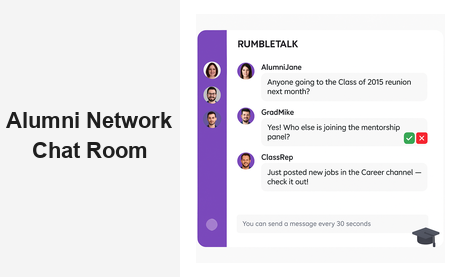
An alumni network chat room gives universities, professional associations, and alumni organizations a powerful way to keep graduates connected long after commencement day. When alumni can interact in real time — sharing job leads, celebrating milestones, and joining live events — they stay engaged with your institution and with each other. RumbleTalk’s embeddable group chat platform makes it simple to launch a fully featured alumni network chat room directly on your website, without requiring graduates to download a third-party app or create yet another social media account.
Why Your Alumni Network Needs a Dedicated Chat Room
Email newsletters and social media posts keep alumni informed, but they rarely spark genuine conversation. A dedicated alumni network chat room creates a two-way channel where graduates can respond, react, and connect in real time. That interactivity is what transforms a passive mailing list into an active, self-sustaining community.
Consider a university alumni association that sends a monthly newsletter to 30,000 graduates. The open rate might be 20%, and replies are almost nonexistent. Now imagine embedding an alumni network chat room directly on the association’s website, where graduates can discuss career moves, share industry news, post job openings, and help each other navigate professional challenges. Suddenly the alumni portal becomes a destination — a reason to visit and return, week after week.
Organizations that host vibrant alumni chat communities consistently report higher event attendance, stronger donation rates, and better mentorship program participation. The chat room becomes the connective tissue that holds the network together between in-person reunions and annual giving campaigns. For many organizations, a well-moderated alumni chat room is the single highest-ROI investment they can make in graduate engagement.
Key Features of a RumbleTalk Alumni Network Chat Room
RumbleTalk was built for communities that need structure and moderation alongside open conversation. Here are the features that make it an ideal fit for any alumni network chat room:
Members-Only Access with SSO Support
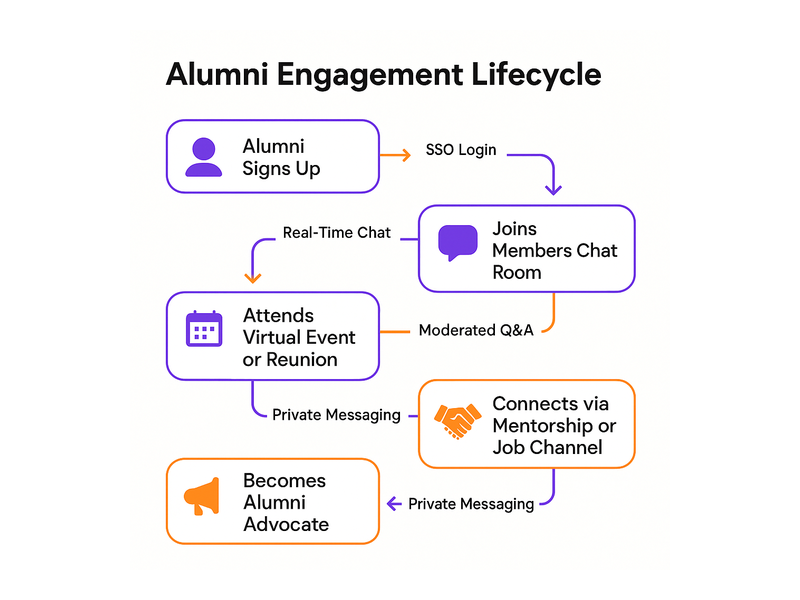
Alumni communities need to stay exclusive. RumbleTalk’s Members Chat lets you restrict access to verified graduates using single sign-on (SSO) integration. Alumni authenticate through your existing membership portal or CRM, and are automatically recognized in the chat room. No public strangers, no spam accounts — just your verified alumni community interacting in a trusted space.
This authentication layer is critical for professional associations where members pay dues and expect a curated peer environment. It is equally important for universities where alumni share sensitive career information and expect discretion. With SSO, the alumni network chat room feels like a natural extension of your secure membership portal rather than a public forum.
Moderated Q&A for Panels and Webinars
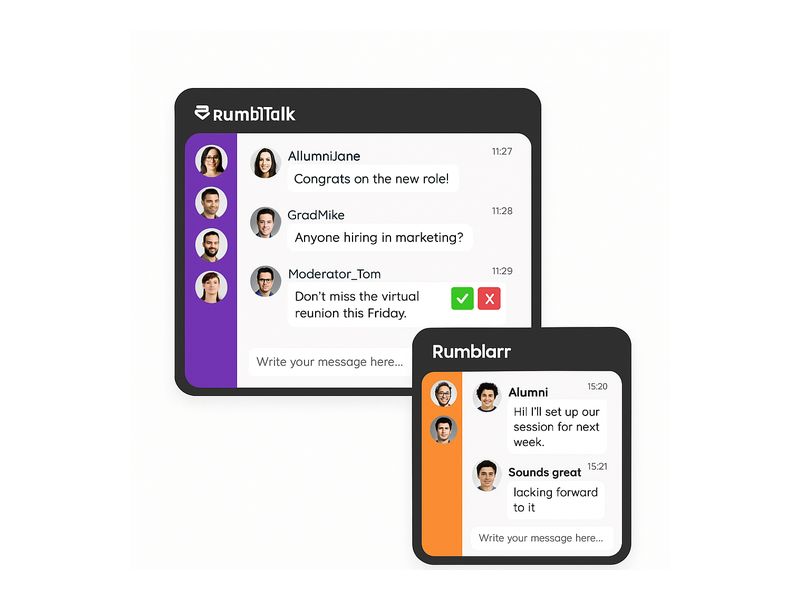
Alumni networks regularly host speaker panels, career workshops, and virtual webinars. RumbleTalk’s Moderated Q&A mode lets administrators pre-approve questions before they appear in the chat stream, keeping sessions focused and professional. Moderators use green checkmarks to approve questions or red X buttons to dismiss off-topic submissions — all without interrupting the flow of the event.
This feature is particularly valuable for alumni panels featuring senior executives, board members, or celebrity graduates. You can run a polished, broadcast-quality Q&A session while still giving every alumni member the chance to participate and feel heard.
Private Chat for One-on-One Networking
Sometimes alumni want a private conversation — a mentorship introduction, a job referral discussion, or a confidential catch-up with a former classmate. RumbleTalk’s Private Chat feature lets network members open direct message threads within the same interface, without leaving your website or switching to a consumer messaging app. This keeps all alumni networking activity within your branded platform.
Admin Controls and Real-Time Moderation
Running an alumni network chat room means managing diverse personalities, conversation topics, and occasionally difficult interactions. RumbleTalk gives community managers full moderation power: mute disruptive members, ban bad actors, set message cooldown timers (such as “you can send a message every 30 seconds” to prevent flooding), and toggle admin mode to broadcast announcements during important events. These controls ensure the chat room remains a welcoming, professional environment that reflects well on your organization.
Multiple Simultaneous Chat Rooms
A single chat room cannot serve every alumni segment equally well. RumbleTalk lets you create multiple simultaneous rooms within the same account — a general alumni lounge, a class-year channel, an industry-specific networking room, and a careers channel, all running at the same time. Members can move between rooms based on their interests, and moderators can manage all rooms from a single dashboard.
Embed on Any Website Platform
RumbleTalk drops into any website with a single code snippet — WordPress, Squarespace, Webflow, custom HTML, or any CMS. Your alumni network chat room lives inside your existing portal, reinforcing your brand and keeping graduates on your domain rather than redirecting them to a third-party platform where you lose visibility and control.
Use Cases: How Organizations Use Alumni Network Chat Rooms
The versatility of an alumni network chat room means it can serve many different functions across the alumni engagement lifecycle. Here are some of the most impactful use cases organizations are running today:
Virtual Reunions and Homecoming Events
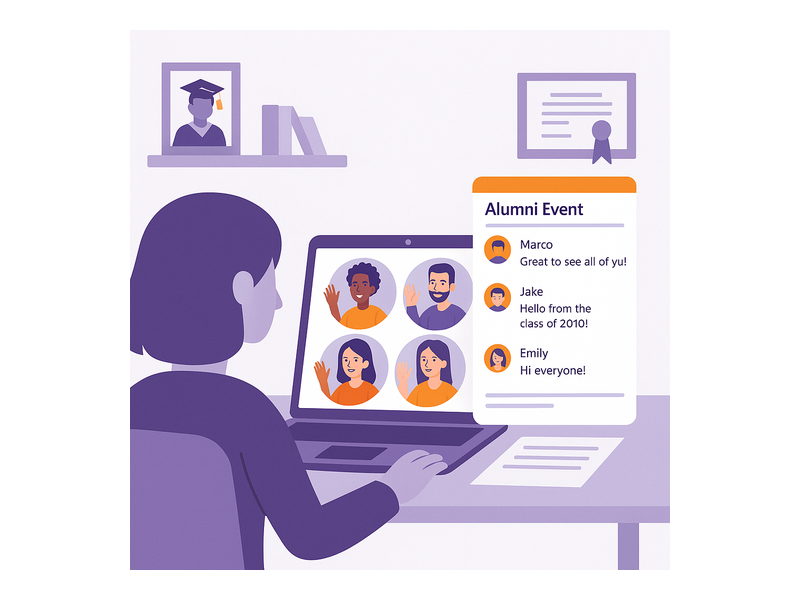
In-person reunions are expensive to organize and hard for geographically dispersed graduates to attend. A virtual alumni network chat room lets your community gather online without travel costs or scheduling conflicts. Stream a keynote, open the group chat for real-time reactions, then direct attendees into class-year breakout rooms — all without leaving your website.
RumbleTalk’s multi-room setup means you can simultaneously run a “Class of 2010” room, a “Business School Alumni” room, and a “Faculty Meet and Greet” room. Each cohort gets their own space, and the event coordinator monitors all rooms from a single view. This structure mirrors an in-person reunion experience far more closely than a single group video call ever could.
Mentorship Programs at Scale
Connecting recent graduates with experienced alumni is one of the highest-value services an alumni network can offer. An alumni network chat room makes mentorship scalable: senior alumni can host open office hours in a group chat, answer career questions publicly, and spark discussions that benefit hundreds of members — not just a single mentee in a one-on-one email chain.
For more structured mentorship relationships, moderators can create dedicated private rooms where mentor-mentee pairs meet on a regular schedule. The conversation history stays on your platform, giving both parties a searchable record of their sessions and preventing the relationship from drifting to a personal messaging app where your organization has no visibility.
Career Services and Peer Referral Networks
Alumni are often each other’s best recruiters. A dedicated careers channel within your alumni network chat room lets hiring managers post openings, and job-seeking graduates ask questions directly — creating a warm, peer-driven referral network that outperforms generic job boards. When a graduate lands a position through a network connection, both parties become more loyal advocates for the alumni community.
Pairing the chat room with a live “Meet the Hiring Manager” session or a “Tech Career Panel” creates an interactive career event that drives real placement outcomes. Alumni who find jobs or hire top talent through the network become its strongest long-term supporters.
Continuing Education and Professional Development
Many alumni associations offer workshops, certification programs, and online courses to help graduates stay current in their fields. Embedding an alumni network chat room alongside educational content transforms a passive viewing experience into an active learning community. Participants ask questions, share resources, and collaborate in real time — turning a static webinar into a community event that generates genuine discussion and peer learning.
For accreditation bodies and professional associations, this model works equally well for member education sessions, exam prep groups, and certification review workshops. The alumni chat room becomes the discussion space that makes your educational programming sticky and memorable.
Fundraising Campaigns and Annual Giving Days
Alumni giving campaigns benefit enormously from real-time social proof. A live alumni network chat room during a fundraising event — “Giving Day,” “Challenge Grant Hour,” or “Annual Fund Drive” — creates a dynamic, public feed of participation. Alumni can see classmates donating, cheer each other on, and share personal stories about why they give. That live social energy consistently outperforms silent email-only campaigns, particularly among younger alumni cohorts who expect interactive digital experiences.
Setting Up Your Alumni Network Chat Room
Getting started with RumbleTalk is straightforward. Here is the typical setup path for an alumni organization launching its first alumni network chat room:
Step 1 — Create Your Chat Group
Sign up at rumbletalk.com and create a new group chat. Choose a name that reflects your alumni community — “Stanford Alumni Network,” “Marketing Association Members,” or “Class of 2015 Chat.” Upload your organization’s logo and customize the chat theme to match your brand colors. The entire setup takes under thirty minutes.
Step 2 — Configure Access and Authentication
For a private alumni network chat room, connect RumbleTalk to your membership system via SSO or API-based user authentication. Verified alumni log in once through your portal and are automatically recognized in the chat. Non-members see a login prompt rather than the live chat interface, protecting the exclusivity of your alumni community without requiring manual gating.
Step 3 — Set Moderation Rules and Admin Roles
Define your community guidelines and configure RumbleTalk’s moderation tools. Set message cooldown timers to prevent spam, designate community managers and class representatives as chat admins, and enable the admin moderation bar so your team can take control during live events. For panels and speaker sessions, pre-configure the Moderated Q&A mode so your team can flip to it instantly without disrupting the event flow.
Step 4 — Embed on Your Alumni Portal
Copy your RumbleTalk embed code and paste it into your alumni portal page. On WordPress, this takes approximately two minutes using the RumbleTalk plugin or a simple HTML block. On other platforms, drop the snippet wherever you want the chat to appear. The chat loads responsively on desktop and mobile, ensuring alumni can participate from any device.
Step 5 — Promote the Launch
Announce the new alumni network chat room via email, social media, and your alumni newsletter. Anchor the launch to an upcoming event — a virtual panel, an online reunion, or a career fair — to drive initial traffic and give early adopters a compelling reason to visit. Alumni who have a great first experience become organic advocates who invite classmates to join.
Moderation Best Practices for Alumni Chat Communities
A thriving alumni network chat room requires active community management, especially in the early months when norms are still being established. Here are the moderation practices that experienced alumni community managers recommend:
- Appoint class or chapter representatives as co-moderators. Peer moderation scales better than top-down administration. Class presidents, chapter leaders, and active alumni volunteers make natural moderators who are trusted by their peers and invested in the community’s quality.
- Pin welcome messages and community guidelines. New members who join the alumni network chat room should immediately see what the space is for and how to participate respectfully. Pinned messages set the tone without requiring constant repetition from administrators.
- Use the message cooldown timer during high-traffic events. When hundreds of alumni join a virtual reunion or career fair simultaneously, message volume can spike dramatically. A 15–30 second cooldown prevents the chat from becoming unreadable without silencing the community’s energy.
- Schedule recurring moderated sessions. Monthly “Alumni Ask Me Anything” sessions or weekly industry-specific chats give graduates a reason to return regularly. Recurring events build the habit of visiting the alumni network chat room, turning occasional visitors into active regulars.
- Archive and repurpose key conversations. Valuable discussions — mentorship advice, job referrals, event recaps — can be repurposed as content for your alumni newsletter or knowledge base, extending their value beyond the live session and giving absent members a reason to care about what they missed.
For detailed guidance on running live moderated events and using admin controls effectively, see this knowledge base article on admin mode and moderation controls from the RumbleTalk support team.
Why RumbleTalk Is the Right Platform for Alumni Organizations
There are many chat tools available, but few are designed specifically for communities that need moderation, member authentication, and website embedding as core requirements rather than afterthoughts. RumbleTalk was built for exactly this use case — structured group conversations on your own platform, under your control, with your branding.
Unlike consumer apps such as WhatsApp groups or Discord servers, a RumbleTalk alumni network chat room lives on your website, inside your brand, with your data. You are not directing your community to a third-party platform where you have no control over privacy settings, advertising algorithms, or sudden policy changes. Your alumni stay engaged with your institution, not with a chat app’s ecosystem. When that app pivots its business model or shuts down, your community does not disappear with it.
For organizations that have already explored broader community-building strategies and want to understand how a chat room fits into a larger engagement framework, see Community Building Playbooks: How to Turn Your Website Chat into a Loyal Audience — a practical guide to transforming passive website visitors into active community members.
Measuring the ROI of Your Alumni Network Chat Room
Like any community initiative, your alumni network chat room should be tracked against clear success metrics. The right KPIs depend on your organization’s goals, but most alumni teams find value in measuring:
- Monthly active users — how many unique alumni participate in the chat each month, and how that number grows over time
- Messages per session — a proxy for conversation quality and how deeply engaged members are when they visit
- Event attendance via chat — how many alumni join virtual events through the embedded chat room versus passive registration
- Mentorship and career connections — for alumni networks with career services, track introductions and placements that originated from chat interactions
- Donation correlation — compare giving rates for alumni who regularly use the chat room versus those who do not; most organizations find a significant positive correlation
Alumni who regularly participate in a network chat room tend to show measurably higher engagement across all other alumni programs — events, annual giving, mentorship, and volunteer advocacy. The chat room does not just serve its own purpose; it elevates the performance of every other alumni engagement channel you run.
Start Building Your Alumni Network Chat Room Today
An alumni network chat room is one of the most cost-effective investments an alumni organization can make. It scales to thousands of simultaneous users, costs far less than in-person events, and creates the kind of real-time connection that email and social media simply cannot replicate. Whether you are building your first online alumni community or upgrading a fragmented mix of Facebook groups and email lists into a unified, branded experience, RumbleTalk gives you the tools, the moderation controls, and the flexibility to create a chat environment your graduates will actually use and return to.
Visit rumbletalk.com to start your free trial and launch your alumni network chat room today. Our team is ready to help you configure the right setup for your organization’s size, goals, and technical environment — so your alumni community can start connecting in real time from day one.