
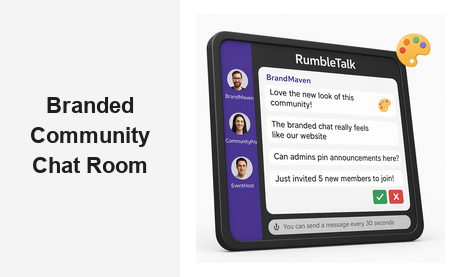
A branded community chat room is one of the most powerful engagement tools you can embed on your website. When your audience has a dedicated space to connect, share, and interact — all under your brand, not a third-party platform — you build loyalty, reduce churn, and create a self-sustaining community that keeps coming back. Yet most businesses still default to Facebook Groups or Discord, surrendering their audience data and brand experience to platforms they do not control.
With RumbleTalk, you can embed a fully customized branded community chat room directly on your website. Your logo, your colors, your rules — no redirects, no algorithmic interference, no loss of brand equity. In this guide, we will walk through why a branded chat community matters for B2B and B2C platforms alike, what features to look for, and how to get started today.
Why Your Website Needs a Branded Community Chat Room
Community is the new competitive moat. Brands that build owned communities — not rented ones on someone else’s platform — consistently outperform those that rely purely on social media for audience connection. A branded community chat room sits at the center of that owned community strategy. Instead of hoping your audience stumbles across your Facebook Group, you give them a live interactive space the moment they arrive on your site.
The business case is straightforward. Users who engage with a community are more likely to convert, subscribe, and advocate for your brand. A well-designed branded chat room accelerates all three outcomes by creating real-time social proof and peer-to-peer connection — directly on your domain, under your brand identity. Members who feel belonging spend more, stay longer, and refer more than passive visitors.
For B2B platforms — SaaS companies, membership sites, media networks, online education providers — a branded community chat room also builds perceived authority. When prospects land on your site and see an active, well-moderated discussion in progress, they trust your brand more. It signals that real people are engaged, real conversations are happening, and your product or service is genuinely worth joining.
Beyond trust, a branded community chat gives you first-party data. You control the conversations, see who is active, identify your most engaged members, and act on that intelligence to improve retention and product development. That level of insight is simply not available when your community lives on a platform you do not own or control.
Learn more about how RumbleTalk’s Social & Communities solution helps brands build owned audience communities at scale.
What Makes a Branded Community Chat Room Different From Generic Chat
Not all chat widgets are created equal. A generic plugin might let users send messages, but it will not reflect your brand, enforce your community standards, or give administrators the tools they need to keep conversations productive. A purpose-built branded community chat room changes the equation entirely — it is the difference between a widget on your page and a community that belongs to your brand.
Full Visual Customization
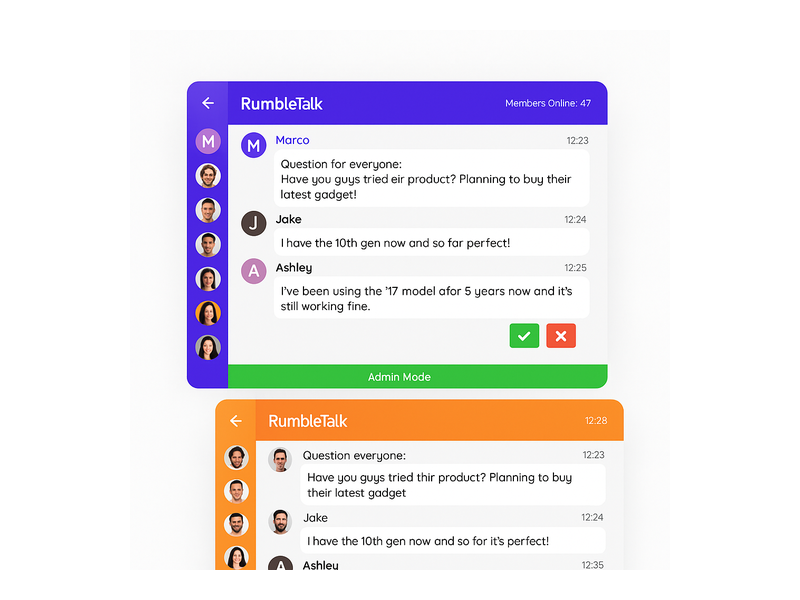
Your chat room should look like a natural extension of your website — same colors, same typography, same overall aesthetic. RumbleTalk lets you customize the chat skin, header background, button styles, and font so the community chat room feels native to your site rather than a third-party tool bolted on as an afterthought. This visual cohesion builds trust and increases participation rates from the moment visitors first encounter your chat.
Moderation and Access Controls
A branded community is only as strong as its moderation. Without proper controls, open chat rooms quickly become spam-filled and off-topic, driving away exactly the members you want to keep. RumbleTalk’s built-in moderation tools let admins approve or delete messages in real time, mute or ban disruptive users, and set message cooldown timers that prevent flooding. These features ensure your branded chat community remains a quality space that members genuinely want to return to. The RumbleTalk chat administration knowledge base covers every moderation setting in detail.
Member Identity and Roles
A real community needs real identities. RumbleTalk’s Members Chat connects your existing user authentication system — via SSO or a shared secret — so users appear with their actual names and profile pictures rather than anonymous handles. Admins can assign roles, separate moderators from regular members, and highlight VIP contributors. This social structure transforms a generic chatroom into a genuine branded community chat room with hierarchy and reputation signals that encourage quality contributions.
Live Events and Real-Time Engagement
The most powerful moments for community growth happen during live events. A webinar, a product launch, a live Q&A — these are the moments when your audience wants to connect, ask questions, and share reactions in real time. A branded community chat room embedded on your event page captures that energy and keeps it entirely within your brand ecosystem, creating a record of community engagement that outlasts the event itself and seeds future conversations.
How to Build a Branded Community Chat Room on Your Website
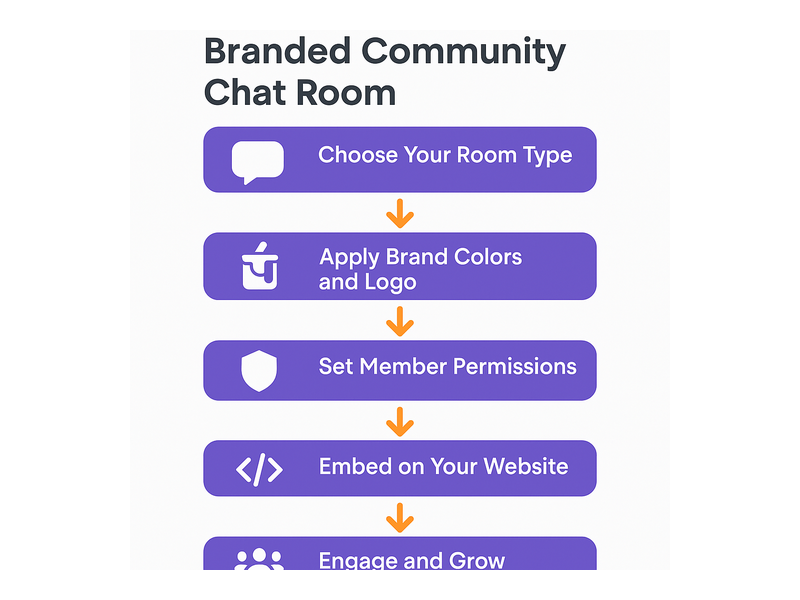
Setting up a branded community chat room with RumbleTalk is fast and requires no developer resources. Here is the step-by-step process from account creation to a live, fully branded community space.
Step 1: Choose Your Room Type
Create a RumbleTalk account and choose the room type that best fits your use case. Group Chat works for open community discussions where anyone can participate. Members Chat is designed for authenticated users who log in with their real credentials. Moderated Q&A is the right choice for structured live events and expert sessions where you want to control which questions get answered. Each room type can be fully skinned to match your brand identity from the very first day.
Step 2: Customize Your Brand Skin
Open the Design Studio inside your admin panel. Upload your logo, choose your primary brand color for the header and sidebar, and select your chat bubble style and font. Preview the result live as you make changes. The goal is a branded chat room that looks so naturally integrated into your site that visitors assume it is a core product feature — not a third-party embed deployed after launch.
Step 3: Set Member Permissions and Access Rules
Decide who can access your branded community chat room. Open rooms allow anyone with a link to join. Closed community chat rooms use SSO or password-protected access so only registered members enter. Configure message cooldowns, file-sharing permissions, and moderator access rights before going live. These settings determine the tone and quality of your community from the very first conversation that takes place.
Step 4: Embed the Chat Widget on Your Site
Copy the embed code from your RumbleTalk dashboard and paste it into your website — whether it is WordPress, Webflow, Wix, Squarespace, or a fully custom CMS. The widget is fully responsive and loads asynchronously so it does not slow down your page load time. Your branded community chat room goes live immediately with zero server configuration required on your end.
Step 5: Launch, Seed, and Promote
Announce your new community space to your existing audience via email, in-product notifications, and social media posts. Seed the first few conversations with your team or early adopters so that new visitors arrive to an active, welcoming space rather than an empty room. The first 48 hours set the cultural tone for everything that follows — a small investment at launch pays dividends for months and years.
Use Cases: Industries That Win With a Branded Community Chat Room
A branded community chat room is versatile enough to serve many different industries and business models. Here are the sectors where it creates the most measurable engagement and retention impact.
Media Companies and Publishers
News sites, podcasts, and content networks use branded community chat to keep audiences on-platform rather than dispersing to social media comment sections. Live article discussions, podcast listener rooms, and subscriber Q&A sessions drive time-on-site and repeat visits in measurable ways. A branded community chat room embedded alongside your content gives readers and listeners a reason to stay, participate, and share — without ever leaving your domain.
Online Education and E-Learning Platforms
EdTech platforms and online course providers use community chat rooms to reduce learner isolation and increase course completion rates. When students can ask questions, share resources, and support each other in a branded chat space tied directly to the course platform, engagement and retention improve in meaningful, measurable ways. Live instructor Q&A sessions hosted inside the same community chat room make the learning experience feel connected and real rather than transactional and remote.
SaaS and Membership Platforms
Software products with loyal user bases benefit enormously from an in-app branded community chat room. Power users helping new users, feature request discussions, and beta feedback channels all reduce support ticket volume while simultaneously building the peer-to-peer advocacy that no marketing campaign can fully replicate. Community members who feel heard and valued become your most powerful and credible brand advocates.
Live Events and Virtual Conferences
Event organizers use branded community chat to transform passive attendees into active, vocal participants. Before the event, the chat room builds anticipation and pre-event connection. During sessions, it hosts live Q&A and networking conversations in real time. After the event ends, the community stays alive and keeps the conversation going. A consistently branded chat community tied to your event identity makes the entire experience feel professionally managed and well worth attending again.
E-Commerce and Consumer Brands
Brands with passionate fans — fitness, beauty, gaming, outdoor gear — use community chat rooms to build advocacy communities that drive repeat purchases, user-generated content, and powerful word-of-mouth referrals. The Community Building Playbooks from RumbleTalk show exactly how to convert casual customers into vocal advocates using a branded chat space as the anchor point of the entire community strategy.
Best Practices for Running a Branded Community Chat Room Long-Term
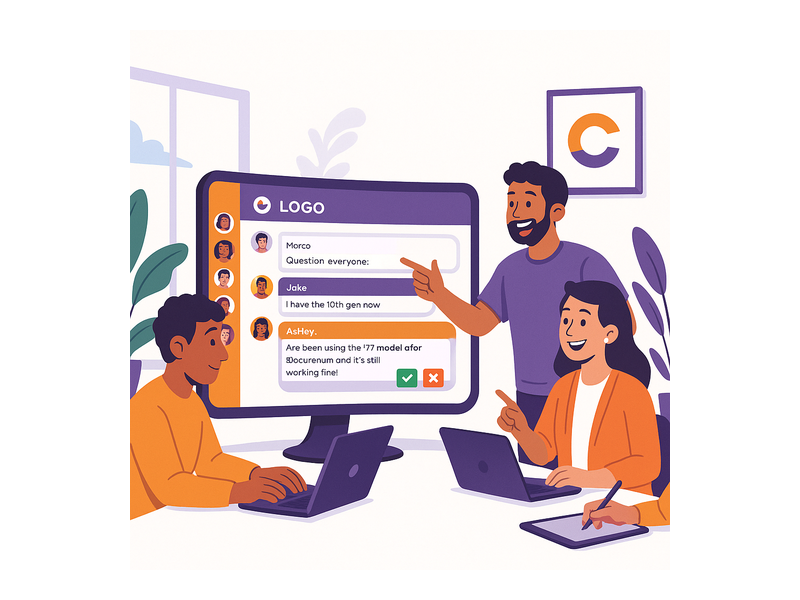
Building a branded community chat room is the beginning, not the finish line. Sustaining a thriving, engaged community requires intentional management and a handful of non-negotiable operational practices.
Appoint and Train Dedicated Moderators
Healthy communities need active moderators who understand your brand voice and community guidelines from day one. RumbleTalk’s admin system lets you assign moderator roles with specific permissions so your team can manage conversations without accessing your full account settings. Train moderators on tone, acceptable content, and how to handle conflict and spam before the community goes live. Preparation prevents problems.
Write Clear Guidelines and Post Them Prominently
Post your community rules in the chat description or as a pinned message at the top of the room. Clear guidelines reduce the burden on moderators and set expectations for new members from their very first visit. Guidelines should address respectful language, no spam, on-topic discussion, and the specific consequences for violations. A well-governed branded community chat room attracts better members and naturally sustains higher conversation quality over time.
Program Recurring Live Events
Communities thrive on ritual and anticipation. Schedule recurring live chat events — weekly Q&As, monthly product updates, expert AMAs, or member spotlights — and promote them to your audience in advance every single time. These events give members a compelling reason to return on a specific day and time, building habits that deepen community bonds over months and years. The more live events you run, the more your branded chat room becomes a genuine destination rather than just a widget sitting on a page.
Recognize and Reward Your Top Contributors
Identify and publicly acknowledge your most helpful and active community members. A public shoutout in the chat, a moderator badge, or a feature in your company newsletter costs almost nothing but builds enormous goodwill and loyalty. In a branded community chat room, peer recognition is one of the highest-leverage retention tools available to you. Members who feel seen, appreciated, and valued stay — and they bring others with them when they do.
Review Metrics and Iterate Continuously
Examine your participation data on a regular schedule. Which topics generate the most active discussion? Which events drive the highest live attendance? Which types of messages and formats earn the most positive engagement from members? Use those signals to refine your community programming, adjust your moderation settings, and double down on what is already working well inside your branded chat community. The best communities evolve based on what their members actually respond to.
Build Your Branded Community Chat Room Today
A branded community chat room is not a feature to add someday — it is a strategic investment that compounds in value over time. Every conversation that happens under your brand rather than on someone else’s platform is a data point, a loyalty signal, and a community moment that belongs entirely to you and your business.
RumbleTalk gives you the tools to build, moderate, and grow a beautiful, fully customized community chat directly on your website — without depending on any third-party social network or surrendering your audience to another platform’s algorithm. Whether you are hosting live virtual events, powering an e-learning platform, running a membership community, or building a loyal customer base, a well-branded chat room gives your audience a home they choose to return to.
Ready to get started? Visit rumbletalk.com to explore plans, start your free trial, and launch a branded community chat room your audience will love — and keep coming back to.