
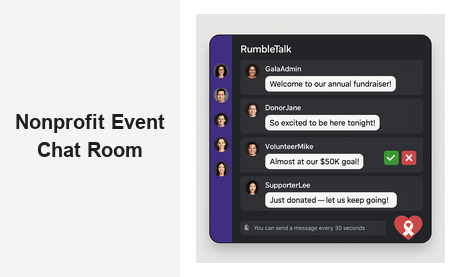
A nonprofit event chat room is one of the most powerful tools your organization can deploy at a fundraiser, virtual gala, or community rally. When attendees have a live space to ask questions, cheer on donors, and connect with your cause in real time, they stop being passive viewers and become invested participants. RumbleTalk’s group chat platform gives nonprofits a purpose-built event chat experience that is easy to embed, simple to moderate, and designed to keep conversations on-mission from the opening welcome to the final call to action.
Why Your Nonprofit Needs a Dedicated Event Chat Room
Email blasts and social media posts drive registrations, but they do little to deepen engagement during the event itself. A dedicated nonprofit event chat room fills that gap. Instead of attendees watching a live stream in silence, they are actively typing, reacting, and connecting with fellow supporters — building the sense of shared purpose that turns one-time donors into long-term champions of your cause.
Research consistently shows that audience interaction increases session retention. When donors feel seen and heard — when an admin responds to their question or a moderator highlights their encouraging comment — they are more likely to complete a donation, share the stream with friends, and return for your next event. Live chat for nonprofits is not a luxury; it is an engagement engine that pays for itself in donor loyalty and lifetime value.
Consider these common pain points nonprofits face during live events:
- Questions pile up in a generic comment section with no moderation or prioritization
- Off-topic or inappropriate messages distract attendees from the mission
- Remote attendees feel disconnected from the in-room energy and excitement
- Staff struggle to manage live engagement while simultaneously running the event
RumbleTalk’s virtual events chat solution solves each of these problems with a suite of moderation and engagement features built specifically for live, high-stakes nonprofit environments.
Key Features of an Effective Nonprofit Event Chat Room
Not every chat widget is built for the demands of a nonprofit event. You need a platform that balances openness — letting your community celebrate, question, and connect — with control, so administrators can steer conversations away from disruption. Here is what to look for in a nonprofit event chat room that truly serves your mission.
Real-Time Message Moderation
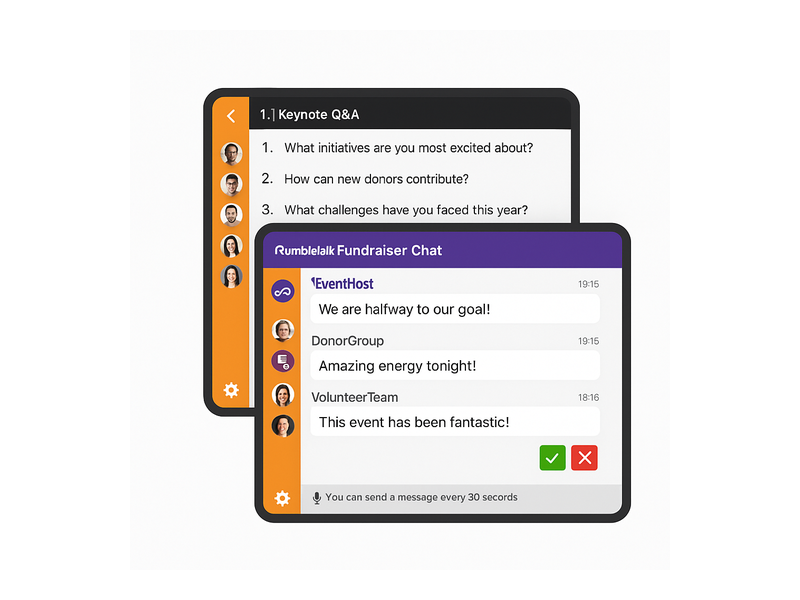
RumbleTalk’s Admin Mode lets your team review every message before it appears publicly. During a high-profile fundraiser where donor names and sensitive announcements are being shared live, this pre-moderation feature ensures nothing inappropriate or off-brand slips through. Moderators see a green checkmark (approve) and a red X (reject) beside each incoming message — approving good content in one click and silently discarding the rest.
For events where pre-moderation would slow the conversation, you can switch to post-moderation: messages appear instantly, but admins can remove any message with a single tap. This hybrid approach gives nonprofits the flexibility to choose the right moderation level for each format, whether it is an intimate board briefing or a wide-open public giving day with thousands of participants.
Queued Questions for Keynotes and Panels
One of RumbleTalk’s most popular features for nonprofits is the Queued Chat mode. Attendees submit questions that are held in a private queue, and your moderation team reviews and releases them one by one for the speaker to answer. This keeps Q&A sessions structured, prevents duplicate questions from flooding the screen, and lets your team prioritize the most impactful donor questions. Learn more about how Admin Mode and message moderation work in practice.
Multiple Chat Rooms Within One Event
Large nonprofit events often run concurrent sessions — a main stage, breakout rooms, and a sponsor lounge. RumbleTalk lets you spin up multiple group chat rooms and embed each one in the relevant section of your event site or streaming page. Attendees join the room that matches their current session, keeping every conversation focused and relevant to what is happening at that moment.
Private Messaging for VIP Donors
Major donors and VIP guests often want a more personal connection during your event. RumbleTalk’s Private Chat feature lets attendees open a one-to-one channel alongside the main group conversation. Your development team can use this to thank top donors individually in real time, creating a white-glove experience without leaving the platform or interrupting the live event for other attendees.
Use Cases: Where a Nonprofit Event Chat Room Makes an Impact
The versatility of a nonprofit event chat room means it fits virtually any format your organization runs — from intimate volunteer training sessions to large-scale virtual galas with thousands of global attendees. Here are the most common and highest-impact applications.
Virtual Fundraisers and Giving Days
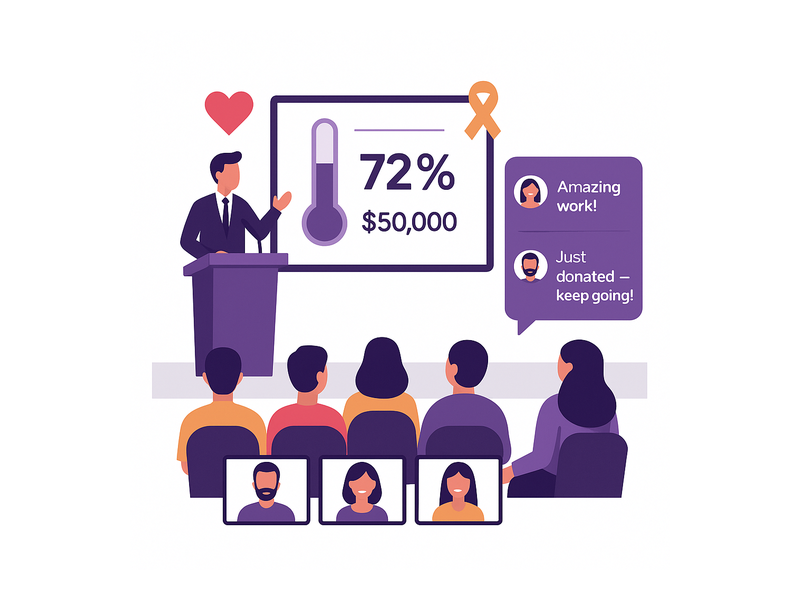
On a giving day, energy and momentum are everything. A live nonprofit event chat room lets donors celebrate each milestone together — when your organization hits 50% of its goal, attendees react in real time, creating a social proof loop that encourages others to give. Your team can pin a sticky message at the top of the chat with a direct donation link, reinforcing the call to action without interrupting the broadcast.
Nonprofits running digital giving campaigns have reported that embedding a moderated group chat during their livestream significantly increased average viewing time and reduced donation abandonment. When viewers feel part of a community rather than a passive audience, they stay longer — and longer viewing time correlates directly with higher conversion rates and larger average gift sizes.
Annual Galas and Award Ceremonies
Hybrid galas — where some attendees are in the room and others are streaming from home — present a unique engagement challenge. A nonprofit event chat room bridges that gap seamlessly. Remote guests can cheer on award recipients, comment on keynote highlights, and interact with in-person attendees who monitor the chat on a tablet or second screen. The result is an event where physical and virtual audiences share the same emotional experience in real time.
RumbleTalk’s Members Chat is particularly well suited for gala environments. You can restrict access to registered attendees only, ensuring the room stays exclusive to your donor and stakeholder community. This exclusivity reinforces the prestige of the event and makes remote guests feel like true insiders rather than distant observers watching a recording.
Volunteer Orientation and Training Sessions
Virtual orientation is often dry and one-directional. Adding a nonprofit event chat room to a volunteer training session changes the dynamic entirely. Trainers can field questions live as they arise, volunteers can share their enthusiasm about upcoming programs, and your team can use the chat to distribute resource links, sign-up sheets, and poll responses in real time. This interactive format shortens the learning curve and dramatically increases volunteer retention and engagement from day one.
Advocacy Days and Legislative Briefings
When your nonprofit organizes a virtual advocacy day — briefing supporters on upcoming legislation or mobilizing them for a specific action — the quality of your event chat determines whether attendees leave energized or disengaged. A well-moderated nonprofit event chat room lets organizers highlight key talking points, share petition links, and answer constituent questions without letting the conversation spiral into noise. RumbleTalk’s Social Chat mode is particularly effective here, allowing open community discussion while giving admins the tools to keep messaging aligned with your campaign goals.
Donor Appreciation and Recognition Events
Recognition events are personal by nature. A live group chat gives every attendee — whether a $25 annual donor or a six-figure major gift sponsor — a voice in the celebration. When a donor’s name is called, they can respond in the chat, receive congratulations from their peers, and feel genuinely seen and appreciated. This kind of participatory recognition is impossible with a standard broadcast alone, and it creates lasting emotional connections between your organization and its most important supporters.
For a deeper look at how real-time chat builds lasting community around your events and beyond, see how RumbleTalk helped organizations grow their online supporter communities in Community Building Playbooks: How to Turn Your Website Chat into a Loyal Audience.
Setting Up Your Nonprofit Event Chat Room with RumbleTalk
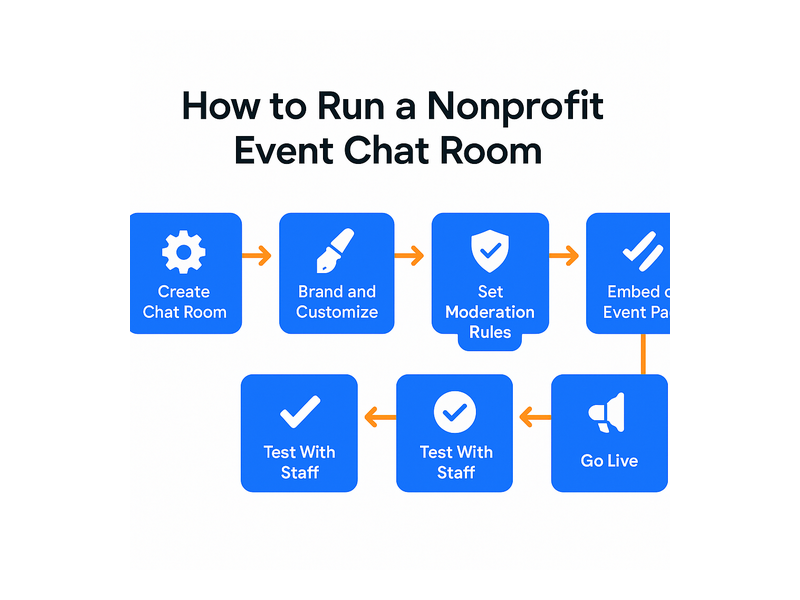
Getting a nonprofit event chat room live takes far less time than you might expect. RumbleTalk is a fully hosted platform — there is no server to configure, no software to install, and no development team required. Here is the typical setup flow for a nonprofit event of any size:
- Create your chat room — Sign up on RumbleTalk and choose a chat type (Group Chat, Moderated Q&A, or Queued Chat) based on your event format and expected audience size.
- Customize the appearance — Apply your organization’s brand colors, logo, and fonts so the chat window matches your event site or donation landing page perfectly.
- Set moderation rules — Choose pre-moderation or post-moderation, configure keyword filters, and assign moderator roles to trusted staff members or senior volunteers.
- Embed the chat widget — Copy the JavaScript embed snippet and paste it into your event page, WordPress site, or streaming platform’s custom HTML section. The chat loads instantly without requiring a page reload.
- Test before the event — Run a pre-event staff rehearsal in the chat room to confirm that all moderators can access the admin panel and that branding looks correct across all screen sizes and devices.
- Go live — Open the room to registered attendees, monitor the message queue, and engage your community in real time throughout the event.
How Moderation Keeps Your Nonprofit Event Chat Room Professional
The most common concern event organizers raise about enabling live chat is losing control of the conversation. RumbleTalk’s moderation toolkit addresses this directly. When you activate Admin Mode in your nonprofit event chat room, every incoming message is held in a private queue visible only to your moderation team. Nothing appears to the public audience until an admin explicitly approves it — giving you complete editorial control at every moment.
This matters most during the highest-stakes moments of your event: when a major donor makes a public pledge, when your executive director delivers key impact statistics, or when a beneficiary shares their personal story on camera. In these moments, even a single disruptive comment can undermine the emotional power of what is being shared. Pre-moderation guarantees that your audience only sees what you intend them to see, every time, without exception.
Beyond content filtering, RumbleTalk gives event admins the ability to:
- Mute or permanently ban disruptive users with a single click, mid-event
- Pin important messages so they remain visible at the top of the chat throughout the session
- Switch between moderation modes mid-event without disrupting the attendee experience
- Export the full chat history after the event for post-event reporting and targeted donor follow-up
These controls ensure that your nonprofit event chat room stays completely on-mission — from the opening welcome to the final call to action — regardless of audience size or how energized your supporters become.
Measuring Engagement After Your Nonprofit Event
A nonprofit event chat room does not just deliver value during the event itself — it generates rich data you can use to improve every future program and campaign. After each event, review your chat history to identify patterns and insights that are invisible in a standard video analytics dashboard:
- Most common questions — These reveal gaps in your communications or program content that you can address proactively at your next event, reducing friction for new attendees.
- Top contributors — Highly active chat participants are typically your most engaged supporters. Add them to a VIP segment for personalized follow-up, stewardship outreach, and early access to future events.
- Peak activity moments — Timestamps of high chat volume correlate with the most emotionally engaging moments in your event. Use this insight to improve pacing and content sequencing in future programs.
- Donation trigger moments — Cross-referencing donation timestamps with chat activity helps you identify exactly which announcements, stories, or calls to action drove giving behavior, so you can replicate those moments intentionally in future campaigns.
This level of engagement intelligence is only possible when you run a structured, logged event chat platform with preserved history. Generic social media comment sections rarely provide this depth of post-event analysis, making a dedicated nonprofit event chat room a genuine strategic advantage for your fundraising and program teams.
Choosing the Right Chat Mode for Your Nonprofit Event
RumbleTalk offers several distinct chat modes, each optimized for a different nonprofit event scenario. Understanding which mode fits your event format will maximize both attendee engagement and your team’s ability to manage the conversation effectively.
- Group Chat — Best for open community events, giving days, and networking sessions where free-flowing peer conversation and shared energy are the primary goal.
- Moderated Q&A — Ideal for keynote sessions, panel discussions, and leadership briefings where you want structured, prioritized questions and fully controlled pacing.
- Queued Chat — Perfect for high-volume events where hundreds of attendees submit questions simultaneously and you need a systematic process to surface the most relevant ones for your speakers.
- Members Chat — Best for exclusive donor appreciation events, board briefings, and VIP-only sessions where access must be gated to verified registrants only.
- Private Chat — Ideal as a companion to any of the above, enabling direct one-to-one conversations between your development team and major donors without leaving the event environment.
Many nonprofits combine multiple modes within a single event — running Queued Chat on the main stage for structured keynote Q&A while opening a Group Chat lounge for open sponsor and peer networking. RumbleTalk’s multi-room architecture makes this straightforward to manage from a single admin dashboard, even with a small moderation team and a packed event schedule.
Start Building Your Nonprofit Event Chat Room Today
A nonprofit event chat room is no longer a nice-to-have feature for forward-thinking organizations — it is a core part of modern nonprofit event strategy. Whether you are running a 50-person volunteer orientation or a 5,000-attendee virtual gala, giving your community a live, moderated space to connect, question, and celebrate transforms the entire experience for everyone involved, virtual or in-person.
RumbleTalk is trusted by event organizers, nonprofits, and community platforms worldwide to deliver exactly this kind of engagement, reliably and at scale. Ready to see what a dedicated nonprofit event chat room can do for your next fundraiser, gala, or advocacy campaign? Visit rumbletalk.com to start your free trial, explore the full suite of moderation and engagement tools, and embed your first chat room in minutes — no development team required. Your donors, volunteers, and supporters deserve a voice at every event. RumbleTalk gives it to them.