
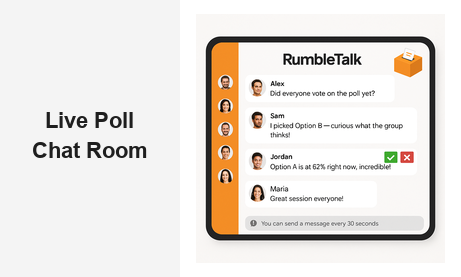
A live poll chat room is one of the most effective tools a business can deploy at its events and online platforms. Whether you are running a webinar, a virtual conference, a corporate training session, or a live product launch, combining real-time polling with interactive group chat transforms passive viewers into active participants. RumbleTalk’s live poll chat room brings both capabilities together in a single embeddable widget — no app downloads, no third-party redirects, just seamless audience engagement directly on your platform.
What Is a Live Poll Chat Room?
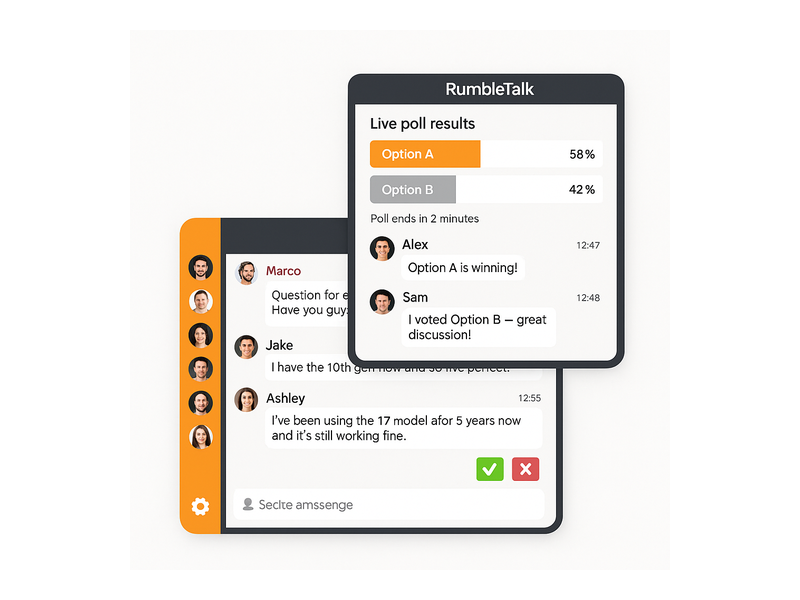
A live poll chat room merges two of the most powerful audience engagement tools into one integrated experience: a real-time group chat where attendees can converse, react, and ask questions, and a live polling interface where hosts ask questions and display results instantly as votes arrive.
Unlike static post-event surveys or delayed feedback forms, a live poll chat room captures audience input at the exact moment it matters most — during the presentation, during the Q&A segment, or between sessions at a multi-track event. Participants vote, see results update in real time, and continue the conversation, all without leaving your page or switching apps.
For businesses, this combination solves a persistent engagement problem: how do you involve a large audience when only one person can speak at a time? Polling gives every attendee a simultaneous voice, while the chat channel lets the most engaged participants share reactions, follow-up insights, and peer-to-peer conversation. RumbleTalk’s live polls chat solution is purpose-built for exactly this kind of real-time engagement, with admin controls that keep the experience professional and on-track regardless of audience size.
Key Features of a Live Poll Chat Room That Drive Engagement
Not all chat and polling tools deliver the same experience. The features built into your platform determine how smoothly your events run and how much value your audience gets from participating. Here is what makes RumbleTalk’s live poll chat room stand out for B2B use cases.
Instant Poll Launch and Live Results
Polls launch and close on your schedule. Attendees click their answer and see live percentages update in real time, making voting feel participatory rather than mechanical. You can use polls to gauge audience knowledge before a module begins, validate assumptions mid-session, or collect sentiment at the close of a presentation. The live poll chat room format integrates these moments naturally into the event flow rather than interrupting it — participants experience polling as part of the conversation, not as a detour from it.
Moderated Group Chat
Alongside polling, the group chat channel gives attendees space to react, ask questions, and connect with peers. Admins can moderate messages using approve/reject controls, mute specific users, or switch the entire room into read-only broadcast mode during critical presentation moments. This level of control is what separates a professional live poll chat room from a chaotic open forum — and it is the difference between an event that builds your brand and one that damages it.
Structured Q&A Mode
For webinars and panel discussions, RumbleTalk’s Moderated Q&A product converts your polling and chat environment into a structured question queue. Attendees submit questions, moderators review them, and approved questions appear for the speaker to address. This pairs especially well with live polling — you can poll the audience on which topic they most want covered next, then open Q&A specifically for that area, creating a session that feels fully audience-driven.
SSO and Member Authentication
For member platforms and professional communities, RumbleTalk supports single sign-on (SSO) so authenticated users enter the chat room already identified by their real names and roles. This eliminates anonymous participation issues, ensures each member casts only one vote per poll, and creates a more accountable, professional environment that encourages higher-quality conversation.
Embeddable Without Technical Complexity
RumbleTalk’s live poll chat room embeds directly into any webpage with a short JavaScript snippet. It works on WordPress, custom-built sites, and third-party event platforms. Your audience participates right where they are — no separate app download, no extra account creation, no friction that causes drop-off before the event even begins.
How a Live Poll Chat Room Delivers Measurable Business Value
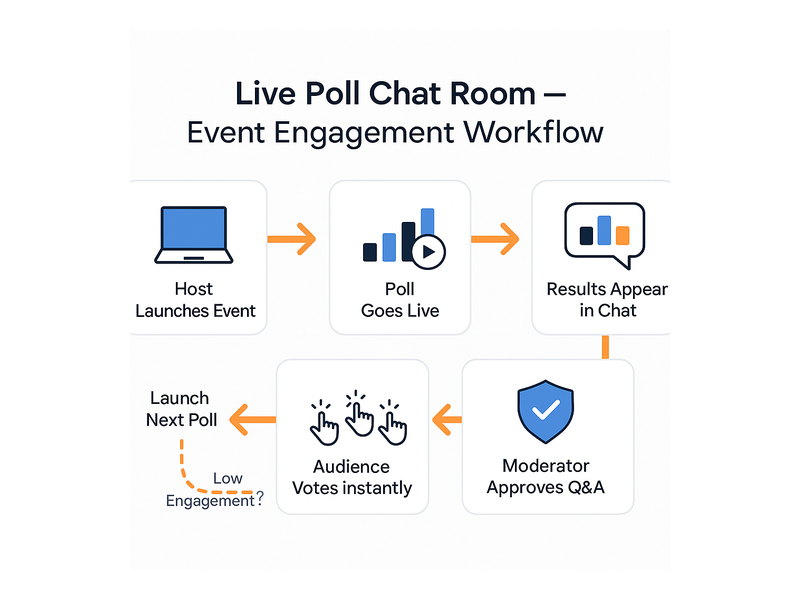
The business case for a live poll chat room goes well beyond making events more entertaining. When implemented correctly, it produces measurable outcomes that directly affect audience retention, lead quality, and long-term community growth.
Higher Attendance Retention
Webinar drop-off is one of the most persistent pain points for event organizers. Attendees who registered with high intent often disengage 10 to 20 minutes in if nothing requires their active attention. A live poll chat room changes that dynamic entirely. When participants know a poll is coming — or when the chat is active with relevant conversation — they stay tuned in. Hosts who incorporate live polling every 10 to 15 minutes consistently report higher average watch times and significantly lower mid-event drop-off compared to passive presentation formats.
Real-Time Audience Intelligence
Every poll answer is a data point. A room with 500 attendees yields 500 simultaneous responses from a single question — audience intelligence at a scale no manual Q&A process can match. Participants experience poll voting as engagement rather than being surveyed, which keeps response rates high. Post-event, you can export poll results to identify trends, refine product messaging, and understand exactly where your audience stands on the topics most relevant to your business objectives.
Improved Lead Qualification
Participants who engage actively in a live poll chat room — voting on polls, asking questions in chat, responding to moderator prompts — demonstrate a level of genuine interest that passive attendees do not. Tracking this engagement data in your CRM or marketing automation platform lets you prioritize follow-up with the most qualified leads. A sales team that receives a ranked engagement list from each event will consistently close at a higher rate than one treating all registrants equally.
Scalable Community Building
Brands that run recurring events — weekly webinars, monthly training sessions, quarterly town halls — use live poll chat rooms to build ongoing communities rather than isolated one-off audiences. Regular participants recognize each other in chat, develop informed opinions shaped by previous poll results, and build loyalty to the brand hosting the conversation. Over time, your event series becomes a destination rather than a transaction, which is one of the most durable competitive advantages a B2B brand can create.
Live Poll Chat Room Applications Across Industries
The versatility of a live poll chat room makes it valuable across many different sectors and event types. Here are the most impactful applications in B2B and professional contexts.
Corporate Training and Onboarding
L&D teams use polling and moderated chat to replace one-directional training videos with interactive sessions where employees check in via poll questions, ask follow-ups through the chat channel, and discuss concepts with peers in real time. Trainers can see immediately which concepts are not landing and adjust the pace on the fly. Participants feel more invested when their responses visibly shape the direction of the session — a dynamic that traditional e-learning modules cannot replicate.
Virtual Conferences and Summits
Event organizers embed a live poll chat room to replace the awkward silence of ‘any questions?’ with structured, data-driven interaction. Polls decide which breakout topics receive the most attention, chat channels let attendees network across sessions, and moderators keep both streams professional and on-topic. The overall conference experience shifts from one-way broadcast to genuine dialogue, and attendees consistently rate interactive events higher in post-event surveys.
Financial Services and Trading Communities
Investment platforms and professional trading communities use polling during market update sessions, earnings reviews, and analyst panels. Hosts gauge audience sentiment in real time — ‘Are you bullish or bearish on this sector?’ — and let live results shape the discussion, while moderated chat keeps the conversation focused and compliant with professional standards. The combination of polling and controlled chat is particularly valuable in regulated industries where open free-for-all comments create compliance risks.
Education and E-Learning
Instructors use polling to check comprehension after each lesson segment, and the chat channel supports peer discussion between explanations. Admin controls let instructors mute the chat during direct instruction and reopen it for group discussion periods — providing classroom management flexibility in a virtual environment that mirrors what experienced teachers do naturally in person.
Live Events, Entertainment, and Broadcasting
Producers use live poll chat rooms during broadcasts, live shows, and entertainment events so audiences can vote on outcomes, share reactions in real time, and feel like active participants rather than passive spectators. For a detailed look at how this engagement model plays out in a live broadcast context, see our post on Radio Audience Chat: Turn Listeners Into a Community — the same principles apply across virtually any live format where audience involvement drives loyalty.
How to Set Up a Live Poll Chat Room on RumbleTalk
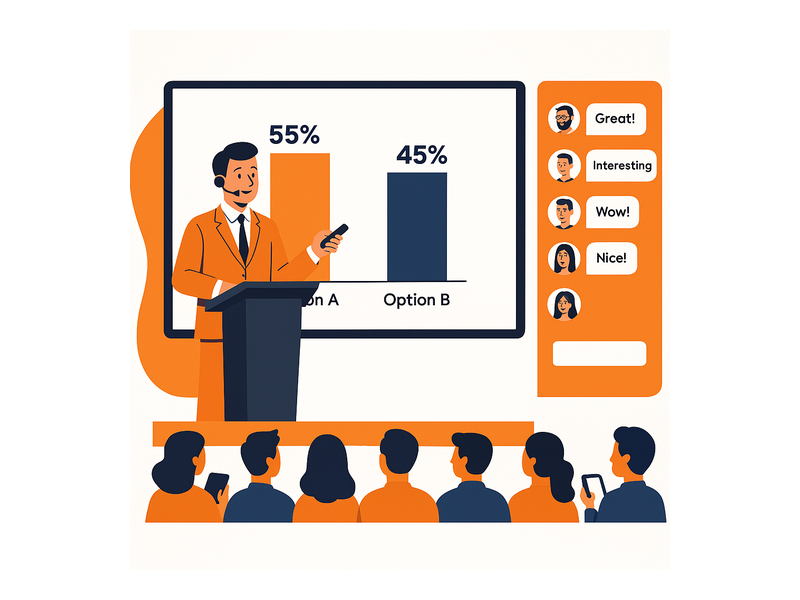
Getting your first live poll chat room deployed takes less than an hour from account creation to embed. Here is how the process works from start to finish.
Step 1: Choose Your Room Type
Log into the RumbleTalk admin panel and create a new chat room. Select the type that matches your use case: Group Chat for open-format events, Moderated Q&A for structured panel discussions, or Members Chat for authenticated professional communities. All room types support live polling and can function as a full live poll chat room tailored to your specific event format and audience size.
Step 2: Configure Moderation Before the Event
Set your moderation preferences in advance. Decide whether messages require admin approval before appearing publicly, whether anonymous participants are permitted, and what message rate limits should apply — for large events, one message per 30 seconds per user prevents spam while keeping the room active. The RumbleTalk knowledge base article on admin mode and muting covers the key configuration options in detail and is worth reviewing before your first large event.
Step 3: Build Your Poll Questions
Create your poll questions in the admin panel before the event begins. You can prepare a full sequence of polls and launch them one at a time as the session develops, or schedule automatic launches at specific timestamps. Keep each question short with unambiguous answer choices — the most effective poll questions in a live setting take five seconds to read and two seconds to answer. Anything longer risks confusion and lower participation rates.
Step 4: Embed the Widget on Your Page
Copy the embed code from your RumbleTalk dashboard and paste it into your event page or landing page. The live poll chat room appears inline, keeping your audience on your domain throughout the entire session. Test the embed on mobile before going live — RumbleTalk’s widget is fully responsive, but always verify on the actual devices and browsers your audience will use.
Step 5: Manage Everything in Real Time
During the event, your admin panel gives you full live control. Launch and close polls at the right moments, pin important messages to the top of the chat, remove off-topic content, and switch between open group chat and admin broadcast mode as the session demands. Whether your event draws 50 attendees or 5,000, the platform scales to the load without additional configuration on your end.
Why RumbleTalk Is the Right Platform for Your Live Poll Chat Room
Several platforms offer polling or chat in isolation, but RumbleTalk is purpose-built for the specific challenges of live events and real-time audience interaction at scale. The platform has been deployed across thousands of webinars, conferences, training sessions, and live broadcasts. The result is a live poll chat room solution that is reliable under high concurrent load, straightforward to moderate, and simple enough to embed into any existing workflow without dedicated engineering support.
RumbleTalk also offers specialized product variants that extend the core polling and chat model for specific needs: Queued Chat for structured one-on-one expert sessions within a live event, Social Chat for open community engagement, and Private Chat for smaller group discussions running in parallel with a main broadcast. Whatever your event format and audience type, there is a RumbleTalk configuration built for it.
Start Building More Engaged Audiences Today
If your current events rely on passive viewing and hope that audiences stay interested, a live poll chat room is the upgrade that transforms the dynamic. Real-time polling drives participation from the opening minute, moderated group chat keeps discussions focused and on-brand, and the combined experience gives attendees a compelling reason to stay engaged, contribute meaningfully, and return to your next session. Visit rumbletalk.com to start your free trial and see how a live poll chat room can turn your audience from passive viewers into an active, invested community that grows with every event you run.