
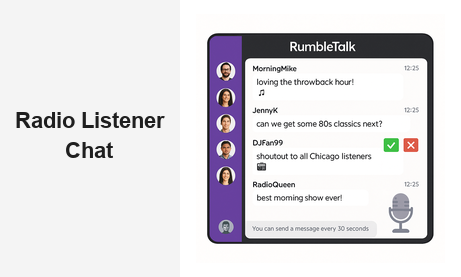
Adding a radio listener chat to your broadcast is one of the most effective ways to transform passive listeners into an active, engaged community. Whether you run a morning drive show, a late-night talk program, or a live DJ set, giving your audience a real-time place to connect fundamentally changes the dynamic of your broadcast. RumbleTalk’s group chat platform makes it simple to embed a fully featured radio listener chat directly on your website — no technical expertise required, no app to download, and no disruption to your existing workflow.
What Is Radio Listener Chat and Why Does It Matter?
A radio listener chat is a live, text-based communication channel embedded on a radio station’s website or streaming page that allows listeners to interact with hosts, guests, and each other during a live broadcast. Unlike social media comments or email inboxes, a dedicated listener chat room creates an immediate, synchronous conversation that mirrors the energy of the show itself.
For broadcasters and station managers, this matters for several critical reasons:
- Audience retention: Listeners who are actively participating in a chat are far less likely to switch stations or close the stream tab. Active engagement keeps them present and invested throughout the broadcast.
- Content feedback loop: Hosts can read chat messages live to understand what topics resonate, which callers made an impression, and what the audience wants to hear next — all in real time without interrupting the show flow.
- Community building: Regular listeners become familiar faces in the chat. Over time, the radio listener chat becomes a community of its own — one that listeners return to not just for the content, but for each other.
- Sponsorship value: An active, measurable community with documented chat engagement metrics is a compelling asset for sponsors and advertisers who want proof of a loyal, attentive audience beyond raw listener estimates.
- Programming intelligence: Chat activity generates real engagement data that helps programming teams make smarter decisions about show formats, topics, timeslots, and on-air talent.
The shift from passive listenership to active participation represents a fundamental evolution in how radio stations build loyalty, retain audiences across platforms, and demonstrate community value to stakeholders and partners.
Key Features to Look for in a Radio Listener Chat Platform
Not every chat widget is built for the demands of live radio broadcasting. When evaluating a radio listener chat solution, station managers should prioritize the following capabilities:
Real-Time Message Moderation
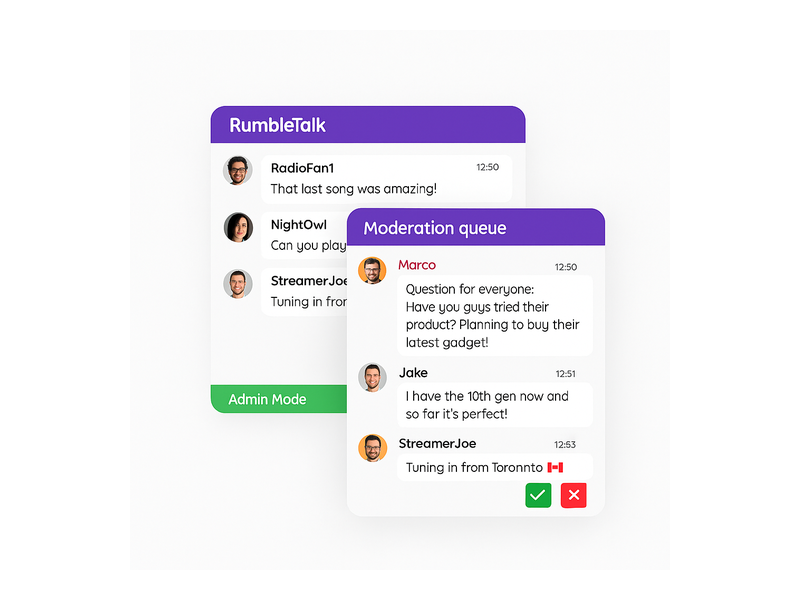
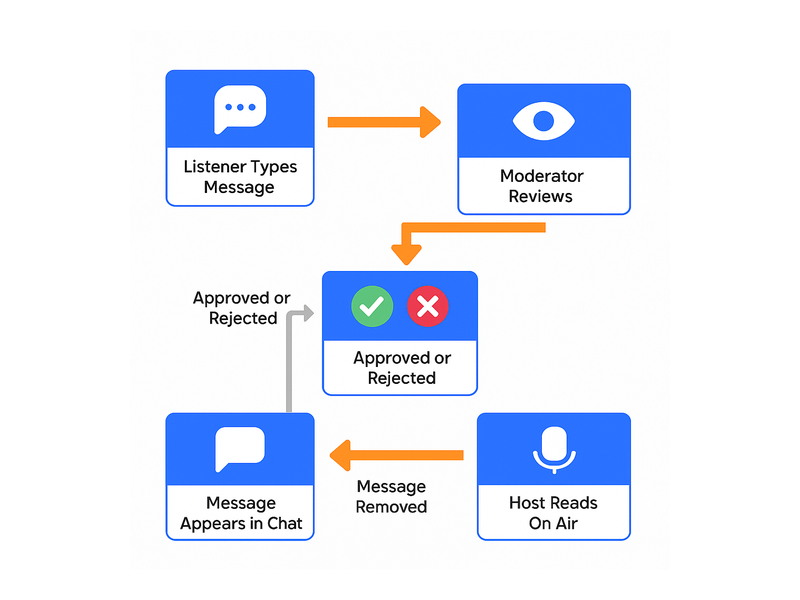
Live radio audiences can be unpredictable. A robust moderation system is essential to keeping the conversation safe, focused, and enjoyable for every participant. RumbleTalk’s broadcast and podcast chat solution includes admin-controlled moderation that lets show producers approve or reject messages before they appear publicly. The Admin Mode feature signals to users that their messages are under review. Individual moderators can ban users, mute accounts, or delete messages in real time — all without interrupting the live broadcast.
Queued and Filtered Message Flow
For structured Q&A segments or call-in style formats, a queued message system allows producers to collect listener questions and surface the best ones at precisely the right moment. This prevents the chat from becoming chaotic during high-traffic situations — a breaking news segment, a celebrity guest appearance, or a viral contest moment. RumbleTalk’s Queued Chat is purpose-built for this use case, letting moderators hold messages in a review queue and release them selectively for maximum show impact.
Scalable Group Chat Infrastructure
Your chat platform needs to handle peak audience loads without performance issues. A radio listener chat that lags or crashes at the exact moment you need it most — during a live championship broadcast or a station anniversary event — destroys the experience and erodes listener trust. RumbleTalk’s infrastructure scales automatically to handle thousands of concurrent users without degradation in message delivery speed or reliability.
Custom Branding and Easy Embed
A listener chat widget should feel like a native part of your station’s website, not a bolted-on third-party tool. RumbleTalk offers customizable themes, colors, fonts, and logo placement so the chat room reflects your brand identity. The embed process requires just a few lines of code — paste it into your broadcast page and the chat is live immediately, with no server configuration or plugin installation required.
Mobile-First Responsiveness
A significant proportion of radio listeners tune in from mobile devices — commuting, at the gym, or away from a desktop. Any radio listener chat solution must deliver a seamless experience on phones and tablets without requiring a separate mobile app. RumbleTalk’s interface is built mobile-first, ensuring full functionality across all screen sizes.
How to Launch Your Radio Listener Chat: A Step-by-Step Guide
Getting a radio listener chat live on your station’s website is a straightforward process. Here’s how it typically unfolds from setup to your first live broadcast:
Step 1: Create and Configure Your Chat Room
Sign up for a RumbleTalk account and create your chat room. Define the room name, set your moderation preferences — open chat versus admin-moderated — and assign admin and moderator roles to the production team members who will manage the chat during live broadcasts.
Step 2: Apply Your Station’s Branding
Upload your station logo, match the chat color palette to your website design, and adjust the chat window dimensions to fit naturally within your broadcast page layout. RumbleTalk’s visual editor makes this step fast, even for non-technical producers.
Step 3: Configure Moderation and Access Rules
Set your profanity filters, configure banned keywords, and decide whether the chat requires user registration or allows anonymous participation. For stations that want a tighter-knit community, requiring listener accounts also builds a first-party database of engaged fans you can reach directly for future promotions and events. Learn more about managing chat settings in the Admin Mode knowledge base guide.
Step 4: Embed on Your Broadcast Page
Copy the generated embed code and paste it into your website’s live streaming or broadcast page. The chat room is immediately active and visible to any listener who visits during a live show. No server configuration, plugin installation, or developer involvement is needed.
Step 5: Promote the Chat On-Air
During broadcasts, mention the chat room on air with a clear call to action: “Join the conversation at [station website] — we’re reading your messages live right now.” Include the chat link in your social media posts, email newsletters, and pre-show promotional content. The faster your audience discovers the radio listener chat, the quicker your community begins to grow and self-sustain.
Radio Listener Chat Use Cases Across Show Formats
The applications for a radio listener chat extend well beyond a simple comment box. Different broadcast formats unlock entirely different engagement strategies and community dynamics:
Morning Drive Shows
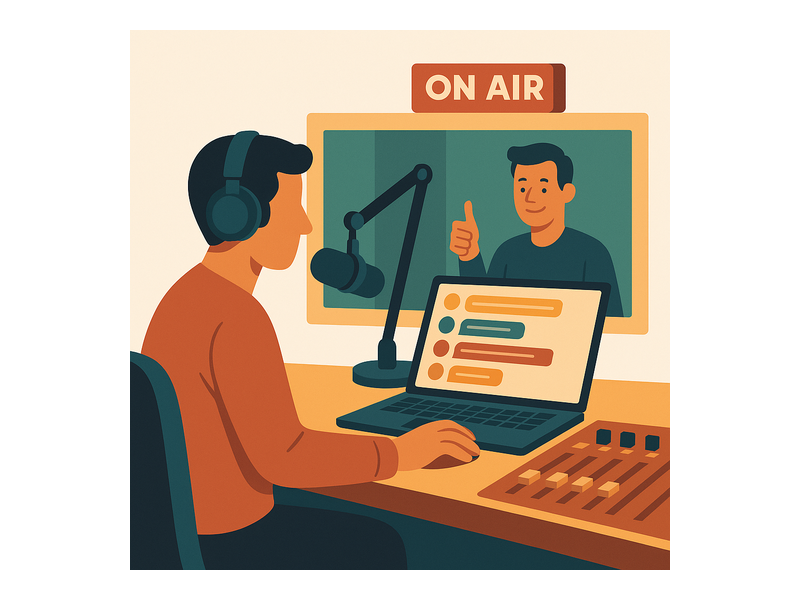
Morning show hosts thrive on listener interaction, and a radio listener chat lets commuters who are streaming online participate fully without picking up the phone. Producers can pull the best messages and read them on air, making the show feel responsive and community-driven. The chat also extends the show’s reach — listeners who couldn’t catch it live can scroll back through the conversation later and feel connected to what happened.
Talk Radio and Political Commentary
For debate-heavy formats, the listener chat becomes a live opinion poll that runs in parallel with the broadcast. Hosts can pose a question — “Who do you think made the stronger argument tonight?” — and watch listener sentiment unfold in the chat in real time. This gives broadcasters immediate qualitative feedback that complements traditional ratings data and can fuel the next segment’s content direction.
Live DJ Sets and Music Stations
Music stations can use the radio listener chat to run song request boards, shoutout walls, and real-time listener countdowns. Listeners posting reactions, tagging friends, and sharing where they’re tuning in from creates an energy that mirrors being at a live event. RumbleTalk supports emoji reactions and expressive message formatting, making the music listening experience more vibrant and social.
Sports Talk and Play-by-Play Broadcasts
Sports radio is inherently real-time, and so is audience reaction. A radio listener chat during a major game gives fans a virtual stadium to celebrate, debate, and connect in the moments that matter most. Moderators keep the conversation focused on the action while filtering anything that violates community standards, so the chat stays fun and welcoming for all fans.
Specialty and Niche Programming
True crime podcasts, financial commentary, health and wellness shows — niche formats build dedicated audiences with strong opinions and high loyalty. A radio listener chat gives these communities a permanent home. Conversations extend well beyond broadcast windows, with listeners returning to the chat between episodes to discuss theories, share resources, and connect over shared interests.
Measuring the Impact of Your Radio Listener Chat
Engagement without measurement is just noise. Here are the key metrics broadcasters should track to understand whether their radio listener chat is growing and delivering value:
- Active users per session: How many listeners are engaging in the chat during each broadcast? Track this over time to identify growth trends and correlate participation with specific show formats, topics, or guest appearances.
- Message volume: Total messages sent per broadcast. Spikes in volume often correspond to your most compelling on-air moments — use this data to guide future programming decisions.
- Return participants: How many people come back to the chat across multiple broadcasts? High return rates signal a healthy, loyal community rather than a one-time curiosity.
- Moderation action rate: Track how frequently messages are being approved, rejected, or flagged. A high rejection rate may signal that community guidelines need clearer communication or enforcement.
- Peak engagement windows: Identify the specific broadcast segments that drive the highest chat activity — these are your highest-value content moments and your strongest case for advertiser attention.
For stations that sell advertising against their audience, these metrics provide documented evidence of community engagement that goes far beyond the broad estimates of traditional listener ratings.
Why RumbleTalk Is Built for Radio Listener Chat
Most general-purpose chat tools are designed for customer support workflows or gaming communities — not for the real-time, high-stakes demands of live broadcasting. RumbleTalk was built specifically for live events and media environments, making it a natural fit for any radio station looking to launch or upgrade their radio listener chat experience.
- No app required: Listeners join directly from their browser on your website. No download friction, no account creation barriers (unless you want registration-only access), and no technical hurdles between your audience and the conversation.
- Multi-room support: Large stations with multiple shows, simulcasts, or regional feeds can run parallel chat rooms from a single account — each independently branded and moderated by its own team.
- SSO and membership integration: If your station has a loyalty program or membership portal, RumbleTalk supports single sign-on integration so registered listeners can join the chat seamlessly with their existing credentials.
- Persistent chat history: Listeners who join mid-show can scroll back to see what they missed, maintaining context and connection without asking hosts to recap what was said.
- Dedicated support: RumbleTalk’s team is available to help with initial setup, ongoing customization, and live troubleshooting — so your production team is never left to figure it out alone during a broadcast.
If you’re exploring how audience chat can convert casual listeners into a loyal community, the post on Radio Audience Chat: Turn Listeners Into a Community offers additional perspective on how broadcast teams are using live chat to deepen listener relationships across every show format.
Launch Your Radio Listener Chat Today
The most important step is simply getting started. Every broadcast you run without a radio listener chat is a missed opportunity — your audience is already having conversations about your show on social media, in group texts, and in private messages. A dedicated radio listener chat brings those conversations to your own platform, where you control the experience, own the engagement data, and build a community asset that compounds in value with every broadcast.
RumbleTalk makes it fast to launch. Configure your room, apply your branding, embed the widget, and go live. Your listeners will do the rest — and they’ll keep coming back.
Ready to add a radio listener chat to your station’s website? Visit RumbleTalk.com to start your free trial and see how a live audience chat can transform your broadcast engagement — one message at a time.