
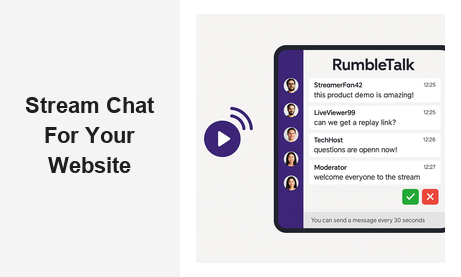
Adding a stream chat for website is one of the highest-impact decisions a business can make for its live digital experiences. Whether you are hosting a product launch, a virtual conference, a live shopping event, or a weekly webinar, a real-time chat layer turns your stream into a two-way conversation — and that changes everything about how audiences engage with your brand, your content, and each other.
Why Stream Chat for Website Matters in 2026
Audiences today expect interactivity. A static video stream, no matter how polished, creates a one-way broadcast that feels passive. When viewers can type a message, ask a question, react to moments in real time, and see others doing the same, they become emotionally invested in the experience. That investment translates directly into longer session times, higher return rates, and stronger brand affinity.
For B2B companies in particular, a live stream chat for websites offers measurable business value: you can qualify leads mid-stream by monitoring what questions people ask, gather instant product feedback, run live polls, and create the kind of community that keeps audiences coming back long after the broadcast ends. The chat becomes a live data layer on top of your video content — one that no recording or replay can replicate.
RumbleTalk’s stream chat for website solution is purpose-built for this use case. Unlike generic comment boxes or embedded social widgets, RumbleTalk was designed from the ground up for live, high-volume, moderated conversations — exactly what streaming environments demand. The result is a professional, branded chat experience that sits on your own domain and serves your audience without sending them elsewhere.
The Business Case for Adding Live Chat to Your Stream
Here are a few scenarios where embedding a stream chat for website pays off immediately:
- Product launches: Customers can ask questions the moment they see a feature demo, and your team can answer live — reducing post-launch support tickets and increasing conversion rates on the spot.
- Virtual conferences: Attendees from around the world can network, share insights, and engage with speakers without leaving your platform. No third-party apps, no context switching, no lost audience.
- Live shopping events: Shoppers who can ask “Does this come in blue?” in real time are far more likely to convert than those who must navigate to a FAQ page and lose momentum.
- Webinars and training sessions: Learners who engage in chat retain information better and feel more supported — a critical advantage for e-learning platforms and corporate training programs competing for learner attention.
- Sports and entertainment streaming: Fans discussing the game or show together create a community experience that keeps them on your platform instead of migrating to social media.
How to Add a Stream Chat for Website with RumbleTalk
One of the biggest barriers to adding a live stream chat for websites is the perception of technical complexity. Operators assume they need a dedicated developer, a custom backend, and weeks of integration work. RumbleTalk eliminates that friction entirely. Setup takes minutes, not days, and no coding expertise is required.
- Create a chat room on the RumbleTalk dashboard. Choose your room type — group chat, moderated Q&A, members-only, or social chat — based on your streaming format and audience needs.
- Copy the embed code. RumbleTalk generates a JavaScript snippet that you paste into any webpage — WordPress, Wix, Squarespace, a custom HTML site, or any CMS you use.
- Customize the appearance. Match the chat skin to your brand colors, set the position and size of the chat panel, and configure behavioral settings like message approval and user permissions.
- Go live. When your stream starts, the chat is ready. No additional configuration needed. Your audience connects in seconds.
If you are new to the platform, RumbleTalk’s getting started guide walks you through room creation, embedding, and admin settings in complete detail.
Choosing the Right Chat Type for Your Stream
Not every stream is the same, and RumbleTalk’s streaming chat solutions reflect that. The platform offers several chat configurations optimized for different streaming contexts and audience sizes:
- Group Chat: The default open mode — everyone can send and receive messages in real time. Best for casual streams, fan communities, and informal events where open conversation adds energy and spontaneity to the broadcast.
- Moderated Q&A: Messages must be approved by a moderator before they appear publicly. Ideal for high-stakes streams like investor calls, press conferences, or educational webinars where you need complete control over what gets shown on screen.
- Members Chat: Only authenticated users can participate. Perfect for paid communities, subscription-based content platforms, or corporate streams where identity verification is required before accessing the conversation.
- Social Chat: Supports social login via Facebook, Google, or Twitter, lowering the participation barrier without requiring full account creation. Great for consumer-facing streams and marketing events aimed at broad audiences.
- Queued Chat: Messages are released in a controlled queue, preventing message floods during peak moments. Ideal for high-volume live events where thousands of viewers attempt to chat simultaneously and readability is a priority.
Moderation: The Feature That Makes Stream Chat for Website Scalable
The biggest concern most businesses have when embedding a stream chat for website is losing control of the conversation. Trolls, spam, off-topic comments, and inappropriate content are real risks — especially when your brand reputation is on the line during a live, uneditable event. RumbleTalk’s moderation toolkit gives administrators full control without requiring a large team or technical intervention.
Real-Time Message Moderation
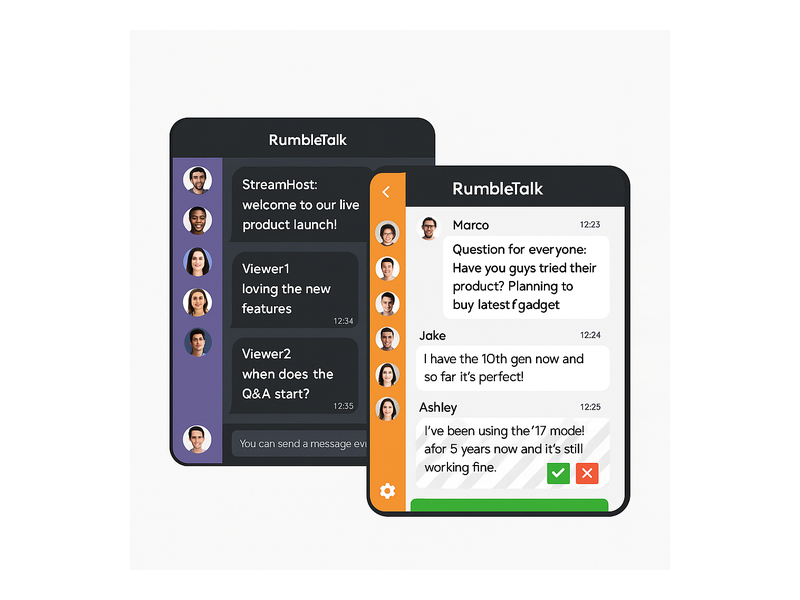
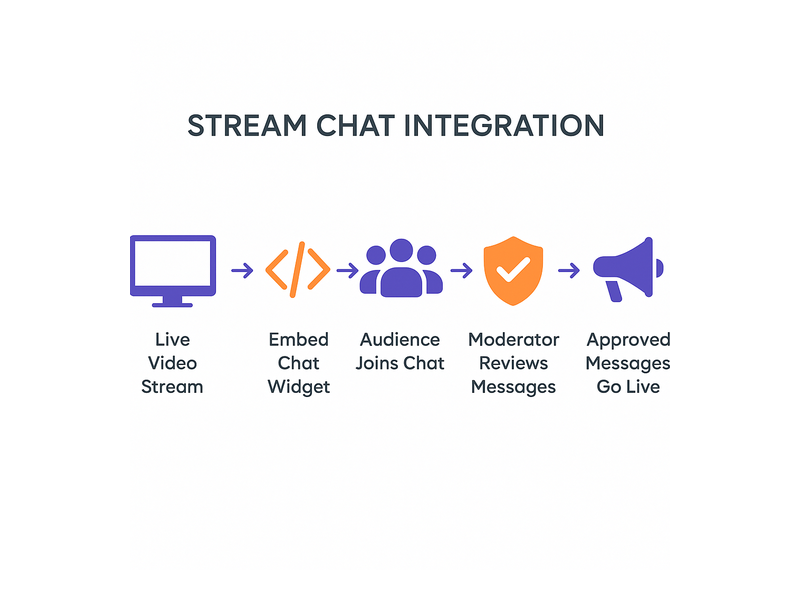
In moderated mode, every incoming message sits in a moderator queue before going public. Admins see a green checkmark (approve) and a red X (reject) beside each message in their dashboard. This means your website stream chat remains curated and professional even when hundreds of viewers are typing simultaneously. No harmful content reaches the public feed without explicit approval.
User Management Tools
Moderators can mute, kick, or permanently ban disruptive users directly from the chat panel. The action takes effect instantly — the user’s ability to send messages is revoked without any page reload or backend intervention. For repeat offenders, IP-level bans ensure they cannot simply create a new account to return and disrupt the stream again.
Admin Mode for High-Stakes Moments
When enabled, Admin Mode allows only administrators to broadcast messages to all viewers. This is particularly useful during critical moments — a product announcement, a keynote address, or a panel presentation — where you need to guide the conversation with precision rather than allow a free-for-all. Viewers can still read the chat and feel part of the event, while content control remains entirely with your team.
Message Cooldown Controls
The configurable cooldown bar — displayed to users as “You can send a message every 30 seconds” — limits how frequently any one user can post. This prevents spam flooding without blocking participation entirely, keeping the stream chat for website experience clean, readable, and enjoyable for all viewers regardless of audience size.
These same moderation capabilities apply across formats. For broadcasters running live audio streams, the dynamics are nearly identical — see how these features translate in our post on Radio Audience Chat: Turn Listeners Into a Community.
Embedding Stream Chat Alongside Your Video Player
The technical question of how to position a stream chat for website alongside a video player is simpler than most operators expect. RumbleTalk’s embed code is a lightweight JavaScript snippet that renders inside any standard HTML container on your page. This gives you complete layout flexibility:
- Place the chat panel beside your video player in a side-by-side layout
- Overlay the chat on top of the video in a picture-in-picture style panel
- Pop the chat out into a separate floating window that viewers can reposition
- Display the chat below the video on mobile while maintaining a side-by-side layout on desktop using CSS breakpoints
Because the live stream chat is embedded directly on your own domain rather than loaded through a restricted third-party iframe, you retain full control over the layout, styling, and user experience. Your viewers never leave your page, your brand stays front and center, and your analytics capture every interaction.
Responsive Design and Mobile Support
Stream audiences increasingly watch on smartphones and tablets. RumbleTalk’s chat panel is fully responsive — it adapts to any screen size automatically without custom development. On mobile, the chat collapses to a clean overlay that does not block video content, then expands on demand when a viewer wants to participate. The same embed code works across desktop, tablet, and mobile without a separate build or conditional loading logic.
Performance at Scale
A website streaming chat that works smoothly for 50 viewers must also perform flawlessly for 5,000. RumbleTalk’s infrastructure is built for concurrent load — the platform handles thousands of simultaneous connections without message lag, dropped messages, or degraded performance. For large-scale live events, this scalability is not a bonus feature; it is the foundational requirement that separates a professional streaming chat solution from a generic widget that breaks under pressure.
Personalizing the Stream Chat Experience for Your Audience
Beyond core functionality, the visual and experiential design of your stream chat for website significantly affects participation rates and audience perception of your brand. RumbleTalk gives operators extensive customization options that go far beyond changing a color scheme:
- Custom skins and colors: Match the chat panel to your brand palette, font choices, and overall site aesthetic so the chat feels like a native part of your platform rather than an embedded third-party tool.
- Custom welcome messages: Greet viewers automatically as they enter the chat, set community guidelines, and establish the tone of the conversation before the first message is typed.
- Private messaging: Enable one-on-one private chats between authenticated users, adding a networking layer to virtual events and conferences without requiring attendees to leave your platform.
- File and image sharing: Allow participants to share screenshots, documents, or images in the chat — useful for educational streams, collaborative working sessions, and product demonstration events.
- Polls and audience reactions: Integrate lightweight audience interaction tools directly into the chat environment to gather instant feedback and keep energy levels high throughout the broadcast.
These features collectively transform a stream chat for website from a simple comment box into a full community engagement layer. The difference in audience behavior is measurable: participation rates rise, session duration increases, and post-event surveys consistently report higher satisfaction scores when live chat is present and well-managed.
Stream Chat for Website: Real-World Industry Use Cases
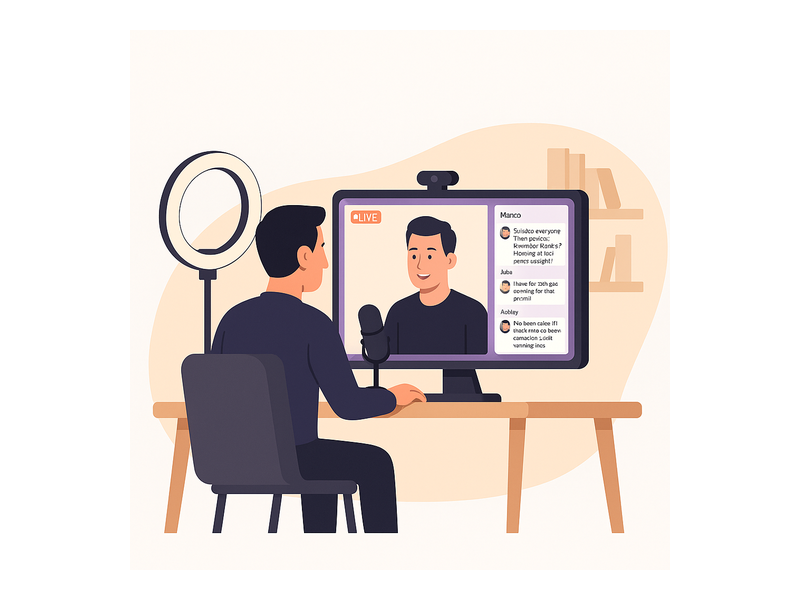
The applications for a live streaming chat extend across virtually every industry that hosts live digital content. Here is how leading organizations in different verticals put it to work:
Media and Broadcasting
News organizations, radio stations, and digital media brands use streaming chat to let audiences participate in live coverage. Viewers comment on breaking stories, submit questions for on-air talent, and share reactions in real time — creating a social layer that keeps them on the publisher’s owned platform rather than migrating to external social networks. RumbleTalk’s Broadcast & Podcast Chat solution is purpose-built for exactly this use case, with the moderation and scalability tools that live media demands.
E-Commerce and Retail
Live shopping streams are among the fastest-growing formats in e-commerce. A stream chat for website in this context lets potential buyers ask product questions, see answers from the brand or other shoppers, and receive promotional codes shared directly in the chat feed. The immediacy of the interaction reduces purchase hesitation and drives conversion rates significantly above those of standard product pages.
Education and Corporate Training
Online educators, corporate trainers, and e-learning platforms use live stream chat to recreate the classroom interaction that pre-recorded courses cannot offer. Students ask questions, collaborate with peers, and receive real-time feedback from instructors — all without leaving the learning environment. For compliance training and certification programs, the moderated chat format also creates an auditable record of participant engagement.
Finance and Investing
Trading platforms, financial news services, and investment communities use website streaming chat to let members discuss market movements, share analysis, and ask expert guests questions during live commentary sessions. Moderation tools keep discussions substantive, on-topic, and compliant with communication standards.
Corporate Events and Internal Communications
All-hands meetings, town halls, and investor days benefit enormously from a stream chat for website. Employees or stakeholders can submit questions, react to announcements, and engage with leadership in a structured, moderated format — far more productive and measurable than a static broadcast followed by a follow-up email questionnaire that captures only a fraction of audience sentiment.
Start Using Stream Chat for Website Today
Whether you are launching your first live stream or migrating from a third-party chat tool that does not integrate cleanly with your platform, RumbleTalk’s stream chat for website solution is designed to be operational within the hour. A free trial lets you embed, test, and fully customize the experience before committing to a plan — no credit card required, no developer needed.
As your audience grows, RumbleTalk scales with you — from a single chat room for a small team webinar to multiple concurrent rooms for a multi-track virtual conference hosting thousands of attendees across different sessions. Every plan includes the core moderation, customization, and analytics tools that make a live streaming chat effective rather than chaotic.
Ready to turn your next live stream into a two-way conversation your audience remembers? Visit rumbletalk.com to start your free trial and embed your first stream chat for website today.