
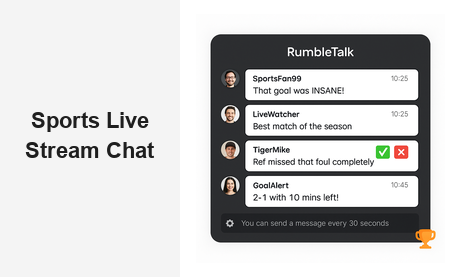
A sports live stream chat is no longer a luxury feature for premium broadcasters — it has become a baseline expectation for any sports platform that wants to compete for fan attention online. When viewers tune in to a live game, a match, or an esports tournament, they want to react, debate, celebrate, and share the moment with other fans in real time. Without a dedicated sports live stream chat on your platform, those conversations will happen somewhere else — and so will your audience’s loyalty. RumbleTalk is a group chat platform built for exactly this use case: helping sports media companies, broadcasters, and event organizers embed a fully featured, scalable, and moderated live chat experience directly alongside their streams.
Why Sports Fans Demand Real-Time Chat During Live Streams
The second-screen era changed sports viewing permanently. Today’s fans are accustomed to reacting instantly — posting on social media the moment a goal is scored, debating a referee’s decision with strangers online, or sharing injury updates in community forums before the broadcast team even catches up. This behavior isn’t going away. If anything, it’s intensifying as younger audiences grow up expecting interactive, participatory experiences by default.
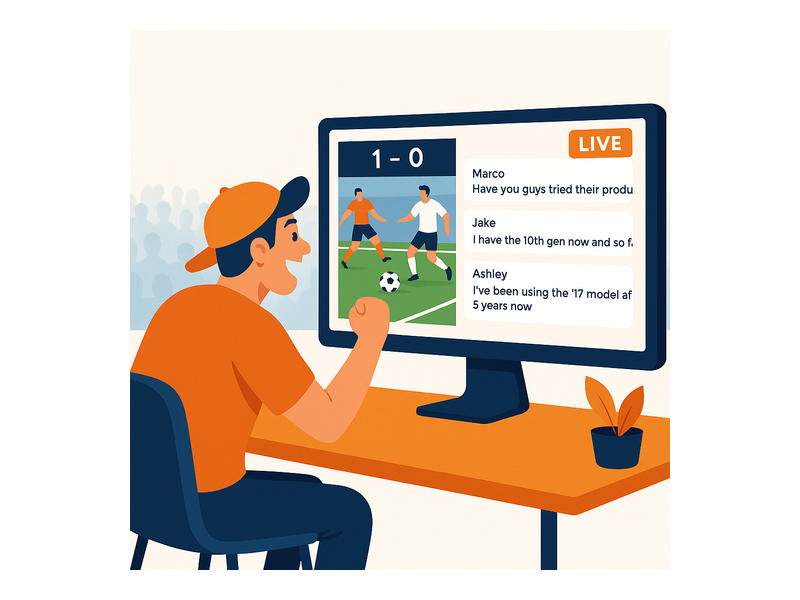
The problem for sports broadcasters and OTT platforms is that most of this conversation happens on third-party platforms they don’t control — Twitter, Reddit, Discord, or Twitch. That means you’re sending your audience away from your platform at the exact moment they’re most engaged with your content. A well-implemented sports live stream chat solves this by giving fans a home for real-time interaction directly on your site or app, without competing for attention with unrelated social media noise.
The business case is compelling: viewers who actively participate in a live chat during a sports broadcast consistently watch longer, return more frequently, and are more likely to subscribe or upgrade to a paid tier. Live chat isn’t just a social feature — it’s a measurable retention and monetization driver. For sports platforms operating in a competitive landscape, that edge matters enormously.
What Makes a Great Sports Live Stream Chat Experience?
Not every chat solution is suitable for the specific demands of live sports streaming. When evaluating platforms, sports broadcasters need to look beyond basic messaging functionality and focus on the capabilities that matter during a high-stakes, high-traffic live event:
- Scalability under peak load: Championship matches, playoff games, and major tournaments can spike to tens of thousands of concurrent viewers within seconds. Your sports live stream chat must handle this traffic without lag, dropped messages, or downtime.
- True real-time delivery: A message that arrives 15 seconds late is useless in a live sports context. Fans need to see reactions the moment they happen — not after the moment has passed.
- Powerful moderation tools: Sports audiences are passionate, and live sports moments can trigger heated exchanges. You need moderation controls that work at speed and at scale, so a small team can keep a large chat room civil without exhausting themselves.
- Easy, flexible embedding: Your development team should be able to deploy the chat widget in hours, not weeks. A simple embed code that works with any HTML-based website, app, or CMS is essential.
- Customizable appearance: The chat widget should look like it belongs on your platform — not like an obvious third-party tool bolted on as an afterthought.
- Authentication and access control: Whether you run an open public broadcast or a subscriber-only stream, you need the ability to control who can access and participate in the chat room.
RumbleTalk was designed from the ground up to meet all of these requirements. It’s a white-label group chat platform trusted by broadcasters and event organizers to power sports live stream chat experiences across thousands of live events globally.
Key Features of RumbleTalk for Sports Live Stream Chat
Here is a breakdown of the RumbleTalk features that are most relevant for sports broadcasting and live event use cases:
Group Chat for Mass Concurrent Audiences
RumbleTalk’s Group Chat room is built to handle large volumes of simultaneous users and message traffic without degrading performance. For a sports live stream chat environment where thousands of fans may pile in simultaneously at kickoff or tipoff, this scalability is critical. You can also configure message flow controls — rate limiting, cooldown timers, and message queuing — so the chat remains readable even during the most intense moments of the game, rather than becoming an unreadable blur of rapid-fire reactions.
Moderated Q&A for Athlete and Expert Panels
Beyond the game itself, many sports broadcasters run halftime shows, post-game analysis segments, or fan Q&A sessions with athletes, coaches, and analysts. RumbleTalk’s Moderated Q&A for broadcast environments is purpose-built for these structured interaction formats. Your production team reviews and approves questions before they appear on screen, ensuring the session stays focused and professional. This is ideal for live press conferences, sports podcast recordings, and virtual meet-and-greet events embedded directly on your platform.
Admin Mode and Real-Time Moderation
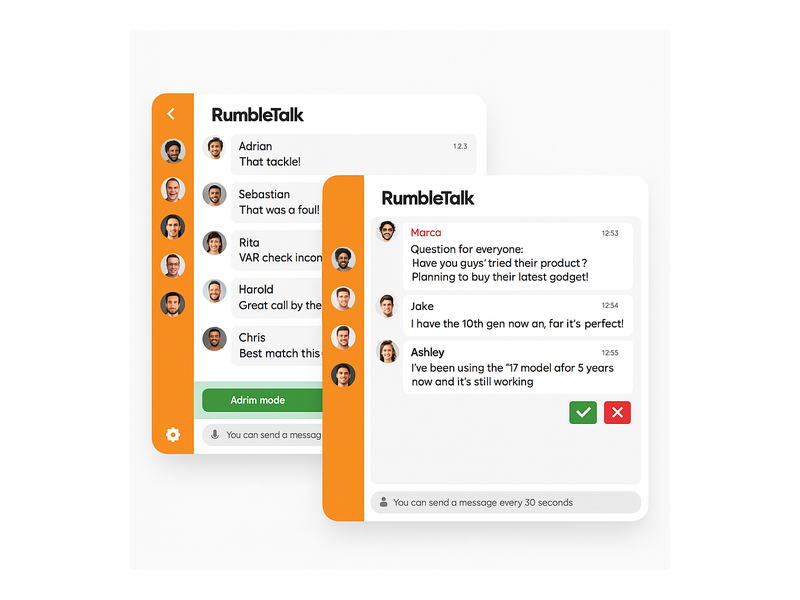
Live sports moments generate passionate — and sometimes disruptive — fan behavior. RumbleTalk’s admin mode gives your moderation team granular control over the sports live stream chat room: approve or reject messages before they go public, mute individual users, ban repeat offenders instantly, and set per-user message cooldown timers to prevent flooding. You can learn more about managing disruptive users in the RumbleTalk knowledge base article on admin mode and muting. These tools mean a team of two or three moderators can confidently manage a chat room with thousands of active participants.
Social Chat for Persistent Fan Communities
The game ends — but your platform doesn’t have to go quiet. RumbleTalk’s Social Chat product lets you maintain persistent community chat rooms on your website between live events. Fans can gather to discuss upcoming fixtures, debate transfer rumors, analyze match statistics, and build relationships with other supporters. This persistent community layer transforms your sports platform from a destination fans visit on match days to a daily habit — dramatically improving retention and time-on-site metrics across the full season.
Members Chat for Premium Subscriber Tiers
If your sports platform operates on a subscription or membership model, RumbleTalk’s Members Chat lets you restrict live chat access to paying subscribers. You can create premium-tier chat rooms where subscribers get exclusive access to analyst commentary, insider discussion forums, or VIP fan interactions during live sports events. This turns the sports live stream chat experience into a tangible premium benefit that strengthens the case for subscribers to upgrade and retain their memberships season after season.
Private Chat for Exclusive Fan Interactions
One-on-one private messaging enables controlled, curated direct interactions — for example, running a premium fan Q&A where selected subscribers can message directly with a sports journalist, a former athlete, or a team representative during a live event. RumbleTalk’s Private Chat integrates cleanly with the group chat widget, so you don’t need to build or buy a separate tool for these high-value interactions.
Use Cases: Who Benefits from Sports Live Stream Chat?
A sports live stream chat is relevant across a wide spectrum of sports media and broadcasting contexts. Here are some of the most impactful deployment scenarios:
- OTT sports broadcasters: Add a real-time chat layer alongside your video player so fans can react and interact without leaving your platform to post on social media. Keep engagement — and data — on your side.
- Esports tournament organizers: Esports audiences have the highest chat engagement expectations of any sports demographic. A sports live stream chat room embedded on your event page keeps your community on your platform rather than fragmenting across Twitch and Discord.
- Fantasy sports and sports betting platforms: Live game tracking combined with a group chat room lets your users discuss lineup decisions, player performance, and live odds as the action unfolds. Chat adds a social layer that improves retention and session depth.
- Sports media publishers: Editorial teams running live blogs for major events can embed a chat room alongside written coverage — letting readers comment, predict, and react as the story develops in real time.
- Sports clubs and supporter associations: Professional and amateur clubs can build engaged official fan communities on their own websites, reducing dependency on social media platforms they don’t control — and where their content competes with everything else in a crowded feed.
- Fitness and wellness platforms: Live workout classes, coaching webinars, and group challenges benefit from a chat layer that encourages participants to cheer each other on and ask questions in real time, improving completion rates and community cohesion.
How to Add a Sports Live Stream Chat to Your Platform
One of RumbleTalk’s most significant advantages for sports broadcasters and development teams is how quickly and easily it deploys. Here is how the typical integration process works:
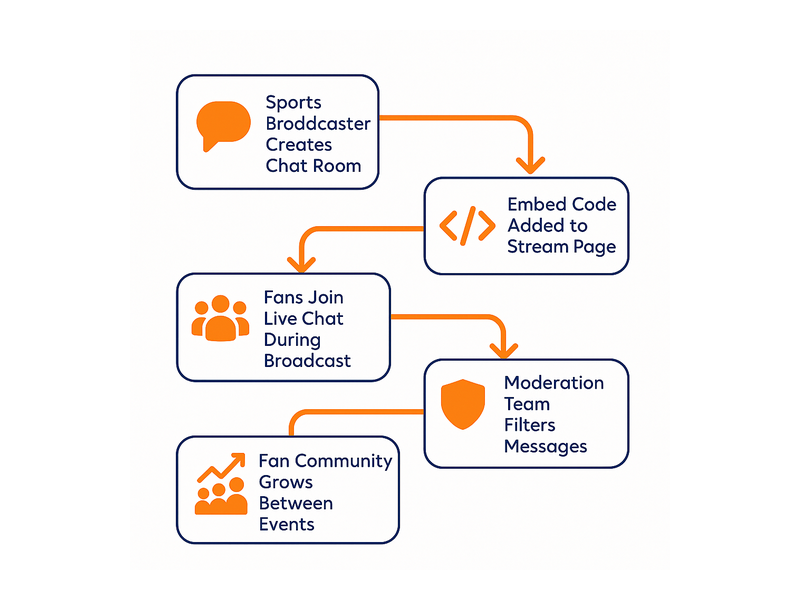
- Create your chat room: Sign up for a RumbleTalk account and configure your room — choose the chat type that fits your use case (Group Chat for open broadcasts, Moderated Q&A for structured panels, Members Chat for subscriber tiers), set your moderation rules, and customize the visual appearance to match your brand palette and typography.
- Embed the widget: Copy the embed code snippet from your RumbleTalk dashboard and paste it into your web page alongside your video player. The widget works with any HTML-based website, CMS, or web application and requires no server-side changes to your existing infrastructure.
- Configure user authentication: If you want to restrict chat access to registered users or paid subscribers, RumbleTalk supports SSO (Single Sign-On) integration so users authenticate once and access the chat seamlessly under their existing account credentials.
- Prepare your moderation team: Brief your moderators on the admin controls, enable admin mode before the broadcast begins, and configure any automated moderation rules — keyword filters, message rate limits, and spam detection — appropriate for your audience.
- Go live: RumbleTalk handles the infrastructure — scaling, delivery, uptime, and message persistence — so your team can focus entirely on producing and moderating the event rather than worrying about technical performance.
For enterprise-scale deployments, RumbleTalk also provides API access and custom integration support, allowing your team to connect the sports live stream chat platform to your existing user management systems, analytics dashboards, and CRM tools.
Building a Fan Community That Lasts Beyond the Final Whistle
The most forward-thinking sports platforms understand that the real long-term value of a sports live stream chat isn’t limited to the 90 minutes or two hours of the live event. It’s about what happens in the days, weeks, and months between events — the ongoing community that forms around shared passion for a sport, a team, or a broadcaster’s programming.
With RumbleTalk, you can keep chat rooms active and visible on your platform year-round. Off-season discussions, transfer window debates, match preview conversations, and fan polls keep your audience engaged and returning even when there’s no live game on the schedule. Community members who feel a sense of belonging on your platform become your most powerful organic growth engine — sharing your content, inviting friends, and advocating for your brand on social media.
This dynamic is not unique to sports. Broadcasters in adjacent industries have seen the same pattern play out with enormous success. The Radio Audience Chat: Turn Listeners Into a Community post explores how radio broadcasters used live stream chat to build lasting listener communities — a model that maps directly onto sports broadcasting contexts where the goal is to turn one-time viewers into habitual, loyal community members.
Sports Live Stream Chat Is the Competitive Edge Your Platform Needs
Sports media is one of the most competitive verticals in digital publishing. Audiences have more choices than ever, attention is fragmented, and the platforms that win long-term are those that give fans a reason to stay, return, and invite others. A sports live stream chat is one of the highest-leverage tools available for achieving exactly that — and it is no longer optional for any platform that wants to compete seriously for fan engagement.
RumbleTalk gives sports broadcasters, OTT platforms, media publishers, esports organizers, and sports clubs everything they need to deploy a professional, scalable, fully moderated live chat experience — without the cost, complexity, or maintenance burden of building a custom solution from scratch.
Ready to transform your next live sports broadcast into an interactive fan experience? Visit rumbletalk.com to explore plans, request a live demo, or embed your first sports live stream chat room in minutes and start turning viewers into a community.