
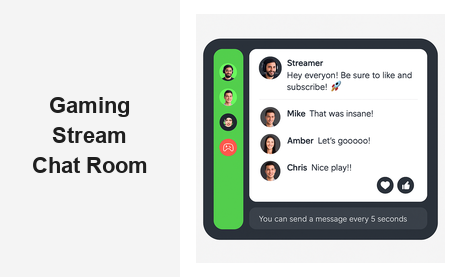
A gaming stream chat room is no longer a nice-to-have — it is the backbone of live gaming audience engagement. Whether you are running an esports tournament, a live game launch, or a gaming content platform, your audience expects to participate in real time, not just consume passively. The difference between a stream that builds a loyal community and one that viewers click away from often comes down to whether there is an interactive, moderated chat room that makes them feel part of the action.
RumbleTalk is a group chat platform built for websites and live events. Its gaming stream chat room solution is embeddable, fully managed, and designed to handle everything from a 50-person indie game launch to a 10,000-viewer esports championship — all hosted on your own website, under your own brand.
What Makes a Great Gaming Stream Chat Room?
Not every chat widget can keep up with the demands of a live gaming audience. When thousands of viewers are watching simultaneously and the game reaches a critical moment, your chat room needs to perform flawlessly. Here are the qualities that separate a purpose-built gaming chat solution from a generic widget:
- High concurrency: Gaming events can attract thousands of simultaneous participants. The chat infrastructure must scale without message lag, dropped messages, or downtime.
- Real-time moderation: Gaming communities can get heated fast. Mute, ban, and message-approval tools need to be instant and easy for your moderators to use mid-stream.
- Low latency: Chat messages must appear within milliseconds to feel connected to what is happening on screen. Delays break the live experience.
- Mobile-first design: A significant share of gaming audiences joins from phones and tablets. The chat interface must be fully responsive and touch-friendly.
- Simple embedding: Adding a gaming stream chat room to your website should take minutes, not weeks of engineering work. A copy-paste JavaScript snippet is the standard.
RumbleTalk was built with all of these requirements in mind. It powers gaming stream chat rooms for platforms that prioritize audience ownership, brand control, and scalable live engagement.
Built for the Energy of Live Gaming
Gaming tournaments, esports championships, game reveal events, and weekly gaming streams each have a distinct rhythm and energy. RumbleTalk’s chat modes map directly to these scenarios. During a fast-paced match, open Group Chat lets the audience flood the room with reactions, predictions, and commentary — mirroring the social experience of watching with friends. During a developer AMA or a post-match analyst breakdown, Moderated Q&A lets your team approve questions before they go live, keeping the conversation focused and productive.
Key Features of RumbleTalk’s Gaming Stream Chat Room
Real-Time Moderation at Scale
Moderation is the most critical operational challenge in any live gaming stream chat room. Spam, toxic behavior, and off-topic flooding can derail the experience for your entire audience in seconds. RumbleTalk gives admins a complete toolkit:
- Mute users: Temporarily silence a disruptive participant without removing them from the room — giving them a chance to cool down.
- Ban users: Permanently block bad actors from your gaming chat room with a single click.
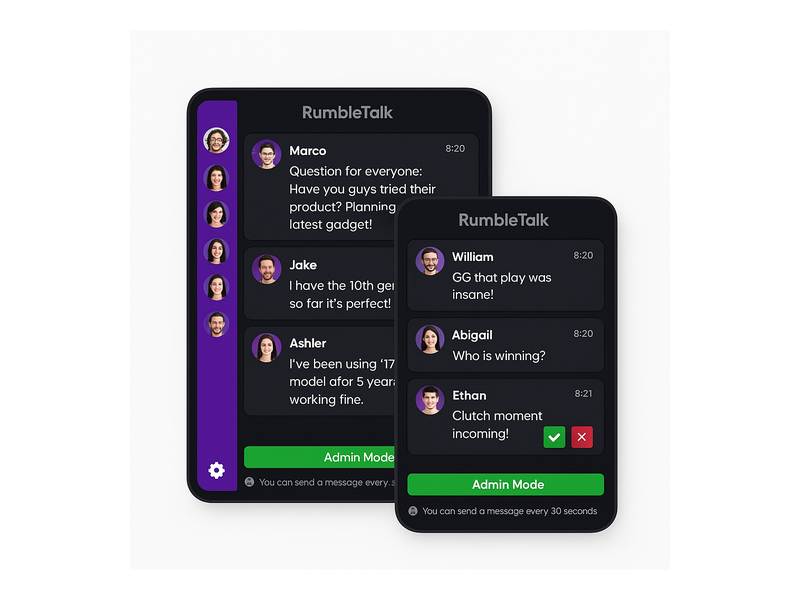
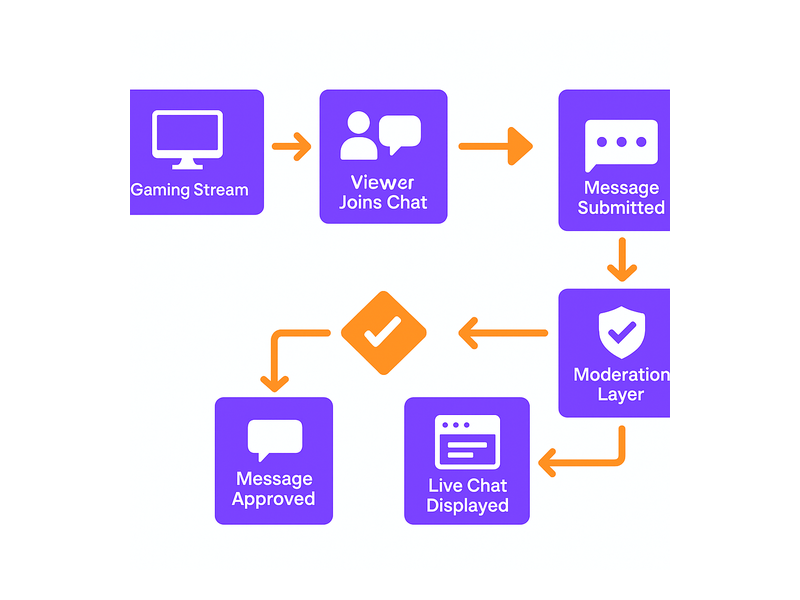
- Message approval mode: In Moderated Q&A, every message is reviewed before it appears publicly. Ideal for structured Q&A segments with developers, pro players, or brand partners.
- Admin Mode indicator: Display a green Admin Mode bar at the bottom of the chat so your audience knows a moderator is present and active.
- Rate limiting: Set a cooldown so users can only send messages every N seconds. This prevents spam floods during high-excitement moments like clutch plays or tournament finales.
- Word filters: Configure blocked words and phrases to automatically suppress inappropriate content before it ever reaches the stream.
These tools give your moderation team the confidence to run a gaming stream chat room at any scale — from a small community gaming night to a professionally produced esports broadcast.
Multiple Chat Modes for Every Gaming Context
Different gaming stream scenarios call for different interaction formats. RumbleTalk offers several chat modes that map cleanly to common use cases:
- Group Chat: Open, real-time conversation for all viewers. Best for general gaming streams, watch parties, and casual live broadcasts.
- Moderated Q&A: Pre-approved messages only. Perfect for developer AMAs, professional streamer interviews, and sponsored events where brand safety is a priority.
- Members Chat: Restrict your gaming stream chat room to registered users only. Ideal for premium communities, subscriber-only channels, or paid gaming memberships.
- Queued Chat: Messages appear one at a time in a structured sequence. Useful for orderly Q&A sessions during gaming conferences or esports panel discussions.
- Private Chat: Enable direct one-on-one messaging between participants — great for gaming communities where members want to connect individually alongside the main stream.
The ability to configure each room independently — or run multiple gaming chat rooms simultaneously for different segments of a large event — gives organizers unmatched flexibility.
Social Login and Frictionless Access
One of the biggest participation killers in any live gaming stream chat room is a mandatory sign-up wall. Requiring viewers to create an account before they can say a word kills spontaneous engagement. RumbleTalk solves this with social login options and configurable guest access, allowing viewers to jump into the conversation instantly. For platforms that require authentication — such as premium gaming communities or subscriber-gated events — RumbleTalk supports SSO integration, so your users log in once through your existing system and enter the chat seamlessly.
Full Design Customization
Your gaming stream chat room should feel like a native part of your website, not a bolted-on third-party widget. RumbleTalk offers extensive visual customization:
- Custom color themes to match your brand palette or a game’s aesthetic
- Adjustable chat bubble styles, fonts, and background textures
- Logo placement and custom header branding
- Dark mode support — essential for gaming audiences who prefer it for long viewing sessions
- Responsive layout that adapts from ultra-wide desktop setups to mobile portrait screens
Whether your brand is minimal and corporate or bold and esports-styled, you can configure the gaming stream chat experience to match your visual identity precisely.
How to Add a Gaming Stream Chat Room to Your Website
Getting a gaming stream chat room live on your website with RumbleTalk requires no backend development and no server configuration. The setup process takes minutes:
- Create your chat room — Sign up at RumbleTalk, name your room, and select your chat type based on your streaming format.
- Customize the design — Set colors, fonts, and branding to align with your gaming website or event page.
- Copy the embed snippet — RumbleTalk generates a short JavaScript embed code you paste directly into your HTML or CMS.
- Configure moderation settings — Set your admin roles, rate limits, and moderation mode before going live.
- Launch — Your gaming stream chat room is ready to handle real-time audience interaction at scale.
For detailed setup instructions, the RumbleTalk Getting Started guide walks through every configuration option from initial account setup to advanced admin controls.
Embedding Chat Alongside Your Video Stream
The standard layout for a gaming stream website places the video player on the left and the chat panel on the right — a format audiences know from Twitch, YouTube Live, and every major esports broadcast. RumbleTalk’s widget is designed to slot into exactly this layout. Place it in a sidebar div next to your embedded video player and the experience feels native and familiar. The widget resizes gracefully, so it works equally well in a narrow sidebar on desktop and in a full-width panel on mobile.
Why Website Owners Choose RumbleTalk Over Platform-Native Chat
If you stream on Twitch or YouTube, you already have their native chat functionality. So why invest in a separate gaming stream chat room on your own website? The answer is ownership, control, and monetization — three things platform-native chat simply cannot offer.
Own Your Audience Data
When you rely on Twitch or YouTube chat, the platform owns the community relationship. Your viewers are their users, subject to their algorithms, their policies, and their business decisions. If the platform changes its monetization rules, demonetizes your channel, or bans your account, you lose access to your community overnight with no recourse.
With RumbleTalk, your gaming stream chat room lives on your domain. You retain the user relationships, control the data handling practices, and manage the community independently of any third-party platform’s decisions. This is a strategic asset for any serious gaming media company, esports organization, or game developer.
Direct Monetization Paths
An owned gaming stream chat room opens monetization channels that platform chat cannot provide:
- Gate chat access for premium event finals or exclusive streams behind a paywall
- Run brand-sponsored Q&A sessions using Moderated Q&A, providing a controlled, brand-safe environment for partner integrations
- Promote merchandise, game downloads, or ticket sales directly in the chat via pinned messages or admin announcements
- Bundle community chat access as a benefit in paid gaming membership tiers
For gaming communities focused on long-term engagement and loyalty, RumbleTalk’s Social Chat product is purpose-built to sustain ongoing community interaction beyond individual live stream events.
Use Cases: Gaming Stream Chat Rooms in Practice
Esports Tournaments and Championships
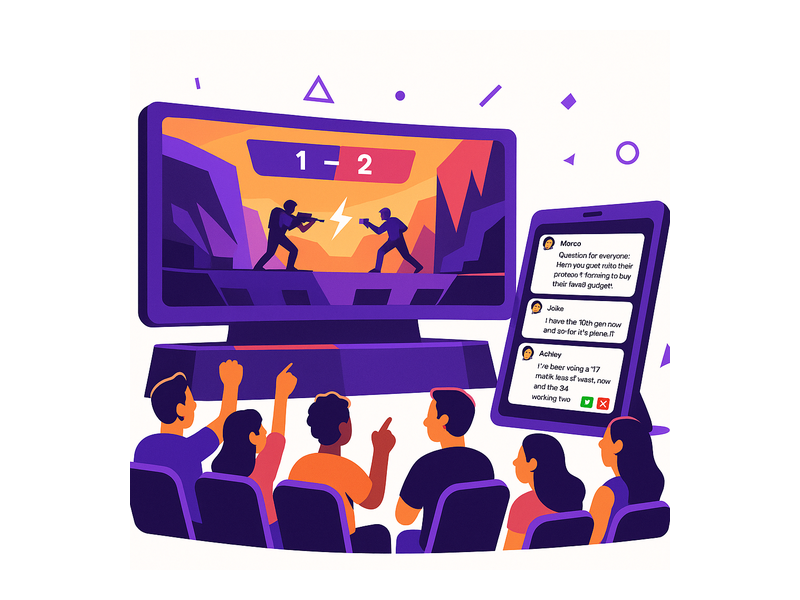
Large-scale esports events require a gaming stream chat room that can absorb massive simultaneous audiences without degrading performance. RumbleTalk’s infrastructure handles thousands of concurrent users in a single room. Tournament organizers can configure Moderated Q&A for analyst desk segments between matches and switch to open Group Chat during live competitive play — giving the audience the right interaction mode for each moment in the broadcast.
Game Launch and Reveal Events
When a studio launches a new title or reveals a new game, a live stream event with an active gaming stream chat room creates social proof and community buzz in real time. Developers can engage directly with fans through Queued Chat during structured reveal segments, then open up Group Chat for unfiltered audience reaction during gameplay trailers. The entire experience happens on the studio’s own website — capturing community energy in a branded, owned environment rather than scattering it across social platforms.
Gaming Content Creator Platforms
Platforms that host multiple gaming creators — gaming media networks, esports news sites, multi-streamer platforms — can provision a separate gaming stream chat room for each creator under a single RumbleTalk account. Each creator gets their own customized chat room, while the platform administrator retains global oversight and moderation control across all rooms from a centralized dashboard.
Ongoing Gaming Communities
Beyond live events, gaming communities use persistent chat rooms for weekly gaming nights, guild coordination, clan meetups, and community tournaments. A well-configured gaming stream chat room keeps the community active between broadcast events, building the kind of ongoing engagement that translates into higher viewership when the next live event goes live. For inspiration on building loyalty through live audio and chat, see how similar principles are applied in Radio Audience Chat: Turn Listeners Into a Community — the audience engagement playbook translates directly to gaming communities.
Getting Started with Your Gaming Stream Chat Room
The barrier to launching a professional gaming stream chat room has never been lower. With RumbleTalk, you can go from sign-up to a live, moderated, fully branded gaming chat room embedded on your website in under an hour — no developer required, no infrastructure to manage, no maintenance overhead.
The platform scales with you: start with a single chat room for your first gaming stream, then expand to multiple rooms, advanced moderation workflows, and SSO-integrated member communities as your audience grows. Whether you are a solo gaming content creator testing audience engagement for the first time or an esports organization managing a multi-event annual calendar, RumbleTalk has a plan and a feature set that fits.
Your gaming audience is ready to engage. Give them a gaming stream chat room that is worthy of the community they are building. Visit RumbleTalk to start your free trial and launch your gaming stream chat room today — no credit card required.