New Feature: Private Chat Options

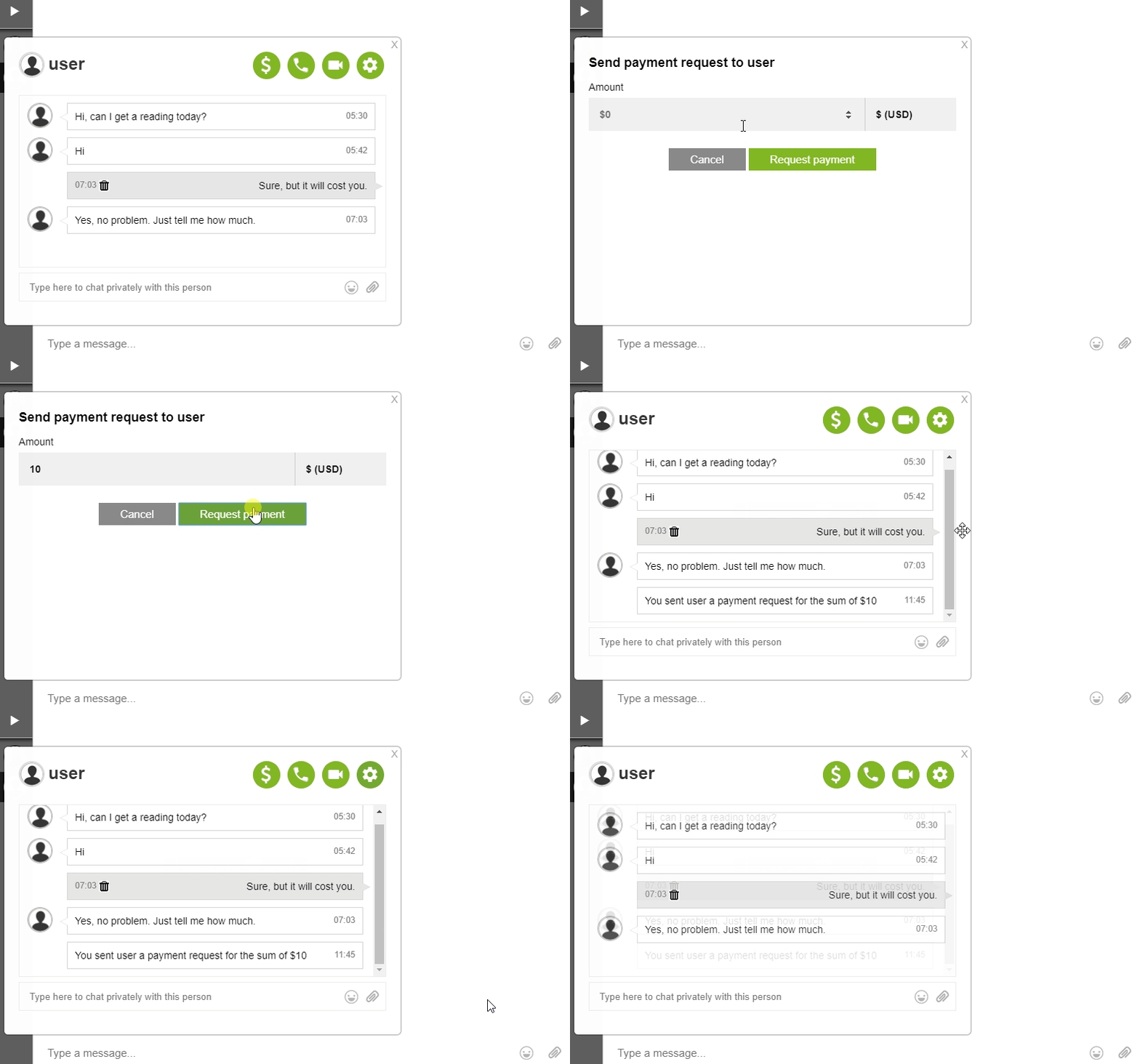
Chat owners are now able to have more privileges to control private chats. This is a new feature for private messaging. These private chat options let non-admins to initiate conversations with the admin and other members.

The following options that a chat owner can set are:

  • Everyone can initiate a conversation with everyone.
  • Only administrators can initiate conversations.
  • Everyone can initiate conversations with administrators only.

Let’s discuss this one by one, shall we?

Everyone can initiate a conversation with everyone

private chat options

Previously, only admins initiated private messaging conversations. That’s been a problem for some users. There are users that want to reach the administrators.

So, to address this concern, we’ve have an option. If the chat owner enables this option, everyone can start a conversation in the private chat.

Only administrators can initiate conversations

private chat options

As previously said, this was the default option for private chat settings. With the new private chat options, chat owners can enable or disable this option. This means that only administrators of the chat will be able to start a private chat with another user, admin or not.

Everyone can have conversations with administrators only

This is a newly added option for the private chat. In the previous version, only administrators were able to start conversations. Now, everyone can initiate conversations but with admins only. This means users will only be able to chat with admins, not with other users.

Where to find private chat options?

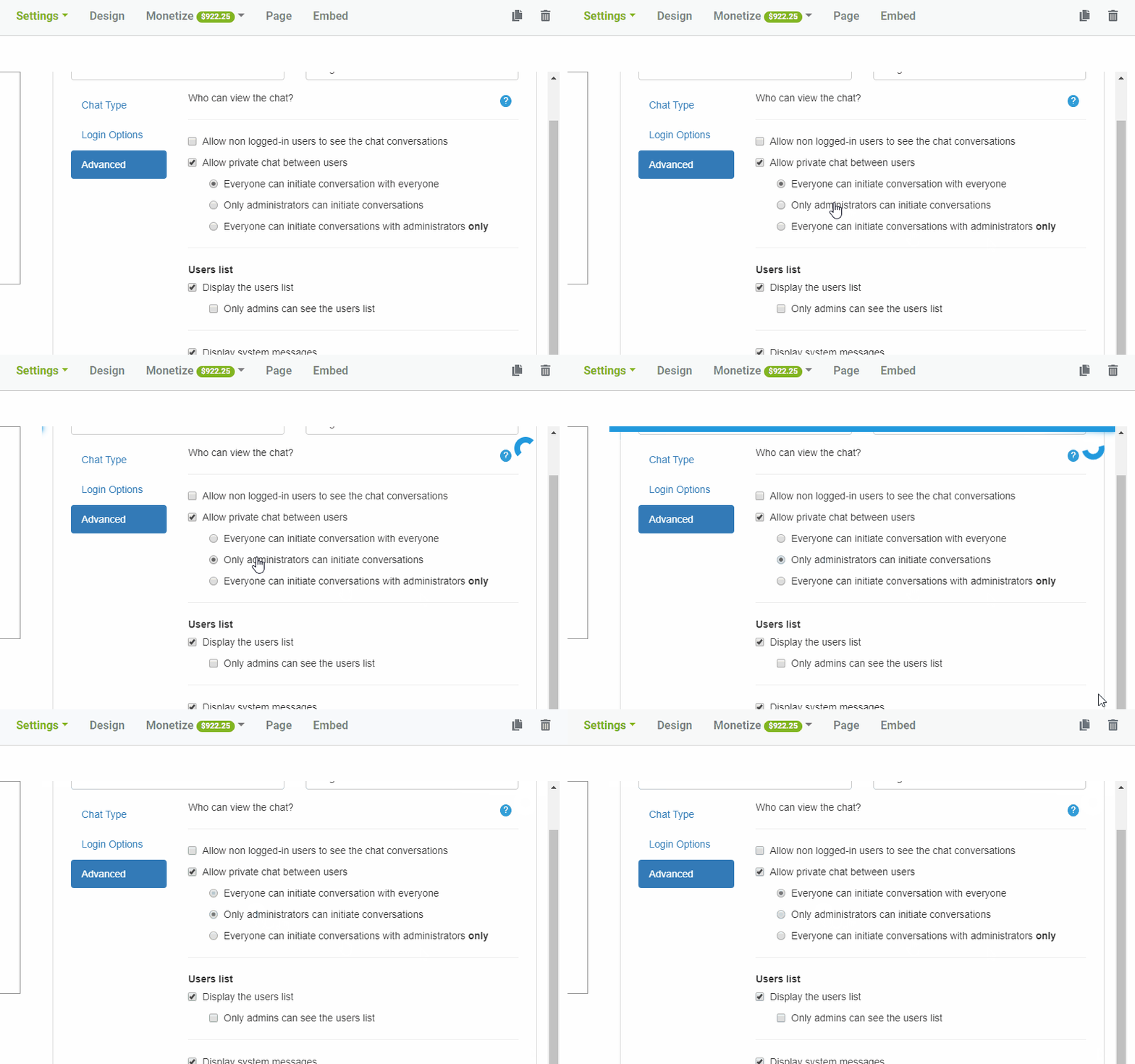
If you want to change the private chat options, here are the steps you need to take.

  • Click “Settings” on the admin panel.
  • Next, go to the “Advanced” tab. You’ll see the private chat options on the right side.
  • Change the options by checking the boxes. Leave it blank if you want the option to be disabled.
  • The options can be changed anytime. However, one must allow private chat for the options to be activated.
  • You can also disable private chat on the “Advanced” tab.

Private chat options in the chat room

Private chat is very useful for private conversations. However, spammers and trolls also use this to harass other users. The chat owner is responsible to choose the trustworthy administrators. He/she also choose the status of the private chat, enabled or disabled.

A good thing to keep in mind is that group chats that have many chatters are also the target of trolls and spammers. So, chat owners may allow private chats in smaller rooms. They can also use the added private chat options for larger rooms.

If you have any questions about the private chat, you can consult the knowledge base. You can also contact support if you’re having problems with your chat. Our customer service will get back to you ASAP.

Enjoy this new feature and let us know on our social media (Facebook, Twitter) pages! Continue on enjoying the RumbleTalk features! There are also more coming so stay updated!

How IT companies manage their customer community with the help of a group chat

As we know, IT companies are putting more effort in building communities where customers can express their thoughts, wishes and release some steam if needed.

What is a customer community?

It is not only about customer, everyone that is potential customer, employee, IT pros may gather together and form a community, all in one controlled place.

In addition, IT companies have many users that exchange ideas regularly. These ongoing community talks and live online community events aid in creating solutions and shift roadmaps.

IT companies usually hold an annual event where they can talk to their community. This live event normally happens on their website. Then, they communicate with their community via a live group chat.

How do IT companies manage their customer community with the help of a group chat?

As the live event is happening on their online community/website, they start with an open keynote session and live group chat where the audience could join the conversation and ask questions.

Following the live event session, the audience was given a choice to access the rest of the day’s information via a though or how-to-track leadership, IT industry track.

The tracks ran simultaneously, each having their own live stream and group chat. As each session comes to a close, the company will provide a pop-up notification. Then, each user can go to their next session and track.

With the notification, the company will take the current chat offline, move the respective user to the next session, and open the next live chat.

Having their own space where they can communicate

chat

With an annual free live event, companies need a space where they can address customer concerns. From a particular IT company, they said they hold large Q&A sessions. This happens twice a year. During these events, various topics are discussed. For example, how to’s and future plans are touched upon.

These annual events provide IT pros worldwide with intermediate to advanced content. These events are not only for pros. Visitors of the live events may also join in.

It allows beginners, members, and experts to interact with each other. The topics are about troubleshooting, performance management, reporting, and monitoring.

Sometimes, a topic gets discussed on the live event and the customer community may have already found the solution. These kinds of topics are important for these live events.

In addition, there are also employees and technical staff on the event. They may also be able to help the customer community solve a technical problem.

Creating a customer community

By holding annual live events, IT companies build rapport. They teach their users and answer their questions about their products. This is what creates a customer community.

As part of the customer community, how can a group chat improve your live chat experience?

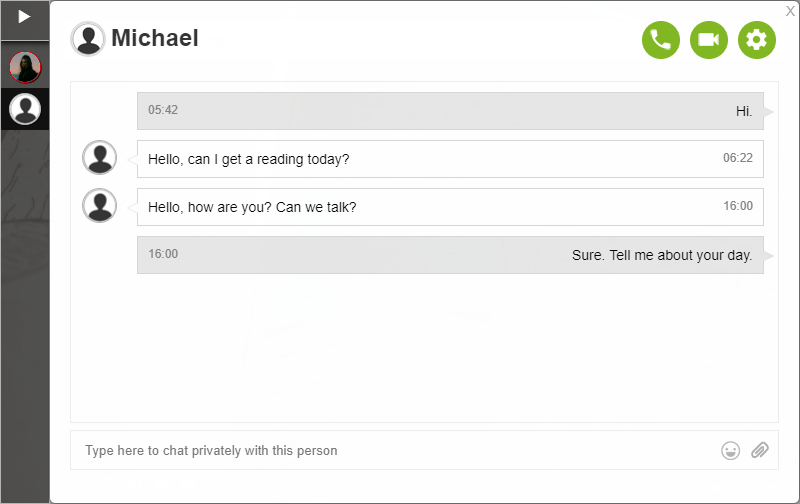
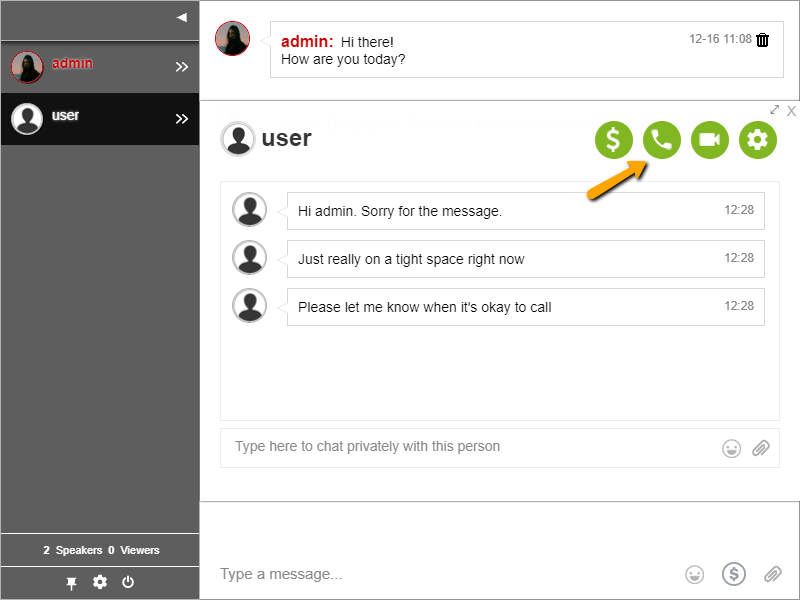
By using RumbleTalk, members of the chat will be able to chat publicly and privately. Members can hold private conversations. They can also hold live audio and video calls. Other features of the chat are the following:

  • Send smilies
  • Send images, PDFs, charts, and more
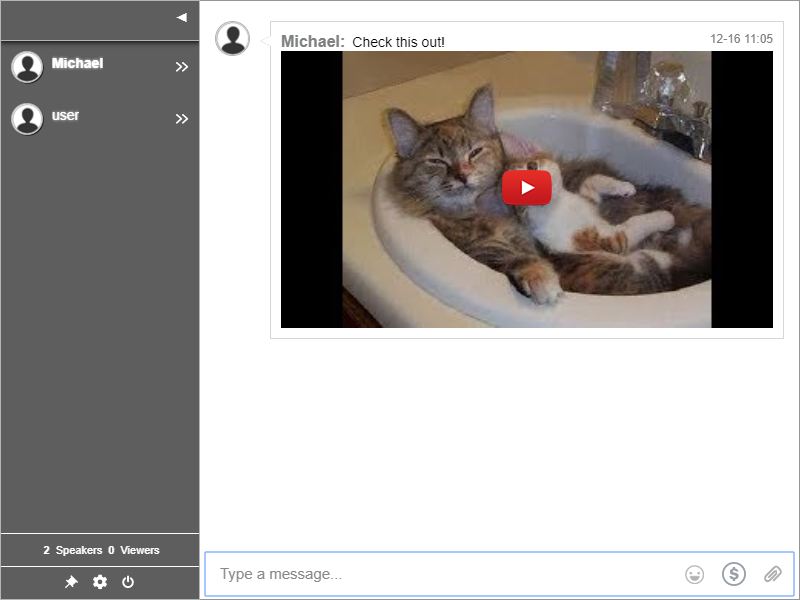
  • Link YouTube and Vimeo videos
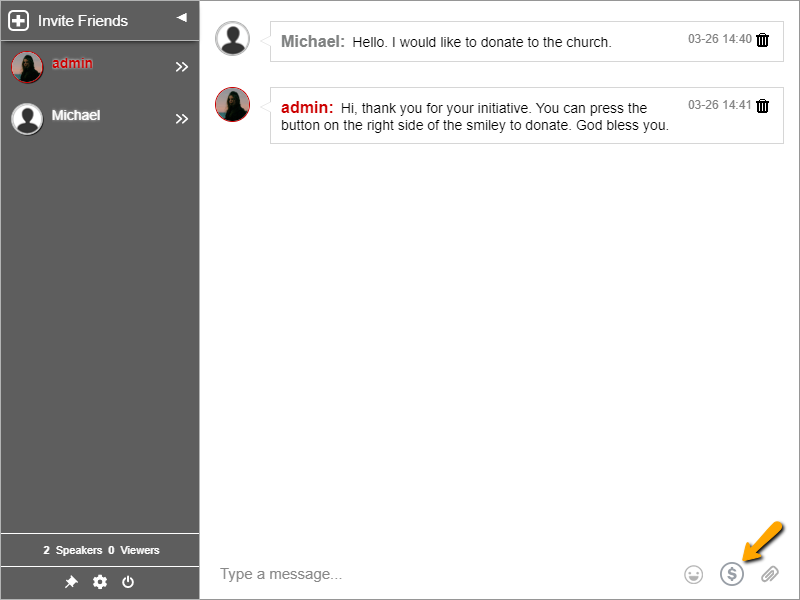
  • Send donations and private payment requests (if the chat owner allows it)
online chat tool

As part of the IT company, what can you do as the chat owner?

Before your live event starts, you can customize your group chat. RumbleTalk has an assortment of themes, custom design features, and custom notification sounds. Chat owners can also export the chat transcript. The chat histories will stay archived for 3 months only.

admin panel

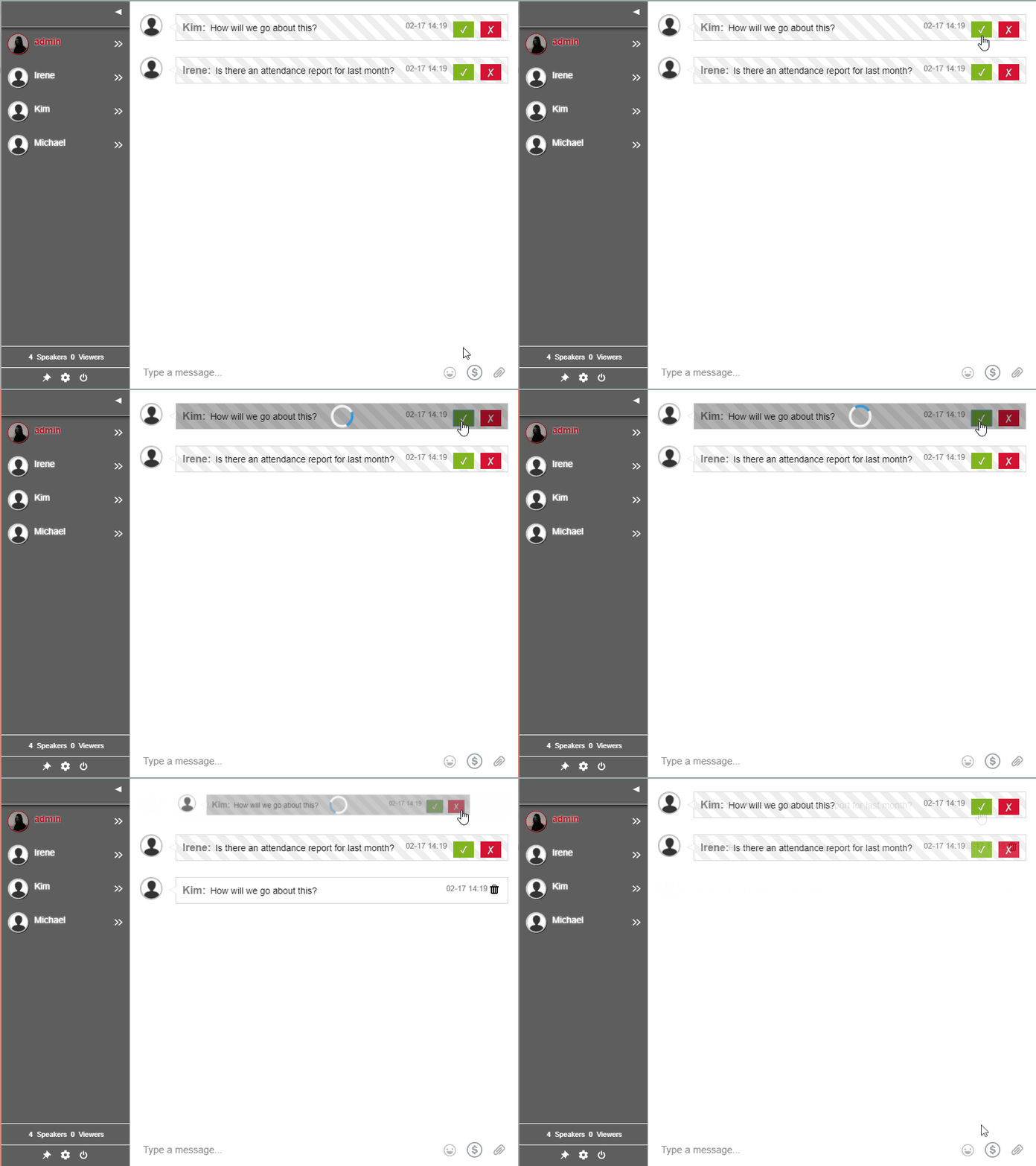
Chat moderation is easy with RumbleTalk. With the moderated chat (a chat type), admins need to approve messages before they get sent out. Therefore, Q&A sessions won’t be flooded with unnecessary messages.

chat for live event

If the group chat is open publicly, admins have the ability to kick users out of the chat. This means that they can disconnect, ban, or ignore users that are not contributing to the chat.

Another neat feature is that chat owners can add in-text keywords. So, if a keyword is used, this keyword appears highlighted. In-text keywords link to a specific page/website. Therefore, companies can use keywords to redirect users to their FAQ page.

Here are some other features that chat owners can use:

  • CSS customization
  • Admin mode (only administrators will be able to talk)
  • Enabling or disabling other chat settings (explore the admin panel)

How a group chat helps IT companies manage communities

A group chat helps the company to communicate with its customers. Being able to communicate in a live event means addressing questions on the spot. Yet, it also promotes a sense of community.

Having a group chat is also convenient and it allows IT companies to cut down their expenses. Holding an event is pricey. But, if you do it online, you can save more and is more productive.

In addition to that, group chats enhance the user experience during a live event. If you want to create a strong community, a group chat is your best bet.

Group chats make your live event approachable. It shows your customers that you care. So, companies should invest on their employees and customers. It’s what keeps their business alive.

To learn more about how RumbleTalk can benefit your company or organization, visit the Features page.

Already a user of RumbleTalk? Then, stay updated with the latest updates and news on our social media (Facebook, Twitter).

Case Study: Agora Financial Live Event with 8000 seats

This year, we had the pleasure of working with Agora Financial for their live event next to a live stream for a Q&A session.

Agora Financial’s Senior Digital Experience and Optimization Manager, Sherry Errera, shared with us their experience with the platform. Thank you, Sherry, for your kind words. We appreciate it a lot!

What is Agora Financial?

Agora Financial is a US-based company working in the finance education sector. Agora Financial provides independent economic commentary and editorial and analysis through print/online publications, videos, and other mediums.

Why did you choose RumbleTalk?

agora financial

We were looking for a good solid replacement for our Q&A offering.

Prior to this one, our events didn’t offer a chat option. Instead, we used the Q&A feature from another platform.

How does our platform help Agora Financial achieve its objectives?

For us, I am fairly confident that, after this event goes off without a hitch, we will continue to use this format. Our Q&A event starts with these steps:

  • Internal E-letter List Invitation/build-up to an advertised event with one of our Financial Experts/Gurus (in this case, Gilder’s 2020 Millionaire Predictions LIVE)
  • Attendee capture upon arrival (RumbleTalk user registration)
  • Streaming video produced in-house w/host and service by LiveStream Enterprise (now Vimeo)
  • Q&A w/Live Moderated Chat for users and hosts
  • Export registered user list using RumbleTalk export option
  • Export chat transcript for legal using RumbleTalk export option

How was the event handled?

I so much appreciate your follow up during and after our event! I made sure to let everyone know you had kept watch during the event and they were really happy about that – especially our project manager, Emily, who was responsible to coordinate every last detail of the event and to make sure all was as close to perfect as could be.

How would you describe your overall experience with the platform?

Feedback from the team was incredibly positive! Any fears they had–main worries were about lag time, feature failure, or inability to juggle the Q&A
– were quickly squashed once the event started. There was zero lag and the moderators were easily able to manage the Q&A after a quick training session that afternoon of the event.

Emily said “Thank you, RumbleTalk!” and, that said, she will 100%, no doubt refer you to our sister companies and the other Agora Financial imprints if they have a need like ours. We have offices, publications, and companies around the world, so that’s a lot of potential!

Is there anything you would like to add or improve?

For the future, we will definitely be back in our next event. This particular event was the first of its kind where we had an interactive audience (they were VERY engaged!) and Q&A with a live host and moderators.

Normally, our video “events” are all pre-recorded and we let people submit questions for follow up. The RumbleTalk moderated chat let us give another option to our customer.

Will you consider using RumbleTalk in the future?

Yes, definitely! We will surely be asked to help our sister companies and other subsidiaries of the larger Agora Company for referral or assistance so that they can model our event format.

Thanks for ALL of your help!