
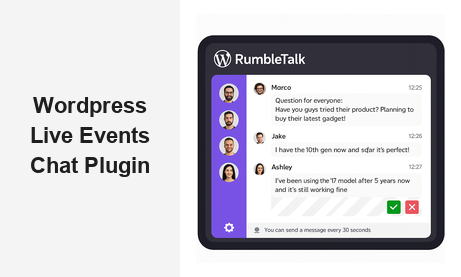
Why You Need a Chat Room Plugin for WordPress Live Events
If you host webinars, virtual summits, or live sessions on your WordPress site, a chat room plugin for WordPress live events is one of the most powerful tools you can add. Audience engagement is directly tied to retention, conversion, and brand loyalty. When attendees can interact in real time, they stay longer, ask better questions, and feel a genuine connection to your brand and community. Static video streams and one-way presentations no longer meet the expectations of modern audiences — interactivity is the new baseline.
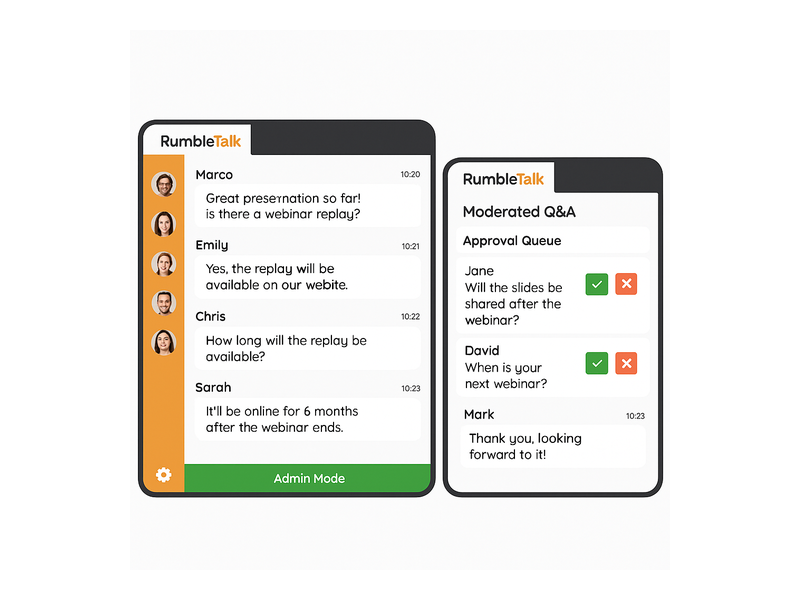
RumbleTalk is a purpose-built WordPress live event chat plugin that gives you everything you need to manage audience interaction at scale. Whether you are running a 50-person product webinar or a 5,000-attendee virtual summit, RumbleTalk handles the load while keeping your moderation team in complete control. No lag, no spam spirals, no technical headaches during your most important sessions.
What Makes a Great Chat Room Plugin for WordPress Live Events?
Not all chat plugins are created equal. A generic comment box or customer support widget will not perform when hundreds of users are typing simultaneously in a live environment. Here is what separates a dedicated chat room plugin for WordPress live events from basic alternatives:
- Real-time messaging — zero-lag delivery so your audience feels the energy of a live room
- Moderation controls — approve, delete, or mute messages before they appear publicly
- Scalability — supports large concurrent audiences without performance degradation
- Easy WordPress embed — a simple shortcode or widget that works with any theme
- Multiple chat modes — group chat, moderated Q&A, members-only, and more depending on your event format
- Mobile responsiveness — attendees joining from phones and tablets have a seamless experience
RumbleTalk checks every one of these boxes. Let us explore how to set it up, which chat modes fit which event formats, and how the platform helps you run more engaging, more professional live events on WordPress.
Setting Up Your Chat Room Plugin for WordPress Live Events
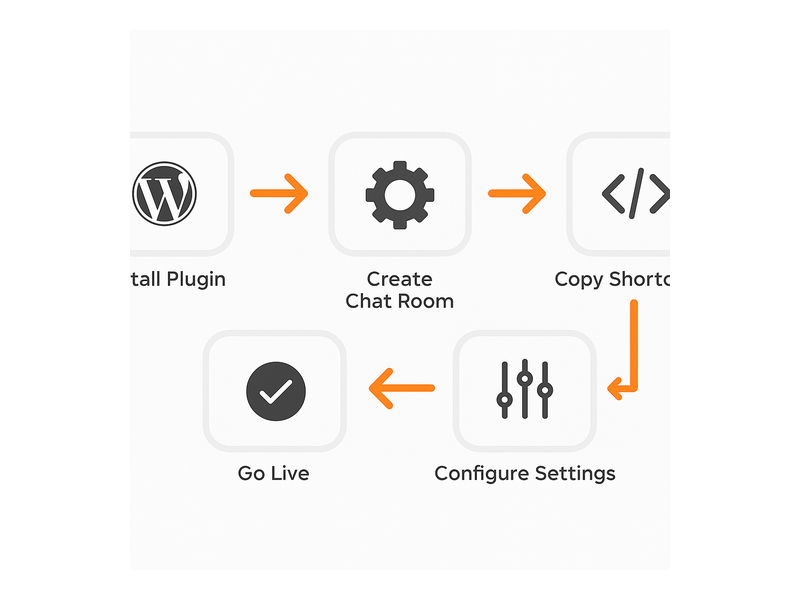
Getting started with RumbleTalk as your chat room plugin for WordPress live events takes less than five minutes. Here is the typical setup workflow:
- Install the plugin — search RumbleTalk in the WordPress plugin directory or download directly from rumbletalk.com and activate it in your dashboard.
- Create a chat room — log into your RumbleTalk admin panel and create a new room. Choose the chat type that fits your event: Group Chat, Moderated Q&A, Members Chat, Queued Chat, Social Chat, or Private Chat.
- Copy the shortcode or embed code — RumbleTalk generates a shortcode you paste into any WordPress page, post, or widget area. It renders the chat room inline within your event page layout.
- Configure your settings — set the chat dimensions, enable moderation, configure login options (anonymous, social login, or registered users only), and customize the color theme to match your brand.
- Test before your event — run a quick dry run to confirm the chat loads correctly, moderation tools are active, and your admin team knows how to use the controls.
Unlike heavyweight community platforms that require complex server setups or dedicated infrastructure, RumbleTalk is designed to work out of the box with any WordPress installation regardless of your hosting environment. The five-minute setup is not marketing language — it is the real experience for most teams deploying a live event chat plugin for WordPress for the first time.
Chat Room Types for Different Live Event Formats
One of RumbleTalk’s most important advantages is its variety of chat room modes, each optimized for a specific use case. Choosing the right mode for your WordPress live events chat room is critical to a great attendee experience and a manageable workload for your team.
Group Chat for Open Community Events
Group Chat is the default mode — a real-time open room where all participants can send and receive messages freely. This works best for casual live streams, product launches, team all-hands, or community catch-ups where you want an energetic open dialogue. Admins can still moderate in real time, muting or removing disruptive users without interrupting the flow of conversation.
Moderated Q&A for Webinars and Panels
For structured events like expert panels, executive webinars, or educational sessions, Moderated Q&A is the ideal mode. All incoming messages are held in an approval queue and only published when an admin approves them. This prevents spam, keeps the conversation on-topic, and ensures your speakers only see high-quality, relevant questions. For organizations running high-stakes presentations, this mode alone justifies switching to a purpose-built chat room plugin for WordPress live events.
Members Chat for Exclusive Events
Hosting a paid virtual summit, a members-only workshop, or a gated investor briefing? Members Chat restricts access to registered or authenticated users only. Combined with Single Sign-On (SSO), you can automatically populate the chat with your existing user database so attendees do not need to create separate accounts. This creates a seamless, branded experience from registration through the live session itself.
Queued Chat for High-Volume Events
When your audience is very large or very active, message volume can become overwhelming for both moderators and readers. Queued Chat introduces a cooldown period between messages, preventing any single user from flooding the room and ensuring everyone gets a fair turn to participate. It is ideal for town halls, AMAs, live investor calls, or any event where the audience-to-moderator ratio is high.
Social Chat for Networking Events
Social Chat allows attendees to see each other’s profiles and engage in a more community-driven way. It is well-suited for virtual networking events, online meetups, and social-first live experiences where connecting attendees with each other is part of the value you are delivering — not just the content on stage.
Moderation Features That Keep Your Events Professional
The biggest difference between a good and a great chat room plugin for WordPress live events is the depth of moderation tooling available to your team. Here is what RumbleTalk gives event admins:
- Admin mode — activates a visible green status bar in the chat room, signaling to attendees that a moderator is present and watching
- Message approval queue — pre-screen every incoming message before it appears to the audience (available in Moderated Q&A mode)
- Mute and ban — temporarily mute a disruptive user for a defined period or permanently ban them from the room
- Message deletion — remove inappropriate or off-topic messages from the visible chat instantly
- Private messaging controls — decide whether attendees can message each other privately or only through the main group channel
- Slowdown and throttle — set a minimum time between messages per user to prevent flooding without blocking participation entirely
For B2B event organizers, these controls are non-negotiable. A single disruptive attendee can derail an entire live session if your WordPress live event chat plugin does not give moderators the ability to act quickly and decisively. RumbleTalk’s moderation toolkit was built by a team that has seen every kind of live event scenario — and it shows.
Audience Engagement Features Beyond Basic Chat
The best chat room plugins for WordPress live events do far more than display a scrolling list of messages. RumbleTalk includes a full range of engagement features that help you run more interactive, more memorable events that attendees want to return to.
Live Polls
Launch instant polls during your event to capture audience sentiment, gauge knowledge levels, or crowdsource decisions in real time. Poll results appear immediately, giving speakers direct feedback from the room and giving attendees a sense of active participation that passive video watching can never provide.
File and Image Sharing
Attendees or presenters can share files, images, and links directly in the chat — useful for distributing slide decks, resource lists, reading materials, or supplementary content during a session without forcing people to leave the event page.
Emoji Reactions
Lightweight emoji reactions let the audience express responses without flooding the text channel. A surge of emoji during a product reveal or a key announcement moment feels electric and communal — and it gives speakers real-time energy that keeps them energized throughout a long session.
Social Login
Users can join with their existing Google or social accounts, eliminating the friction of creating new credentials. For public-facing events where sign-up barriers would reduce participation, social login can meaningfully increase the number of attendees who engage in the chat versus those who lurk silently.
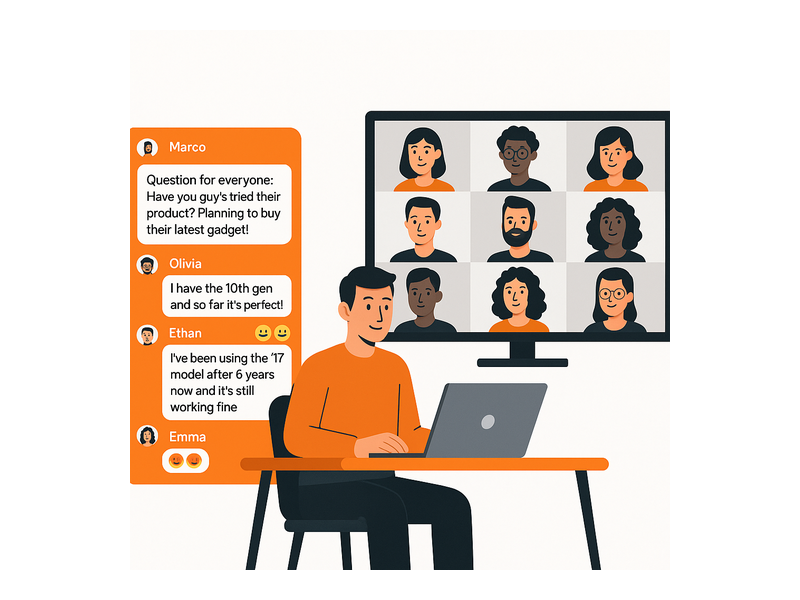
Customization and Branding for Your WordPress Live Events
Your live event chat should feel like a natural extension of your site — not a third-party widget bolted on as an afterthought. RumbleTalk’s WordPress live event chat room plugin offers extensive customization options to match any brand identity:
- Custom color themes to match your brand palette and event design
- Custom chat room name and header text
- Adjustable chat dimensions to fit any page layout or sidebar
- Mobile-responsive design that works seamlessly on phones and tablets
- Custom backgrounds, fonts, and avatar styles
- White-label option to remove all RumbleTalk branding for a fully proprietary experience
For agencies and platform operators building live event solutions for clients, the white-label option is particularly valuable. You can deliver a polished, fully branded chat experience without exposing the underlying infrastructure to your clients or their audiences. This is a common configuration for media companies, association management platforms, and event tech providers using RumbleTalk as a foundational layer.
Integration With Your Existing WordPress Stack
RumbleTalk integrates cleanly with the tools WordPress site owners already rely on. If you run a membership site on MemberPress, LearnDash, or WooCommerce Memberships, you can connect RumbleTalk’s SSO to automatically authenticate your members in the chat room — no separate login required. For step-by-step guidance on configuring your first room, visit the RumbleTalk getting started knowledge base article.
RumbleTalk also plays well with popular WordPress page builders including Elementor, Beaver Builder, and Divi. Simply embed the shortcode in any text widget or HTML block, and the chat renders correctly within your event page layout — no custom code or developer involvement required.
If you want to build a lasting community around your live events rather than one-off sessions, explore the strategies covered in Community Building Playbooks: How to Turn Your Website Chat into a Loyal Audience for a practical roadmap to turning event attendees into long-term community members.
Analytics and Post-Event Insights
A great chat room plugin for WordPress live events helps you learn as much as it helps you engage. After each event, RumbleTalk’s admin dashboard gives you access to complete message history, peak concurrency data showing how many users were active simultaneously, a ranking of your most active contributors, and exportable transcripts for compliance or post-event review. This data helps you understand which segments of your event drove the most interaction, identify your most engaged community members for follow-up, and plan better content and pacing for future sessions. Over time, this feedback loop meaningfully improves your events.
Why RumbleTalk Is the Best Chat Room Plugin for WordPress Live Events
There are dozens of chat tools that technically function on WordPress. But when you are running a live event where audience experience is paramount, you need a plugin built specifically for that environment — not a customer support tool, not a sales chat widget, but a platform designed for the high-energy, high-volume dynamics of live group interaction. RumbleTalk was built for exactly this use case and has been refined by thousands of real live event deployments across industries.
When you deploy RumbleTalk as your chat room plugin for WordPress live events, you get purpose-built live event infrastructure, six distinct chat room modes covering every event format, deep moderation controls that keep sessions on track, simple WordPress embedding via shortcode, full branding customization including white-label, real-time engagement features beyond plain messaging, post-event analytics, and proven scalability for large concurrent audiences.
Organizations worldwide — media companies, professional associations, training providers, SaaS platforms with community programs — rely on the RumbleTalk WordPress Members Chat plugin for their most important live events. Whatever format you run — webinar, virtual summit, live Q&A, AMA, town hall, or members-only workshop — there is a RumbleTalk chat room mode designed to match it perfectly.
Get Started Today
Ready to transform your next WordPress live event? Add the best chat room plugin for WordPress live events to your site today and give your audience the real-time, interactive experience they expect from modern events. Visit rumbletalk.com to sign up for a free trial, explore the full feature set, and have your live event chat room running on your WordPress site in minutes. Your audience is ready to engage — give them the room to do it.