
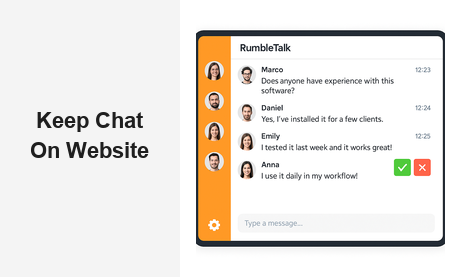
If you want to keep chat on your website, you are already thinking in the right direction. A persistent, embedded chat experience transforms a static website into a dynamic community hub — one where visitors return, engage, and convert. Whether you run a media platform, a live event site, an e-learning portal, or a SaaS product, keeping a live chat on your pages is one of the most impactful engagement decisions you can make. In this guide, we’ll walk through exactly why it matters, how to do it right, and which tools give you the best results.
Why You Should Keep Chat on Your Website
Most websites rely on passive content to attract visitors — blog posts, videos, landing pages. But passive content only goes so far. When you keep chat on your website, you add a layer of real-time interaction that static content simply cannot provide. Users can ask questions, share opinions, react to live content, and connect with each other — all without leaving your domain.
This matters for several concrete reasons:
- Reduced bounce rate: Visitors who engage in a chat session spend significantly more time on the page. An on-site chat keeps them anchored to your platform instead of jumping to social media or competitor sites.
- Community formation: When the same users return to chat with each other repeatedly, they form a community around your brand. That community is one of the most powerful retention tools available to any digital business.
- Brand authority: A site with a vibrant embedded chat signals activity, trust, and a strong user base. For B2B platforms, this social proof can directly influence purchase decisions.
- Data ownership: Keeping chat on your own website — rather than routing users to a third-party platform — means you retain control over conversation data, user behavior insights, and community dynamics.
- SEO and dwell time: Search engines measure time-on-page as an engagement signal. Pages where users actively participate in group chat consistently show higher dwell time, which contributes positively to organic rankings over time.
The business case is clear. Companies that invest in on-site chat engagement consistently outperform those that don’t in terms of session duration, repeat visits, and audience loyalty. The question is not whether to maintain an embedded chat experience — it is which platform gives you the best combination of features, control, and ease of use.
The Risk of Not Keeping Chat on Your Website
What happens when you do not have a way to keep chat on your website? Users who want to interact will go somewhere else. They will head to Twitter, Discord, Reddit, or Facebook Groups — and take your audience with them. Once that migration happens, you lose visibility into conversations about your brand, you lose the ability to moderate those discussions, and you lose the retention power of community.
For media companies and live event organizers, this risk is especially acute. When a radio station, sports broadcaster, or online conference pushes its audience to a third-party chat platform, it cedes control over the user experience at precisely the moment when engagement is highest. A well-timed, on-site group chat keeps that energy on your platform, not someone else’s. Recapturing a community that has migrated off-site is extremely difficult — it is far easier to build the habit from day one by embedding chat directly into your pages.
How RumbleTalk Helps You Keep Chat on Your Website
RumbleTalk is purpose-built to help businesses keep chat on their website with minimal setup and maximum flexibility. Unlike generic live chat tools designed for one-to-one customer support, RumbleTalk powers group conversations — multiple users chatting simultaneously in real time, much like a town hall, a live event Q&A, or an online community forum.
Getting started is straightforward. You create a chat room in the RumbleTalk admin panel, copy a small JavaScript embed snippet, and paste it anywhere on your website. The chat goes live immediately, works on all modern browsers and mobile devices, and requires no server-side infrastructure on your end. The entire onboarding process — from account creation to a live embedded chat room — typically takes under 30 minutes.
Here is what makes RumbleTalk the right long-term choice to keep chat on your website:
Moderation and Admin Controls
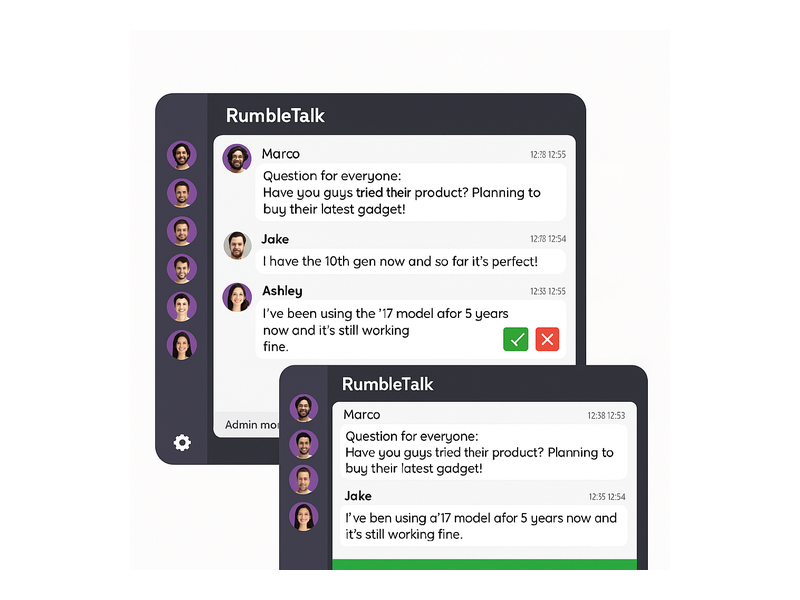
One of the biggest concerns for any site owner who wants to keep chat on their website is moderation. Open group chats can attract spam, trolling, and off-topic content. RumbleTalk addresses this with a comprehensive, real-time moderation system:
- Admin mode: Admins can mute all participants and control who speaks — ideal for webinars and structured Q&A sessions where the presenter needs to maintain order.
- Message approval queue: Every message goes through a moderation queue before being published, so admins review content in real time before it reaches the audience.
- Ban and mute tools: Disruptive users can be muted temporarily or banned permanently with a single click, directly from within the chat interface.
- Word filters: Automatically block messages containing prohibited words or phrases, without requiring admin intervention for every instance.
These tools make it practical — not just possible — to keep a live chat on your website without fear of content getting out of control. For brands that host public-facing communities, this layer of control is non-negotiable. You can learn more about how these features work in the RumbleTalk Admin Mode knowledge base article.
Customization and Brand Fit
A chat widget that clashes with your site design undermines the experience. RumbleTalk’s design editor lets you match the chat room’s colors, fonts, and layout to your existing brand identity. You can choose from multiple themes, adjust background and sidebar colors, customize avatar styles, and embed your logo inside the chat header. This level of visual integration is what separates a chat that feels native to your site from one that feels like an afterthought.
When the chat blends seamlessly with your page design, users are far more likely to treat it as a natural part of your website — which reinforces the habit of returning to your site specifically to participate in discussions.
SSO and Membership Authentication
For platforms with existing user accounts, RumbleTalk supports Single Sign-On (SSO) integration. When a logged-in member visits your site, they are automatically authenticated in the chat room under their existing username — no separate login required. This frictionless experience is essential for membership sites, e-learning platforms, and SaaS tools that want to keep chat on their website as part of a unified, seamless user experience rather than a disconnected widget.
Multiple Chat Room Types for Every Use Case
RumbleTalk offers several chat formats that serve different scenarios, all designed to help you keep an active, interactive conversation on your website:
- Group Chat: Open, multi-participant conversations — great for communities, live events, and recurring sessions.
- Moderated Q&A: A structured format where the audience submits questions that admins approve before publishing — ideal for webinars and panel discussions.
- Members Chat: A private, authenticated chat room for registered users of your platform, keeping conversations exclusive to your community.
- Social Chat: Lets users log in via social networks for a lower-friction entry point — perfect for media and content sites trying to maximize participation without requiring account creation.
- Private Chat: One-on-one direct messaging between users within the same chat interface, adding a peer-to-peer layer to your community.
- Queued Chat: A structured, turn-based format where messages are approved and displayed one at a time — well-suited for high-volume live events where order and pacing matter.
Real-World Use Cases: Why Businesses Keep Chat on Their Website
Understanding the theory is one thing — seeing how it works in practice across different industries is another. Here are the key scenarios where embedding and maintaining group chat on your site delivers measurable business value:
Live Events and Virtual Conferences
Whether you are hosting a virtual summit, a live sports stream, or a weekly webinar, keeping a chat room on your event page lets attendees interact in real time. The energy of a live group conversation amplifies the event experience and gives organizers an immediate feedback loop. When the event ends, the chat archive serves as social proof and a companion resource for replay viewers. Platforms that keep chat on their website for live events consistently report higher attendee satisfaction scores and stronger post-event retention.
E-Learning and Online Education
Online educators who keep a chat on their website — attached to course pages or live lesson streams — see higher completion rates and better learner outcomes. Students can ask questions, help each other, and feel part of a cohort rather than learning in isolation. RumbleTalk’s moderated formats ensure the discussion stays on-topic and educationally productive, while the admin controls allow instructors to shape the conversation without losing the spontaneity that makes live learning valuable.
Media, Broadcasting, and Podcasting
News sites, podcasts, radio stations, and video content creators can keep chat on their website to build an audience that returns for the community, not just the content. Real-time audience participation during live shows — and even around recorded content — creates a social layer that transforms passive consumption into active engagement. Keeping this conversation on your domain means your brand owns the relationship, not a third-party app.
Trading Platforms and Financial Communities
Financial platforms and trading communities benefit enormously from a persistent, embedded group chat. Traders share signals, discuss market movements, and react to breaking news in real time. Keeping this conversation on your website — rather than migrating to Telegram or Discord — builds platform stickiness and positions your site as the definitive hub for financial community discussion. The moderation tools ensure that chat stays constructive and compliant with any applicable community guidelines.
Corporate Training and Internal Portals
Companies building internal portals, HR platforms, or corporate training tools use RumbleTalk to keep chat on their website as an engagement layer for employees and learners. The ability to restrict access to authenticated members keeps the environment secure, while the moderation tools maintain a professional tone. For distributed teams and remote workforces, an embedded group chat provides a lightweight but meaningful sense of shared presence.
How to Keep Chat on Your Website: A Step-by-Step Overview
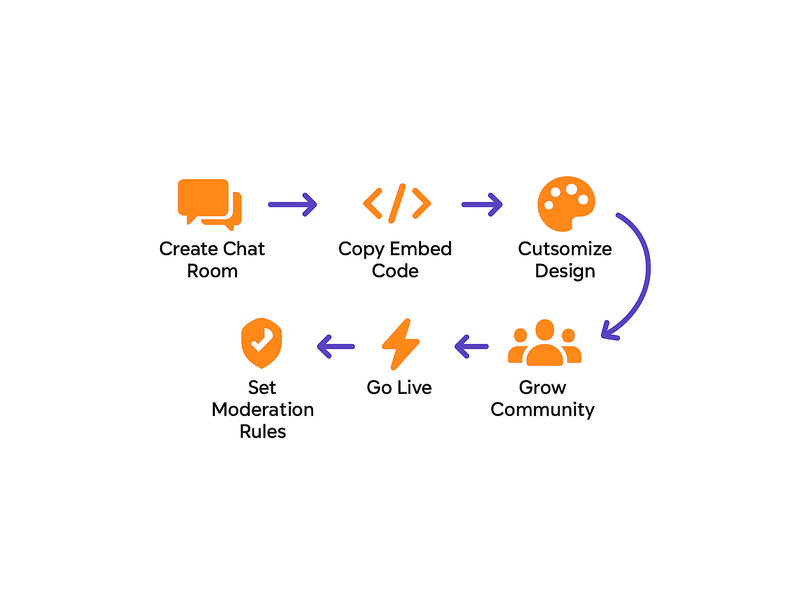
Setting up RumbleTalk so you can keep chat on your website takes considerably less time than most teams expect. Here is the general process:
- Create your RumbleTalk account and log in to the admin dashboard.
- Choose your chat type — Group Chat, Moderated Q&A, Members Chat, Social Chat, or Queued Chat — based on your use case and audience size.
- Customize the design to match your website’s brand colors, fonts, and overall layout.
- Configure moderation settings — define admin roles, enable word filters, and set up approval queues as needed for your content policy.
- Copy the embed code — a short JavaScript snippet available directly from the RumbleTalk dashboard.
- Paste it into your website — in a sidebar widget, below a video player, on a dedicated community page, or anywhere else that fits your page structure.
- Go live. The chat room activates immediately and scales automatically with your traffic — no infrastructure management required on your end.
For platforms with existing authentication systems, the SSO integration requires a small server-side configuration, but RumbleTalk’s documentation walks through each step in detail. Most development teams complete the full integration within a single working day. As your community grows, you can add additional chat rooms for different topics or scheduled events, manage multiple rooms from a single admin panel, and export chat histories for analytics or compliance purposes.
Best Practices for Keeping Your On-Site Chat Engaged Long-Term
Getting the embed in place is the foundation. Keeping the chat active and valuable over months and years is the ongoing work. Here are the practices that high-engagement communities consistently apply:
- Schedule live sessions: Announce regular chat hours or live Q&A events so users know when to show up. Predictable activity drives habitual return visits far more reliably than ad-hoc participation.
- Seed the conversation: Admins and community managers should actively participate, ask questions, and acknowledge contributors — especially in the early stages when the community is still growing.
- Integrate with your content calendar: Attach chat rooms to live videos, webinars, or major content launches so there is always a reason for the audience to engage together at the same time.
- Recognize top contributors: Public acknowledgment of active participants builds loyalty. Even a simple shout-out from an admin creates positive reinforcement that encourages continued engagement.
- Review moderation logs regularly: A well-moderated chat attracts more quality participants than an unmoderated free-for-all. Consistent standards protect the community culture you are building.
- Promote the chat externally: Share clips or highlights from chat sessions on social media to drive awareness. Show potential community members what they are missing by not participating.
Measuring the Impact of Your On-Site Chat
Once you keep chat on your website, how do you know it is working? The key metrics to track include average session duration on pages with the chat widget, repeat visitor rates, message volume per session, and — for conversion-focused platforms — the difference in conversion rates between pages with and without an active chat room. Many businesses find that visible community activity serves as social proof that directly influences purchasing intent among new visitors.
For a deeper look at what motivates businesses to embed and retain chat features at scale, read Why Do Websites Choose RumbleTalk? — a post that explores the real drivers behind long-term chat adoption across different industries and business models.
Start Today: Keep Chat on Your Website with RumbleTalk
There are many tools that claim to help you keep chat on your website, but most are built for customer support or designed around social platforms you do not control. RumbleTalk fills a specific and important gap: group chat that lives on your domain, under your brand, with your moderation rules, built to scale with your audience.
It is not just a chat widget — it is a community infrastructure layer. The combination of flexible embed options, powerful admin controls, multiple chat formats, deep customization, and SSO support makes RumbleTalk the right long-term choice for any B2B platform that treats audience engagement as a core business metric. Whether you are running live events, building a members community, educating online learners, or growing a media brand, keeping a live group chat on your website is one of the highest-leverage investments you can make in your platform.
Ready to keep chat on your website and turn your audience into a community? Get started with RumbleTalk today — explore the full range of chat products, choose the format that fits your use case, and have your first embedded chat room live in minutes.