
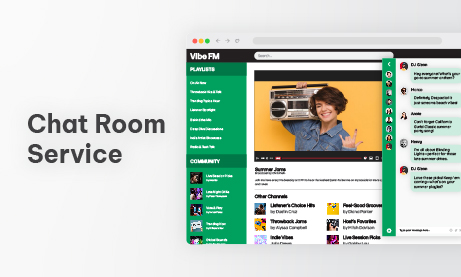
Adding real-time communication to a website or platform is no longer optional. Whether you run an online community, a members-only portal, a livestreaming website, a gaming hub, or an online classroom, users expect immediate interaction. A Chat Room Service is the most efficient, cost-effective way to deliver this without building complex real-time infrastructure from scratch.
But not every chat tool offers the same depth, reliability, or flexibility. A basic chat box might allow messages to appear on the screen, but a professional Chat Room Service gives your platform organization, performance, and long-term stability. It becomes part of your ecosystem, rather than just an extra widget.
This article walks through the advantages a professional Chat Room Service brings to your platform, how it improves user engagement, and what technical features developers can rely on to build a seamless experience.
Why a Chat Room Service Matters More Than Ever
Communication is at the heart of digital interaction. Users want to ask questions, meet others, get support, take part in discussions, or join live events. A Chat Room Service creates a space for all these interactions to happen instantly.
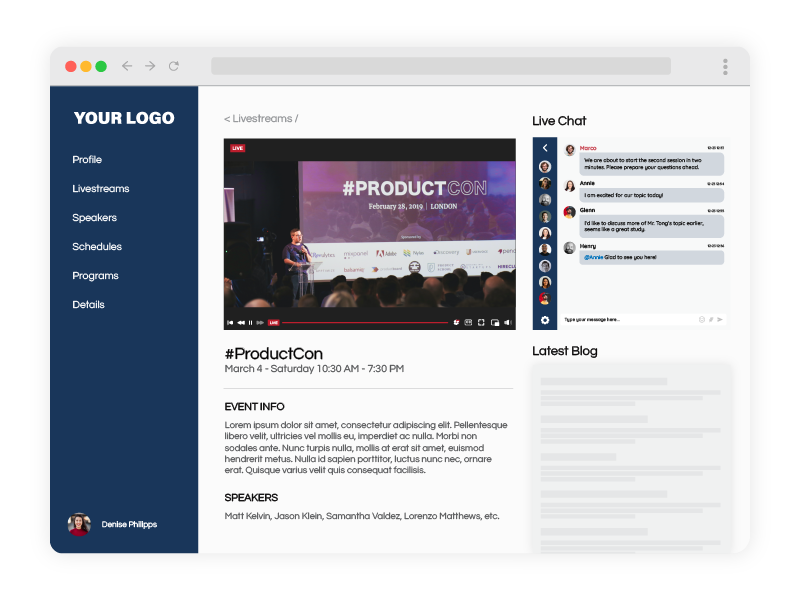
It increases platform stickiness, encourages community building, improves user satisfaction, and supports real-time participation during classes, events, or broadcasts. When users can communicate without friction, they stay longer, learn more, and connect with your content on a deeper level.
Instant Setup With No Infrastructure Work
Developing your own real-time chat system requires the following:
- WebSocket servers
- Security layers
- Moderation functionality
- Multi-room logic
- Custom UI development
- Ongoing server maintenance
- Mobile optimization
- Scaling for large audiences
A professional Chat Room Service eliminates all of that. You simply embed it on your platform, and within minutes, your users have access to a stable, fully functional chat environment.
Chat can be placed:
- On landing pages – to instantly capture visitor attention and answer questions before they leave.
- On livestream pages – to boost engagement by letting viewers chat in real time alongside the broadcast.
- Inside members-only areas – to give paying users a private, exclusive space to interact and build community.
- On support pages – to offer fast, real-time help that reduces tickets and solves issues quickly.
- Inside online classrooms – to let students ask questions, join discussions, and collaborate during lessons.
- Within WordPress via plugin – to add a fully managed chat experience to any WP site with zero coding required. Each placement adds a powerful communication channel without requiring additional engineering resources.
Organizing Communication With Multiple Rooms
One chat room rarely meets the needs of larger platforms. A professional Chat Room Service also lets you create multiple rooms for different purposes, improving clarity and user experience.
Examples include:
- A main room for general discussion
- A separate Q and A room
- Support and technical help rooms
- Members-only or private rooms
- Event or session-specific rooms
- Topic-based discussion rooms
- Teacher or instructor rooms
- Breakout rooms for online classes
This structure prevents message overload and keeps communication highly organized.
Moderation Tools That Keep Everything Under Control
Large audiences require guidance, and a Chat Room Service gives you everything needed to maintain a safe, focused, and productive space.
Moderators can:
- Approve messages before they appear
- Remove inappropriate content
- Pin announcements or instructions
- Highlight teacher or admin messages
- Block or mute disruptive users
- Monitor all rooms from a single panel
- Review chat history anytime
These tools help communities, students, customers, and event attendees communicate without chaos.
Auto-Login for Seamless User Identity
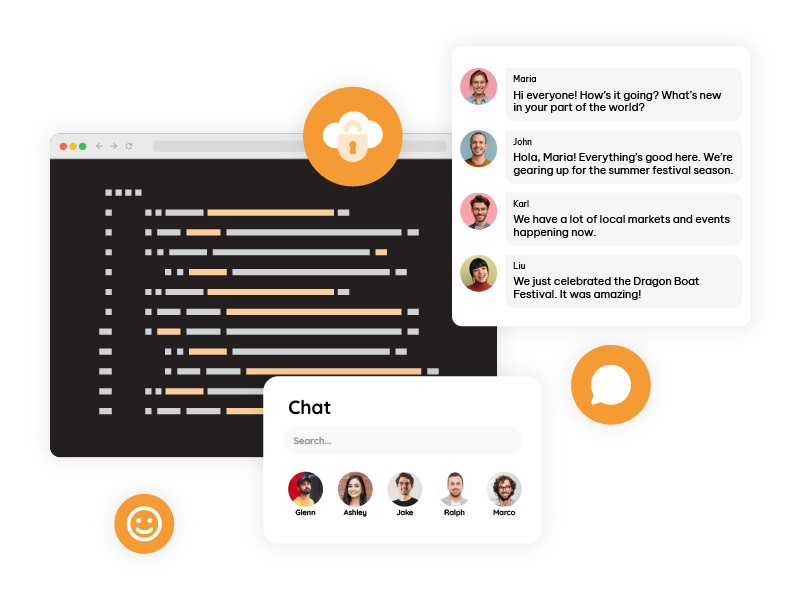
A professional Chat Room Service includes Auto-Login integration, allowing you to pass your platform’s user identity directly into the chat. When a user logs into your site, the chat automatically detects their account and displays their correct name.
This enables features such as:
- Username consistency
- Preventing impersonation
- Exclusive room access for members
- Role-based permissions
- Secure identity handling
Perfect for membership platforms, LMS systems, online academies, and any platform that needs controlled access.
Using the SDK to Customize the Chat Experience
Developers who want deeper control can use the Chat Room Service SDK to modify how the chat behaves and integrates into the platform.
You can:
- Inject user roles dynamically
- Change the chat UI
- Show or hide features based on subscription level
- Load specific rooms depending on the page
- Trigger chat events from your platform logic
- Insert the chat into modals, dashboards, or custom layouts
The SDK ensures the chat feels seamless and native to your platform.
Advanced Automation With the REST API
For platforms that operate at scale, automation becomes important. The REST API allows complete control of chat room management.
You can:
- Create rooms automatically
- Delete rooms on demand
- Assign users to specific rooms
- Update themes or settings remotely
- Generate temporary private rooms
- Sync permissions with your internal user system
This allows LMS platforms, membership sites, and large event systems to integrate the Chat Room Service directly into their workflow.
Saving Chat History for Users and Admins
A professional Chat Room Service offers built-in conversation history, which is incredibly valuable across different industries.
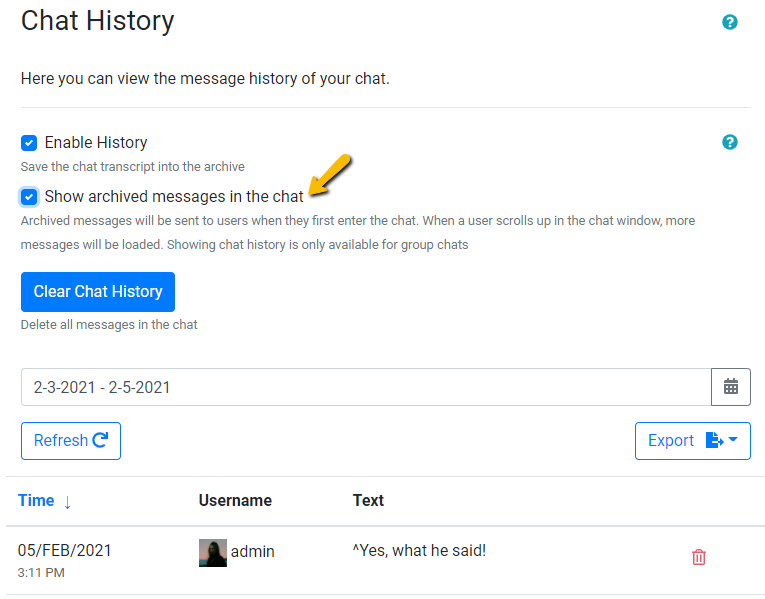
Chat history enables:
- Students to review classroom discussions
- Event hosts to revisit Q and A sessions
- Support teams to follow up on past issues
- Teachers to verify participation
- Community managers to analyze engagement
- Businesses to store logs for compliance
Whether for learning, support, or analysis, conversation history adds long-term value and transparency.
Embedding Chat Beside Live Video
One of the most powerful uses of a Chat Room Service is placing it next to a livestream. In addition, this transforms a regular video into an interactive experience.
Supported formats include the following:
- YouTube Live
- Vimeo
- RTMP streams
- Pre-recorded lessons
- Custom web players
Chat beside video is ideal for:
- Online classes
- Corporate webinars
- Product launches
- Virtual events
- Live shows
- Town halls
- Coaching sessions
Users stay engaged because they watch and participate simultaneously.
Custom CSS for a Fully Branded Experience
Your platform’s brand identity matters. A Chat Room Service that supports full CSS customization lets you make the chat look exactly how you want.
You can style:
- Backgrounds and message bubbles
- Fonts and colors
- Borders and spacing
- The user list
- The header and footer
- Input fields and buttons
- Room themes and accents
This ensures the chat blends seamlessly with your website or app design.
What a Professional Chat Room Service Adds to Your Platform
Real-time community
Live chat offers users the chance to interact instantly, which builds a natural sense of community. Instead of passively consuming content, people talk, react, ask questions, and help each other. This transforms your platform from a static page into a vibrant social environment where users return again and again.
Organization through multiple rooms
Multiple rooms keep discussions clean and focused. Users instantly know where to go: support in one room, Q and A in another, private discussions in a third. This prevents overcrowding, avoids repeated questions, and gives every topic its own space.
Strong moderation tools
A Chat Room Service gives moderators complete control over the environment. They can filter messages, pin announcements, mute disruptive users, highlight important instructions, and keep conversations safe. This level of control is essential for busy classes, livestreams, and communities.
Auto-Login identity sync
Auto-Login ensures that users never have to authenticate twice. Your own login system automatically synchronizes with the chat, passing usernames securely and granting role-based access. This creates a unified user experience across your entire platform.
SDK customization
With the SDK, the chat becomes a native part of your platform. You can control user roles, adjust the interface, connect the chat with your own logic, and load rooms dynamically. This is ideal for developers who want maximum flexibility without building a chat system.
REST API automation
The REST API enables full automation. From generating rooms automatically to assigning users based on enrollment, everything can be managed programmatically. This is essential for large LMS systems or event platforms that require hands-free scaling.
Chat history preservation
Chat logs provide long-term value. Users can revisit discussions, teachers can track participation, support teams can follow cases, and businesses can keep compliance-ready logs. This transforms chat into a searchable knowledge asset.
Side-by-side video and chat
Placing the chat next to live video turns any broadcast into a social experience. Viewers stay longer and participate more, creating real-time interaction around lessons, events, or product launches.
Private and restricted rooms
Private rooms allow you to create exclusive spaces for premium members, teams, or specific student groups. Moreover, access is automatic and secure, thanks to Auto-Login and API-based permissions.
Fully branded design
Custom CSS lets you match the chat to your brand perfectly. Fonts, colors, backgrounds, and layout can all be adapted so the chat aligns visually with your platform.
High scalability
A professional Chat Room Service handles sudden traffic spikes without lag. Whether you have 50 users or 100,000 users, the chat stays fast and stable. This reliability is critical for large events, online courses, or high-traffic communities.