
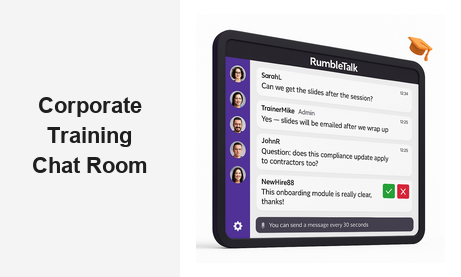
A corporate training chat room transforms the way organizations deliver employee education, turning passive observers into active, engaged participants. Whether you are running onboarding sessions for new hires, delivering compliance training across multiple time zones, or hosting ongoing professional development workshops, a dedicated live chat layer dramatically improves knowledge retention and learner satisfaction. RumbleTalk’s group chat platform gives L&D teams the tools they need to run interactive, moderated, and measurable training sessions — all embedded directly into your existing web environment, learning management system, or corporate intranet. With the right corporate training chat room in place, every training session becomes a two-way conversation instead of a one-way broadcast.
Why Every Corporate Training Program Needs a Chat Room
Traditional corporate training — think slide decks, recorded webinars, and email-based courses — suffers from one critical design flaw: it is one-directional. Employees watch, read, or listen, but rarely get the chance to ask questions in real time, challenge assumptions, or share experiences with their peers in the moment. A corporate training chat room closes that gap by giving every participant a voice during the session itself, not in a follow-up survey or end-of-quarter review.
Research consistently shows that collaborative and social learning improves retention rates compared with passive consumption. When an employee can type a question the moment confusion arises, discuss a real-world scenario with a colleague, or react to a trainer’s point as it is being made, the learning experience becomes far more meaningful and memorable. A live training chat brings the energy of a classroom discussion to any format — in-person, virtual, or hybrid — without the logistical complexity of gathering everyone in the same physical room.
For B2B teams managing large, distributed workforces — including remote employees, contractors, and staff spread across multiple time zones — a corporate training chat room also solves the scale problem. You can host hundreds of participants in a single moderated session, with trainers and administrators controlling the pace, filtering off-topic messages, and ensuring the discussion remains focused and on-brand. Everyone gets a seat at the table, regardless of location or device.
Key Benefits of a Corporate Training Chat Room
- Real-time Q&A — participants ask questions as they arise, reducing confusion and improving comprehension without waiting for a post-session email thread
- Peer learning — employees share experiences, examples, and insights with colleagues during the live session, enriching the content for everyone
- Trainer feedback loop — facilitators gauge understanding by watching the chat flow and adjusting their delivery on the fly
- Inclusivity — quieter employees who would never raise their hand in a group setting feel comfortable contributing in a text-based environment
- Session documentation — the chat transcript becomes a searchable, shareable record of every question asked and every answer given
How RumbleTalk Powers the Corporate Training Chat Room
RumbleTalk is a group chat platform built specifically for embedded, moderated, and live-event-style chat experiences. Unlike generic messaging tools such as Slack or Teams — designed for ongoing team communication — RumbleTalk is purpose-built for structured, session-based group interaction. That makes it the natural choice for organizations that want a corporate training chat room without the overhead of a separate platform or the distraction of an always-on communication environment.
Getting started takes minutes: you create a chat room inside RumbleTalk’s admin panel, select the chat mode that best fits your training format, copy a lightweight embed code, and paste it into your training portal, intranet, or LMS page. From that moment on, employees who navigate to the training session page are placed directly inside the corporate training chat room — no downloads, no additional accounts, and no friction.
Moderation Features Built for Professional Training Environments
One of the biggest concerns for L&D managers considering a corporate training chat room is maintaining control over the conversation. Open chat during a live session can become chaotic without the right tools in place. RumbleTalk provides several layers of moderation that put administrators firmly in charge:
- Admin Mode (Mute All) — temporarily mute all participants so the trainer can deliver key content without interruption, then unmute the group for the Q&A segment
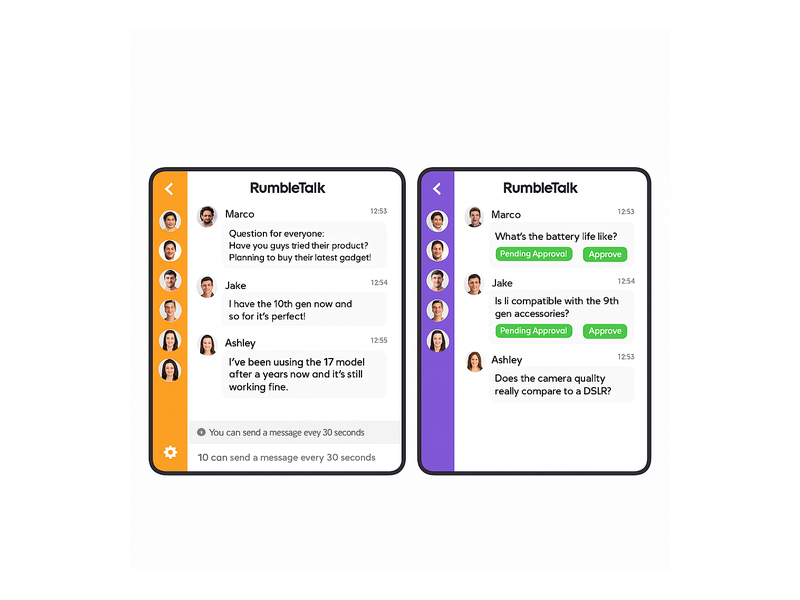
- Message approval queue — in Moderated Q&A mode, every message must be approved before it appears in the chat, giving administrators complete control over what the full audience sees
- Cooldown timers — limit how frequently each participant can post, preventing the session from being dominated by a handful of voices
- Mute and ban — individual participants can be silenced for the duration of the session or removed entirely if they violate conduct policies
- Private messaging — trainers can open a direct private conversation with a specific learner, ideal for sensitive feedback or one-on-one guidance during the session
These features mean your corporate training chat room stays professional, focused, and on-brand — even with hundreds of participants logged in at the same time.
Single Sign-On for Seamless Corporate Access
In a corporate environment, the last thing you want is employees creating yet another set of credentials just to join a training session. RumbleTalk supports single sign-on (SSO) integration, allowing participants to enter the corporate training chat room using their existing company credentials. This removes friction from the access flow, ensures accurate identity attribution in the session chat, and makes it straightforward for administrators to map chat participation back to specific employees in your HR or LMS records. For a deeper look at how SSO integrates with embedded chat solutions, see our post on Chat SSO Integration for Websites.
Use Cases: Where the Corporate Training Chat Room Delivers the Most Value
A corporate training chat room can be deployed across virtually every type of employee education program. Here are the most impactful scenarios that forward-thinking L&D teams are using today.
New Hire Onboarding
Onboarding is one of the highest-stakes training scenarios a company faces. A new hire who feels lost or unsupported in their first few weeks is far more likely to disengage. A live employee training chat embedded in your onboarding portal gives new hires an immediate channel to ask questions, connect with their cohort, and interact with HR or team leads in real time — without flooding email inboxes or requiring a series of one-on-one calls. The result is a faster ramp, stronger early relationships, and a much better first impression of the company’s investment in its people.
Compliance and Regulatory Training
Compliance training is mandatory but frequently the least engaging category of corporate education. Adding a live training chat turns a mandatory checkbox exercise into a genuine learning experience. Employees can flag unclear policy language, ask for clarification on edge cases, and discuss how specific regulations apply to their role — all in a moderated environment where L&D managers can verify that key concepts are understood before the session ends. Questions that typically arise weeks later in a support ticket get answered on the spot.
Leadership Development Programs
Leadership development cohorts typically meet across an extended series of workshops and coaching sessions. A persistent corporate training chat room that stays open between live meetings lets participants continue their discussions, share resources and articles, and build meaningful peer relationships across the entire duration of the program. RumbleTalk’s Members Chat product is ideal for this format — a private, members-only community space that remains active and searchable between events, keeping the cohort connected and the learning continuous.
Product and Sales Enablement
When your sales team needs to ramp up quickly on a new product, pricing update, or competitive positioning shift, speed is everything. A live training chat room allows the product team to walk reps through the material, field questions on the spot, and correct misconceptions before they reach a real customer conversation. The moderated format ensures the most important questions surface and receive clear answers — rather than getting buried in a Slack thread or lost in a recording that nobody watches all the way through.
Technical Training and Certification
Technical training for developers, data analysts, IT administrators, or security staff generates highly specific questions that a group training chat is uniquely suited to handle. Instructors can paste code snippets, share links to documentation, and respond to participant questions within the same chat window, creating a rich and searchable record of the session. Long after the training ends, participants can revisit the transcript to find the exact answer they need — turning the chat room into a living knowledge base.
Setting Up Your Corporate Training Chat Room with RumbleTalk
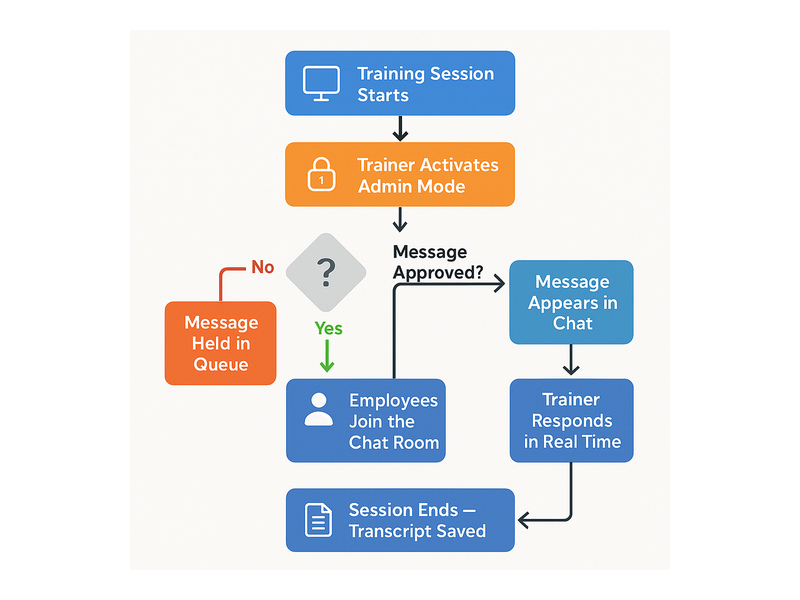
Getting your corporate training chat room live is a straightforward four-step process that requires no developer resources and no IT involvement:
- Create your chat room — log in to RumbleTalk’s admin panel and create a new Group Chat or Moderated Q&A room depending on your preferred level of control
- Configure your settings — set the room name, apply a color scheme that matches your corporate brand, configure participant cooldown timers, and enable Admin Mode
- Embed the chat — copy the lightweight embed snippet and paste it into your LMS page, intranet portal, or training landing page; it works with any HTML-based environment
- Invite your participants — share the training session URL with employees; they join the corporate training chat room directly from their browser, no software installation required
For organizations with more advanced requirements, the RumbleTalk corporate training chat solution also supports token-based authentication, custom user roles, and API-level integration with your existing HR or LMS platforms.
Choosing the Right Chat Mode for Your Training Format
RumbleTalk offers multiple chat modes, and the right choice for your employee training sessions depends on the size, structure, and formality of the event:
- Group Chat — best for smaller cohorts (under 100 participants) where open discussion is encouraged and the trainer is comfortable managing the conversation organically
- Moderated Q&A — best for larger webinars or all-hands sessions where every message needs approval before it appears, keeping the chat relevant and on-topic at scale
- Queued Chat — ideal for panel-style training events where participants raise their hand to speak and the moderator selects the next question from an ordered queue
- Members Chat — best for ongoing cohort programs or learning communities where participants return to the same chat environment across multiple sessions over weeks or months
For most standard corporate training formats — a 60-to-90-minute workshop with between 20 and 200 participants — Group Chat or Moderated Q&A will deliver the strongest results. To explore the platform in depth, start with our getting started knowledge base article.
Corporate Training Chat Rooms for Remote and Hybrid Teams
Remote and hybrid work has fundamentally changed the corporate training landscape. When your workforce is distributed across cities, time zones, and working arrangements, the traditional model of gathering everyone in a conference room for a scheduled training block is simply not viable — nor desirable. A corporate training chat room bridges that gap, giving remote employees the same real-time, interactive experience that in-person attendees have always had.
RumbleTalk’s embed-based approach means employees can join the corporate training chat room from any device, any location, and any network — without VPN requirements, app installations, or IT intervention. The interface is lightweight, browser-based, and performs reliably across mobile, tablet, and desktop environments. For organizations running hybrid training events where some employees are physically in the room and others are joining remotely, the live chat becomes the unifying thread that keeps both audiences equally engaged and equally visible to the trainer.
Asynchronous access also matters. Because every message in the training chat is logged and timestamped, employees in different time zones who could not attend live can review the full session transcript afterward — including every question asked and every answer provided. That extends the value of each training session far beyond the hour it was scheduled for.
Measuring Engagement in Your Corporate Training Chat Room
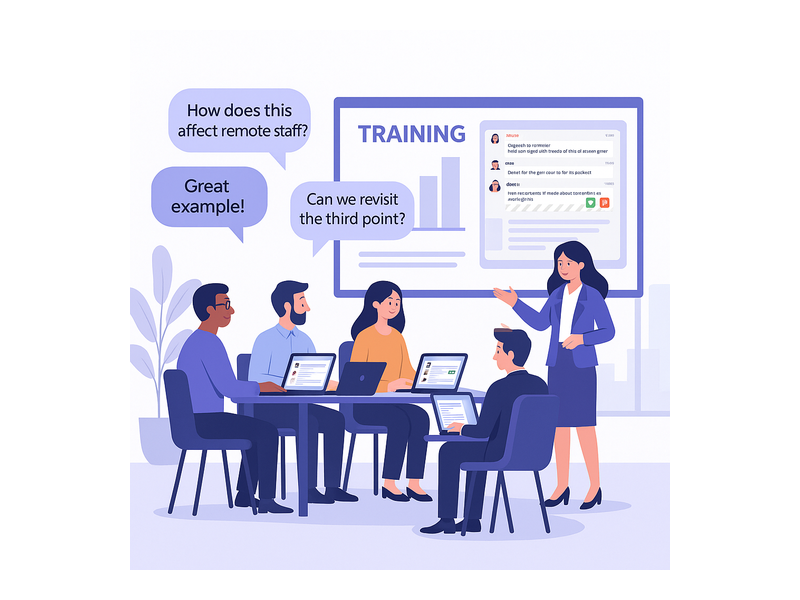
One of the most underappreciated advantages of a corporate training chat room is the rich engagement data it generates as a natural byproduct of the session. Every message sent, every question asked, and every exchange between participants is a data point that L&D teams can analyze to improve future programs. RumbleTalk’s admin panel gives you visibility into message volume over time, peak engagement moments within a session, and individual participant activity levels — all without requiring additional analytics infrastructure or tagging setup.
Use this data to answer questions that matter: Which parts of the session generated the most questions — indicating complexity or confusion? Which employees were most active — potential subject-matter experts or culture carriers? Were there stretches where the chat went completely quiet — a signal that the content either landed perfectly or lost the room? Over multiple sessions, these patterns help you build a more responsive, evidence-based training curriculum that continuously improves based on real learner behavior.
Start Building Your Corporate Training Chat Room Today
The shift toward interactive, chat-enabled corporate training is already underway in forward-thinking L&D teams across every industry. Organizations that integrate a corporate training chat room into their programs consistently report higher session completion rates, better learner satisfaction scores, and faster time-to-proficiency for new skills and processes. The barrier to entry is low, the setup is fast, and the impact on employee engagement is immediate and measurable from the very first session.
RumbleTalk makes it easy to launch a fully moderated, branded employee training chat in minutes — no IT ticket required, no new software for participants to install, and no disruption to your existing training infrastructure. Whether you are enhancing a single compliance workshop or building a scalable, company-wide learning and development platform, RumbleTalk’s flexible group chat solution grows with your organization from day one.
Ready to transform the way your team learns? Visit RumbleTalk to start your free trial and launch your first corporate training chat room today.