
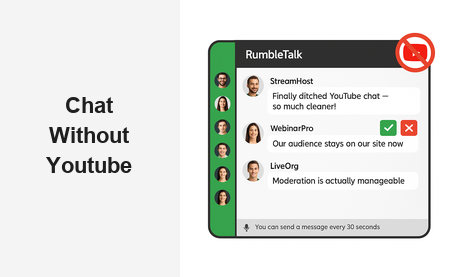
If you are searching for a reliable chat without YouTube, you are not alone. Thousands of event organizers, creators, educators, and B2B companies are rethinking their reliance on YouTube’s built-in live chat — and for good reason. YouTube chat is noisy, difficult to moderate, impossible to brand, and completely owned by a third-party platform you have no control over. The solution is a dedicated group chat platform that lives on your website, embedded on your terms, serving your audience the way your brand demands.
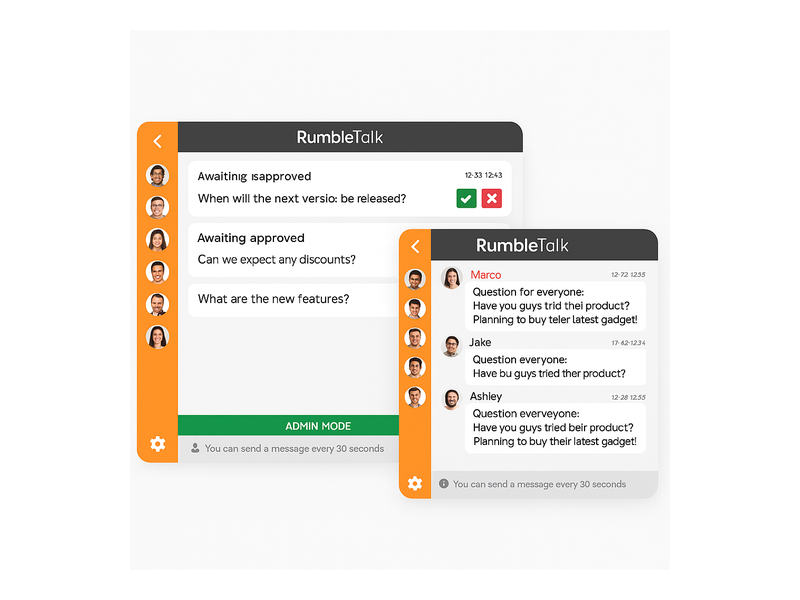
RumbleTalk is a professional group chat platform built specifically for websites and live events. It delivers everything YouTube chat lacks: full moderation controls, branded design, multiple chat modes, and seamless embedding on any webpage. Whether you are running a live webinar, a virtual summit, a podcast listening party, or a membership community, RumbleTalk gives you the chat without YouTube that actually works for your business goals.
Why Businesses Are Looking for Chat Without YouTube
YouTube’s live chat was built to keep viewers engaged on YouTube’s platform — not yours. For businesses and event organizers, this creates a fundamental problem: your audience is having conversations in a space controlled entirely by a platform with its own rules, its own algorithm, and its own monetization agenda. When you rely on YouTube’s chat, you are renting audience attention, not building it.
Here are the core reasons companies seek a genuine chat without YouTube alternative:
- No brand ownership: YouTube chat shows YouTube’s interface and branding. There is no way to customize colors, fonts, or layout to reflect your website identity.
- Limited moderation: YouTube’s moderation tools are surface-level. You can ban users after the fact, but nuanced pre-moderation — approving messages before they appear publicly — is simply not available.
- Audience data stays with YouTube: Every interaction in YouTube chat enriches YouTube’s analytics, not yours. You cannot export participant lists, track message engagement, or retarget your own attendees.
- Platform dependency risk: If YouTube restricts your account, changes its policies, or experiences downtime, your entire live chat infrastructure goes down with it.
- No standalone embedding: YouTube’s chat widget is tightly coupled to the YouTube video player. You cannot drop it onto a custom event landing page without also embedding YouTube’s player and all the brand baggage that comes with it.
These limitations drive businesses to look for a proper chat without YouTube — a solution that gives them full ownership of the conversation happening around their content.
The Real Costs of Staying With YouTube Chat
The risks of staying with YouTube’s built-in chat are not just inconvenient — they can actively damage your audience relationships, your brand perception, and your event quality. Here is what happens when businesses stick with YouTube instead of choosing a dedicated chat solution.
Spam and Trolls Run Rampant
YouTube live chat is notorious for spam and disruptive comments during high-traffic streams. Without a robust pre-moderation system, trolls and bots flood the feed and drown out genuine audience interaction. Slow Mode helps marginally, but it does not give you a professional moderation workflow. If you are running a B2B webinar, a corporate town hall, or a paid training session, an uncontrolled comment section reflects badly on your brand — no matter how polished your video production is.
Zero Audience Segmentation
YouTube treats all viewers identically. Whether someone is a paying subscriber, a VIP sponsor guest, or a random passerby, everyone gets the same chat experience. Businesses that need tiered engagement — private rooms for premium members, public chat for general attendees, read-only broadcast mode for announcements — cannot achieve this inside YouTube’s one-size-fits-all interface. A true chat without YouTube gives you that segmentation by design.
Fragmented Audience Experience
When you embed a YouTube video on your website, the chat does not come with it in any meaningful way. Your audience has to navigate to YouTube.com to participate, and once they are there, YouTube’s recommendation engine pulls them toward other content. This fragments engagement across two platforms and weakens your ability to build community on your own domain. Every viewer you send to YouTube is a viewer you might not get back.
What Chat Without YouTube Actually Looks Like With RumbleTalk
RumbleTalk is purpose-built to solve every one of these problems. Here is what you get when you choose a dedicated chat without YouTube through RumbleTalk:
- Custom branding: Match the chat widget to your website’s color palette, fonts, and design language. Your audience sees your brand experience — not a third-party platform’s interface.
- Full moderation suite: Pre-approve messages before they go public, mute participants, ban bad actors, assign multiple admins, and enable broadcast-only Admin Mode for controlled announcements.
- Multiple chat modes: Group Chat, Moderated Q&A, Members Chat, Private Chat, Social Chat, and Queued Chat — select the format that matches your event type and audience size.
- Simple embed anywhere: A single JavaScript snippet embeds RumbleTalk on any platform — WordPress, Squarespace, Wix, Webflow, or raw HTML pages. No YouTube player required, no dependencies.
- Your audience data, your rules: You see who is in the room, manage user lists, and retain all engagement data within your own account. No third-party platform gets enriched by your audience’s interactions.
The result is a live chat experience that feels native to your website rather than bolted on from an external platform. Your audience stays engaged in your environment, on your terms, contributing to your community — not YouTube’s watch time metrics.
RumbleTalk Chat Without YouTube: Core B2B Features
What makes RumbleTalk the right chat without YouTube for professional and enterprise use? Here is a breakdown of the features that matter most to businesses running live events, webinars, and online communities at scale.
Group Chat
The foundation of RumbleTalk is Group Chat — a real-time, multi-participant chat room that embeds directly on any webpage. Admins can moderate live, highlight important messages, mute disruptive users, and control the pace of conversation. Unlike YouTube’s open comment stream, Group Chat creates a professional-grade environment suitable for corporate events, product launches, investor calls, and community meetups. The entire experience sits inside your website with your branding front and center.
Moderated Q&A
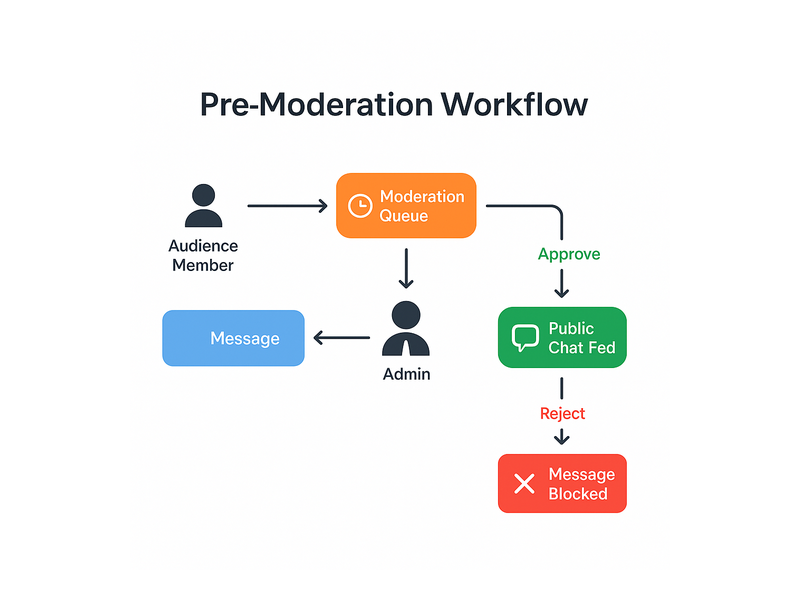
For webinars, panel discussions, and executive Q&A sessions, RumbleTalk’s Moderated Q&A mode is a game changer. Every question from the audience is held in a pre-moderation queue until an admin explicitly approves it. Only approved questions surface in the public feed. This eliminates off-topic noise, filters out duplicate submissions, and ensures your speaker responds to the most valuable, on-point questions — not whoever typed fastest. This pre-moderation capability is the single biggest functional advantage of chat without YouTube for professional B2B events, and it is simply not replicable in YouTube’s ecosystem.
Members Chat
Running a subscription community, a membership platform, or a paid training program? RumbleTalk’s Members Chat restricts access to verified users only. You control who enters the room, ensuring your premium community space stays exclusive and high-signal. Random visitors cannot access the conversation without authorization. This level of access control is architecturally impossible within YouTube’s open chat system.
Queued Chat
For high-volume live events with hundreds or thousands of simultaneous participants, Queued Chat paces the conversation by releasing messages in controlled batches. Instead of an overwhelming torrent of overlapping comments, your audience sees a steady, readable message flow. Moderators can keep up, speakers stay focused, and the conversation remains productive. This is critical for large-scale live events where engagement volume could otherwise make chat unusable.
Private Chat
Beyond the main group conversation, RumbleTalk enables one-on-one private messaging between participants. For networking events, job fairs, or expert consultation platforms, this adds a layer of individual connection that YouTube’s chat system cannot offer at all. Attendees can start private conversations directly from the group chat room without switching tools or platforms.
Who Needs Chat Without YouTube? Real-World Use Cases
The need for a professional chat without YouTube solution spans a wide range of industries and event formats. Here are the most common use cases where organizations make the switch from YouTube’s built-in chat to RumbleTalk.
Virtual Events and Webinars
B2B companies running virtual conferences, product webinars, investor briefings, or sales training sessions need a chat environment that reflects their brand and maintains a professional, controlled tone. YouTube’s comment section is too informal, too public, and too noisy for enterprise use. RumbleTalk integrates directly into custom event landing pages, giving attendees a dedicated, branded space to ask questions and engage — all without leaving your domain. For teams that run live-stream events at scale, RumbleTalk’s broadcast and podcast chat solution is built exactly for this purpose.
Live Radio and Podcast Streams
Podcasters and radio stations that simulcast on their own websites need chat without YouTube pulling listeners away from their branded listening experience. YouTube chat redirects your audience toward YouTube’s platform — and toward other creators. RumbleTalk keeps your audience in your chat room, on your site, with your branding. Hosts get full admin control over who participates and what gets displayed. For a detailed look at how radio teams implement this, see our post on Radio Show Chat: Engage Your Live Audience in Real Time.
E-Learning Platforms
Educational platforms need moderation, audience segmentation, and a distraction-free environment. YouTube’s open chat is everything an online classroom should not be — unpredictable, unbranded, and algorithmically disruptive. RumbleTalk’s Moderated Q&A and Members Chat modes create structured learning environments where students submit questions in an orderly queue and instructors maintain full authority over the conversation. No ads, no recommendations, no competing content — just the learning experience you designed.
Corporate Training and Internal Town Halls
HR and learning and development teams using video for internal communications face a specific challenge: they need employee engagement without the distractions and privacy risks of a public platform. Chat without YouTube means embedding a secure, company-branded chat room directly in an intranet portal or training platform. No YouTube accounts required, no risk of employees accidentally commenting publicly, and no YouTube ads interrupting the experience. RumbleTalk can be scoped to verified internal users only through Members Chat mode.
Online Trading and Financial Communities
Trading educators, financial analysts, and investment communities need live chat that is fast, moderated, and members-only. High signal-to-noise ratio is critical — participants need valuable market discussion, not spam. RumbleTalk’s real-time Group Chat with admin moderation delivers exactly that, with the added security of access control so only verified members participate in the conversation around live market sessions and trade alerts.
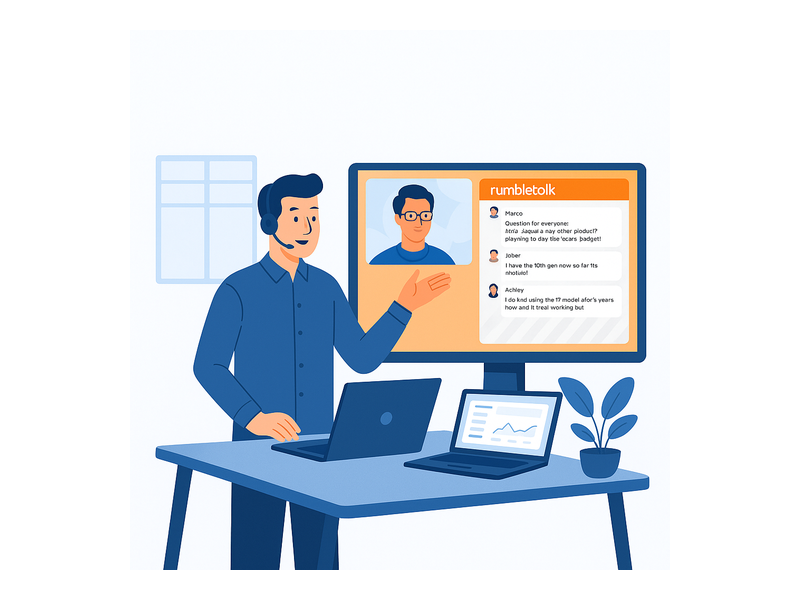
How to Set Up Chat Without YouTube Using RumbleTalk
Switching to a professional chat without YouTube using RumbleTalk takes minutes, not days. Here is the step-by-step process:
- Create your account: Sign up at RumbleTalk and select your chat type — Group Chat, Moderated Q&A, Members Chat, Queued Chat, or any mode that fits your event format.
- Customize your room: Apply your brand colors, set your chat room name, configure moderation settings, and decide which features to activate for your audience.
- Embed on your website: Copy the embed code and paste it into any webpage. RumbleTalk works with WordPress, Squarespace, Wix, Webflow, and plain HTML. For a complete walkthrough, visit the RumbleTalk Knowledge Base: Getting Started.
- Go live: When your event starts, your branded chat room is live and ready. Admins log in through the admin panel to moderate in real time — approve messages, mute users, and spotlight important content.
- Own your data: After the event, review chat logs, analyze participation, and use your audience engagement data for follow-up outreach. No YouTube access required at any step.
There is no complex technical integration required. Whether your event is on a custom landing page, a WordPress site, or a dedicated event platform, RumbleTalk embeds seamlessly as true chat without YouTube dependency at any point in the workflow.
What to Expect After Switching From YouTube Chat
Teams that make the switch to chat without YouTube consistently report three immediate improvements: higher audience quality, reduced moderation workload, and stronger brand perception. Here is what the transition looks like in practice.
Your Audience Stays on Your Platform
With YouTube chat, a meaningful percentage of your audience clicks through to YouTube.com to participate in the conversation — and once they are there, the recommendation algorithm takes over. With RumbleTalk, your audience engages directly on your page. Bounce rates improve, session times increase, and your attendees stay inside the experience you have built rather than drifting toward competing content.
Moderation Becomes Manageable
Teams that previously dreaded live chat because of spam and disruptive comments find that RumbleTalk’s moderation tools transform the experience. Pre-moderation in Moderated Q&A mode means your moderator reviews questions before they surface publicly — a fundamental improvement over YouTube’s reactive approach where damage control happens after the fact. Admins can manage hundreds of submissions with confidence because the queue system gives them full control over what the audience sees.
Your Brand Gets the Credit
When your chat experience looks and feels like an organic part of your product or event, your audience associates the quality of the interaction with your organization — not with YouTube. This brand equity compounds over time. Attendees remember the polished, professional experience you delivered. That association strengthens community loyalty and reinforces your positioning as a credible, organized host — something that renting space inside YouTube’s platform fundamentally cannot achieve.
Why RumbleTalk Is the Best Chat Without YouTube for Professional Use
RumbleTalk was built for exactly the use cases that YouTube chat was never designed to serve. It is not a social media add-on or a lightweight comments plugin — it is a professional-grade group chat infrastructure for businesses, event organizers, and community platforms that take audience engagement seriously.
Choosing chat without YouTube means choosing ownership. Your audience data stays with you. Your brand experience remains consistent. Your moderation team has the tools to run a professional, controlled conversation at any scale. Whether you are hosting 50 or 50,000 participants, RumbleTalk scales with you while keeping the experience polished, on-brand, and completely independent from any third-party platform’s policies or downtime risks.
The shift away from YouTube chat is not just a technical decision — it is a strategic one. It signals to your audience that you take their experience seriously enough to invest in infrastructure you own and control. That signal matters, especially in B2B contexts where professional credibility drives purchasing decisions and long-term relationships.
Ready to replace YouTube chat with something your audience will actually enjoy — and something your team can confidently manage at scale? Explore RumbleTalk today and set up your first branded chat room in minutes. No YouTube dependency. No platform risk. Just a clean, professional chat without YouTube that lives on your website, serves your audience, and belongs entirely to you.