
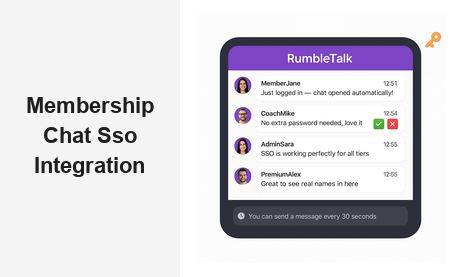
If your membership platform relies on engaged, active communities, then chat SSO integration for membership platforms is one of the highest-leverage investments you can make. Single Sign-On (SSO) chat integration lets your members enter a live group chat room the moment they are already logged in — no second password, no duplicate registration, no friction. RumbleTalk’s SSO-powered chat widget plugs directly into your existing authentication system so that every conversation happens under verified, real member identities from the very first message.
What Is Chat SSO Integration for a Membership Platform?
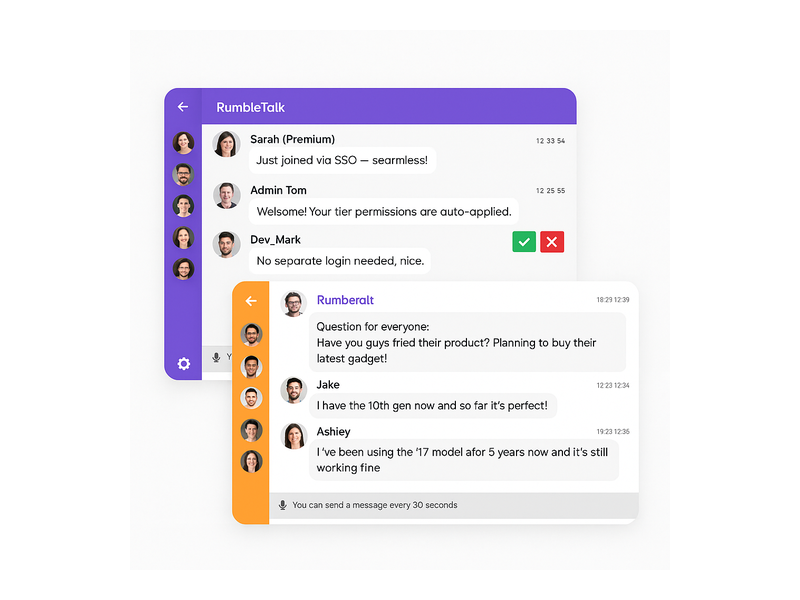
Single Sign-On is an authentication protocol that lets a user log in once and gain access to multiple connected services without re-entering credentials. When applied to a group chat widget on a membership site, SSO means a member who is already signed into your platform is automatically recognized inside the chat room as a verified, named participant — avatar included.
For membership platforms — whether you run an online course site, a professional association, a subscription community, or a fan club — chat SSO integration for the membership platform transforms your chat from an anonymous public widget into a gated, identity-aware conversation space. Only approved or paying members participate, and each one appears under their real account identity. That single change elevates the quality and trustworthiness of every discussion.
How RumbleTalk’s SSO Flow Works
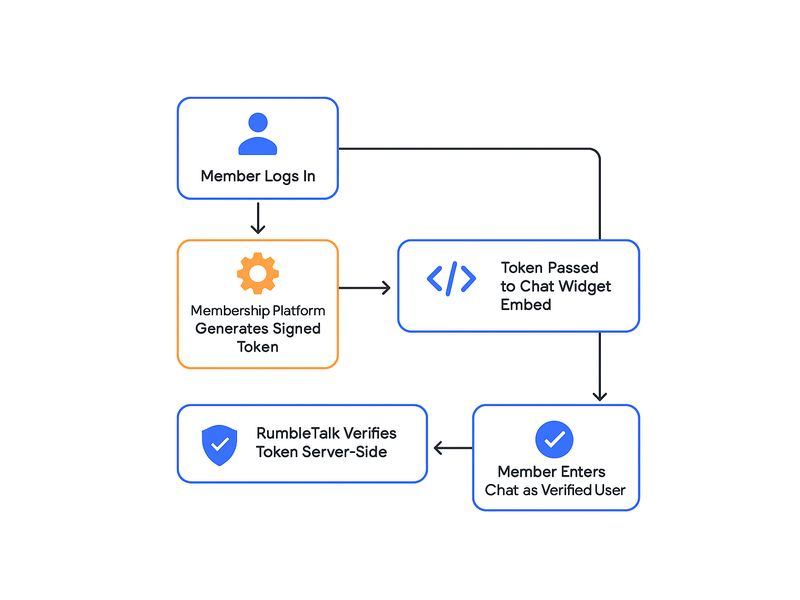
RumbleTalk uses a token-based SSO mechanism. When a logged-in member loads a page containing the chat embed, your server generates a signed token — typically a JSON Web Token (JWT) or an HMAC hash — encoding that user’s name, avatar, user ID, and optional role. The RumbleTalk widget reads that token, verifies the signature server-side, and opens the chat session automatically. The member never sees a second login screen. This single sign-on chat integration takes less than a day to implement on most platforms, including custom-built sites and popular WordPress membership plugins.
Why Membership Platforms Need SSO-Enabled Chat
Without SSO, your members face a simple but damaging choice: re-authenticate just to post a message, or skip the chat entirely. Research consistently shows that even one extra login step reduces feature adoption significantly. When chat SSO integration for the membership platform is active, the barrier drops to zero for authenticated members — and participation rates follow.
Verified Identity Builds a Better Community
Anonymous chat rooms attract spam, trolling, and low-quality posts. When every participant enters the chat under their verified membership account, the tone of conversation improves immediately. Admins can see real usernames, trace problematic messages to specific accounts, and apply bans that stick — because RumbleTalk ties enforcement to the SSO identity, not just a device or browser session. The result is a chat room that feels like a real community, not a comment section.
Role-Based Access Through the SSO Payload
One of the most powerful capabilities of chat SSO integration for a membership platform is role mapping. Your platform already segments users — free tier, premium, instructor, moderator, enterprise admin. RumbleTalk’s SSO payload accepts a role or admin field, and the chat widget enforces the corresponding permissions automatically.
- Free members — read-only access or slow-mode posting with a message cooldown
- Premium members — full messaging rights, file sharing, and emoji reactions
- Instructors and moderators — admin privileges including message approval and user removal
- Unauthenticated visitors — blocked from the chat entirely, shown a customizable upgrade prompt
This level of access control is simply impossible without a proper chat SSO integration for the membership platform. It makes the chat widget a natural extension of your access policy rather than a parallel system your team must manage separately.
Key Use Cases for Chat SSO Integration for Membership Platforms
Online Course and E-Learning Communities
Course creators and online academies use RumbleTalk’s SSO-enabled chat to add live discussion rooms to each course module. Students log in to the LMS and immediately see their name and avatar inside the course chat room — no separate registration required. Instructors gain admin rights automatically based on their SSO role, so they can moderate questions, run live Q&A sessions, mute disruptive students, and pin important messages — all from the same interface their learners see. The single sign-on chat integration also means student participation data is tied to real accounts, giving instructors meaningful engagement insight.
Professional Associations and Conference Communities
Professional membership associations hosting annual conferences, webinars, or networking events benefit enormously from chat SSO integration for the membership platform. Every registered attendee lands in the event chat room already identified by name and tier. Networking becomes natural — members see colleague names and titles, not anonymous handles. Organizers can segment rooms by interest group or membership level, with access enforced automatically through the SSO role field. No manual user list management, no ticket-checking at a virtual door.
Subscription Content and Creator Communities
Newsletter publishers, podcasters, and content creators with paid subscriber communities use SSO-enabled chat to give paying members exclusive real-time access. When the chat widget is gated behind SSO authentication, only verified subscribers participate — making the chat room itself a compelling membership benefit that drives upgrades. The chat SSO integration for a membership platform also allows creators to customize the display name format, such as “⭐ Founding Member | Jane”, so community status is visible at a glance and adds social proof to higher-tier memberships.
Corporate Training and Internal Portals
HR teams and corporate trainers embed RumbleTalk chat rooms directly inside internal portals. Employees already authenticated via the company identity provider — Azure AD, Okta, Google Workspace — are passed into the chat room without any additional step. Live training sessions, all-hands events, and project-based team chats run inside the existing intranet with full member identity visible. The SSO layer also means offboarded employees are excluded automatically once their account is deactivated in the identity provider.
Implementation: Setting Up the SSO Chat Integration Step by Step
Step 1 — Generate a Signed Token on Your Server
When a member loads a page containing the chat embed, your backend generates a token. The standard payload includes: username, nickname, avatar_url, user_id, and optionally an admin boolean or a custom role string. The token is signed with your RumbleTalk secret key using HMAC-SHA256. This server-side signing is what makes the integration secure — it cannot be spoofed from the browser.
Step 2 — Inject the Token Into the Embed Code
The RumbleTalk JavaScript embed accepts a userData parameter. Your server injects the signed token into the embed snippet before delivering the page, so the token is never exposed to client-side manipulation. RumbleTalk’s servers receive the token, verify the signature, resolve the user identity and permissions, and open the authenticated chat session — all before the widget appears on screen.
Step 3 — Test Role Mapping and Permissions
Before going live, test the chat SSO integration for your membership platform with accounts representing each role tier. Confirm that the correct permissions appear for each: message rate limits for free tiers, moderation buttons for admins, file-sharing toggles for premium users. RumbleTalk’s admin dashboard shows a live view of connected users and their resolved roles, making this validation quick and reliable.
Step 4 — Enable Members-Only Mode
If the chat should be strictly gated, enable SSO-only mode in your RumbleTalk dashboard settings. Unauthenticated visitors will see a customizable locked-chat message — ideal for prompting non-members to sign up or upgrade. This setting ensures that the value of the chat room is inseparable from the value of the membership itself.
RumbleTalk Features That Amplify Your Membership Chat
Members Chat Widget
RumbleTalk’s Members Chat is purpose-built for authenticated communities. It supports SSO login, custom user avatars sourced from the token payload, role-based moderation, private one-on-one messaging, and full admin controls — all within a single embeddable widget. When paired with your SSO flow, it becomes a fully gated, branded community hub that looks and feels like a native part of your membership platform.
Moderated Q&A for Live Events
Membership platforms hosting live webinars or town halls can layer RumbleTalk’s Moderated Q&A mode on top of the SSO integration. Members submit questions through the chat; admins review, approve, and feature the best ones on screen. Because SSO identifies each participant by tier and account, moderators know whose question is whose and can prioritize voices from premium or VIP members when appropriate. The result is a structured, high-quality Q&A session rather than a chaotic comment stream.
Private Chat for Member-to-Member Messaging
Private Chat allows SSO-authenticated members to open direct message threads with each other inside the platform. Because every user is already identified by their real membership account, private conversations carry the same accountability as the main chat room. Members can report messages, and admins can investigate with full context — something that is impossible in an anonymous chat environment.
Multiple Rooms with Segment-Based Access
A membership platform with multiple tiers or interest groups can deploy multiple RumbleTalk chat rooms on different pages, each governed by its own SSO rule set. A “Premium Members Lounge” can be restricted to premium-tier SSO tokens; a “General Community” room is open to all verified members; an “Instructor Hub” is admin-only. The chat SSO integration for the membership platform handles all access logic automatically — your team manages one identity system, and the chat rooms inherit the rules.

Security and Compliance Considerations
Membership platforms often handle sensitive subscriber and payment data, and the chat layer must meet the same standards. RumbleTalk’s chat SSO integration for membership platforms uses server-side token signing — user data never passes through the client in plaintext. Signed tokens are short-lived, with a configurable expiry window that prevents replay attacks. RumbleTalk does not store user passwords or OAuth credentials; it receives only the identity payload you choose to include in the token.
For platforms subject to GDPR or CCPA, RumbleTalk supports data minimization. You control exactly which fields appear in the SSO payload — you can pass a pseudonymous display ID rather than a legal name if your privacy policy or terms of service require it. Role-based permissions also mean that member data visible in the chat (such as tier labels or avatars) is limited to what you explicitly configure in the token.
For step-by-step technical setup guidance, visit the RumbleTalk Knowledge Base: Getting Started.
Measuring the Business Impact of SSO Chat on Membership Retention
Adding a frictionless, SSO-enabled chat room to a membership platform is not just a technical improvement — it is a measurable retention strategy. Members who engage in community discussions renew at higher rates. When chat SSO integration for the membership platform removes the authentication barrier, passive members who previously lurked are significantly more likely to post their first message. Even a modest lift in monthly active chat users compounds over time: higher participation leads to stronger community ties, which leads to lower churn and higher lifetime value per member.
Track impact using RumbleTalk’s built-in analytics: messages per session, daily active users, peak concurrent users during live events. These metrics give your growth and community teams concrete evidence of the engagement improvement that followed the SSO-enabled chat integration rollout. Use the data to justify further investment in live events and gated community programming.
To see how SSO chat fits into a broader website strategy beyond membership platforms, read our post on Chat SSO Integration for Websites.
Start Your Chat SSO Integration for Your Membership Platform Today
If you are ready to give your members a seamless, verified chat experience, RumbleTalk makes it straightforward. The chat SSO integration for a membership platform typically goes live in hours — not weeks — and the payoff in member engagement and community quality is immediate. Whether you run an online academy, a professional association, a subscription creator community, or a corporate training portal, RumbleTalk’s SSO-powered chat widget scales alongside your growth without adding operational complexity.
Visit rumbletalk.com to start your free trial, explore the Members Chat widget, and access the SSO integration documentation your development team needs to go live with a fully authenticated, role-aware community chat today.