
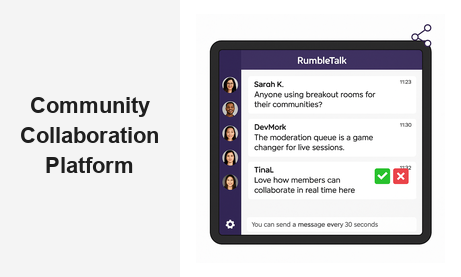
A community collaboration platform is no longer a nice-to-have for websites that want to grow — it is the infrastructure that separates passive audiences from active, loyal communities. RumbleTalk gives businesses, event organizers, educators, and media platforms a real-time group chat solution they can embed directly into any website, turning static pages into live hubs where members connect, collaborate, and engage with your brand and with each other.
Why Your Website Needs a Community Collaboration Platform
Today’s online audiences expect interactivity. Whether you run a professional network, a learning portal, a trading community, or a live event platform, your visitors want a space to contribute — not just consume. A community collaboration platform gives them exactly that: a structured, moderated environment where real-time dialogue drives deeper engagement and long-term retention.
The business case is straightforward. Communities with active real-time chat experience significantly higher session durations, more return visits, and stronger member-to-member relationships that create organic referrals. When your audience can talk to each other and to your team inside your platform, they stop looking for that experience elsewhere. The community becomes a reason to stay — and a reason to come back.
RumbleTalk’s approach to building a community collaboration platform prioritizes simplicity on the admin side without compromising richness on the member side. Setup takes minutes, not weeks. You do not need to manage servers, build custom infrastructure, or maintain a separate forum tool. A single embed code delivers a fully featured, scalable community chat experience that lives natively inside your existing website.
Core Features That Power a Community Collaboration Platform
RumbleTalk offers multiple purpose-built chat types, each designed for a specific collaboration scenario. Together, they give platform owners the flexibility to create the exact community experience their audience needs.
Group Chat for Open Community Discussion
Group Chat is the foundation of any community collaboration platform. It supports multi-user conversations in a single room, with persistent message history, image sharing, and configurable member access. Administrators can open the room to any visitor or restrict it to authenticated members, making it equally effective for public communities and private member networks.
For B2B platforms — SaaS tools, professional associations, financial portals — Group Chat enables your audience to self-organize around topics, exchange insights, and deliver peer-to-peer support. This drives organic community growth while reducing the load on your customer success and support teams.
Moderated Q&A for Structured Live Sessions
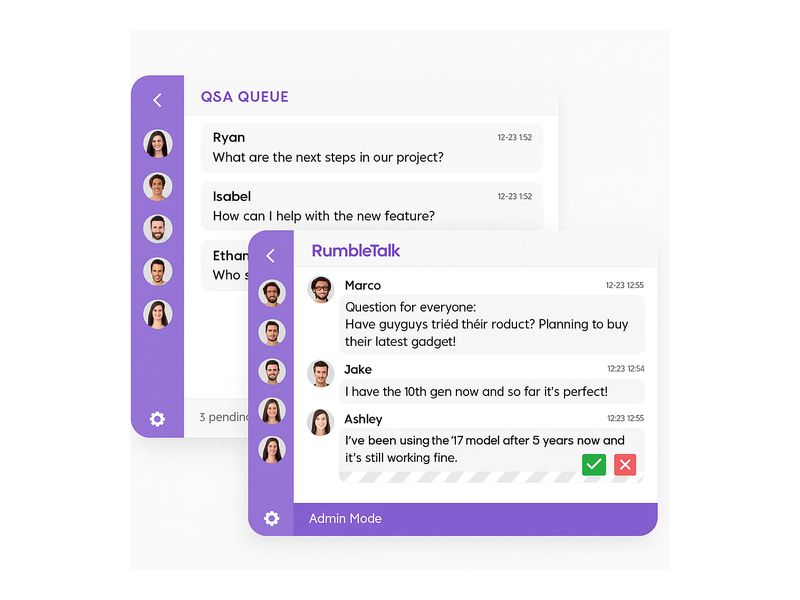
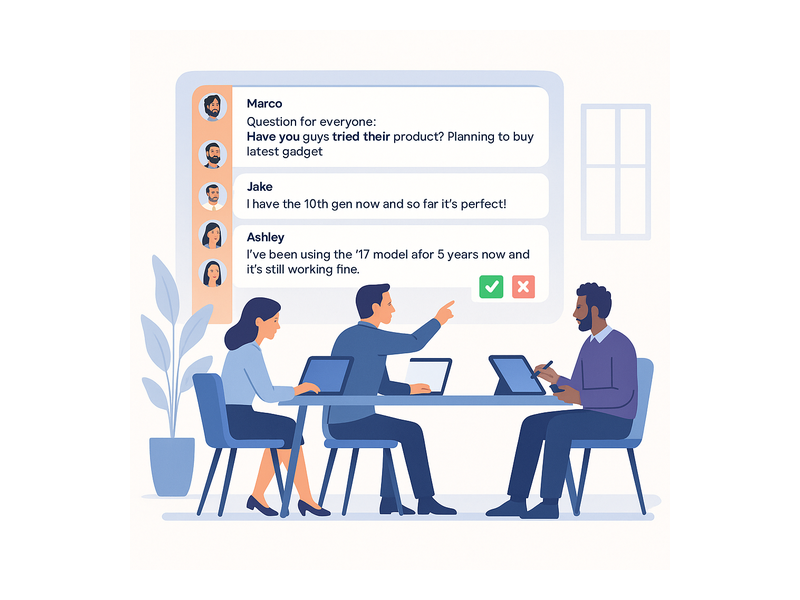
Open discussion is powerful, but some moments call for structure. RumbleTalk’s Moderated Q&A holds incoming messages in a review queue before they appear in the public chat. Moderators approve or reject each message, ensuring live webinars, product launches, and expert panels stay focused and on-brand.
This feature is critical for B2B live events where your credibility depends on the quality of the conversation. A single spam message or off-topic comment during a high-stakes session can derail the experience. Moderated Q&A gives your team the control to prevent that from happening — without sacrificing the audience participation that makes live sessions valuable.
Members Chat for Authenticated Communities
Trust is the currency of any successful community collaboration platform. Members Chat integrates with your existing user authentication system via SSO, so registered members appear in the chat with their verified identity automatically. This creates accountability — members are far more likely to contribute meaningfully when their participation is tied to their real profile.
For platforms with tiered access — free versus premium, students versus instructors, junior traders versus analysts — Members Chat supports role-based permissions that let different user groups collaborate within the same room with different capabilities. Admins retain full visibility and control over who can do what.
Social Chat, Private Chat, and Queued Chat
Community collaboration is not always a broadcast-to-all activity. Social Chat lets members initiate conversations with each other alongside the main group feed, replicating the organic side conversations that happen at live events. Private Chat enables one-on-one messaging for mentorship, customer support, or peer networking. Queued Chat manages high-volume inbound messages in structured queues — ideal for call-in radio formats, support sessions, or any scenario where message flow needs to be managed carefully.
Community Collaboration Platform Use Cases Across Industries
RumbleTalk’s flexibility makes it the right community collaboration platform for businesses across a wide range of industries. Here are the highest-impact deployment scenarios and what makes RumbleTalk the right fit for each.
E-Learning and Online Education
Remote learning has a well-documented engagement problem: students who cannot interact in real time disengage faster and retain less. Embedding a community collaboration platform directly into your course pages changes this dynamic. Students can ask questions mid-lesson, form study groups, and help each other work through problems — all without leaving the course environment.
Instructors use Moderated Q&A during live lectures to control question flow, while Members Chat ensures that only enrolled students participate in the discussion. The result is a live classroom experience that remote learners actually want to attend. For more on setting up your chat environment, review the RumbleTalk Chat Admin knowledge base guide, which covers every configuration option in detail.
Virtual Events and Online Conferences
When attendees cannot network in a hallway or join a roundtable in person, the chat room becomes the social infrastructure of your event. RumbleTalk’s community collaboration platform handles high-concurrency live events with moderation tools built for scale — keeping conversation productive even when thousands of participants are online at once.
Event organizers can create dedicated rooms for different tracks or session topics, run moderated speaker Q&As, and give sponsors their own branded chat spaces. Attendees get a richer, more interactive experience. Organizers get a community platform that reinforces the value of attending — and returning next time.
Online Trading and Financial Communities
Trading communities move at the speed of markets, and they need a community collaboration platform that keeps up. Members share signals, debate strategies, and react to breaking news in real time — in an environment where misinformation can spread quickly if left unmoderated.
RumbleTalk’s Group Chat supports the high-velocity message flow that financial communities demand. Moderation tools allow platform operators to mute disruptive users, enforce cooldown periods during volatile sessions, and maintain the signal-to-noise ratio that keeps premium community members subscribed. Members Chat adds the identity verification layer that distinguishes your platform from unmoderated social media feeds.
Media, Podcast, and Broadcast Platforms
Radio stations, podcast networks, and live streaming platforms use RumbleTalk to turn listeners into participants. Embedding a community collaboration platform into your broadcast page lets your audience react to live content, submit questions for the host, and connect with other fans — creating a second-screen experience that extends engagement well beyond the broadcast window.
Queued Chat is especially valuable for call-in formats, where listener messages arrive in a queue and hosts select which ones to feature on air. Producers maintain full editorial control while the audience feels genuinely involved in the show. For radio-focused implementation strategies, see how operators approach Community Building Playbooks: How to Turn Your Website Chat into a Loyal Audience.
Moderation: The Foundation of a Trustworthy Collaboration Platform
A community collaboration platform is only as valuable as the trust it sustains. Toxic conversations, spam, and off-topic noise can destroy community culture quickly. RumbleTalk’s moderation toolkit gives administrators proactive control — not just reactive damage control after the fact.
Core moderation capabilities include:
- Admin Mode — activates a cooldown bar limiting message frequency per user, preventing spam floods during high-traffic live sessions
- User banning — permanently remove disruptive members from any room with a single click from the admin dashboard
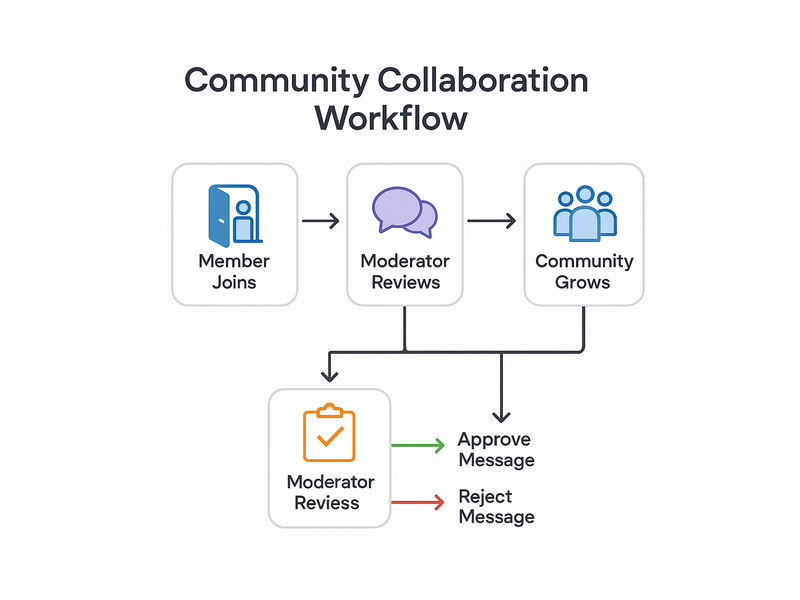
- Message approval queue — in Moderated Q&A mode, every message passes through moderator review before appearing publicly
- Private messaging controls — enable or restrict peer-to-peer messaging based on your community’s trust level and membership tier
- Role-based permissions — assign admin, moderator, speaker, and member roles with granular access controls per room
These tools give your community management team the confidence to run live events at any scale. You can intervene instantly when needed, but in practice the combination of structural controls — cooldowns, approval queues, role restrictions — means most communities run smoothly without constant manual intervention.
How to Embed RumbleTalk as Your Community Collaboration Platform
Speed to deployment is one of RumbleTalk’s defining advantages as a community collaboration platform. From sign-up to a live chat room embedded on your website takes minutes, not weeks, and requires no back-end development resources.
The standard setup process looks like this:
- Create your RumbleTalk account and configure your first chat room from the admin dashboard — set room type, permissions, and visual theme
- Copy the single-line JavaScript embed code from your dashboard
- Paste it into any page on your website — WordPress, Webflow, Squarespace, Wix, or custom HTML
- Optionally configure SSO to connect RumbleTalk to your existing user authentication system for verified member identities
- Customize the chat skin to match your brand — colors, fonts, layout, and chat window dimensions
For WordPress-based platforms, the integration is even more direct. RumbleTalk connects natively to your WordPress user base, syncing authenticated members into the chat automatically without additional development work.
Scaling is handled automatically by RumbleTalk’s infrastructure. Whether your community has fifty members active on a Tuesday afternoon or ten thousand participants in a live keynote session, the community collaboration platform performs consistently without requiring you to manage additional server capacity or monitor infrastructure health.
Building Long-Term Engagement with Your Online Community
Deploying a community collaboration platform is not a one-time technical project — it is an ongoing investment in your audience relationship. The platforms that generate the most value from community chat are those where administrators actively shape the experience: setting conversation norms, hosting regular live sessions, and using engagement data to understand which topics and formats resonate most with their members.
RumbleTalk supports this active approach. Message history lets you review past conversations and identify your most engaged contributors. Multiple chat rooms let you segment your community by topic, membership tier, or event type — keeping discussions focused and relevant rather than scattered. And the ability to run moderated live sessions on a recurring schedule gives your community a predictable rhythm that turns casual visitors into habitual participants.
Communities that commit to regular live events — weekly expert Q&As, monthly product updates, quarterly member roundtables — consistently outperform those that rely on passive open chat rooms alone. The structure of RumbleTalk as a community collaboration platform is designed to support exactly these recurring formats, making it easy to deliver high-value live experiences without heavy production overhead.
If you are focused on growing your community from the ground up, the RumbleTalk Social & Communities solution is purpose-built for social platforms and online communities — with the specific tools and configuration options that community-first businesses need most.
Start Building Your Community Collaboration Platform Today
Your audience is ready to connect. All they need is the right community collaboration platform to bring them together in a safe, structured, and engaging environment. RumbleTalk delivers real-time group chat, professional moderation tools, flexible chat types, and seamless website integration in a single embeddable solution that any business can deploy in minutes.
Whether your use case is live events, e-learning, financial communities, media engagement, or professional networking, RumbleTalk scales with your needs from a single chat room to a fully segmented, multi-room community collaboration platform serving thousands of concurrent members. Start your free trial at rumbletalk.com and see how quickly real-time chat can transform your website into a community your audience genuinely wants to be part of.