
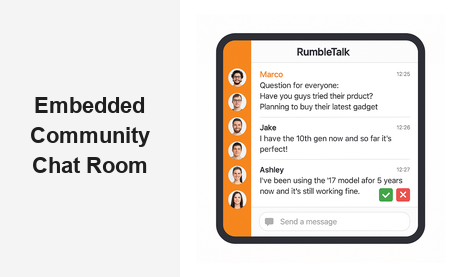
An embedded community chat room is one of the most powerful tools a website owner can deploy to boost engagement, retention, and real-time connection. Whether you run an online learning platform, a media brand, a trading community, or a membership site, giving your audience a dedicated space to interact — right inside your website — fundamentally changes how they relate to your brand. In this guide, we explore what an embedded community chat room is, why it matters for B2B platforms, and how RumbleTalk makes it easy to build and manage one at scale.
What Is an Embedded Community Chat Room?
An embedded community chat room is a live, interactive messaging feature that runs directly on your website — no redirects, no third-party apps, no separate logins to external platforms. Visitors and members join the conversation without ever leaving your domain. Unlike social media groups or standalone tools like Slack or Discord, an embedded chat keeps your audience on your platform, where you control the experience, the branding, and the data.
RumbleTalk’s group chat widget is purpose-built for this use case. You drop a small embed code into your page, and within minutes, a fully-featured community chat room is live on your site. It supports multiple room types, user roles, real-time moderation tools, and SSO (Single Sign-On) integration — everything required to run a professional community experience at scale.
The difference between a basic chat plugin and a true embedded community chat room comes down to the feature set: real-time messaging, persistent message history, granular admin controls, role-based permissions, and the ability to moderate conversations as they unfold. RumbleTalk provides all of these capabilities out of the box, with no server management required on your end.
Why Your Website Needs an Embedded Community Chat Room
The case for adding an embedded community chat room to your site is compelling from both an engagement and a business perspective. Here are the five core reasons B2B platforms are investing in this technology:
1. Keep Your Audience On-Site
Every time a visitor leaves your site to chat on Discord, Reddit, or a Facebook Group, you lose dwell time, ad impressions, and repeat-visit potential. An embedded community chat room keeps conversations happening inside your ecosystem. Over time, this creates habitual engagement — users return to your site because that is where their community lives. The more consistently members come back to chat, the more deeply embedded your platform becomes in their daily routine.
2. Build a Loyal Member Base
Community is the new moat. Platforms that foster peer-to-peer connections create switching costs that go far beyond features or pricing. When members have built genuine relationships inside your embedded chat, they are far less likely to leave for a competitor. The community itself becomes part of the product value proposition — something competitors cannot simply replicate by copying your feature list.
3. Drive Real-Time Engagement During Live Events
If you run webinars, live streams, virtual conferences, or radio broadcasts, a community chat room embedded in your event page becomes your live audience hub. Members can ask questions, share reactions, and connect with each other — all synchronized with what is happening on screen or on air. This transforms one-way broadcasts into two-way experiences that audiences actively choose to return to week after week.
4. Collect First-Party Audience Data
Unlike third-party community tools, your embedded chat room keeps data under your control. You know who is talking, what topics are trending, and which conversations drive the most activity. This first-party insight is invaluable for content planning, product decisions, and targeted member outreach — advantages that become increasingly important as third-party data sources become less reliable.
5. Reduce Support and Customer Success Load
A well-moderated community chat room naturally deflects common support questions. Members help each other, share tips, and answer FAQs organically. This peer-support dynamic reduces ticket volume while simultaneously deepening community bonds, making an embedded community chat room a high-ROI addition for any membership or SaaS platform looking to scale without proportionally scaling its support headcount.
Key Features of the RumbleTalk Embedded Community Chat Room
Not all chat widgets deliver the same community experience. Here is what sets RumbleTalk apart as an embedded community chat room platform for professional B2B deployments:
Real-Time Moderation and Admin Controls
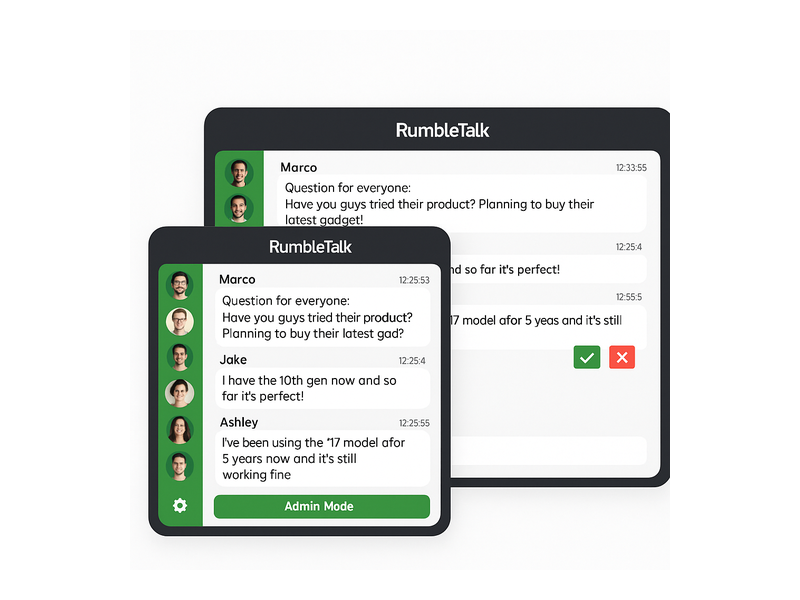
Moderation is the backbone of any healthy online community. RumbleTalk gives administrators a live moderation panel where they can approve or reject messages before they go public, mute disruptive users, remove off-topic content, or switch to broadcast-only mode when the situation demands it. The green Admin Mode bar and message queue interface ensure your community chat room stays on-brand and professional at all times — even during high-traffic live events with thousands of concurrent participants.
Multiple Chat Room Types
RumbleTalk offers several room configurations to match different community dynamics and use cases:
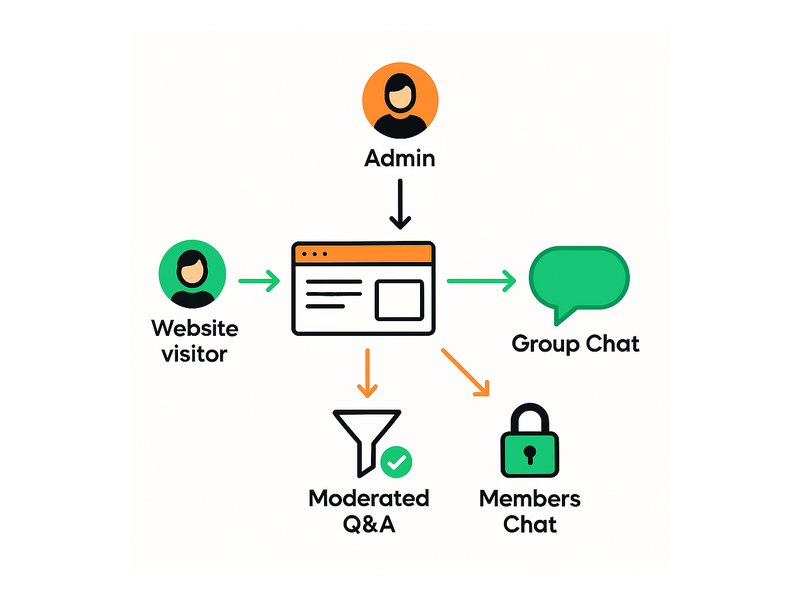
- Group Chat — open, real-time group conversation for all members or visitors
- Members Chat — private, login-gated rooms exclusively for registered or paying members
- Moderated Q&A — structured format where audience questions are reviewed and approved before being answered publicly
- Social Chat — social-feed-style room with likes, replies, and threaded conversations
- Private Chat — secure one-on-one messaging between individual community members
- Queued Chat — messages delivered in structured sequence, ideal for organized group discussions or round-robin formats
Each room type can be embedded as a standalone community chat room or combined on a single platform to serve different audience segments simultaneously.
SSO Integration for Seamless Member Access
For membership platforms and SaaS products, SSO is a non-negotiable requirement. RumbleTalk’s SSO integration lets you pass authenticated user data — display name, avatar, and role — directly into the embedded community chat room. Members join seamlessly using their existing site credentials, with no separate registration or login prompt interrupting the experience. This frictionless entry is critical for communities where user experience directly affects retention.
Custom Branding and White-Label Options
Your community chat room should feel like a native extension of your platform, not a third-party widget. RumbleTalk supports full color customization, logo placement, font choices, and white-label deployments. The chat UI can inherit your brand identity completely, reinforcing trust and cohesion with every session your members participate in.
Scalability for Live Event Traffic
Whether you have 50 active members or 10,000 concurrent users surging in during a live event, RumbleTalk’s infrastructure scales automatically. There is no capacity planning or server provisioning required on your end — the platform handles traffic spikes gracefully, ensuring your embedded community chat room stays responsive and reliable even under peak demand conditions.
How to Set Up Your Embedded Community Chat Room
Getting an embedded community chat room live on your site with RumbleTalk is straightforward, even for non-technical teams. The typical setup process looks like this:
- Create Your Chat Room — Sign up at RumbleTalk, select your room type (Group Chat, Members Chat, Moderated Q&A, and so on), and configure basic settings including room name, welcome message, language, and default moderation rules.
- Customize the Appearance — Use the admin panel to set colors, upload your logo, and choose an accent color that aligns with your brand. Preview the community chat room in real time before going live to ensure it matches your site’s design language.
- Configure User Roles and Permissions — Decide who can post, who can moderate, and whether members should authenticate via SSO. For a truly seamless embedded community experience, SSO ensures members enter the chat without any additional friction.
- Copy the Embed Code — RumbleTalk generates a simple JavaScript snippet. Paste it into your webpage — a sidebar, a dedicated community hub section, or an event landing page — and the embedded community chat room appears immediately without any further configuration.
- Launch, Promote, and Moderate — Go live. Share the page with your audience. Monitor the chat from the admin dashboard, which shows active users, message queues (in moderated modes), and engagement trends over time.
The entire setup process typically takes under 30 minutes for a standard deployment — no developer involvement required for most configurations. For advanced setups including SSO or custom API integrations, RumbleTalk’s documentation and support team provide step-by-step guidance throughout the process.
Use Cases: Who Benefits from an Embedded Community Chat Room?
The embedded community chat room model is highly versatile across industries. Here are the most impactful B2B use cases where RumbleTalk consistently delivers measurable results:
Online Learning and EdTech Platforms
EdTech companies use community chat rooms to connect students, facilitate peer-to-peer learning, and host live Q&A sessions with instructors. The Members Chat type ensures only enrolled learners access course discussions, while Moderated Q&A organizes instructor-led sessions into clean, structured conversation threads. The result is a richer learning environment that keeps students engaged between lessons and builds the kind of cohort identity that reduces churn on subscription-based learning platforms.
Media, Broadcasting, and Live Events
Radio stations, podcasts, live stream channels, and online event organizers embed a community chat room on their broadcast pages to give audiences a shared space during live programming. Listeners react, vote in polls, and connect with each other in real time — transforming passive consumption into active community participation. For a detailed look at how broadcasters are leveraging this approach, see our post on Radio Audience Chat: Turn Listeners Into a Community.
Trading, Finance, and Investment Communities
Trading platforms and investment networks embed chat rooms to facilitate real-time market discussion, signal sharing, and peer networking among verified members. The professional moderation features prevent spam and misinformation — critical in high-stakes financial contexts where off-topic or misleading messages can cause real harm to members and reputational damage to the platform.
Membership Sites and Subscription Platforms
Content creators and SaaS platforms with membership tiers use RumbleTalk’s Members Chat to offer community access as a premium benefit. The embedded community chat room itself becomes a retention mechanism: members who actively engage in the community renew subscriptions at significantly higher rates than those who consume content passively without connecting with peers.
Virtual Events and Conferences
Event organizers embed community chat rooms directly on event pages to support attendee networking before, during, and after virtual conferences and summits. Multiple rooms can segment participants by session track, industry vertical, or company size — creating a structured networking experience that adds tangible, memorable value to the event ticket price.
Platforms focused on audience growth and long-term community retention will find that RumbleTalk’s Social & Communities solution provides a purpose-built feature set specifically designed for community-driven engagement at scale, with tools tailored to the unique challenges of growing and sustaining an active online audience.
Best Practices for Managing a Healthy Embedded Community Chat Room
Launching an embedded community chat room is the critical first step. Sustaining an active, positive environment over the long term requires ongoing strategy and management discipline. Here are the practices that successful community managers consistently apply:
Set Clear Community Guidelines from Day One
Post community rules prominently — either as a pinned message in the chat room or as a welcome overlay for new members. Users who understand expectations behave better, and moderators have clear policy backing when enforcement actions become necessary. Well-defined guidelines also reduce the cognitive load on moderators who would otherwise have to make subjective judgment calls in real time during live events.
Assign Dedicated Moderators
For communities with more than a few dozen active members, dedicated moderators — separate from administrators — make a significant difference in community health and tone. RumbleTalk’s role system allows you to grant moderation rights (the ability to mute users, remove messages, and manage the approval queue) without providing those team members full admin access to platform settings, billing, or room configuration.
Schedule Regular Events to Drive Recurring Activity
Community chat rooms thrive on shared moments and predictable rituals. Schedule weekly AMAs, monthly member spotlights, or live product demos — and promote these events in advance across your email list and social channels. Communities that build identity around recurring events sustain long-term engagement more effectively than those that rely entirely on organic, unstructured activity to keep the community chat room alive between peak moments.
Monitor Engagement Metrics and Iterate
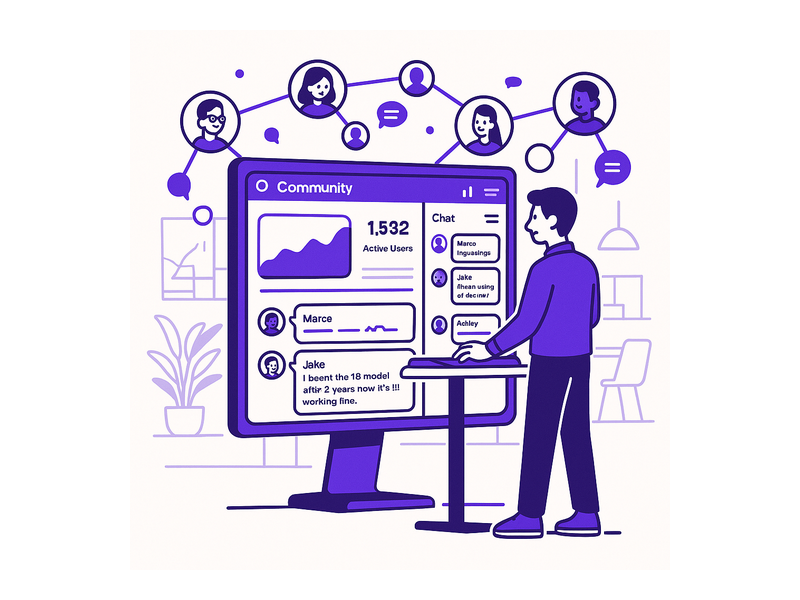
Track message volume, peak activity windows, new member join rates, and retention trends within the chat. If engagement drops, it typically signals one of three things: the community needs a catalyst event, the topic focus needs refinement, or the moderation posture needs recalibration. Data-driven community management consistently outperforms intuition-based approaches, especially as communities scale beyond a few hundred active members.
Leverage Available Documentation and Support Resources
As your community grows and your platform requirements evolve, RumbleTalk’s knowledge base covers everything from initial configuration to advanced admin workflows — including how to set up moderation queues, configure SSO for seamless member access, and manage multiple embedded chat rooms from a single centralized admin account.
Conclusion: Launch Your Embedded Community Chat Room Today
An embedded community chat room is not just a feature to add to your product roadmap — it is a strategic investment in the long-term loyalty of your audience. Platforms that give members a shared space to connect, collaborate, and communicate directly on-site consistently outperform those that scatter community activity across external channels. The network effects are real: the more your members engage with each other inside your platform, the more valuable your platform becomes to each individual member.
RumbleTalk makes it straightforward to deploy a professional, fully-featured embedded community chat room — in minutes, not months. With flexible room types, enterprise-grade moderation tools, SSO integration, custom branding, and infrastructure that scales with your audience, RumbleTalk is the go-to platform for B2B teams that are serious about building community as a core business strategy.
Ready to add an embedded community chat room to your site and turn visitors into loyal, engaged members? Get started with RumbleTalk today and discover how a real-time community layer transforms your platform from a destination people visit into a home base they return to every day.