How to Use RumbleTalk’s Simple File Sharing Tools

RumbleTalk group chat includes a simple file sharing feature to allow online communities to send most kinds of documents including the most popular Word, Excel, PowerPoint and .pdfs.

We’ve found that the customers who use this the most are those using RumbleTalk to share business and academic information as well as charts and images.

Businesses share everything from pricing sheets to spreadsheets among internal employees and in business to business conversations.

Academic institutions are known to use RumbleTalk group chat for online class discussions. The teacher or professor uploads a lesson for the class to review and then uses the group chat to discuss the subject.

But these are not the only sectors using RumbleTalk group chat simple file sharing.

Our platform was created with features that adapt to the user. Simple file sharing is among the most useful features across industries. We’ve worked to make sure RumbleTalk group chats are file sharing capable not only on the web, but on mobile devices too. This means your online community can fully participate even while away from their desk.

Read more to discover how to use our simple file sharing tools.

Simple file sharing from the web

Users accessing your RumbleTalk group chat from the web will see two icons in the bottom right corner of the chat window.

By selecting the paperclip icon, a dialog box will open displaying four types of attachments.

To upload a document or file directly from your computer, select “Upload file”. From there a window will open for you to browse the saved documents on your computer.

Once you have selected a file, it will automatically upload to the chat for all participants to access.


Simple file sharing from mobile devices

By using RumbleTalk group chat for your online community, participants will be able to upload documents and files from their smartphones. This allows you to engage your audience throughout more of their day.

While logged into a RumbleTalk group chat from a mobile device, click on the paperclip icon at the bottom of the window. After choosing the document button you will have access to the available files on your phone.

It’s just that easy.


A few technical notes for simple file sharing

  • All files uploaded to a RumbleTalk group chat are stored in the cloud.
  • File uploads are limited to 5MB.
  • Uploaded files appear as a URL link to the document.

Increase Your SEO Ranking with Group Chat

Did you know that your customers can create SEO-boosting content for you?

RumbleTalk group chat enables businesses to use customer conversations to improve SEO rankings.

Let’s walk through how this works.

First, the problem.

Most of us are familiar with the basics of search engine optimization or SEO; publishing quality content with targeted keywords increases traffic to your website.

If you want to increase your SEO ranking, you’ll need to create both high-quality and a large quantity of content.

The issue for many businesses is coming up with this quality content repeatedly to stay relevant and fresh in the eyes of Google. Doing so is a big challenge and necessary. It’s an ongoing project that can easily fall into a mundane routine that lacks flare and intrigue.

Look no further when you find yourself in a rut or are just searching to incorporate new and creative tactics to improve SEO rankings! RumbleTalk group chat can be used to spice things up.

I’m skeptical, how does this work?

Here’s our recommended method of increasing your SEO ranking using group chat.

1. Host a RumbleTalk group chat

This could be an ongoing membership group chat, a one-time virtual event to promote a new feature or product, or whatever… you’ll know what your customers want to talk about more than we do.

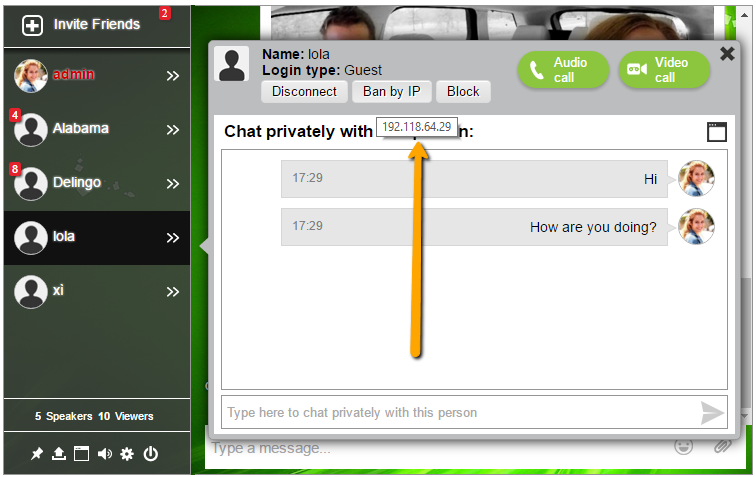
You may be concerned about this kind of open communication platform being vulnerable to unruly users. Not to fear, RumbleTalk group chat allows the group chat owner and any assigned administrators the authority to delete messages, log out specific users, and ban users who won’t play by the rules.

This way, that “You SUCK and I like your competitor” comment can be deleted from an otherwise pleasant, positive, and promotional conversation.

2. Export the transcript

You can do this in two ways depending on how much of the group chat you want to use. In either case, you’ll want to make sure you are exporting an HTML file to use later for the purpose of increasing your SEO ranking.

For a partial section of the transcript click the export button located within the group chat. Whatever messages are visible in the group chat will be pulled for this partial export.

increase your seo ranking

For the full transcript, the group chat owner can export the HTML file from the admin panel. We recommend exporting the full transcript and then grabbing the portions you like best.

increase your seo ranking

3. Use the transcript for new content

Now all you have to do is fill in the blanks. Tell the story of your group chat event. Did the conversation lead to a product breakthrough? Was there a winner in your photography competition? Are your customers singing you praise? (probably)

There’s more than one way to insert the HTML code into your new content but we’ll take you through the most broadly applicable way.

  1. Open your HTML transcript in a text editor such as Notepad
  2. Copy the HTML code
  3. Paste the code as HTML into your blog post, website page, etc…

Here’s how it looks!

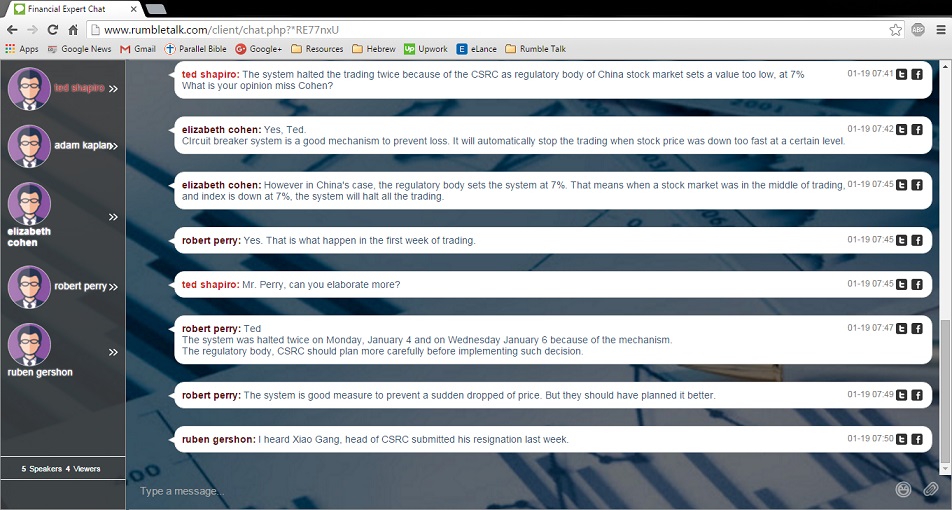
LacieLaLarschLacieLaLarsch 03-09 13:38 Hello! Did you know that you can export a RumbleTalk group chat conversation?
LacieLaLarschNimLevy03-09 13:39 Yes, Lacie. I designed this feature.
LacieLaLarschLacieLaLarsch 03-09 13:40 But did you know that you can also use the HTML code for a blog post or other new content?
LacieLaLarschNimLevy03-09 13:40 Yep. I made sure that was a part of it too.
LacieLaLarschLacieLaLarsch 03-09 13:41 Well, that’s fantastic! You are super!
LacieLaLarschNimLevy03-09 13:42 Are you asking me these questions for a blog post example?
LacieLaLarschLacieLaLarsch03-09 13:43yes
Powered by RumbleTalk ©

Addition advantages

The target keywords that appear in the exported group chat transcript are valuable.

Think about it, this is how your customers talk about your company and these are the words your potential customers will be using to find you.

You get to gain insight into what words and phrases you should be focusing on at the same time that you are including them in your content.

This is simultaneous market research and application all to improve your SEO page rankings.

And your customers were involved in the whole process. This strengthens your online brand community and keeps customers returning to see results.

RumbleTalk group chat offers a free 7-day trial. To learn more, visit our homepage.

All the Reasons You Need Chat Security Using HTTPS

RumbleTalk’s customers trust our group chat to be private and secure. We understand that social stock trading, exclusive clubs, and other private online communities prioritize security so we’ve made it our priority to engineer advanced security features into our service.
In this post we will focus on the SSL/TLS security layer. But, did you know that using secured connections is good for more than just security?
We will discuss the multiple benefits of using secured connections and how you can better secure your group chat.
Why do you need to care about HTTPS?

Well, let me explain. SSL/TLS and HTTPS have been an industry standard for a long time but is becoming increasingly more important.

Previously, security was only a concern to those who wanted to ensure their online data was kept in strict confidentiality. Today, more and more platforms are looking at the security of websites and web apps to determine if it should be rewarded with better search rankings or functionality at all.

Simply put, if your website is not properly secured it could be ignored or not work.

Why does security matter, beyond security?

Let’s take a step back and talk about the “Edward Snowden Effect”. In 2013, Edward Snowden, known as either a traitor or whistle blower, stole and leaked classified government documents revealing the scope of United States data collection programs. Many countries reacted by ending contracts and trade deals with the US, and people from around the world changed their own online security practices fearing (or in some cases having confirmed) their information was being collected by the NSA.

With this in mind and knowing that someone is eavesdropping, many businesses changed their policies to build trust among users that their data is secure.

Google has taken steps to reward websites that prioritize security with better search rankings. Several web app services are not recognized to operate unless they use secured connections.

Why do I need a secure chat room?

Your website may or may not be secure, but why do you need security for your chat room? Google is a huge factor in this decision.

Because Google says so #1

First, better and more complete security improves your search engine optimization (SEO). If your website is not secured your SEO will suffer. As I’ve said before, google rewards secure websites.

Because Google says so #2

Google is not just a search engine, it much, much, more. Google sets the industry standards and have the most popular web browser, Chrome. If your website is not in line with the Google’s standards, it may not work and respond with Google Chrome or other browsers following their lead.

Because Google says so #3

If you want to use live video and live audio calls using google standard communication, called WebRTC. you will need to use a secured connection. In late December chrome stopped supporting WebRTC communication using HTTP instead of the new standard, HTTPS. (more on this later)

How RumbleTalk group chat works into all of this

For years, RumbleTalk chat rooms have been equipped with the latest HTTPS/SSL technology to ensure chat security for all users.

In order to enable an HTTPS (SSL/TLs) protection for your chat security, you can follow this simple instruction:

Copy the code from your dashboard. If it contains HTTP, please change it to HTTPS. Then, your chat room will be secured and protected with our latest HTTPS/SSL technology.

https link

Currently, our team is working on making secured connections the default option for all of our group chats. This feature will be released in the next few weeks.

Do note, HTTPS is a very fundamental layer of security. You can add various additional levels of security in the chat itself. For example, you can put the group chat behind a special area in your website for members only.

A deeper look at HTTPS/SSL

Simply said, HTTPS is a secured HTTP protocol over SSL, a Secure Socket Layer.

HTTPS/SSL is the standard for secure communication between browsers and servers. Without using this protection, all data transmitted between clients (browsers) and servers are open and visible to anyone looking. Anyone who can tap into the browser-server communication will be able to see the communication.

HTTPS provides another layer of security which encrypts communication end-to-end resulting in only the designated browser and designated web server accessing the data being transmitted between them. Attempts to eavesdrop or tamper with the communication will fail, because the HTTPS/SSL provide a security layer that protect the communication channel between server and browser.

The more advanced version of SSL is Transport Layer Security (TLS), which adds more authentication between server and browser. Both browser and server will connect with a handshake procedure, allowing verification of the server’s authenticity using a digital certificate. Therefore, you will always be sure that you are connected to the right server, and also ensure that the server is secured.

To make sure your URL is secured, check the green icon next to the URL. If it is green, you are good to go. If it is white, you might be secured but links in the chat.

You can always see whether the server is secured or not by looking at the address bar in your browser: the web address will begin with HTTPS and you will see a green lock next to the address. You can click the green lock to obtain more information regarding the server authenticity.

Barriers to HTTPS/SSL

Because of all the reasons discussed above, I can only one reason to not implement HTTPS/SSL, cost.

Sites that do not implement HTTPS/SSL are not prepared to enhance their chat security. Therefore, when they implement HTTPS/SSL, there will be additional cost and added complexities to site management.

A website needs to acquire certification and then must add another layer of security to its server-browser communication. That takes resources, adding more manpower and modification.

Furthermore, after the modification is done, there will be another cost involving bandwidth and CPU. Implementing HTTPS/SSL requires more bandwidth because of its new layer of security. It also needs a higher power server, yet another cost.

Always activate secured room for your confidential conversation

RumbleTalk group chat has been equipped with HTTPS/SSL protection, and it is advisable to activate the secured room for your private chat. Doing so will allow your customers to trust that their conversation is not being eavesdropped, ensure live video and live audio calls work properly, and improve your website’s SEO ranking with Google.

A secured room provides enhanced chat security and protection for information shared among people communicating in the chat room. Enabling secured room will activate the HTTPS/SSL protection into the chat room, adding more security and thwarting any attempt of eavesdropping or interference.