
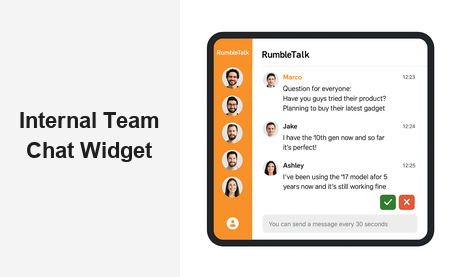
An internal team chat widget is no longer a nice-to-have — it is a foundational tool for any platform that wants to keep teams connected, informed, and productive in real time. Whether you manage a membership site, a corporate intranet, an e-learning platform, or a SaaS product with multiple collaborators, embedding a dedicated internal team chat widget removes friction, eliminates context-switching, and keeps conversations where work actually happens. RumbleTalk’s internal team chat widget gives platform owners the flexibility and control to deploy a powerful group chat experience without rebuilding their infrastructure from scratch.
What Is an Internal Team Chat Widget?
An internal team chat widget is an embeddable chat interface that sits inside your web application or platform, giving team members a dedicated space to communicate in real time. Unlike third-party messaging apps like Slack or Microsoft Teams, an embedded team chat solution lives directly within your product — meaning users never have to leave your platform to collaborate. For platform owners and product managers, this distinction is critical. When team chat is part of your product, you control the experience: who can join, what gets said, and how conversations are structured.
RumbleTalk delivers this through a fully hosted, API-friendly chat solution that integrates with any website or web application in under an hour. There is no backend infrastructure to provision, no WebSocket server to maintain, and no scaling concerns to manage on your end.
Key Capabilities of a Team Chat Widget
- Real-time group messaging — team members communicate instantly without page refreshes or polling delays
- Role-based moderation — admins can mute, ban, or remove users without disrupting the conversation flow for everyone else
- SSO and authentication — connect the chat to your existing user management system so identities are always verified
- Multiple chat rooms — segment discussions by team, project, department, or topic with no additional cost per room
- Customizable UI — match the chat widget to your brand colors, fonts, and layout so it feels like a native feature
- Message history and search — team members can scroll back through previous conversations to retrieve decisions and context
Why an Embedded Internal Team Chat Widget Outperforms External Tools
Most teams default to external messaging applications for internal communication. That approach works — until your team is switching between five different tabs just to complete a single task. An internal team chat widget embedded directly in your platform solves this problem by centralizing communication where work already happens.
Consider a corporate training platform where instructors and learners need to discuss course content. If chat lives in an external tool, learners abandon the learning experience every time they need to ask a question. If chat is embedded as an internal team chat widget, the question happens in context — tied to the course, the moment, and the material. Completion rates go up, engagement stays high, and the platform feels cohesive rather than cobbled together from third-party services.
The same dynamic applies across virtually every platform type where collaboration is a core feature:
- SaaS tools — give users a built-in channel for team coordination without sending them to another app
- Membership sites — enable community dialogue and team communication without third-party dependencies
- E-learning platforms — keep students and instructors connected during both live sessions and asynchronous study
- Project management tools — attach chat threads to projects, tasks, or milestones so context is never lost
- Healthcare portals — facilitate secure internal staff communication within compliance-friendly environments
- Partner and vendor portals — give external collaborators a structured channel inside your platform rather than relying on email
How RumbleTalk Powers the Internal Team Chat Widget
RumbleTalk is built specifically for platform owners who need a production-ready team chat widget without months of custom development. The platform provides a hosted chat backend, a JavaScript embed snippet, and a comprehensive admin panel — designed so you can go from zero to live chat in under an hour. Every feature that teams actually need is available out of the box, with no enterprise contract required to unlock core functionality.
Members Chat: The Right Foundation for Internal Teams
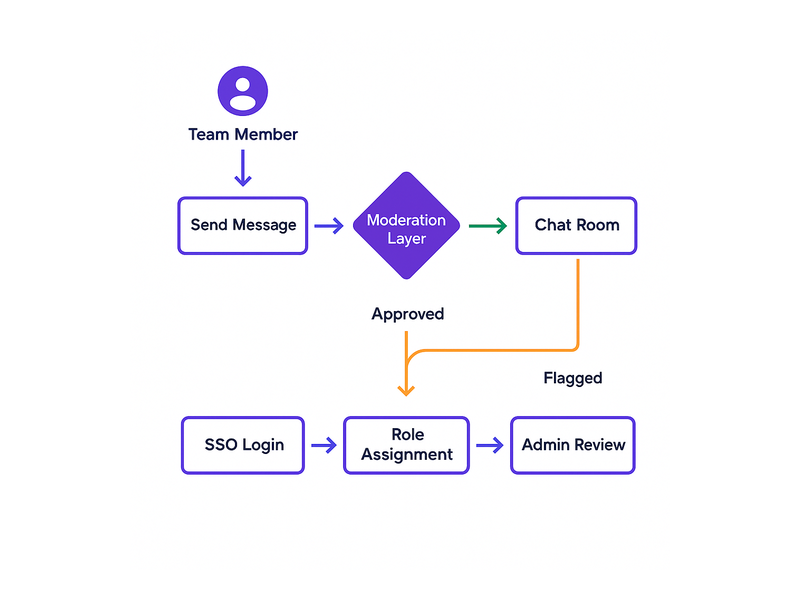
RumbleTalk’s Members Chat is the ideal foundation for an internal team chat widget. It connects directly to your user authentication system, so only registered and verified team members can access the chat. Participants are identified by their real names and roles — no anonymous handles, no unauthorized access. Admins can assign different permission levels, create private rooms for specific teams, and manage the entire chat environment from a single dashboard without touching any code.
This makes Members Chat particularly powerful for B2B platforms where access control is non-negotiable. HR portals, internal company tools, partner platforms — any environment where you need verified, role-aware communication benefits from this approach to embedded team chat.
Admin Controls and Moderation Built for Teams
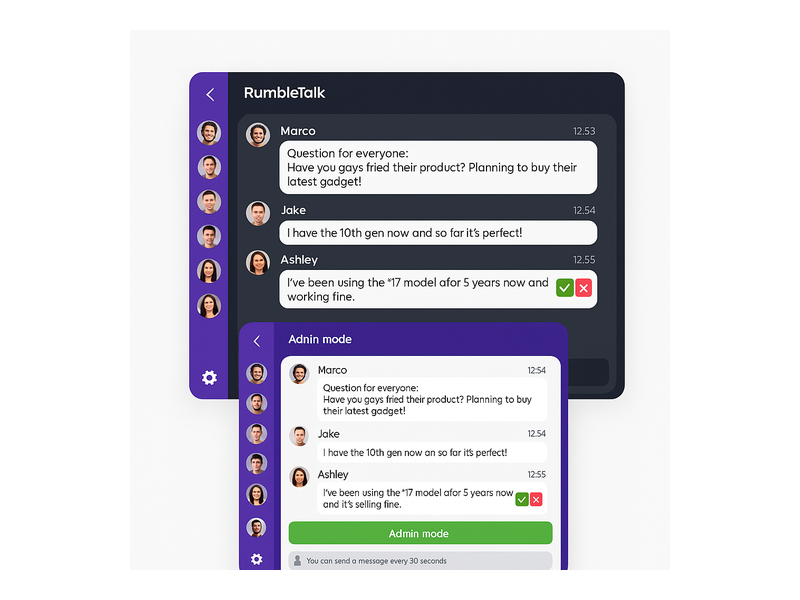
A team chat widget without robust moderation is a liability. RumbleTalk gives admins granular, real-time control over every conversation. Moderators can:
- Enable Admin mode to switch the room to broadcast-only during all-hands meetings or announcements
- Mute individual users or apply a cooldown timer to prevent message flooding in high-volume sessions
- Delete messages that violate team communication policies with a single click
- Ban users who breach conduct rules — either temporarily or permanently
- Approve messages before they appear publicly using the Moderated Q&A mode, perfect for structured team briefings
- View a full activity log of moderation actions for accountability and audit purposes
These controls are available in real time from any device, without requiring technical knowledge. A team lead or HR manager can moderate the internal team chat widget just as confidently as a developer can configure it. That accessibility is what separates a purpose-built solution from a generic messaging SDK.
Single Sign-On Integration
For enterprise platforms, identity management is critical. RumbleTalk’s internal team chat widget supports SSO authentication, allowing users to access the chat with the same credentials they already use for your platform. There is no separate login, no duplicate account management, and no friction for end users who simply want to send a message.
As explored in our post on Chat SSO Integration for Websites, connecting your authentication system to your chat widget ensures that every participant is verified before they enter any conversation. For internal team use cases — especially in regulated industries like finance, healthcare, and legal services — this level of identity assurance is not optional.
Use Cases: Internal Team Chat Widget Across Industries
The demand for embedded internal team communication spans virtually every vertical. Here is how different platform types are deploying a team chat widget to meaningful business effect:
Corporate Learning and Training Platforms
Corporate training platforms use an internal team chat widget to support cohort-based learning journeys. Instructors open live Q&A sessions embedded directly in the course interface, while learners collaborate in peer chat rooms between sessions. RumbleTalk’s Queued Chat feature is particularly useful here — it manages the flow of questions so that every voice gets heard without the conversation becoming chaotic. Participants submit questions into a queue, and the instructor or moderator works through them in order, keeping the session structured and productive.
Virtual Events and Company All-Hands Meetings
Large organizations running virtual all-hands meetings or company-wide town halls need a team chat widget that scales without degrading. RumbleTalk handles thousands of simultaneous users without performance issues, making it practical for company-wide events. Moderators can switch between open discussion and broadcast-only mode depending on the session agenda — a keynote presentation can be followed immediately by an open Q&A, with a single click to transition between modes.
SaaS Products with Collaboration Features
SaaS platforms looking to add internal team communication to their feature set can embed RumbleTalk’s chat widget via a single JavaScript snippet. The internal team chat widget becomes a native part of your product, branded with your colors and tied to your user accounts. No external chat dependency, no data leaving your control, and no separate vendor relationship for your customers to manage.
Healthcare and Compliance-Sensitive Environments
Internal team communication in healthcare environments demands strict access controls and audit-ready message logs. RumbleTalk’s internal team chat widget supports role-based access, SSO authentication, and moderation logging — making it a practical fit for telehealth platforms, hospital staff portals, and health-tech SaaS tools where patient privacy and staff accountability intersect.
Setting Up Your Internal Team Chat Widget with RumbleTalk
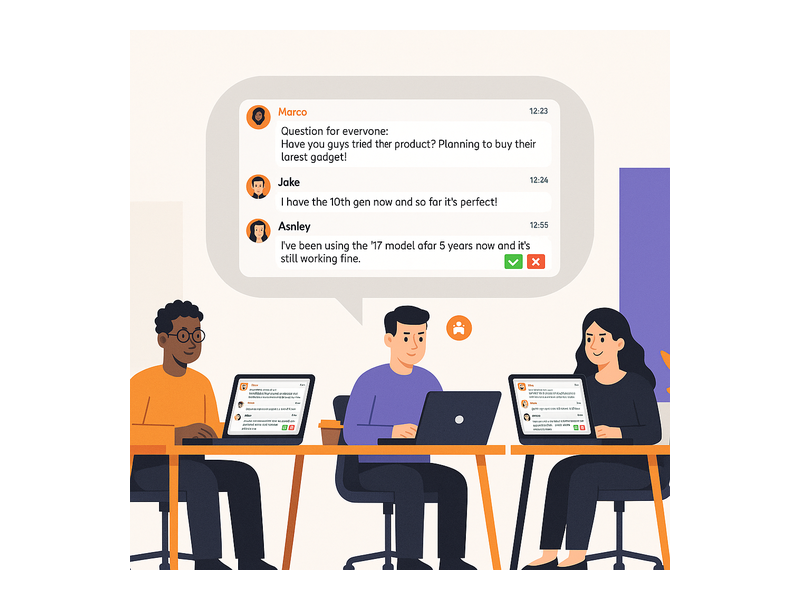
Getting started with RumbleTalk’s internal team chat widget is a straightforward process. Platform owners do not need to provision servers, manage chat infrastructure, or hire backend engineers. RumbleTalk hosts everything — you configure it and embed it.
Step-by-Step Setup Overview
- Create your chat room — set it up in the RumbleTalk admin panel and choose Members Chat for internal team use cases
- Configure access rules — define who can enter the chat and what role-based permissions apply to each user type
- Connect your authentication system — use SSO or RumbleTalk’s API to pass verified user identity from your platform
- Embed the widget — paste a single JavaScript snippet into your page, app shell, or CMS template
- Customize the UI — adjust colors, fonts, layout dimensions, and feature visibility to match your brand
- Assign moderators — designate team leads or admins as moderators with full real-time control over every room
The RumbleTalk getting started guide walks through each of these steps in detail, with screenshots and configuration examples covering the most common deployment scenarios for internal team chat.
Measuring the Business Impact of an Internal Team Chat Widget
Embedding a team chat widget is not just a user experience improvement — it is a measurable business investment. Platforms that add embedded internal communication consistently report tangible outcomes across engagement, retention, and operational efficiency metrics:
- Higher session duration — users stay engaged longer when communication is integrated into the workflow rather than requiring a tab switch
- Faster decision-making — real-time team discussion eliminates the delays caused by email threads and asynchronous back-and-forth
- Reduced churn — platforms with strong built-in communication features retain subscribers significantly longer than those without
- Increased feature adoption — when users can ask questions in context, they discover and use more of your platform’s capabilities, reducing time-to-value
- Lower support volume — peer-to-peer team chat reduces inbound support load by enabling users and team members to help each other in real time
These outcomes compound over time. An internal team chat widget that improves daily active engagement by even a few percentage points translates into measurable revenue impact at scale, especially on subscription-based platforms where monthly recurring revenue is tied directly to engagement depth.
Choosing the Right Internal Team Chat Widget for Your Platform
Not all embedded team chat solutions are built to the same standard. When evaluating options for your platform, prioritize the following criteria to avoid building on a foundation that will require replacement as you grow:
- Hosting reliability — the team chat widget should be available whenever your platform is, without requiring you to manage uptime, redundancy, or failover
- Scalability — the solution must handle your peak concurrent user load without performance degradation or rate-limiting surprises
- Security and access control — SSO, role-based permissions, and audit logging are non-negotiable for enterprise and regulated environments
- Moderation tooling — admin controls must be accessible to non-technical moderators, not just developers, or they simply will not get used
- Customization depth — the chat widget should feel like a native feature of your product, not an obvious third-party bolt-on
- API and webhook access — for advanced integrations, the chat platform should expose APIs for user management, message retrieval, room configuration, and event hooks
RumbleTalk meets every one of these requirements. It is designed specifically for platform owners — not as a standalone messaging app for end users, but as an embeddable internal team chat widget that becomes a productive component of your product ecosystem from day one.
Start Embedding Your Internal Team Chat Widget Today
If your platform depends on team communication — and virtually every B2B platform does — then adding an internal team chat widget is one of the highest-leverage product investments available to you. It reduces friction, accelerates collaboration, and gives you the moderation controls needed to keep conversations structured and professional at any scale.
RumbleTalk makes the path from decision to deployment as short as possible. Whether you are launching a new collaboration feature or upgrading an existing chat implementation, RumbleTalk provides everything required: hosted infrastructure, a powerful admin panel, SSO authentication support, multi-room management, and a fully embeddable widget compatible with any web technology stack.
Visit RumbleTalk to explore the platform, request a live demo, and see firsthand how an internal team chat widget can transform communication across your platform. Your team’s next productive conversation is one embed away.