
Radio has always been about connection — between a host and their audience. But in a world where listeners are streaming your show on a browser tab, a podcast app, or a station website, the one-way broadcast model leaves audience energy on the table. A live radio show chat changes that dynamic completely, turning passive listeners into active voices who shape the conversation in real time.
Why Radio Shows Need a Live Chat Widget
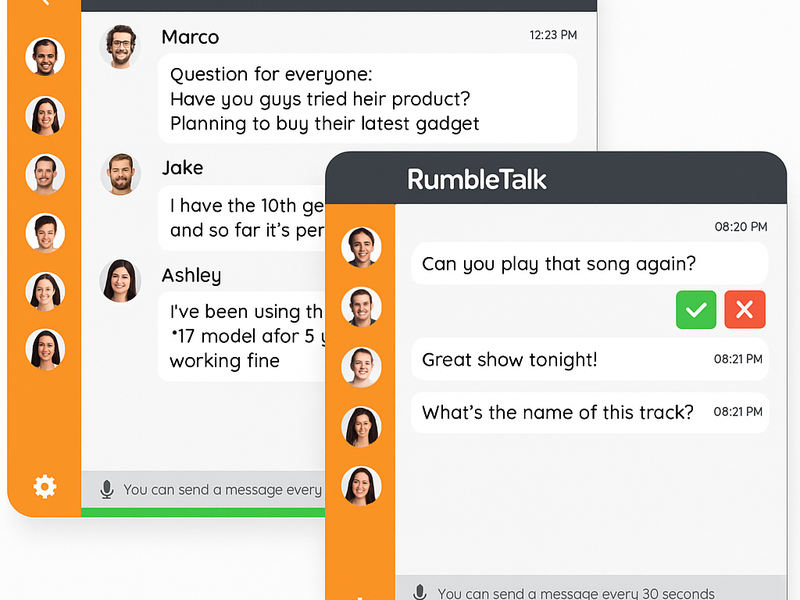
Listener call-ins had their moment, but they don’t scale and they don’t fit how modern audiences engage. Today’s radio listeners expect to participate — sending reactions, asking questions, and connecting with other fans — all without leaving your website. Embedding a radio show chat widget directly on your broadcast page keeps your audience on your property, extends session time, and creates a community around every episode.
For station managers and podcast producers alike, the business case is clear:
- Higher retention: Listeners who are chatting stay tuned longer.
- Audience data: Chat activity reveals what topics and segments generate the most buzz.
- Sponsorship value: An engaged, visible audience is more attractive to advertisers.
- Community loyalty: Regular chatters become regulars — your most valuable listeners.
How RumbleTalk Powers Radio Show Chat
RumbleTalk is a group chat platform built for exactly this kind of live, high-stakes engagement. You get a fully embeddable chat widget that can be live on your station’s website in minutes — no developer required. Here’s what makes it the right choice for radio:
Moderated Q&A for On-Air Interaction
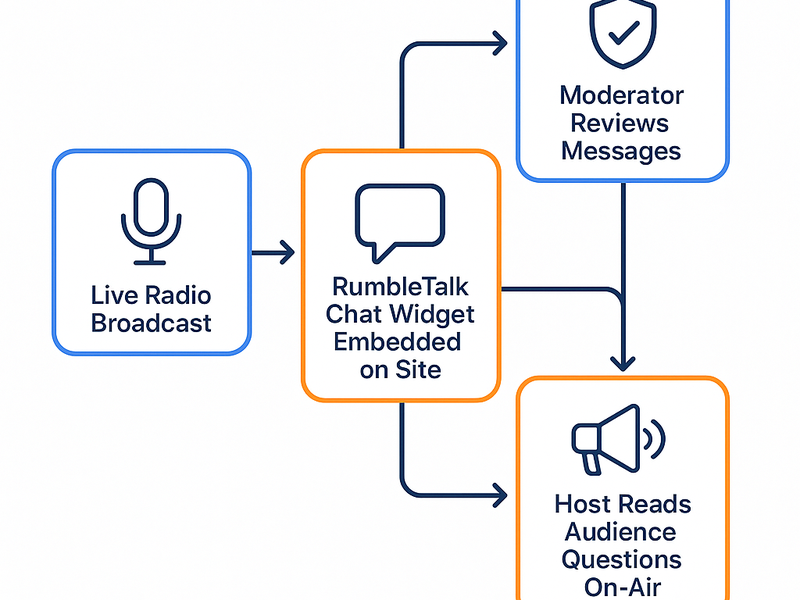
Want to take audience questions on air? RumbleTalk’s Moderated Q&A chat type lets your producer screen every message before it goes public. Only approved questions appear in the feed, so your host always has a clean, curated list to work from. No spam, no trolls, no awkward moments — just the best questions from your most engaged listeners.
Group Chat for Community Energy
For shows that thrive on real-time banter and listener interaction, the Group Chat mode is ideal. All messages flow live, creating the electric feel of a shared listening room. Admins can still mute individuals, delete messages, or slow down the chat rate with a cooldown timer — giving you control without killing the energy.
Members Chat for Premium Listener Tiers
Subscription-based radio shows and podcast memberships can use Members Chat to create exclusive chat rooms for paying supporters. Gating access is as simple as passing a login token — no custom development needed. This gives premium members a tangible reason to upgrade and a space to feel like VIPs.
Queued Chat for Structured Call-In Replacement
RumbleTalk’s Queued Chat mode works like a virtual call queue. Audience members submit messages that line up in order, and the host or producer works through them one by one. It replicates the structure of a traditional call-in segment with the speed and convenience of text — and without the dropped calls.
Setting Up Your Radio Show Chat in Three Steps
- Create your chat room — Log into RumbleTalk, choose your chat type (Group Chat, Moderated Q&A, etc.), and customize the appearance to match your station’s brand colors and logo.
- Embed on your broadcast page — Copy the provided embed code and paste it into your website’s HTML. The widget is responsive and works on desktop and mobile. No plugins, no dependencies.
- Go live with your audience — Assign a moderator admin role to your producer, start your broadcast, and let the conversation run alongside your show. Monitor the chat from the admin panel in real time.
Best Practices for Radio Show Chat Moderation
A live radio show chat moves fast. Here are the practices that keep it valuable rather than chaotic:
- Assign a dedicated moderator — Your host is talking; your producer should be watching the chat and surfacing the best messages.
- Use the slowdown timer — During peak moments, limit how often each user can post. This prevents spam floods without banning anyone.
- Pre-seed the conversation — Post a welcome message and the show’s topic before going live so early arrivals have something to react to.
- Read messages on air — Even reading one or two chat comments per segment signals to listeners that their messages matter, which spikes participation dramatically.
Radio Show Chat Beyond the Live Broadcast
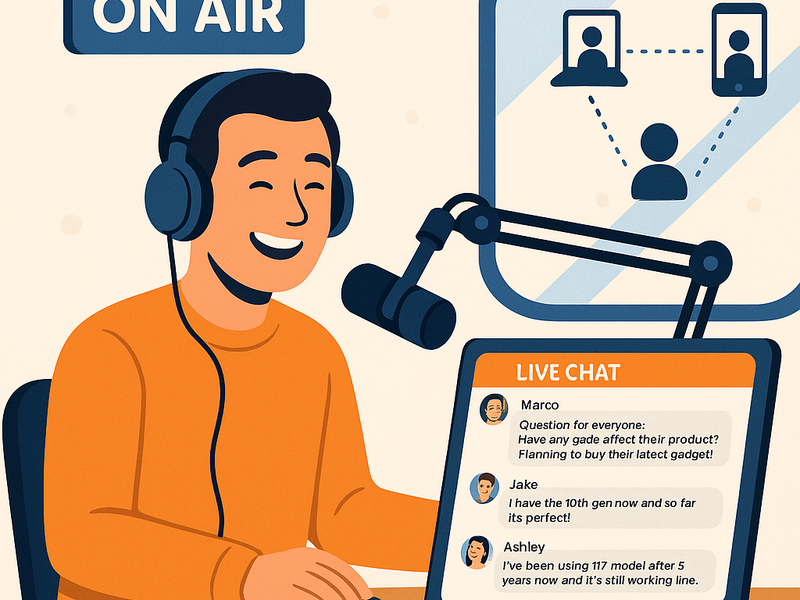
The chat room doesn’t have to go dark when the mic cuts off. Leave it open as a listener lounge between episodes, use it during re-run streams, or activate it for special Q&A sessions with guests. A persistent chat community on your broadcast page keeps listeners coming back every day — not just when a new episode drops.
You can also use RumbleTalk’s Social Chat mode to let listeners log in with their existing social accounts (Google, Facebook, etc.), reducing sign-up friction and making it easier for new visitors to jump right into the conversation.
Ready to Add Live Chat to Your Radio Show?
RumbleTalk makes it simple to bring a live radio show chat to any website — no IT team, no long setup process, no compromise on moderation control. Whether you’re running a talk radio station, a niche podcast, or a live-streamed audio show, RumbleTalk gives you the tools to turn your audience from listeners into a community. Visit rumbletalk.com to start your free trial and go live with your audience today.