
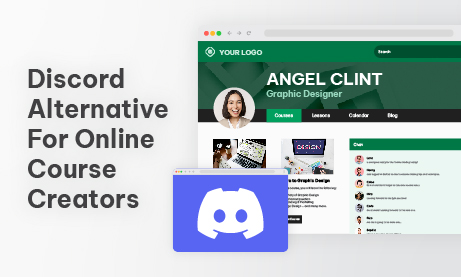
A Discord alternative for online course creators is an embedded, moderated community chat tool that integrates directly with your course platform, restricts access to enrolled students, and presents a clean, professional environment that matches the look and feel of your brand rather than a gaming interface designed for a completely different audience.
If you run an online course, you have probably been told to build your student community on Discord. It is free, it has voice channels, it supports text chat, and your students already have accounts. On paper, it makes sense. In practice, it creates a problem that grows worse the more seriously you take your course brand and your student experience.
Discord was built for gamers!!
Its interface reflects that origin: dark backgrounds, dense channel lists, emoji reactions, server boosts, nitro badges, and a visual language that communicates a gaming community rather than a professional learning environment. For a course creator running a business skills program, a design school, a medical education platform, or a corporate training product, this aesthetic mismatch is not a small thing. It signals to students that the community experience is an afterthought, bolted on from a platform built for something else entirely.
This guide covers what online course creators actually need from a student community chat tool, why Discord fails to deliver it, and how a purpose-built embedded chat solution creates the clean, professional, integrated community experience that serious course platforms require.
The Discord Aesthetic Problem for Professional Course Platforms
First impressions in online education matter enormously. A student who pays for a professional course has a mental model of what that experience should look and feel like. Clean design, consistent branding, a focused learning environment. Every touchpoint, from the course platform to the community space, contributes to whether the student perceives they have made a good investment.
Discord’s interface actively works against this perception. The platform is visually busy by design. Multiple server columns, channel lists, notification badges, member status indicators, server boost prompts, and promotional banners create a visual noise level that is appropriate for a gaming community where high stimulation is the point. It is entirely inappropriate for a focused learning environment where clarity and concentration are the goals.
Beyond the visual noise, Discord’s branding is inescapable. The Discord logo, the Wumpus mascot, the unmistakable interface conventions: all of it signals Discord, not your course. Students are not in your learning community. They are in a Discord server that happens to be about your course. The distinction sounds subtle, but students feel it. The platform identity overwhelms the course identity every time.
For course creators who have invested in building a professional brand, a polished course platform, and a considered student experience, sending students to Discord for community is the equivalent of hosting your course videos on a gaming streaming platform. The content might be excellent. The context undermines it.
The Integration Problem: Discord Lives Outside Your Platform
Beyond aesthetics, Discord creates a structural problem for course creators: it exists outside your platform. Students must leave their course environment, open a separate application or tab, log in to Discord separately, and navigate to their server to access the community. Every one of those steps is a friction point that reduces community participation.
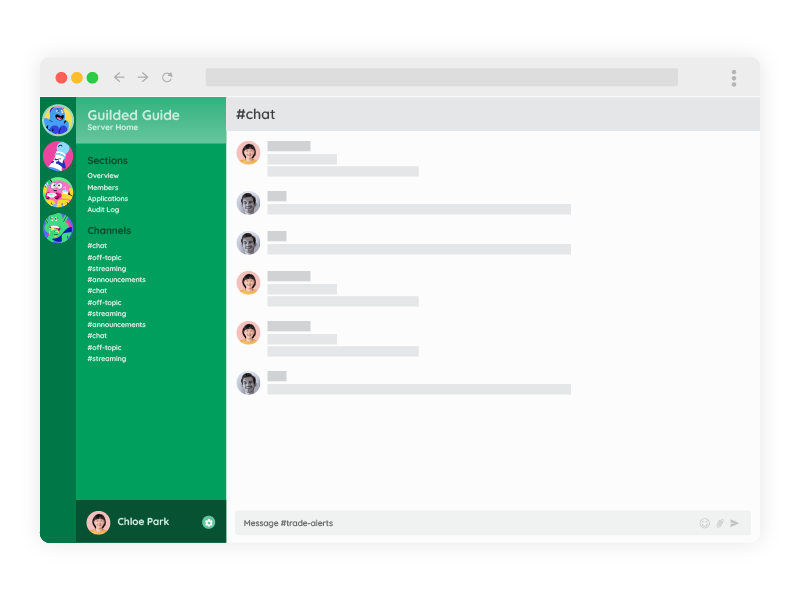
The research on online learning engagement is consistent: community participation drops sharply when it requires leaving the learning environment. Students who are mid-lesson and have a question do not want to switch applications, find the right Discord channel, and re-establish context. They want to ask the question of where they are. If the community is embedded in the course platform, they ask. If it requires switching to Discord, most do not bother.
There is also an identity problem. Discord requires a separate account. A student enrolled in your course has an account on your platform. Asking them to create and maintain a second account on Discord introduces an unnecessary friction that disproportionately affects less technically confident students, exactly the learners who most need community support.
The Access Control Problem: Discord Cannot Verify Enrollment
A student community should be restricted to enrolled students. This is both a quality control issue and a revenue protection issue. Non-students in your community dilute the discussion quality, create support obligations you have not been paid for, and, in some cases, access course-adjacent content, assignment discussions, or peer feedback that is part of the paid learning experience.
Discord cannot verify enrollment in your course. You can manually add students to a Discord server, manually remove them when they refund or their access expires, and manually manage role permissions for different course tiers. This works for a course with ten students. It breaks down completely at fifty and becomes a significant operational burden at hundreds or thousands of enrolled learners.
An embedded chat tool that acts as a Discord alternative for online course creators connected to your course platform through an API handles this automatically. When a student enrolls, they gain community access. When their access expires, they lose it. After they upgrade to a higher course tier, they get access to the appropriate community spaces. No manual intervention required. The access control reflects the enrolment state automatically.
What Course Creators Actually Need from a Community Chat
The requirements of an online course community are specific and different from what Discord was built to serve. Understanding them makes it clear why a purpose-built embedded solution that acts as a Discord alternative for online course creators is the right tool.
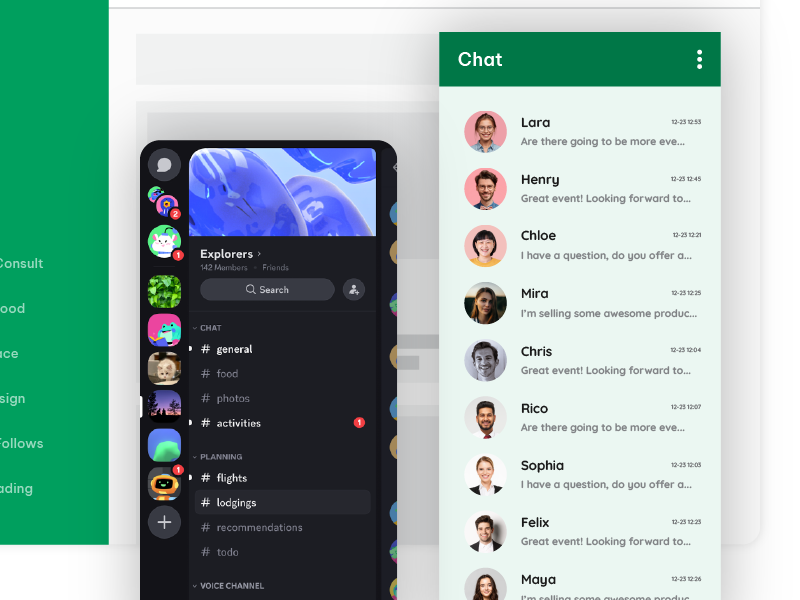
- Clean, branded interface. The community space should reflect your course brand: your colours, your logo, your typography. Students should feel they are in your learning environment, not in a gaming platform with your name on a channel.
- Enrollment-gated access. Only students who have paid and are actively enrolled should have access. Access should be provisioned and revoked automatically based on enrollment status.
- Embedded in the course platform. The community chat should be accessible without leaving the course. Ideally, it lives alongside the lesson content, not on a separate platform requiring a separate login.
- Moderated discussion. Student community discussions need oversight. Off-topic content, misinformation about course content, and peer conflicts need to be manageable by the course team without relying on Discord’s basic moderation tools.
- Instructor presence. The course instructor or teaching assistants need to be clearly identifiable in the community, with tools to post announcements, answer questions, and engage with the student cohort in a structured way.
- No noise, no gaming culture. The interface should have no features that are irrelevant to learning: no server boosts, no nitro promotions, no gaming status indicators, no visual complexity that distracts from the discussion.
Moderated Chat: Keeping the Learning Community Focused
Student communities have a natural tendency toward off-topic drift. A course on digital marketing will have students sharing memes about their industry. A coding bootcamp community will have threads about tool preferences that have nothing to do with the curriculum. A business skills program will have students discussing current events. Some of this is healthy community building. Too much of it buries the course-relevant discussion that actually helps students learn.
RumbleTalk’s Queued Chat mode gives the course team full control over what appears in the community chat. All messages go to a moderation queue before appearing publicly. A teaching assistant reviews submissions and approves the ones that contribute to the learning community. Off-topic content, duplicate questions already answered in the course FAQ, and anything else that adds noise rather than value are rejected before it reaches other students.
For live webinar sessions and Q&A calls: Queued Chat is particularly valuable. Students submit questions throughout the session. The instructor or their assistant manages the queue, surfacing the best questions at the right moment in the session rather than managing a live fire hose of unfiltered student messages. The result is a structured, high-quality Q&A that serves the whole cohort rather than the fastest typers.
For community spaces where more open discussion is appropriate, Social Chat mode allows free conversation with moderation tools available when needed: keyword filters, instant user management, and admin oversight without pre-approving every message.
Members Chat: Enrollment-Gated Access That Actually Works
Members Chat restricts the community to authenticated users only. Connected to your course platform through the SDK auto-login, the authentication uses your existing student accounts rather than requiring a separate Discord login. A student who is enrolled and logged into your course platform is automatically present in the community chat under their student name. A student whose enrollment has expired cannot access the chat at all.
For multi-course platforms, this extends to course-specific communities. A student enrolled in Course A has access to Course A’s community room. They do not have access to Course B’s community unless they are also enrolled there. Each community space is automatically populated by the correct enrolled cohort and gated away from everyone else.
This is the access control that Discord cannot provide. The manual effort of adding and removing Discord server members is replaced entirely by automatic enrollment-based provisioning. The course team focuses on teaching. The platform handles access.
The Admin Panel: Instructor and TA Tools for Community Management
Course instructors and teaching assistants need community management tools that match their role. They are not Discord server administrators. They are educators who need to post announcements, answer questions, and manage student interactions without learning a complex platform configuration.
What the course team manages from the admin panel:
- Pinned announcements: course updates, assignment deadlines, live session links, and instructor messages are posted at the top of the chat and are visible to all students immediately.
- Question moderation queue: reviewing student questions during live sessions and surfacing the best ones to the instructor in sequence, creating a structured Q&A without chat chaos.
- Student management: muting or removing students who are disruptive to the learning environment, with immediate effect across all community spaces.
- Cohort monitoring: seeing which students are active in the community, identifying learners who are disengaged and may need outreach, and tracking community health across the enrolled cohort.
- Post-session archive: the complete chat history from each live session is available for students who missed the session and for the course team to review common questions for future curriculum improvements.
Clean Design: What a Professional Course Community Should Look Like
RumbleTalk’s visual editor allows complete customization of the chat interface. The community chat can match your course platform’s color scheme, display your logo, use your typography, and present a visual identity that is entirely yours. There are no Discord brand elements, no gaming interface conventions, no visual noise from platform features that are irrelevant to learning.
The result is a community space that students experience as part of their course rather than as an external tool they are redirected to. The design continuity between your course content and your community space reinforces the perception that the entire learning experience is considered and professional. This matters for student confidence in their investment and for the premium positioning that serious course creators work to establish.
For corporate training programs and professional certification courses, this is not just a preference. A gaming platform that resembles a community space creates a genuine credibility problem when professionals position the learning content for development. Clean, branded, purpose-built is not a luxury in this context. It is a baseline requirement.
Real-World Use Cases for Course Community Chat
Cohort-Based Online Course
A cohort-based course running over eight weeks uses Members Chat restricted to enrolled students for that cohort. Each weekly live session uses Queued Chat mode for the Q&A segment, with a teaching assistant managing the question queue throughout the session. Between sessions, the chat remains open for peer discussion and assignment questions. At the end of the cohort, the community space archives automatically and a new room opens for the next intake. The course brand is consistent throughout. No student ever sees a Discord interface.
Multi-Course Platform with Separate Student Communities
A platform offering five different courses uses separate Members Chat rooms for each course community, all connected to the platform’s central authentication system via auto-login. Students enrolled in multiple courses can access multiple community rooms. Students enrolled in one course cannot access any other. The team applies the platform’s visual branding consistently across all community rooms. Instructors manage their course community from the admin panel without needing technical access to the platform backend.
Corporate Training Program
A corporate L&D team runs a professional development program for client companies. Each client company has a separate, branded community space for their participants. The clean interface is essential. The company sells the program to senior professionals who would find a Discord-style gaming interface jarring and off-brand for a premium corporate training product. The moderated chat keeps discussions focused on the program content. The REST API creates and archives cohort communities automatically as new client groups enroll.
How to Set Up Your Course Community Chat
- Create a RumbleTalk account at rumbletalk.com and configure a Members Chat room for your first course community.
- Apply your course branding using the visual editor: your colors, logo, and design language, creating a seamless extension of your course platform.
- Connect auto-login via the SDK to your course platform’s authentication system so enrolled students join the community automatically without a separate registration.
- Configure access by enrolment: map each course community room to the corresponding enrolled student group. Therefore, access is automatically provisioned and revoked based on enrolment status.
- Set up Queued Chat for your live session Q&A segments and Social Chat for between-session community discussion.
- Assign teaching assistants to the admin panel as moderators for each course community room.
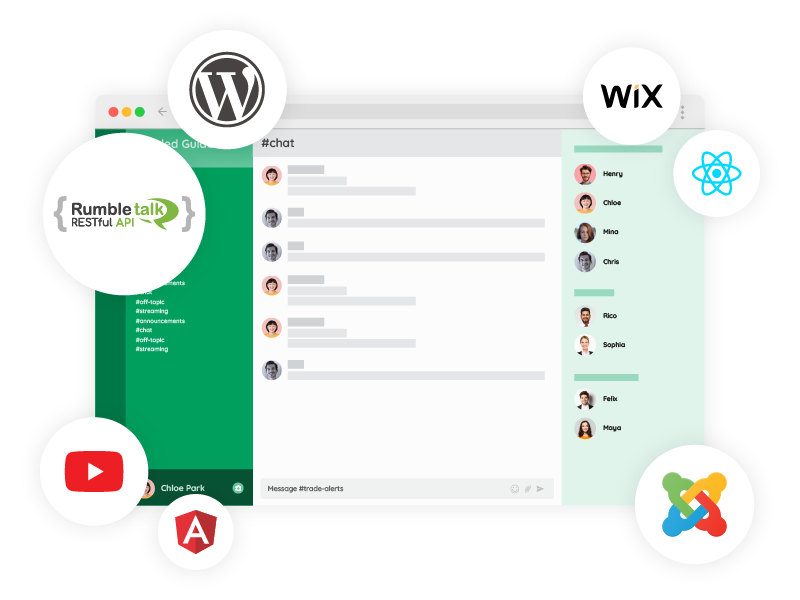
- Embed the chat widget directly on your course platform page so students access the community without leaving the learning environment.
- Use the REST API to automate community room creation for each new course cohort as it opens for enrolment.
Frequently Asked Questions
Why is Discord not the best for online course communities?
Developers designed Discord for gaming communities, and its interface reflects that origin: dark, visually noisy, and full of gaming-culture features that are irrelevant and off-brand for professional learning environments. It also requires a separate login, cannot verify course enrollment automatically, and lives outside your course platform, creating friction that reduces student community participation. For course creators investing in a professional brand and student experience, Discord sends the wrong signal about the quality of the product.
What is the best Discord alternative for online course creators?
The best Discord alternative for online course creators is an embedded chat tool that integrates with your existing course platform authentication, restricts access to enrolled students automatically, presents a clean branded interface with no gaming-platform visual noise, and gives instructors and teaching assistants practical moderation tools for managing student discussions and live session Q&A. RumbleTalk provides all of these through Members Chat, SDK auto-login, and a fully customisable chat interface.
How do I restrict my course community to enrolled students only?
Use Members Chat connected to your course platform via the SDK auto-login. Students who enroll and log into your platform automatically authenticate themselves in the community chat. Students whose enrolment has expired lose access automatically. Non-enrolled visitors cannot read or participate in the community. The system fully automates access control based on your enrolment status in the existing course management system.
Can I brand this Discord alternative for online course creators to match my course platform?
Yes. RumbleTalk’s visual editor allows complete customisation of the chat interface: your colour scheme, logo, and design language. There are no Discord brand elements or gaming interface conventions. The result is a community space that looks and feels like part of your course platform rather than a third-party tool. This reinforces the professional brand you have built around your course content.
How do I manage Q&A during a live course session without Discord noise?
Use Queued Chat mode for live session Q&A segments. Student questions go to a moderation queue rather than appearing immediately in the chat. A teaching assistant reviews submissions throughout the session and surfaces the best questions to the instructor in sequence. The instructor receives a curated stream of pre-selected questions at the right moments in the session, rather than trying to read and respond to a live flood of simultaneous student messages.
Does the course community chat work on mobile?
Yes. The RumbleTalk chat widget is fully responsive and works on smartphones and tablets without a separate app download. Students accessing your course on mobile have the same full community chat experience as desktop users. With auto-login enabled, this Discord alternative for online course creators automatically authenticates enrolled students on any device they use to access your course platform.
Ready to replace Discord with a Discord alternative for online course creators that actually fits your course brand? Create your free RumbleTalk account at rumbletalk.com and have your first enrolled-student community running before your next cohort opens.