

Adding secure 1on1 chat to your website can dramatically improve engagement, trust, and user retention.
Whether you run a SaaS platform, membership community, advisory service, online course, or networking site, users increasingly expect private, real-time communication.
The challenge? Building a 1on1 chat system from scratch is complex.
You would need:
– Real-time messaging infrastructure
– Authentication logic
– Role-based permissions
– Secure session handling
– Message routing
– UI design
– Scalability planning
– Ongoing maintenance
Instead of building everything internally, the smarter approach is integrating a secure 1on1 chat system directly into your existing platform. Before discussing integration, it’s important to understand the three primary 1on1 chat models and how each one serves different business goals.
Expert 1on1 Chat (Admin-to-User Conversations)
This model is designed for structured, professional one on one communication.
In this setup:
– An expert (doctor, consultant, advisor, coach, moderator) communicates privately with users.
– The expert can manage multiple 1on1 chat sessions simultaneously.
– Users cannot privately message each other unless explicitly allowed.
– The platform maintains clear role separation.
This is ideal for:
- Medical advisory platforms
- Financial consulting websites
- Legal services
- Coaching and mentoring systems
- Premium membership communities
The key advantage of expert chat is control.
Each user knows they are communicating directly with an authorized professional.
This builds trust and ensures conversations remain focused and structured.
From a platform perspective, you can:
– Assign expert roles
– Limit private chat initiation to admin accounts
– Prevent user-to-user private messaging
– Monitor active sessions
– End conversations when necessary
This makes expert chat highly suitable for regulated or professional industries where accountability matters.
1on1 Chat Within a Group Chat Environment
This is a hybrid communication model.
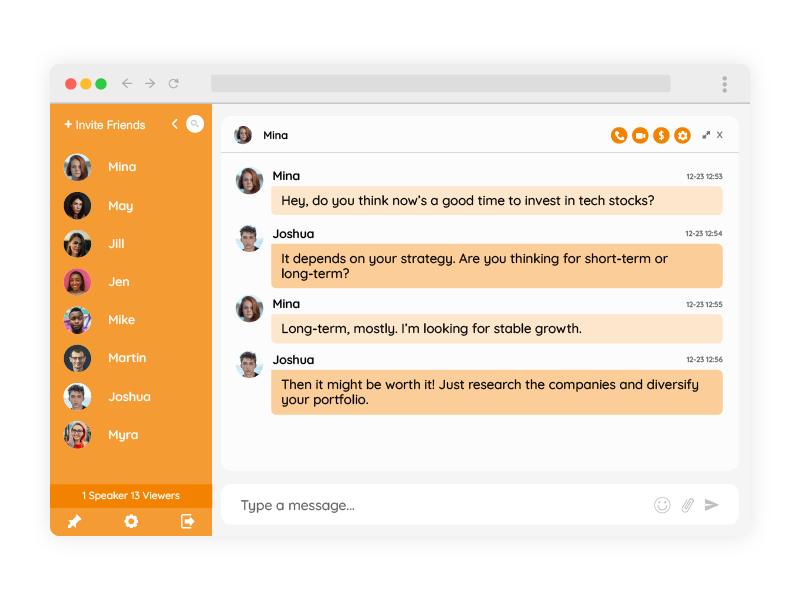
Users interact publicly inside a group chat, but they also have the ability to open private chat conversations.
However, the system can be configured in multiple ways:
- Allow everyone to privately message everyone.
- Allow users to privately message only moderators or admins.
- Allow private chat only for premium members.
- Disable private messaging entirely for certain roles.
A common configuration is restricting private chat so that only admins can be approached privately.
This prevents spam and unwanted user-to-user contact while still allowing confidential communication.
This model works especially well for:
- Trading communities
- Online classrooms
- Live webinars
- Paid membership platforms
- Professional associations
Example:
During a live group session, participants engage in public discussion.
If someone wants to ask a personal question, they can open a private chat with the moderator.
This reduces clutter in the group conversation while maintaining privacy. The strength of this model is flexibility.
You maintain a vibrant public chat space while offering secure chat when needed.
Pure Private 1on1 Chat (Mingling Model)
This third model removes group chat entirely.
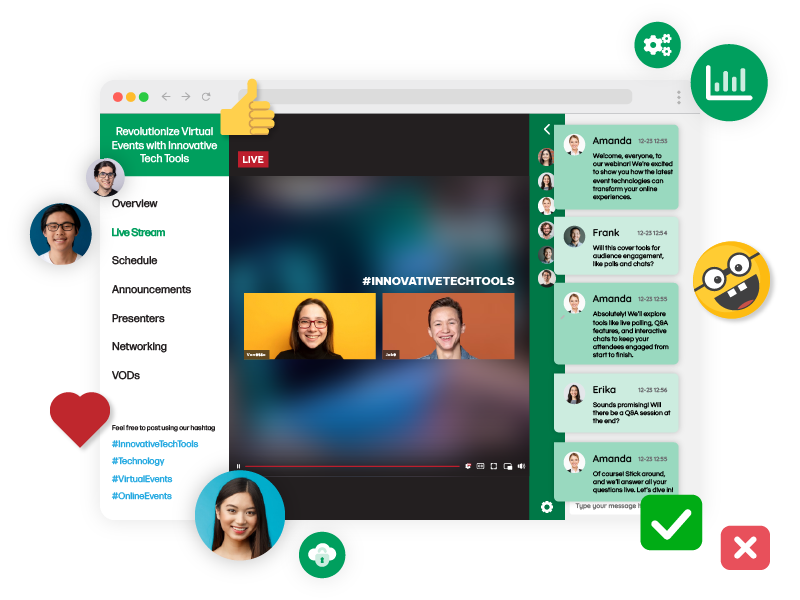
Instead, users see:
– A list of online members
– Status indicators
– The ability to start private chat conversations
This structure resembles networking or matchmaking platforms.
It is ideal for:
- Networking communities
- Dating platforms
- Mentorship matching programs
- Marketplace communities
- Alumni networks
In this setup, the entire communication experience revolves around private chat.
Users browse available members and initiate conversations individually.
There is no public discussion layer.
This model requires strong permission control and user management to ensure safety, privacy, and appropriate interaction.
What Makes 1on1 Chat Secure?
Regardless of which model you choose, a secure chat must include:
– Authenticated users
– Encrypted communication (HTTPS)
– Controlled access rules
– Role-based permissions
– Message privacy
– Moderation tools
– User blocking capabilities
Security is not just technical encryption. It also means having the ability to control who can message whom.
How to Add 1on1 Chat Without Building It From Scratch
There are two primary integration approaches when adding 1on1 chat to your website.
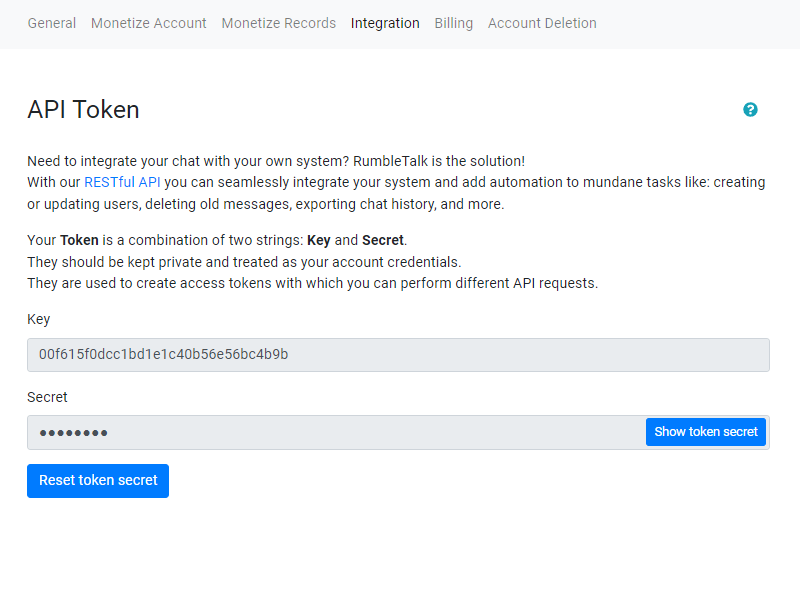
This is the simplest and most seamless option.
Here’s how it works:
– A user logs into your website.
– Your backend generates a secure authentication token.
– The chat system loads automatically.
– The user is recognized instantly without a second login.
Advantages include:
- Seamless user experience
- No duplicate authentication
- Role-based permissions
- Branded interface
- Easy embedding into existing pages
This approach allows your chat to feel like a natural part of your platform.
Designing the Right Permissions
One of the most important decisions when implementing 1on1 chat is defining permission rules.
Ask yourself:
- Can users privately message each other?
- Can only admins receive private messages?
- Can premium members access private chat?
- Can experts initiate private conversations?
- Can users block each other?
Clear permission logic prevents abuse and improves user experience.
Scaling 1on1 Chat as Your Platform Grows
When your user base expands, your 1on1 chat system must handle:
– Concurrent conversations
– Fast message delivery
– Reliable uptime
– Mobile compatibility
– International users
Choosing an integrated chat solution ensures you don’t have to manage server infrastructure or real-time architecture yourself.
Monetization Opportunities
Secure chat is not just a communication tool; it can be a revenue driver.
Examples:
- Paid expert sessions
- Premium private messaging privileges
- Subscription-based private consultations
- VIP-only private chat access
- Mentorship programs
Because 1on1 chat operates inside your own website, monetization remains within your ecosystem.
Common Mistakes to Avoid
– Allowing unrestricted private messaging in sensitive communities
– Ignoring moderation tools
– Failing to integrate automatic login
– Not clearly defining user roles
– Overcomplicating the user interface
Secure chat works best when it is simple, controlled, and clearly structured.
Key Takeaways
Adding secure chat to your website does not require building a messaging platform from scratch.
By choosing the right integration method and defining clear permission rules, you can implement:
A. Expert chat for structured professional conversations
B. 1on1 chat inside group environments with controlled access
C. Pure private mingling-style chat platforms
Each model supports different business goals.
The key is ownership and control.
When 1on1 chat is integrated properly, it becomes more than a feature. It becomes part of your product architecture, retention strategy, and growth engine.
And you achieve all of that without engineering real-time communication infrastructure yourself.