
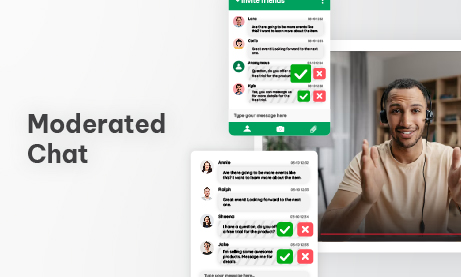
Anyone who has run a live online event with hundreds — or thousands — of attendees knows this moment:
The stream goes live.
The audience floods in.
And within seconds, the chat explodes.
Questions, reactions, emojis, spam, repeated messages, off-topic comments — all moving faster than a human brain can reasonably process.
Chat is powerful, but without structure, it quickly becomes noise.
This is where moderated chat changes everything. Not as a control mechanism, but as a way to turn raw audience energy into meaningful interaction — especially in high-traffic live events.
This post explores why chat chaos happens, how moderated chat restores clarity, and how advanced setups — like multiple parallel chat rooms — let large events scale without losing control.
Why Live Event Chats Spiral Out of Control
Live events compress time, emotion, and attention into a single shared moment. People want to react instantly — and chat becomes the outlet.
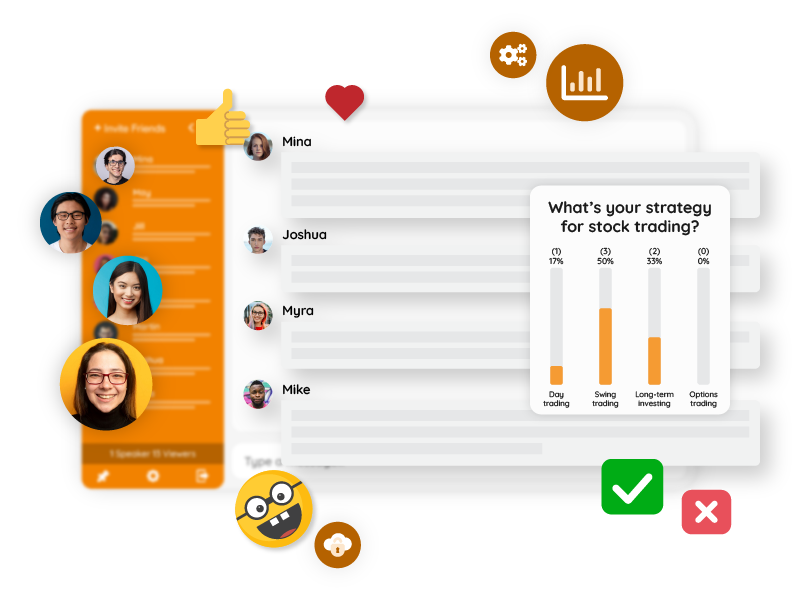
Once an event grows beyond a small group, a few patterns emerge:
- Messages arrive faster than anyone can read
- Important questions disappear within seconds
- Participants repeat themselves because they feel ignored
- Moderators fall behind
- Speakers stop paying attention to chat altogether
The result isn’t engagement — it’s fragmentation.
The irony is that the bigger the event, the more structure chat needs.
Moderated Chat: Control Without Killing the Vibe
Moderated chat is often associated with restriction, but in practice it does the opposite.
Instead of letting everything through, moderated chat focuses on:
- Relevance
- Timing
- Clarity
- Flow
Messages are still written in real time. They simply pass through a short review step before appearing publicly.
That single layer of review transforms chat from a firehose into a conversation.
The Hidden Psychology of Moderation
An interesting side effect of moderated chat is how it changes audience behavior.
When participants know their messages are reviewed:
- They think before posting
- Questions become clearer
- Tone becomes more respectful
- Spam nearly disappears
Moderation doesn’t just filter messages — it improves message quality at the source.
This creates a feedback loop: better messages → better discussion → higher perceived value for attendees.
Pre-Moderation in RumbleTalk: Full Control Without Breaking the Flow
Pre-moderation is the most structured form of moderated chat, and it’s especially useful in high-traffic, high-risk, or high-visibility live events. Instead of reacting to messages after they appear, pre-moderation ensures that nothing is published to the chat until it’s approved.
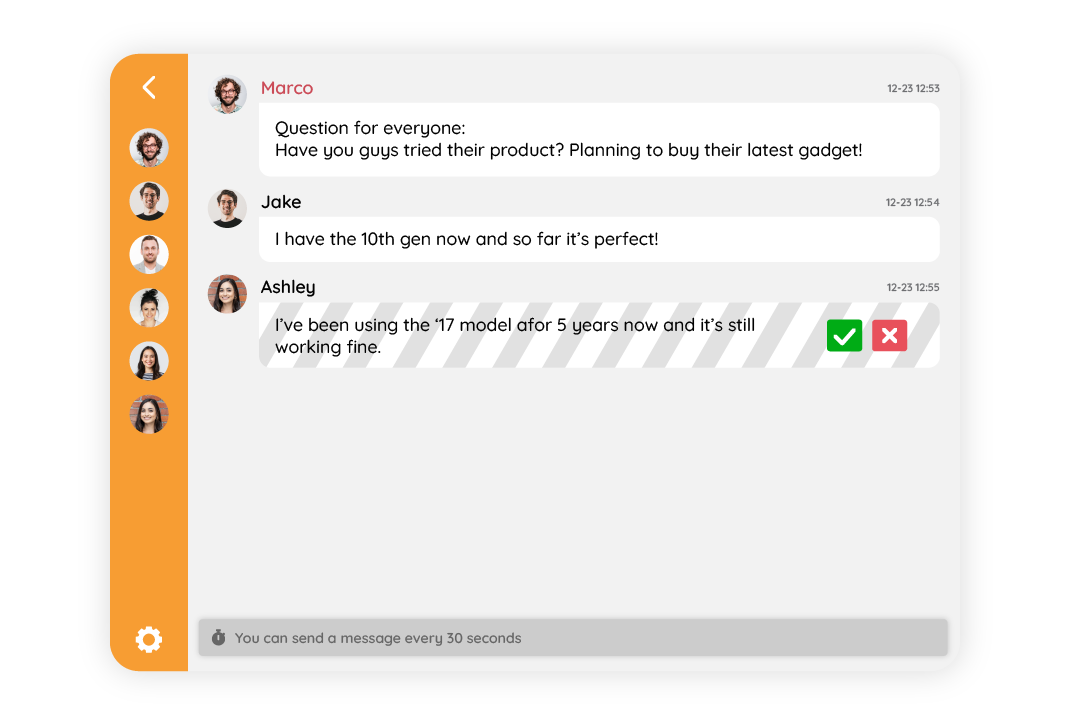
In RumbleTalk, pre-moderation is designed to feel lightweight for the audience, but powerful for the event team.
Here’s how it works in practice.
How Pre-Moderation Works During a Live Event
When pre-moderation is enabled:
- Attendees submit messages as usual
- Messages enter a private moderation queue
- Moderators review messages in real time
- Only approved messages appear in the public chat
From the user’s perspective, the experience feels natural. They type, they send, and the event continues. There are no error messages, blocks, or visible rejections — just a short delay before approved messages appear.
Behind the scenes, moderators have full visibility and control.
What Makes Pre-Moderation Different From Regular Moderation
Regular moderation often means cleaning up after messages appear.
Pre-moderation shifts moderation before visibility, which changes everything.
With pre-moderation:
- No spam ever reaches the audience
- No inappropriate messages appear even briefly
- No screenshots of “oops moments”
- No legal or brand exposure risks
This is why pre-moderation is commonly used in:
- Investor and earnings calls
- Large branded events
- Educational institutions
- Financial or medical webinars
- Events with public or anonymous access
Moderator Experience: Fast, Simple, and Scalable
Pre-moderation only works if it’s fast.
In RumbleTalk, moderators see:
- A live queue of incoming messages
- One-click approve / reject actions
- Clear separation between pending and published messages
- Multiple moderators working in parallel on the same room
This allows a small team to handle very large audiences without falling behind.
Flexible Rules Per Room or Event
Pre-moderation isn’t an all-or-nothing decision.
Event organizers can:
- Enable pre-moderation only in specific rooms
- Use it only during sensitive segments
- Combine pre-moderated main rooms with lighter breakout rooms
- Assign different moderators per room
This flexibility is critical for complex events where different sessions have different needs.
Why Pre-Moderation Improves Engagement (Yes, Really)
It sounds counterintuitive, but pre-moderation often increases engagement quality.
When users know messages are reviewed:
- Questions become clearer and more concise
- Off-topic chatter drops
- Repetition decreases
- Moderators surface the best contributions faster
The result is a chat that feels more intelligent, not more restricted.
Pre-Moderation as an Event Safety Net
Think of pre-moderation as insurance.
You may not need it for every event — but when you do, you really do.
It protects:
- Speakers from distractions
- Audiences from noise
- Brands from risk
- Event teams from last-minute crises
And because it runs quietly in the background, it doesn’t interfere with the live energy of the event.
When to Choose Pre-Moderation
Pre-moderation is usually the right choice when:
- The event is open to the public
- The audience size is unpredictable
- Content sensitivity is high
- Chat logs will be replayed or archived
- Zero tolerance for mistakes is required
In those scenarios, pre-moderation isn’t about control — it’s about confidence.
Pre-moderation turns chat from something you hope behaves
into something you know is under control.
And in high-traffic live events, that certainty is what allows everything else to flow.
Keeping Events Fast Even With Moderation
One common fear is latency.
In reality, well-run moderated chats operate with delays measured in seconds, not minutes. When moderation tools are designed correctly:
- Approval is one click
- Multiple moderators work simultaneously
- Queues stay short even with heavy traffic
From the audience perspective, chat still feels live — just calmer and more focused.
When Moderated Chat Becomes Essential (Not Optional)
Moderation shifts from “nice to have” to “must have” when:
- The event has 300+ attendees
- Questions are part of the agenda
- The event is recorded or replayed
- Speakers should not monitor chat directly
- Legal, financial, or brand risk exists
In these cases, open chat is not more “authentic” — it’s simply unmanaged.
Adding Structure With Multiple Chat Rooms in Parallel
As events grow, moderation alone isn’t always enough.
The next scaling step is multiple chat rooms running in parallel.
This is where clarity really starts to compound.
Why One Chat Room Isn’t Enough Anymore
Large events often mix very different types of interaction:
- General discussion
- Q&A for speakers
- Technical questions
- Networking or side conversations
When all of these happen in a single stream, even moderated chat becomes crowded.
Multiple rooms allow you to separate intent, not just messages.
Common Parallel Chat Room Setups
High-traffic live events frequently use room structures like:
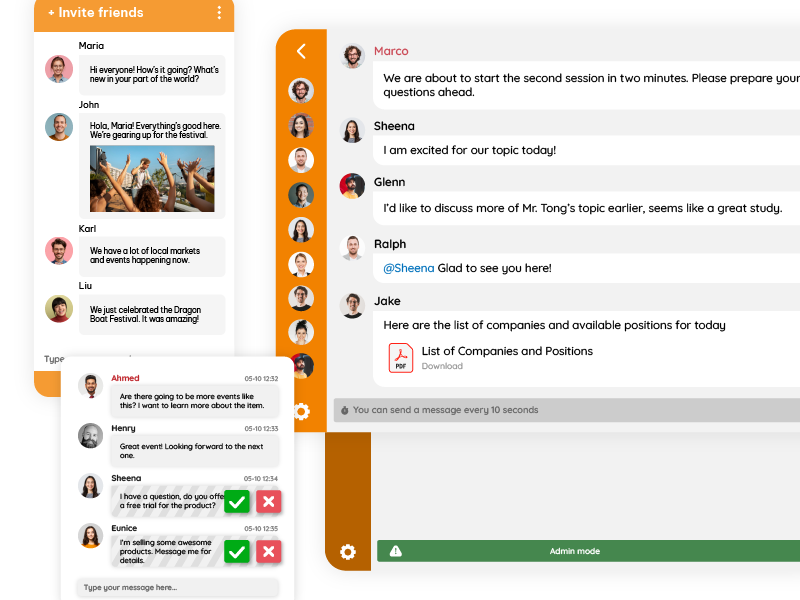
- Main Event Chat
Moderated, curated, and visible to all attendees - Q&A Room
Strictly moderated, focused on questions for speakers - Topic-Specific Rooms
Separate rooms per track, session, or subject - Backstage / Staff Room
Internal coordination for moderators and hosts
Each room has its own rules, moderators, and pace.
Moderation Across Multiple Rooms
Parallel rooms don’t increase complexity — they reduce it.
Because:
- Each room has a smaller, more focused audience
- Moderators specialize by topic
- Message queues are shorter
- Speakers receive cleaner input
In practice, this means fewer moderators can manage larger events more effectively.
Dynamic Room Assignment During Events
Advanced event setups often:
- Open rooms only when sessions start
- Close rooms automatically when sessions end
- Move users between rooms without reloading
- Enable moderation rules per room
This allows events to feel structured without feeling rigid.
From the user’s perspective, they’re simply “following the event flow.”
Using Parallel Rooms for Better Audience Experience
Multiple rooms also give attendees choice.
Some people want:
- To ask questions
- To discuss with peers
- To stay quiet and observe
Parallel chat rooms respect different engagement styles without forcing everyone into the same channel.
This inclusivity often increases overall participation — even if each room is quieter.
Moderated Chat and Multi-Room Events After the Live Moment
Parallel, moderated rooms dramatically improve post-event value.
Instead of one noisy chat log, you get:
- Clean Q&A transcripts
- Session-specific discussions
- Reusable content
- Searchable insights
For events that live on as recordings, this is a huge advantage.
Best Practices for Moderation in Multi-Room Events
A few patterns that work consistently:
- Assign clear purpose to each room
- Tell attendees where to post what
- Use stricter moderation in main rooms
- Allow lighter moderation in breakout rooms
- Rotate moderators during long events
- Summarize room activity back to the main stage
Moderation works best when it feels like guidance, not enforcement.
From Noise to Orchestration
At scale, live events stop being conversations and start becoming systems.
Moderated chat brings order.
Multiple rooms bring architecture.
Together, they transform chat from:
- A distraction → a signal
- A risk → an asset
- A liability → a platform feature
High-traffic live events don’t fail because audiences are too loud.
They fail because the infrastructure isn’t designed for scale.
Moderated chat provides clarity.
Parallel rooms provide focus.
And when both work together, chat stops being chaos — and becomes the connective tissue of the event itself.
That’s not control.
That’s orchestration.