
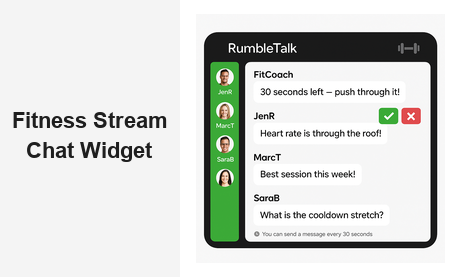
A fitness stream chat widget changes everything about how online coaches and fitness platforms connect with their audience. When viewers can ask questions in real time, cheer each other on, and receive immediate coaching feedback, passive broadcasts transform into high-energy community experiences. For fitness businesses, that level of engagement directly impacts session completion rates, member retention, and long-term subscriber growth.
RumbleTalk offers a purpose-built fitness stream chat widget that integrates seamlessly into any website or streaming setup. Whether you run a private members training program, a public online fitness community, or a corporate wellness initiative, the platform gives you full control over the conversation — with powerful moderation tools, clean embeds, and a professional interface that matches your brand identity.
Why Fitness Streamers Need a Dedicated Live Chat Tool
Running a live fitness class without interactive chat is like hosting a spin session with no music — technically possible, but far less effective. A fitness stream chat widget gives participants a voice during the workout, and that voice drives measurable outcomes for your business.
Engagement is the primary driver. Research consistently shows that interactive content holds audience attention longer than passive video. When a viewer types “On rep 15 — feeling it!” or asks “Should I modify this for knee pain?”, they become mentally committed to the session. That commitment translates to longer watch times, higher workout completion rates, and a stronger emotional connection to your brand.
For fitness businesses, community is a major retention lever. Members who feel known — who have their questions answered and their milestones celebrated in the chat — are significantly less likely to cancel their subscriptions. A live group chat widget turns isolated home workouts into shared experiences, replicating the social energy of an in-person gym class without requiring a physical location.
Beyond retention, a fitness stream chat widget generates real-time feedback that helps coaches continuously improve their programming. If five viewers ask about form modifications in the first ten minutes, that is a signal worth acting on. Coaches who respond to those signals during the session — and track patterns across multiple classes — deliver better workouts and build more loyal audiences over time.
Finally, live chat gives sponsors and brand partners something genuinely valuable: a highly engaged audience that is actively participating rather than passively scrolling. Fitness equipment brands, supplement companies, and apparel partners pay premiums to be associated with interactive, community-driven fitness platforms.
Key Features of an Effective Fitness Stream Chat Widget
Not every chat tool is suited for a live fitness environment. Fast-moving sessions, large simultaneous audiences, and the need for clean content moderation place specific demands on the technology. Here is what to look for in a fitness stream chat widget:
Group Chat with High Concurrency
A fitness class might have 50 participants or 5,000, depending on the platform and promotion. RumbleTalk’s Group Chat handles large simultaneous audiences without performance degradation. Messages load instantly, user avatars are clearly visible, and the interface stays clean and readable even as message volume spikes during peak moments like class countdowns or final effort intervals.
Moderated Q&A for Structured Sessions
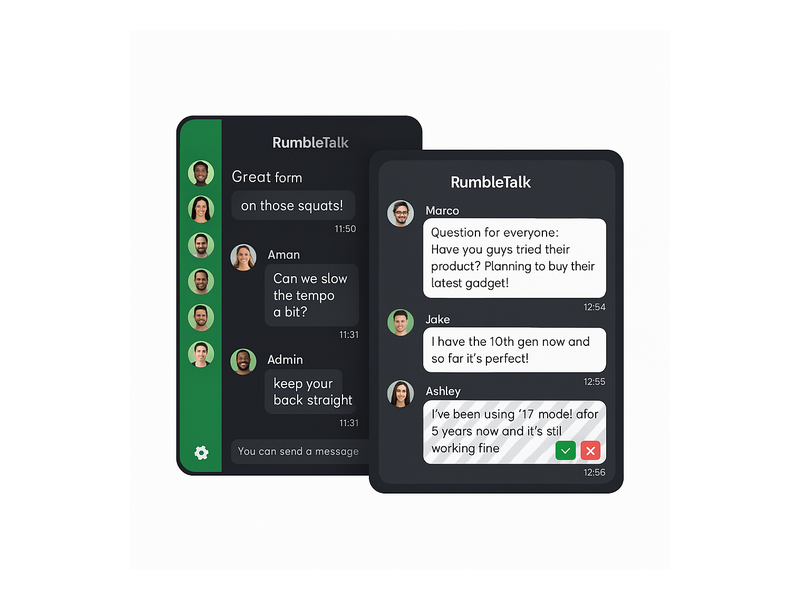
Some fitness formats — live coaching calls, nutrition Q&As, injury-prevention workshops, or technique clinics — work better with a moderated structure. RumbleTalk’s Moderated Q&A product lets administrators review all incoming messages before they appear publicly. This eliminates spam, removes off-topic content, and lets the coach focus on the best questions from the audience rather than scrolling through an unfiltered feed during the session.
Members Chat for Subscriber Communities
For platforms with paid memberships, a Members Chat creates a private, credential-verified chat room where only authenticated subscribers can participate. This is ideal for premium training programs, accountability groups, or high-touch coaching packages where exclusivity is a core part of the value proposition.
Admin Mode and Slow-Mode Controls
RumbleTalk’s admin mode gives moderators direct control over the conversation: ban users, mute individuals, delete messages, or activate slow mode to throttle the pace of incoming posts. The “send a message every 30 seconds” cooldown is particularly effective during high-traffic moments — like the opening minutes of a popular live class — when unchecked chat can become an unreadable wall of text that overwhelms both coaches and participants.
Customizable Branding
A fitness stream chat widget should look like it belongs on your site, not like a generic third-party embed. RumbleTalk offers full color and theme customization so the chat window matches your brand — whether that is a high-contrast dark theme for an intense strength training brand or a clean, minimal look for a yoga or pilates studio.
How to Embed a Fitness Stream Chat Widget on Your Website
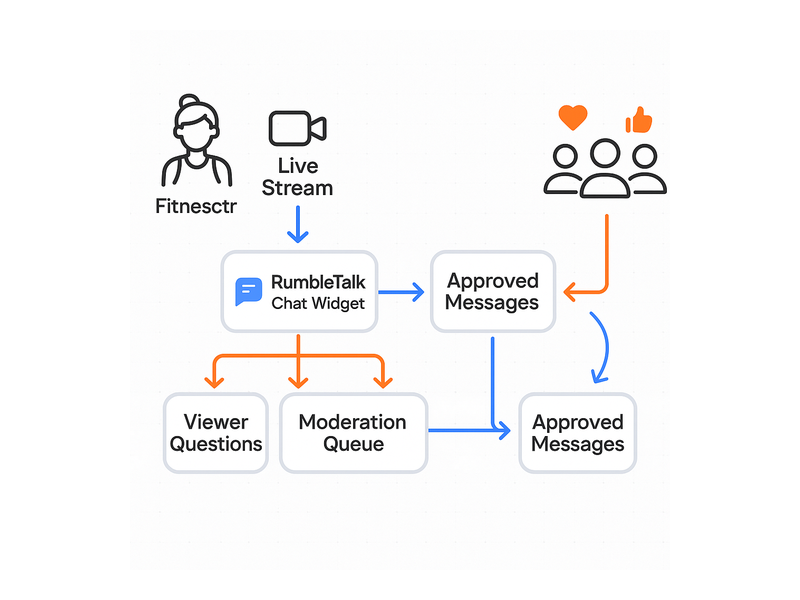
RumbleTalk is designed for fast, non-technical setup. Embedding a fitness stream chat widget on any website typically takes under an hour from account creation to going live:
- Create your RumbleTalk account and configure your chat room — set a room name, choose your theme colors, and decide on your moderation model (open group chat, moderated Q&A, or members-only).
- Copy the embed code — a single JavaScript snippet — and paste it into your page builder, WordPress editor, or custom HTML section on the page where your video player lives.
- Go live. The chat widget appears alongside your stream, ready for participants to join and engage immediately.
The embed is fully responsive. On desktop, the fitness stream chat widget sits beside the video player in a side-by-side layout. On mobile, it stacks below the video, keeping the experience clean and usable across all screen sizes. Because RumbleTalk operates independently from your video player, you can place the chat on any page — no platform lock-in, and no dependency on YouTube Live or Facebook Live’s unbranded native chat tools.
For fitness creators and platforms that broadcast regularly and want tools built specifically for live streaming formats, RumbleTalk’s Broadcast & Podcast chat solution offers persistent branded chat rooms, session history, and audience management features designed for high-frequency live content formats.
Technical Requirements
RumbleTalk is a cloud-hosted SaaS platform. There is no server to manage and no plugin dependencies beyond the embed snippet. Uptime, scaling, and security are handled on RumbleTalk’s infrastructure — which means your fitness stream chat widget stays available and performant even if a class unexpectedly attracts a much larger audience than anticipated.
Moderation and Safety in Live Fitness Chat
Live fitness communities attract motivated, positive participants — but any open platform can occasionally draw spam, off-topic comments, or inappropriate behavior. A professional fitness stream chat widget needs moderation tools that are powerful enough to protect the community without slowing down the coaching experience.
RumbleTalk gives administrators multiple overlapping layers of control:
- Pre-approval queues — In Moderated Q&A mode, every incoming message waits for admin approval before going public. Moderators see a clean queue with approve (green checkmark) and reject (red X) buttons beside each message, making it fast to curate the conversation in real time. This is the ideal format for expert-led sessions where the coach needs to see only relevant, high-quality questions.
- Slow mode — The configurable cooldown bar throttles message frequency during high-traffic moments, preventing the chat from overwhelming participants who are trying to follow the workout while also engaging.
- User management — Admins can mute individual users for a defined time period or issue a permanent ban. Muted users can still see the chat but cannot post, offering a measured response to minor violations without immediately escalating to removal.
- Private messaging controls — For platforms where participant safety is a priority — youth fitness programs, women-only communities, or telehealth-adjacent wellness platforms — RumbleTalk allows administrators to disable private messaging entirely, ensuring all communication stays in the monitored public channel.
For fitness businesses operating in regulated environments or running corporate wellness programs, having a fitness stream chat widget with documented, configurable moderation capabilities also supports internal compliance and HR requirements around workplace communication tools.
Real-World Use Cases: Fitness Stream Chat Widget in Action
The fitness industry is broad, and the best applications for a fitness stream chat widget vary by format, audience size, and business model. Here are the most common and effective configurations:
Live Bootcamp and HIIT Classes
High-energy group fitness classes benefit from open Group Chat. Participants motivate each other, share their rep counts, and keep the collective energy alive throughout the session. The coach can glance at the chat between intervals and respond to common questions, shout out top performers by name, or acknowledge members who are completing a class milestone.
Expert Q&A Sessions with Coaches and Physiotherapists
When a credentialed expert joins a live session — a sports physiotherapist, a registered dietitian, or a strength and conditioning coach — the Moderated Q&A format delivers the best experience for everyone. Viewers submit questions freely, moderators surface the best ones for the expert to answer, and the session stays focused and high-value without getting derailed by off-topic conversation.
Premium Membership Training Programs
For programs where members invest in personalized coaching, Members Chat creates a private, trusted environment. Members connect with each other between live sessions, ask follow-up questions after workouts, and build the accountability relationships that drive long-term retention and organic word-of-mouth referrals.
Corporate Wellness Programs
Many organizations now offer live fitness streams as an employee benefit, particularly for distributed or remote workforces. A fitness stream chat widget embedded in a corporate wellness portal gives employees a social layer to their workouts, reducing isolation for remote team members and encouraging healthy participation across departments and time zones.
On-Demand Replay with Persistent Community Chat
RumbleTalk can power a persistent chat room alongside recorded video replays. Members who watch the same recorded workout at different times all land in the same community chat, creating an asynchronous sense of shared experience that extends the engagement value and shelf life of your content library well beyond the live event itself.
The dynamics that make live audience chat effective in fitness streaming closely parallel those in other broadcast formats. For a detailed look at how real-time chat shapes audience behavior and loyalty in live broadcast environments, Radio Show Chat: Engage Your Live Audience in Real Time covers audience engagement principles that translate directly to fitness streaming contexts.
Why RumbleTalk Is the Right Fitness Stream Chat Widget for Growing Platforms
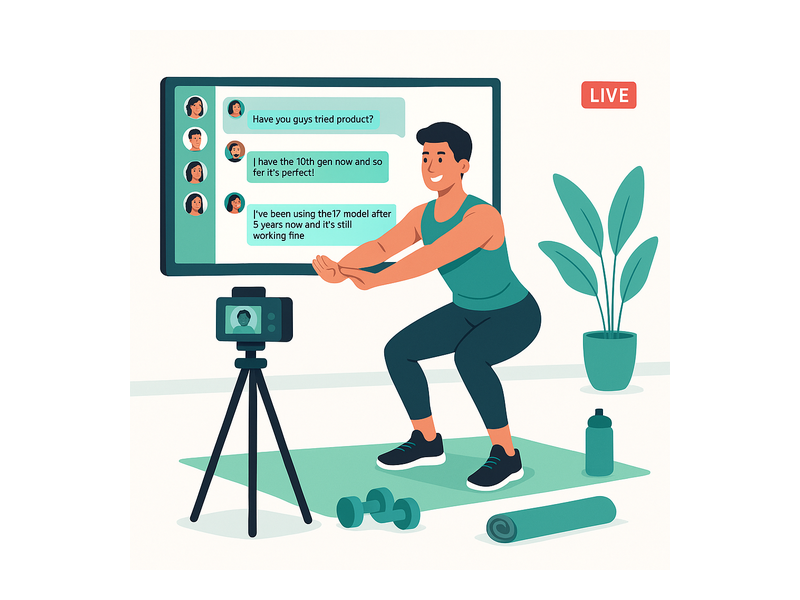
There are several chat tools available for websites, but most were designed for customer support ticketing or simple one-to-one messaging — not live audience engagement at scale. RumbleTalk was built specifically for live events, broadcasts, and community platforms, which means it handles the edge cases that generic chat tools fail on: concurrent user spikes, moderation under pressure, and brand-consistent presentation across devices.
The platform scales from a 10-person private coaching session to a 10,000-participant live fitness event without any configuration changes on your end. Moderation tools are built-in and accessible to non-technical team members — a fitness studio manager or content coordinator can run a live chat session without developer support. And the embed is simple enough that a solo fitness creator can go from account creation to live chat in under an hour.
For fitness platforms that stream via their own website rather than relying on YouTube or Facebook Live’s uncontrolled, unbranded native chat tools, a fitness stream chat widget from RumbleTalk gives you full ownership of the community experience. You control the data, the moderation rules, and the user interface. Your audience stays on your platform and your brand — not embedded inside a third-party ecosystem you do not control.
RumbleTalk also supports multi-room configurations, so if your platform runs simultaneous classes across disciplines — yoga, strength training, HIIT, and mobility — each class can have its own dedicated chat room, all managed from a single admin dashboard. This makes it practical for mid-sized and enterprise fitness platforms managing diverse programming calendars.
To get your first chat room configured and embedded, the RumbleTalk Knowledge Base walks through the complete setup process — from account creation to embed code to moderation settings — in a clear, step-by-step format accessible to non-technical users.
Ready to add a fitness stream chat widget to your live classes and membership platform? RumbleTalk makes it straightforward to launch a professional, fully branded group chat that works alongside any video setup and any audience size. Get started at rumbletalk.com and give your fitness community the real-time engagement experience that turns one-time viewers into long-term members.