
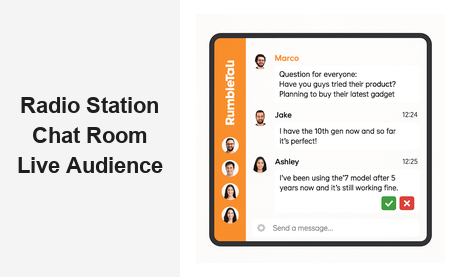
A radio station chat room is one of the most powerful tools a broadcaster can add to their website. In an era where listeners scroll past content in seconds, a live chat room keeps your audience engaged, connected, and coming back broadcast after broadcast. Whether you run an FM station, an internet radio network, or a podcast brand with live sessions, embedding a real-time radio station chat room directly on your site transforms passive listeners into active participants — and casual visitors into loyal community members.
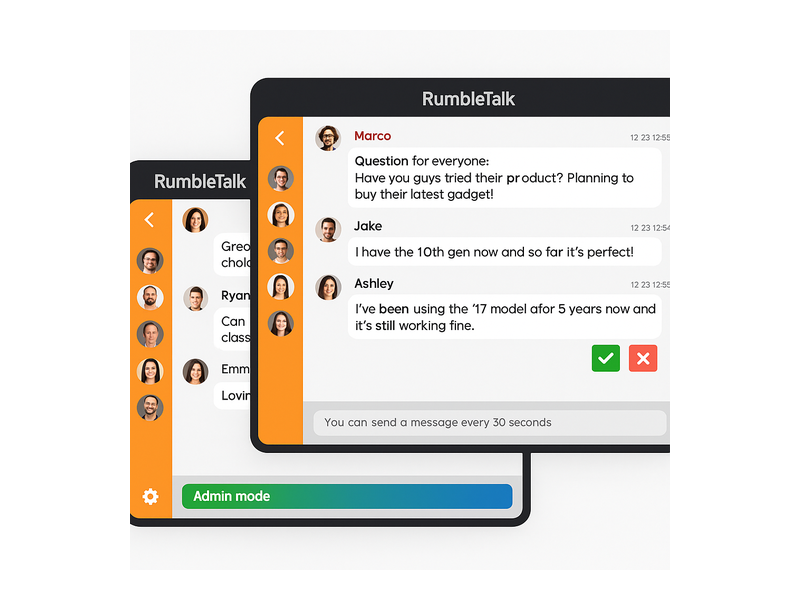
RumbleTalk makes it easy to add a radio station chat room to any website in minutes. With no coding required and a fully embeddable chat widget, station managers and content producers can go live with a professional-grade listener chat experience the same day they sign up. This guide covers everything you need to know about choosing, setting up, and getting the most out of a live chat room for your radio station website.
Why Every Radio Station Needs a Chat Room
Radio has always been about connection — the DJ talking to the city, the call-in guest sharing a story, the song that defines a generation. But traditional radio is one-directional. A live radio station chat room breaks that barrier. When your audience can type a message, react to a track, or ask the host a question in real time, your broadcast becomes a two-way event.
Here are the core business reasons radio stations are adding listener chat rooms to their sites:
- Increased session time: Visitors who engage in a chat room stay on your site significantly longer than those who simply listen and leave.
- Community loyalty: Regular listeners who interact with each other and with your hosts develop a strong sense of belonging — turning casual fans into loyal subscribers and advocates.
- Real-time audience feedback: Chat messages act as instant audience research. You can see how listeners react to content, guests, or song selections before the show is even over.
- Monetization potential: A live, engaged audience in a chat room is attractive to sponsors and advertisers who want to reach active listeners rather than passive ones.
- Event amplification: Special programming — album release parties, championship recaps, live artist interviews — becomes a shareable event when paired with an active on-air chat.
For any station growing its digital footprint, a radio station chat room is no longer optional — it is a competitive necessity.
What Makes a Great Radio Station Chat Room
Not all chat widgets are built for broadcast environments. A professional radio station chat room needs to handle surges in concurrent users during popular shows, give hosts and producers the ability to control the conversation, and present a polished look that matches your station brand. Here are the must-have features to look for.
Real-Time Group Messaging
The foundation of any live radio chat experience is the ability for hundreds — or thousands — of listeners to send messages simultaneously and see them appear instantly. RumbleTalk’s Group Chat is designed precisely for this. Messages appear in real time with timestamps and user avatars, creating a live scrolling conversation that mirrors the energy of your broadcast.
Moderation Controls That Keep the Conversation on Track
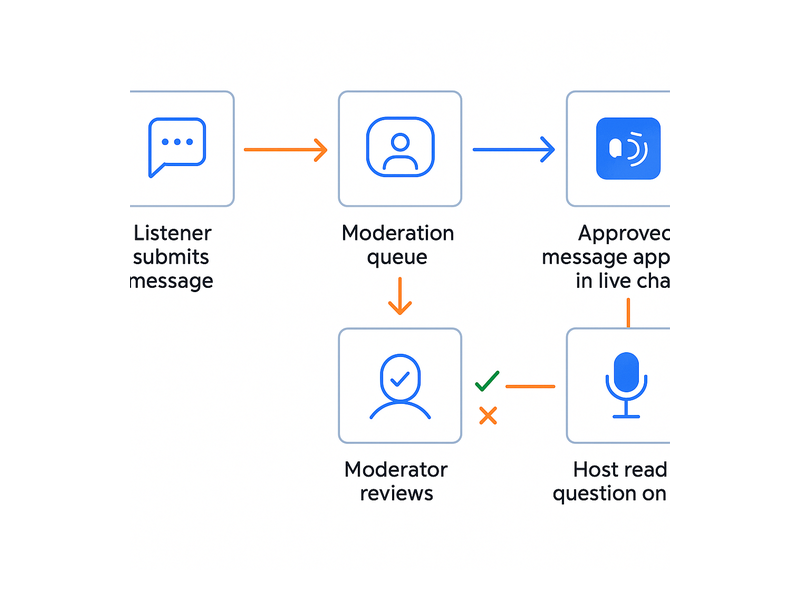
A busy radio chat room can attract off-topic messages, spam, or inappropriate content in seconds. RumbleTalk’s Moderated Q&A product gives hosts a dedicated approval queue — messages are held until a moderator approves or rejects them. This is especially valuable during listener Q&A segments, live interviews, or politically sensitive discussions where controlling message flow is critical to the broadcast’s integrity.
The Group Chat product also gives admins the power to mute users, ban participants, and set message rate limits — for example, one message every 30 seconds — to prevent flooding during high-traffic shows.
Branded Appearance
Your chat room should feel like an extension of your station, not a third-party widget bolted onto the page. RumbleTalk offers full theme customization: change colors, fonts, backgrounds, and logo placement to match your station’s visual identity. For a rock station, dark and moody. For a pop station, bright and bold. The radio station chat room becomes part of your listener experience from the first scroll.
Multiple Chat Formats for Every Programming Scenario
RumbleTalk provides six distinct chat room types, each suited to different radio use cases:
- Group Chat: Open group conversation ideal for general listener engagement during regular programming.
- Moderated Q&A: Questions enter a queue — the host selects which to answer on air, creating clean, curated listener interaction.
- Members Chat: Restrict your chat room to paying members or loyalty program participants for exclusive access.
- Social Chat: Allows login via Facebook or Google, reducing friction for first-time visitors who want to jump into the conversation immediately.
- Private Chat: Useful for direct communication between contest winners and hosts, or between production team members coordinating behind the scenes.
- Queued Chat: Organizes messages in a structured queue — ideal for listener song dedications or structured call-in segments.
Setting Up Your Radio Station Chat Room with RumbleTalk
Getting your radio station chat room live is straightforward. Here is the typical setup flow for a station website:
Step 1: Choose Your Chat Type
Sign up at RumbleTalk and select the chat format that fits your programming. For most stations, Group Chat is the right starting point — it handles large audiences and gives admins full moderation controls. If you run structured listener Q&A segments, add a Moderated Q&A room alongside it for those special shows.
Step 2: Customize the Theme
Open the admin panel and apply your station’s brand colors, upload your logo, and configure a welcome message. A personalized on-air chat room builds immediate trust with listeners — they see your brand, not a generic interface.
Step 3: Embed on Your Station Website
Copy the single-line embed code and paste it into your website’s HTML. RumbleTalk’s radio chat rooms work on WordPress, Wix, Squarespace, Webflow, and any custom-built site. The widget is fully responsive, so it works perfectly on desktop and mobile — where a significant share of your streaming audience is listening.
Step 4: Configure Listener Access
Decide how listeners will log in to your radio station chat room. Options include anonymous guest access, social login via Facebook or Google, or SSO integration for stations with an existing member portal. SSO is especially valuable for stations with subscription tiers — authenticated members gain access to the Members Chat automatically, without a second login.
Step 5: Go Live and Moderate
When your show starts, hosts or designated moderators log in as admins. From the admin dashboard, they can approve messages in the queue, remove inappropriate content, pin important announcements, and engage directly with listeners — all in real time, alongside the live broadcast.
Moderation Strategies for Live Radio Chat
Running a radio station chat room during a live broadcast requires a clear moderation strategy. Unlike a comment section, live chat moves fast. Here are best practices radio stations use with RumbleTalk:
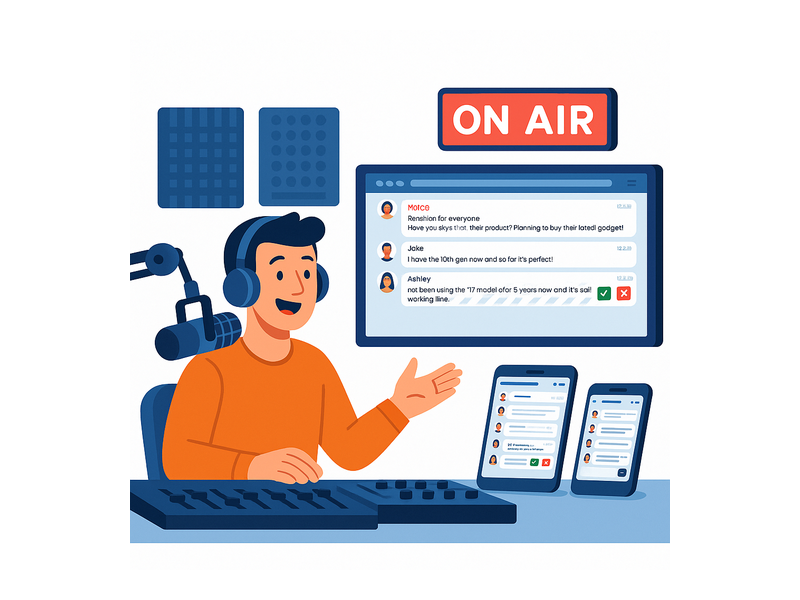
- Assign a dedicated moderator: During high-traffic shows, the host should not moderate alone. A producer or community manager should monitor the chat and filter content in real time while the host focuses on the broadcast.
- Use Moderated Q&A for special events: For high-value interviews or call-in segments, switch from open Group Chat to Moderated Q&A so only screened listener questions reach the host on air.
- Set cooldown timers: Enable the message rate limiter during peak traffic to prevent any single user from flooding the listener chat.
- Pre-configure banned keywords: RumbleTalk supports profanity filters and custom keyword blocking. Configure these before going live, not after an incident.
- Pin sticky messages: Use pinned messages to display your current show topic, the guest’s name, or the contest phone number. This turns your station chat room into an information hub, not just a conversation space.
Real-World Use Cases for a Radio Station Chat Room
A radio station chat room is versatile enough to enhance virtually every programming format. Here are some of the most effective applications:
Morning Drive Shows
Morning shows are the flagship. Listeners are commuting, checking their phones, and in the mood to interact. An open listener chat room on your website lets them weigh in on the day’s topics, vote for the next song, or submit news tips — all while streaming from their car or office. The chat room becomes the digital equivalent of the call-in line.
Live Artist Interviews
When a major artist goes live on your station, your audience is eager to participate. A Moderated Q&A radio station chat room lets listeners submit questions, and the host selects the best ones to ask on air. This format has strong social media shareability — listeners who get their question answered on air will post about it, amplifying your reach organically.
Sports Broadcasts
Sports radio thrives on debate and real-time reaction. A live radio chat room during a game or post-game show channels that energy onto your website rather than letting it bleed exclusively to social media. Fans react to plays, argue calls, and celebrate — all on your platform, building your traffic and brand loyalty.
Political Talk and News Programming
News and talk radio often covers divisive topics. The Moderated Q&A format is ideal here — listener input is curated before it reaches the host, preventing misinformation or inflammatory content from disrupting the on-air experience.
Contest and Giveaway Events
Use Queued Chat or Group Chat to run on-air contests. Listeners submit answers or dedications through the chat room, creating a direct, trackable channel for entries. Chat history provides an automatic log for verification, eliminating the manual overhead of phone-based contests.
Subscriber-Only Programming
For stations with a premium membership tier, Members Chat creates an exclusive broadcast chat experience available only to paying subscribers. This is a compelling membership perk — loyal fans get access to a radio station chat room where they interact with hosts and fellow premium members in a more intimate, moderated setting.
Analytics and Audience Insights
Every message sent in your radio station chat room is data. RumbleTalk’s admin dashboard provides conversation logs and user activity reports that help you understand your audience at a deeper level:
- Peak activity windows: See when your chat room is most active to optimize show scheduling and staffing.
- Most engaged users: Identify your most loyal community members — potential brand ambassadors worth engaging directly with exclusive offers.
- Content feedback loops: Review message sentiment during different segments to gauge what your audience loves or tunes out.
For station sales teams, this engagement data translates directly into sponsor-friendly metrics: average concurrent chat users, session length during sponsored segments, and audience growth over time. These numbers resonate with advertisers seeking active, verified audiences rather than passive impression counts.
Technical Integration: Simpler Than You Think
One of the most common concerns when evaluating a radio station chat room solution is technical complexity. RumbleTalk is designed to remove those barriers entirely:
- No server required: RumbleTalk is a fully hosted SaaS platform. You do not manage servers, databases, or scaling — RumbleTalk handles infrastructure as your audience grows.
- Embed in minutes: A single iframe or script tag is all you need. It works with any CMS or website builder out of the box.
- GDPR-ready: RumbleTalk is hosted on compliant infrastructure — important for stations broadcasting to European listeners.
- SSO support: If your station website already has user authentication, pass verified identities directly into the chat room using RumbleTalk’s SSO API. No duplicate login friction for your listeners.
- Mobile-first: The widget is fully responsive and optimized for mobile — essential when a significant share of your streaming audience is on smartphones.
Why RumbleTalk Is the Right Platform for Your Radio Station Chat Room
Generic free chat widgets lack the moderation depth, scalability, and professional presentation that a live radio broadcast demands. RumbleTalk was purpose-built for live events and publisher platforms — exactly the environment radio stations operate in every day.
When you choose RumbleTalk for your radio station chat room, you get a platform that handles thousands of concurrent listeners without lag, admin tools designed for live real-time environments, multiple chat formats to match every programming scenario, full branding customization, and reliable hosted infrastructure with zero maintenance burden on your team.
Radio stations across formats — news/talk, sports, music, and niche internet radio — use RumbleTalk to deepen audience relationships and improve digital engagement metrics. The result is a more loyal listener base, longer session times on your website, and new revenue opportunities through sponsor-friendly live engagement data.
Start Your Radio Station Chat Room Today
Adding a professional radio station chat room to your website has never been easier. RumbleTalk offers a free trial so you can test the platform with your audience before committing. Setup takes minutes — and the impact on listener engagement is immediate.
Visit rumbletalk.com to explore plans, see live demos, and start your free trial. Whether you run a community FM station, a sports talk network, or a global internet radio platform, RumbleTalk has the tools to make your on-air chat room the centerpiece of your digital listener experience — turning every broadcast into a community event.