
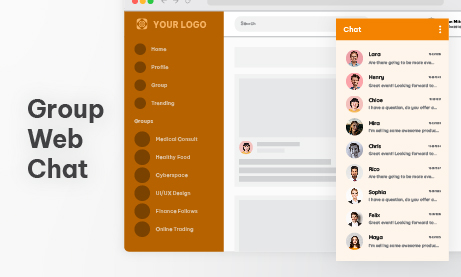
Building a successful membership site takes more than just offering great content; it requires cultivating a thriving community. When members feel isolated or limited to static forums, engagement drops and subscription churn inevitably rises. That is where integrating a group web chat becomes a game-changer.
By transitioning your platform from a passive content hub into a lively, real-time conversation space, you give members a powerful reason to log in every day. In this post, we will explore why adding a group web chat is the ultimate strategy for boosting retention, fostering genuine connections, and keeping your community actively engaged.
Retention Increases When Members Talk to Each Other
Members rarely cancel because the content is bad. They cancel because they feel disconnected.
When members:
- Get answers from peers
- Celebrate wins together
- Share struggles
- Participate in live discussions
They build relationships.
And people don’t leave relationships easily.
A group web chat builds:
- Habit (log in daily to check discussion)
- Accountability (others expect you to show up)
- Emotional attachment (you belong here)
Your Content Becomes Alive
Recorded content is static. Add chat and it becomes dynamic.

For example:
- During live webinars
- During course module releases
- During trading sessions
- During live Q&A
Members can react in real time.
This creates:
- Energy
- Momentum
- Shared excitement
Instead of just watching, members participate.
It Reduces Your Support Load
In a healthy group web chat, members answer each other.
You’ll notice something interesting: The same questions repeat.
When members help newcomers, you reduce:
- Direct emails
- Support tickets
- Repetitive explanations
It becomes community-powered support.
You Own the Platform
Using external communities means:
- Algorithm changes
- Platform risk
- Data limitations
- Branding restrictions
A group web chat embedded in your membership site means:
- You own the data
- You control moderation
- You define the rules
- You decide the structure
No need for dependency.
Industries Where Group Web Chat Makes a Huge Difference
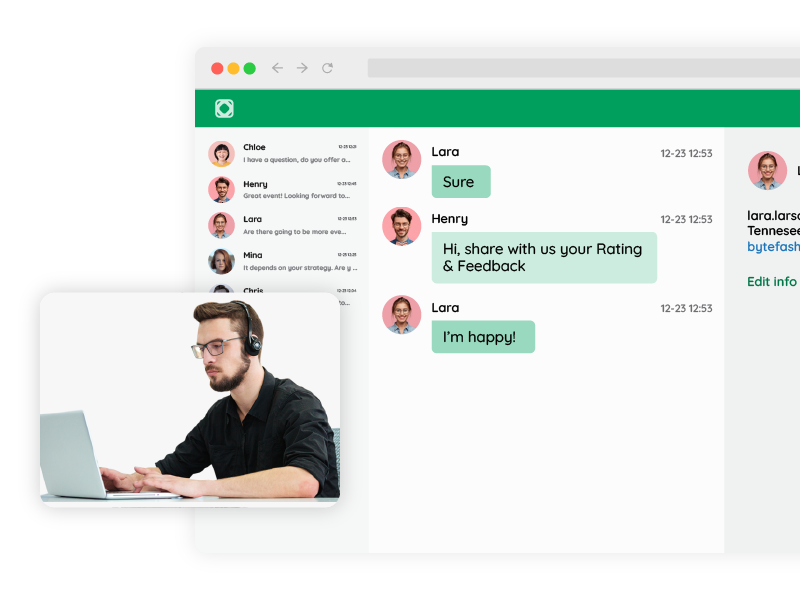
Online Courses
Students can:
- Discuss lessons
- Ask clarification questions
- Share implementation results
- Encourage each other
Completion rates improve when students feel less alone.
Trading Communities
Real-time reaction matters.
Members can:
- Share chart insights
- React to news
- Discuss strategies
- Track live sessions
A group web chat becomes the heartbeat of the platform.
Fitness & Coaching Programs
Members can:
- Post daily progress
- Share wins
- Stay accountable
- Participate in weekly live chats
Motivation increases dramatically when progress is public.
Professional Membership Networks
Instead of static directories, members can:
- Network
- Ask industry questions
- Share job opportunities
- Discuss trends
It turns your site into a living professional space.
Structuring Your Group Web Chat Properly
One mistake many platforms make: They create one giant room. That works… until it doesn’t.
Here’s a better structure:
- General community room
- Topic-based rooms
- Event-specific rooms
- Course module rooms
- VIP room
Each room lives on a separate page inside your membership site.
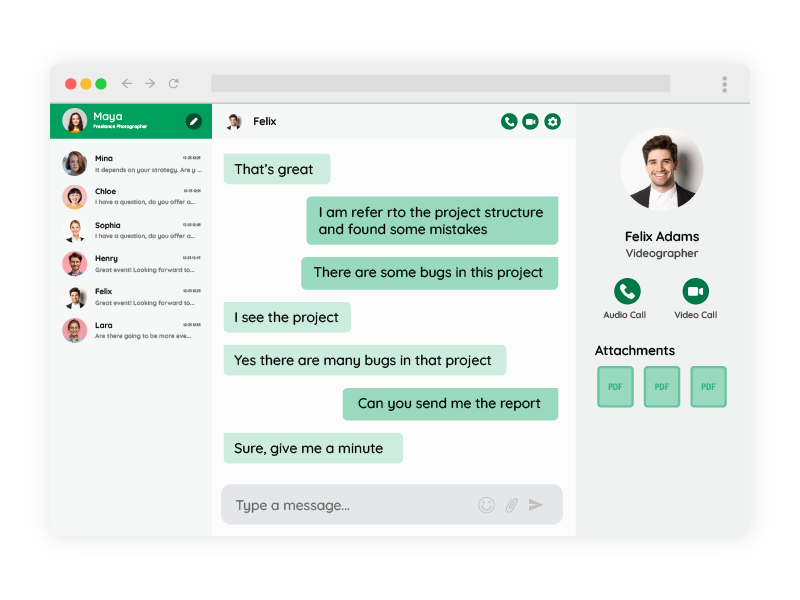
This creates:
- Organized discussion
- Focused engagement
- Cleaner experience
Moderation Options That Keep It Healthy
Community doesn’t mean chaos.
You can control:
- Who can post
- Who can read
- Who can moderate
- Whether messages are pre-approved
- Whether links are allowed
For sensitive communities, you can enable pre-moderation, where messages must be approved before becoming visible.
For high-energy communities, you can allow free posting but assign moderators.
Flexibility matters.
Technical Integration: How to Add Group Web Chat
Let’s talk implementation.
You have three main ways to integrate a group web chat.
1. Simple Embed (Fastest Option)
You generate a chat room. You get an iframe embed code.
Then, you paste it into:
- WordPress page
- HTML page
- Membership dashboard
- Course lesson
Then, you’re done.
No development required.
2. WordPress Plugin Integration
If your membership runs on WordPress:
- Install the chat plugin
- Create rooms
- Place them using shortcode
- Control access via membership rules
This is perfect for:
- MemberPress
- LearnDash
- WooCommerce memberships
You can assign different rooms to different membership levels.
3. SDK Integration (Auto Login & User Sync)
This is where it gets powerful.
Instead of asking users to log in again inside the chat, you can sync your user database.
With SDK integration:
- Users are automatically logged in
- Username matches your platform
- Avatar matches your system
- Roles sync automatically
This creates a seamless experience.
From a technical standpoint:
- Your backend generates a secure token.
- You pass user details (ID, name, role).
- The chat recognizes and logs them in automatically.
Result: frictionless access.
No double authentication.
Advanced Control With REST API
For larger platforms, automation is key.
Using REST API, you can:
- Create chat rooms dynamically
- Delete rooms when a course ends
- Create users remotely
- Assign permissions
- Update room design programmatically
Example use case: You launch a new cohort every month.
Instead of manually creating rooms:
- Your system creates a new room automatically
- Enrolls users
- Assigns moderators
- Applies a theme
All fully automated.
Design & Branding Matters
Your group web chat should look like part of your site.
You can control:
- Colors
- Fonts
- Layout
- Size
- Header
- Background
It should not feel like a third-party tool. It should feel native.
Engagement Tactics That Work
Having a group web chat is step one. Activating it is step two.
Here are proven tactics:
- Weekly live chat hour
- Member spotlight threads
- Monthly challenge discussions
- Live event dedicated rooms
- Announcement room
- Poll-based conversations
Don’t leave the chat empty.
Seed conversation. Encourage participation. Recognize contributors.
Metrics You Should Track
To understand if your group web chat is working, track:
- Daily active users
- Messages per day
- Peak concurrent users
- Room participation
- Return frequency
You’ll often discover: Members who participate in chat cancel less.
Common Mistakes to Avoid
1. No Moderation Rules
Define behavior guidelines early.
2. One Giant Overloaded Room
Segment discussions.
3. No Clear Purpose
Each room should have a defined focus.
4. Not Integrating With User Roles
VIP members should get VIP spaces.
Group Web Chat vs. External Platforms
External platforms:
- Distract users
- Compete for attention
- Expose members to other communities
- Limit customization
Embedded group web chat:
- Keeps focus
- Increases brand authority
- Strengthens your ecosystem
Your membership becomes a destination.
Not a redirect.
Scaling as Your Community Grows
As your platform grows:
- Add more topic rooms
- Introduce moderators
- Create event-based rooms
- Use REST API for automation
- Use SDK for role-based access
The structure scales with you.
Wrapping Up
A membership site without conversation is fragile.
A membership site with a Group Web Chat becomes:
- Sticky
- Dynamic
- Valuable
- Social
- Hard to leave
People don’t just pay for content. They pay for belonging. And belonging happens in conversation.
If you’re building a membership platform and still relying only on static content, adding a group web chat might be the most impactful improvement you can make.
Because when members start talking to each other, your platform stops being a product. It becomes a community.