What Are the Most Essential Chat Moderation Tools for Managing Active Communities?
For each active community, it’s hard to keep up with all the members. Fortunately, RumbleTalk has chat moderation tools that you can use for your community chat.
These moderation tools are a must for every community chat room since they help admins not only oversee the chat but also keep members active and engaged.
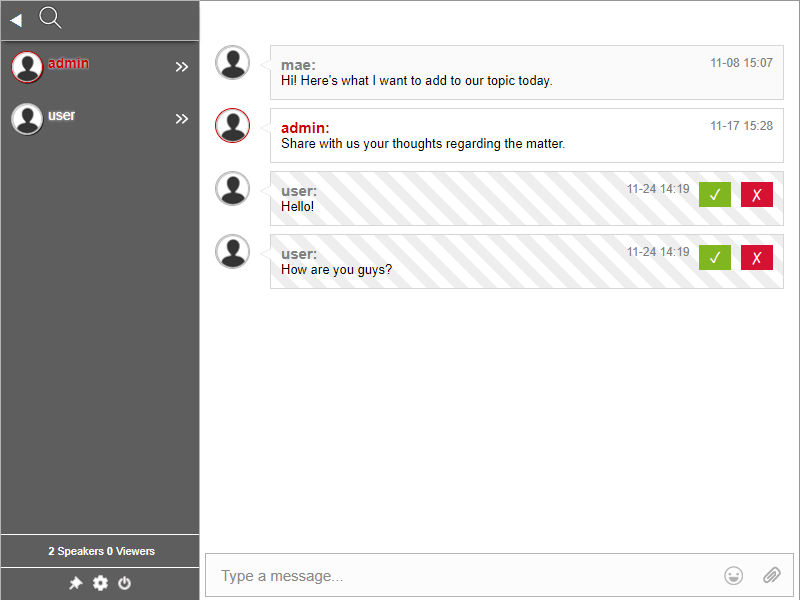
- Polls – Create a live chat poll to get feedback from your community.
- Q&A – Use the Q&A mode to engage with your community. Act as a moderator and choose messages to be answered.
- Black word list control – List out words that would be immediately blocked once they’re sent. This can be profanities, competitors’ names, etc.
- Block or kick users – Administrators can ban users if they’re harassing others or continuously spamming the chat room. For worst-case scenarios, admins can also ban a user’s IP address, resulting in a permanent ban.
Moderating a chat room is a great way to talk with your members and add value to any community chat. However, it’s not just about having fun! Chat moderation tools are also an important part of running any community.
Therefore, it’s important that you take the necessary steps to ensure that your community feels safe. Remember that the more you do these things, the better the experience will be for everyone involved. To effectively use chat moderation tools, you can read this blog.
RumbleTalk offers polls, Q&A mode, black word list control, flood control, user banning, message approval, and admin mode to help manage active communities.
Enable moderated chat mode from the admin panel to review and approve messages before they appear to all users. You can also delete messages and ban disruptive users.
The black word list control allows admins to block specific words from appearing in the chat. Any message containing a blocked word is automatically filtered out.
Yes. RumbleTalk includes flood control to limit how frequently users can send messages, along with banning tools and word filtering to prevent spam and abuse.